Home › Developer Tools

 US
US
USen-US DEde-DE
 CAen-CA
 GBen-GB
 FRfr-FR
 AUen-AU
 ESes-ES
 NLnl
NLnl BRpt-BR
 ITit
ITit NZen-AU
 PTpt-PT
 COes-MX
 MXes-MX
 NGen-GB
 AOen-GB
 ARes-MX
 BFen-GB
 BWen-GB
 CDen-GB
 CGen-GB
 CIfr-FR
 CLes-MX
 CMfr-FR
 CVen-GB
 DZen-GB
 GAfr-FR
 GHen-GB
 GMen-GB
 GWen-GB
 IEen-GB
 KEen-GB
 LYen-GB
 MAen-GB
 MGen-GB
 MLen-GB
 MUen-GB
 MZen-GB
 NAen-GB
 NEen-GB
 PAes-MX
 PEes-MX
 SCen-GB
 SNen-GB
 STen-GB
 SZen-GB
 TDen-GB
 TNen-GB
 TZen-GB
 UGen-GB
 ZMen-GB
 ZWen-GB
52 of 52 storefronts
Content in en-US
Content in en-US
Information
Preview 3 platforms
iPhone 7 images


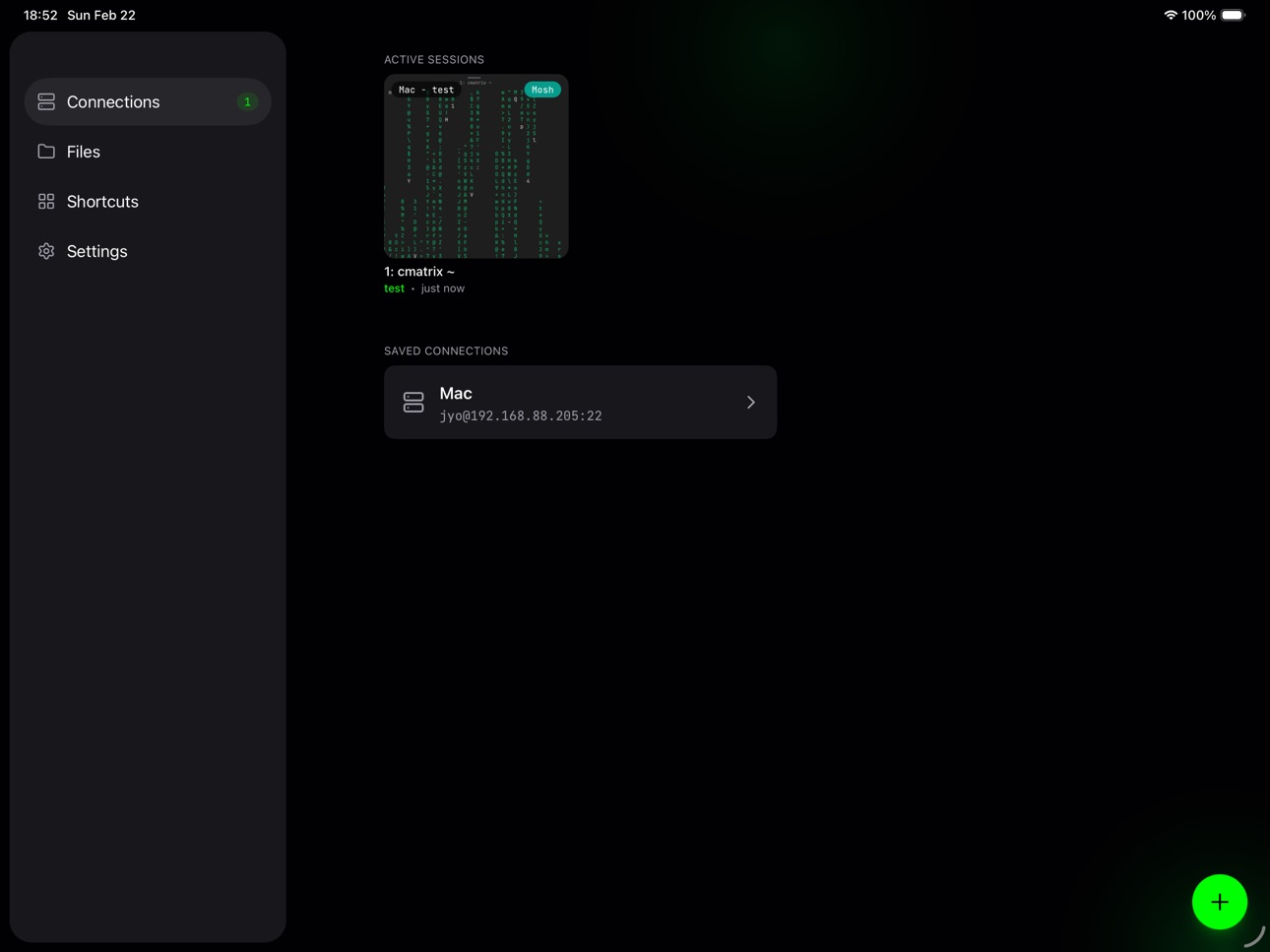
iPad 10 images




Apple Watch 10 images


What’s New Version 3.7.0
• Notifications: rotate your device token from Notification settings
• Image Paste: now delivers through the Moshi hook when installed
• Image Paste: shows a status toast while pasting
• Image Paste: double-tap no longer times out
• Auto Theme: fixed a crash when enabling it with Solarized Light
Description
A mobile terminal designed for AI coding agents. Your coding agent runs on a server — you're not always at your desk. Moshi bridges that gap.
BUILT FOR AI AGENTS
Check on Claude Code from the couch. Nudge Codex from the coffee shop. Monitor Cursor, Windsurf, Copilot, or Aider from anywhere. Your agent doesn't sleep, and now neither does your access to it.
TALK, DON'T TYPE
Voice-to-terminal with on-device AI. Command your agent hands-free using Whisper speech recognition. No cloud, no latency — everything runs locally on your device.
NEVER DROPS
Powered by the Mosh protocol that survives network switches, sleep mode, and subway tunnels. Your session stays alive no matter what.
GET NOTIFIED
Webhook alerts when tasks complete. Start a long-running job, pocket your phone, and live your life. Get a push notification when it's done.
FACE ID FOR SSH KEYS
Biometric unlock for your SSH keys. Private keys stored securely in iOS Keychain, protected by Face ID or Touch ID. Never stored in the app.
PROPER KEYBOARD
A terminal keyboard built for real work. Ctrl, Esc, Tab, arrows, and Tmux shortcuts. Not an afterthought — designed for terminal power users.
SESSION RESUME
Sessions persist across app switches. Come back anytime and pick up where you left off. Your terminal state is always waiting.
PRIVACY FIRST
- SSH keys stored in iOS Keychain with biometric protection
- Voice dictation runs entirely on-device
- No passwords or keys transmitted to our servers
- All terminal data stays on your device
A terminal that picks up — and never hangs up.
Privacy Policy: https://getmoshi.app/privacy
Terms of Service: https://getmoshi.app/terms
In-App Purchases US pricing
Moshi Pro Subscription
Monthly · Monthly$6.99
Monthly · Monthly$7.99
Moshi Founder Yearly · Yearly$19.99
Moshi Founder Monthly · Monthly$3.99
Yearly · Yearly$59.99
Yearly · Yearly$69.99
Moshi Pioneer Yearly · Yearly$29.99
Moshi Pioneer Monthly · Monthly$4.99
Moshi Pro 2026 Pioneer Subscription
Moshi Pioneer Monthly · Monthly$4.99
One-Time Purchases
Moshi Pro Lifetime$249.00
Capabilities
In-App Purchases
Accessibility
ipadiphonemacrealityDevicetvoswatch
Version history 25 versions
Build 887847833v3.7.02026-07-06 23:52:13
• Notifications: rotate your device token from Notification settings
• Image Paste: now delivers through the Moshi hook when installed
• Image Paste: shows a status toast while pasting
• Image Paste: double-tap no longer times out
• Auto Theme: fixed a crash when enabling it with Solarized Light
Build 887794002v3.6.62026-07-04 05:05:29
• Themes: import custom themes via QR code, clipboard, or file
• Shortcuts: custom shortcuts now support key sequences — Ctrl + a,b sends Ctrl+A then Ctrl+B
• Herdr: now follows your terminal theme over Mosh
• Toolbar: detects third-party keyboards correctly
• Keyboard: stays up through device rotation
• Voice Control: now reaches terminal controls and sheet options
Build 887687843v3.6.52026-07-02 16:02:16
• Chat: new optional autocorrection while typing
• Session Switcher: smoother, faster performance
• Browser Preview: now finds dev servers running in Docker and OrbStack containers
• Voice Control: terminal controls are reachable again
• Terminal: holding Backspace keeps deleting
Build 887432272v3.6.32026-06-30 03:23:43
• Session Switcher: a complete revamp of how it works
• Dictation: new compact English model (Parakeet 110M)
• Fonts: added LXGW WenKai as a CJK fallback font, and you can now turn CJK fallback fonts off
• Eternal Terminal checkpoints now recover more reliably after reconnects
• Fixed a potential terminal memory leak after closing sessions
• Toolbar Ctrl+Enter now sends a distinct Kitty keyboard sequence in compatible terminals
Build 887279644v3.6.22026-06-23 00:50:32
• Chat View: background task notifications now appear as cards
• Fixed stuck Eternal Terminal reconnects
• Clearer SSH errors for encrypted private keys
• More reliable SSH connection error messages
• Home and End keys now work in more shells
Build 887222090v3.6.12026-06-21 00:27:32
• Chat View: now supports Codex sessions, plus voice input, image previews, and end-of-turn recaps
• Chat View: Command-Enter sends and swipe down dismisses the keyboard
• Terminal Settings: reorganized with a new Advanced section
• iCloud: sync more of your preferences across devices
• Fixed Herdr workspace labels and focus in active sessions
• Fixed Eternal Terminal stalling on connect
• Fixed locked d-pad keyboard transitions
Build 887031343v3.6.02026-06-16 18:16:40
• Chat View: turn your live TUI into a native chat interface
• Auto Theme: switch automatically with separate light and dark choices
• Keep the screen on while a terminal is open
• Optional autocorrection for terminal typing
Build 886808437v3.5.02026-06-12 15:57:21
• ET Protocol: connect over TCP with roaming support
• Dictation: unlimited recording length
• Dictation: replay and retry your recent recordings
• Speech: test dictation engines right on the Speech screen
• Agent Hooks: added support for Pi, OMP, and Grok
• Fixed the Herdr selector when using Nushell
Build 886632027v3.4.02026-06-08 23:58:50
• Dictation: new Nemotron multilingual model option for Parakeet (experimental)
• Herdr: resuming a session re-focuses the live workspace
• Open Terminal jumps straight to the Agent event's Herdr tab
• Open Terminal now works from an Agent event even without a live session
• Smoother terminal output during high-frequency TUI redraws
• Fixed image sizing when the active session layout morphs
Build 886512617v3.3.02026-06-06 16:48:46
• Mouse Mode: press and drag to select using a TUI's own mouse support — tmux, vim, and Herdr
• Herdr: choose a workspace right from the session chooser
• Dictation: hold the toolbar Mic or Keyboard button to dictate, release to transcribe
• D-pad: hold the drag handle to lock it open
• Session Cards: now track the live tmux, Zellij, and Herdr session
Build 886423635v3.2.22026-06-03 01:56:07
• Swipe to Switch: now moves between tmux windows, Zellij tabs, and Herdr tabs
• Herdr: shortcut panels now include tab number selection
• iPad: smoother sidebar open and close transitions
• Fixes: iPad sheets no longer animate Home and Agents content unexpectedly; Mosh now probes the remote UTF-8 locale for mosh-server
Build 886362390v3.2.12026-06-01 16:41:07
• History: chat sends now show up in History
• Chat Drafts: your draft persists until you send it
• Fixes: the terminal dim overlay no longer lingers after leaving a session; the Mosh clipboard (OSC 52) no longer replays stale data after a state restore
Build 886268414v3.2.02026-05-31 18:19:30
• Multi-Device: share one Pro license across all your devices
• Unified Push: one notification with per-device fanout control
• Agents: Inbox is now Agents, with smoother onboarding and a keep-awake screen
• Context Ring: spins while an agent is working
• Modifier Keys: Opt (Alt) for tmux and herdr prefix
• Tailscale SSH: now connects without a password
• Fixes: live approval rows, iPad keyboard focus, web viewer focus, Mosh clipboard (OSC 52) + startup reliability
Build 886100304v3.1.02026-05-26 05:17:39
• Multiplexer: fully native support for herdr
• Home: search saved connections and active sessions
• Web Preview: Safari-like UI controls
Build 885995583v3.0.02026-05-22 13:34:39
• Diff Viewer: browse Git diffs in your workspace
• Web Preview: open localhost web services from your paired host in-app
• Tmux Detection: more accurate Tmux detection for swipe gestures and more
• Keyboard: toolbar follows third-party and locale keyboard switches
Build 885799588v2.11.42026-05-18 20:38:38
• Shortcuts: PRO active panels can now show more than 8 shortcuts
• Chat: the + button now attaches any document — Camera, Photo, or File
• Shortcuts: added a Cursor CLI panel and more commands for Claude Code and Codex
• Shortcuts: optionally hide the window or tab selector for Tmux and Zellij panels
• Live Activity: option to always open Inbox when tapping the Live Activity
• Live Activity: turning it off now also prevents future push-started activities
Build 885767054v2.11.32026-05-17 23:15:51
• Keyboard no longer appears unexpectedly when interacting with text selections
• Chat composer now grows with your text as you type
• App Icon: three new Catmulator icons in Settings > App Icon, now grouped by style
• Toolbar: optional icon mode for modifier keys — toggle in Settings > Toolbar to show icons instead of text for Ctrl, Esc, Tab, and Opt
Build 885710311v2.11.22026-05-15 15:59:01
• D-pad: the toolbar d-pad is now draggable so you can place it where it fits your workflow
• Cloud Dictation: faster uploads for smoother dictation
• Active Sessions: switching layouts can now be cancelled mid-animation for smoother control
Build 885619592v2.11.02026-05-14 01:00:40
• Recent Directories: when no tmux or zellij session exists on a host, the picker offers a Recent tab with project folders from Claude, Codex, and Cursor history — tap one to open a tmux session there
• Shell Settings: new Settings > Integration > Shell screen consolidates Export ENV alongside Detect recent directories on connect and Open in tmux toggles
• Approvals: replying to a pending approval no longer hits the inbox action rate gate
• Localization: file API token errors are now translated across all locales
Build 885659190v2.11.12026-05-14 22:53:24
• Discover Moshi: new Move Key and Recent Directories tiles
• External Keyboard: better on-screen help
Build 885535334v2.10.12026-05-12 21:40:07
• Move Key: new Move toolbar button — use a gesture to send arrow keys
• Discover Moshi: intro-only feature tiles now include a direct Read Docs link
• Custom Fonts: imported terminal fonts stay available after app container path changes
• Settings Reset: shortcut and toolbar reset actions now only reset their own settings
Build 885442283v2.10.02026-05-11 11:34:25
• Chat Mode: rebuilt composer with cleaner actions, faster send feedback, and more reliable dictation input
• Mosh Connection: smarter reconnect and tap-to-retry-now when the bridge stalls
• Terminal Fonts: import your own .ttf, .otf, .ttc, or .otc fonts from Files
• Font Features: customize ligatures, contextual alternates, slashed zero, and stylistic sets with a live preview
• Tmux Sessions: picker timestamps now use last activity and sort most recent first
• Localization: translated all reconnect and connection status strings
• CJK Input: full-width Japanese punctuation (「」、()) support
• CJK Fonts: choose a separate fallback font without changing your primary terminal font
Build 885361466v2.9.42026-05-07 20:47:43
• Easy Pair: the + button on home now opens a chooser between Easy Pair and SSH, with Bonjour discovery surfacing local hosts automatically
• Compose: fixed a draft snapshot bug that could drop attached images on send
• Localization: polished SSH scan strings across all locales
Build 885313155v2.9.32026-05-06 13:47:33
• Onboarding: a smoother first-run setup for pairing your host
• Discover Moshi: a home-screen tour of power features
• Docs: refreshed docs are now linked from Settings
• Dictation: better AirPods recording and repeat transcription reliability
• Inbox: cleaner notification handling and safer Clear All behavior
• External Keyboard: faster navigation for shortcuts, sessions, and new connections
Build 885145955v2.9.22026-05-03 01:59:25
• Inbox: event details now expose session IDs so closed Claude and Codex sessions are easier to resume
• Inbox: resolved and expired approvals now clear from the list correctly instead of lingering as pending
• Hook Pairing: user token now stays stable across background launches so paired hooks no longer drift
• External Keyboard: Option as Meta now sends ESC-prefixed Meta chords to tmux and shell apps
• CJK Input: improved Japanese, Chinese, and Korean composition handling in the terminal
Price history by region
Currency
Show
Columns
Search
Availability 52 of 52 storefronts
| Region | Language | Price | Ratings | Avg | Version |
|---|---|---|---|---|---|
| US | en-US | Free | 370 | 4.7 | 3.7.0 |
| DE | de-DE | Free | 35 | 4.8 | 3.7.1 |
| CA | en-CA | Free | 33 | 4.8 | 3.7.1 |
| GB | en-GB | Free | 28 | 4.7 | 3.7.1 |
| FR | fr-FR | Free | 18 | 4.7 | 3.7.1 |
| AU | en-AU | Free | 13 | 4.9 | 3.7.1 |
| ES | es-ES | Free | 12 | 5.0 | 3.7.1 |
| NL | nl | Free | 6 | 5.0 | 3.7.1 |
| BR | pt-BR | Free | 4 | 4.3 | 3.7.1 |
| IT | it | Free | 4 | 5.0 | 3.7.1 |
| NZ | en-AU | Free | 3 | 5.0 | 3.7.1 |
| PT | pt-PT | Free | 3 | 5.0 | 3.7.1 |
| CO | es-MX | Free | 2 | 5.0 | 3.7.1 |
| MX | es-MX | Free | 2 | 5.0 | 3.7.1 |
| NG | en-GB | Free | 1 | 5.0 | 3.7.1 |
| AO | en-GB | Free | 0 | — | 3.7.1 |
| AR | es-MX | Free | 0 | — | 3.7.1 |
| BF | en-GB | Free | 0 | — | 3.7.1 |
| BW | en-GB | Free | 0 | — | 3.7.1 |
| CD | en-GB | Free | 0 | — | 3.7.1 |
| CG | en-GB | Free | 0 | — | 3.7.1 |
| CI | fr-FR | Free | 0 | — | 3.7.1 |
| CL | es-MX | Free | 0 | — | 3.7.1 |
| CM | fr-FR | Free | 0 | — | 3.7.1 |
| CV | en-GB | Free | 0 | — | 3.7.1 |
| DZ | en-GB | Free | 0 | — | 3.7.1 |
| GA | fr-FR | Free | 0 | — | 3.7.1 |
| GH | en-GB | Free | 0 | — | 3.7.1 |
| GM | en-GB | Free | 0 | — | 3.7.1 |
| GW | en-GB | Free | 0 | — | 3.7.1 |
| IE | en-GB | Free | 0 | — | 3.7.1 |
| KE | en-GB | Free | 0 | — | 3.7.1 |
| LY | en-GB | Free | 0 | — | 3.7.1 |
| MA | en-GB | Free | 0 | — | 3.7.1 |
| MG | en-GB | Free | 0 | — | 3.7.1 |
| ML | en-GB | Free | 0 | — | 3.7.1 |
| MU | en-GB | Free | 0 | — | 3.7.1 |
| MZ | en-GB | Free | 0 | — | 3.7.1 |
| NA | en-GB | Free | 0 | — | 3.7.1 |
| NE | en-GB | Free | 0 | — | 3.7.1 |
| PA | es-MX | Free | 0 | — | 3.7.1 |
| PE | es-MX | Free | 0 | — | 3.7.1 |
| SC | en-GB | Free | 0 | — | 3.7.1 |
| SN | en-GB | Free | 0 | — | 3.7.1 |
| ST | en-GB | Free | 0 | — | 3.7.1 |
| SZ | en-GB | Free | 0 | — | 3.7.1 |
| TD | en-GB | Free | 0 | — | 3.7.1 |
| TN | en-GB | Free | 0 | — | 3.7.1 |
| TZ | en-GB | Free | 0 | — | 3.7.1 |
| UG | en-GB | Free | 0 | — | 3.7.1 |
| ZM | en-GB | Free | 0 | — | 3.7.1 |
| ZW | en-GB | Free | 0 | — | 3.7.1 |
Change log 29 changes · US
✎
releaseNotes updated
• Notifications: rotate your device token from Notification settings
• Image Paste: now delivers through the Moshi hook when installed
• Image Paste: shows a st
✎
description updated
A mobile terminal designed for AI coding agents. Your coding agent runs on a server — you're not always at your desk. Moshi bridges that gap.
BUILT FOR AI AGEN
✎
subtitle updated
for Claude Code, Codex & more
✎
name updated
Moshi: SSH & MOSH Terminal
◆
Version 3.7.0 released
• Notifications: rotate your device token from Notification settings
• Image Paste: now delivers through the Moshi hook when installed
• Image Paste: shows a status toast while pasting
• Image Paste: double-tap no longer times out
• Auto Th
◆
Version 3.6.6 released
• Themes: import custom themes via QR code, clipboard, or file
• Shortcuts: custom shortcuts now support key sequences — Ctrl + a,b sends Ctrl+A then Ctrl+B
• Herdr: now follows your terminal theme over Mosh
• Toolbar: detects third-party k
◆
Version 3.6.5 released
• Chat: new optional autocorrection while typing
• Session Switcher: smoother, faster performance
• Browser Preview: now finds dev servers running in Docker and OrbStack containers
• Voice Control: terminal controls are reachable again
• Te
◆
Version 3.6.3 released
• Session Switcher: a complete revamp of how it works
• Dictation: new compact English model (Parakeet 110M)
• Fonts: added LXGW WenKai as a CJK fallback font, and you can now turn CJK fallback fonts off
• Eternal Terminal checkpoints now r
◆
Version 3.6.2 released
• Chat View: background task notifications now appear as cards
• Fixed stuck Eternal Terminal reconnects
• Clearer SSH errors for encrypted private keys
• More reliable SSH connection error messages
• Home and End keys now work in more shel
◆
Version 3.6.1 released
• Chat View: now supports Codex sessions, plus voice input, image previews, and end-of-turn recaps
• Chat View: Command-Enter sends and swipe down dismisses the keyboard
• Terminal Settings: reorganized with a new Advanced section
• iCloud:
◆
Version 3.6.0 released
• Chat View: turn your live TUI into a native chat interface
• Auto Theme: switch automatically with separate light and dark choices
• Keep the screen on while a terminal is open
• Optional autocorrection for terminal typing
◆
Version 3.5.0 released
• ET Protocol: connect over TCP with roaming support
• Dictation: unlimited recording length
• Dictation: replay and retry your recent recordings
• Speech: test dictation engines right on the Speech screen
• Agent Hooks: added support for P
◆
Version 3.4.0 released
• Dictation: new Nemotron multilingual model option for Parakeet (experimental)
• Herdr: resuming a session re-focuses the live workspace
• Open Terminal jumps straight to the Agent event's Herdr tab
• Open Terminal now works from an Agent
◆
Version 3.3.0 released
• Mouse Mode: press and drag to select using a TUI's own mouse support — tmux, vim, and Herdr
• Herdr: choose a workspace right from the session chooser
• Dictation: hold the toolbar Mic or Keyboard button to dictate, release to transcribe
◆
Version 3.2.2 released
• Swipe to Switch: now moves between tmux windows, Zellij tabs, and Herdr tabs
• Herdr: shortcut panels now include tab number selection
• iPad: smoother sidebar open and close transitions
• Fixes: iPad sheets no longer animate Home and Age
◆
Version 3.2.1 released
• History: chat sends now show up in History
• Chat Drafts: your draft persists until you send it
• Fixes: the terminal dim overlay no longer lingers after leaving a session; the Mosh clipboard (OSC 52) no longer replays stale data after a
◆
Version 3.2.0 released
• Multi-Device: share one Pro license across all your devices
• Unified Push: one notification with per-device fanout control
• Agents: Inbox is now Agents, with smoother onboarding and a keep-awake screen
• Context Ring: spins while an age
◆
Version 3.1.0 released
• Multiplexer: fully native support for herdr
• Home: search saved connections and active sessions
• Web Preview: Safari-like UI controls
◆
Version 3.0.0 released
• Diff Viewer: browse Git diffs in your workspace
• Web Preview: open localhost web services from your paired host in-app
• Tmux Detection: more accurate Tmux detection for swipe gestures and more
• Keyboard: toolbar follows third-party and
◆
Version 2.11.4 released
• Shortcuts: PRO active panels can now show more than 8 shortcuts
• Chat: the + button now attaches any document — Camera, Photo, or File
• Shortcuts: added a Cursor CLI panel and more commands for Claude Code and Codex
• Shortcuts: optiona
◆
Version 2.11.3 released
• Keyboard no longer appears unexpectedly when interacting with text selections
• Chat composer now grows with your text as you type
• App Icon: three new Catmulator icons in Settings > App Icon, now grouped by style
• Toolbar: optional ico
◆
Version 2.11.2 released
• D-pad: the toolbar d-pad is now draggable so you can place it where it fits your workflow
• Cloud Dictation: faster uploads for smoother dictation
• Active Sessions: switching layouts can now be cancelled mid-animation for smoother contro
◆
Version 2.11.1 released
• Discover Moshi: new Move Key and Recent Directories tiles
• External Keyboard: better on-screen help
◆
Version 2.11.0 released
• Recent Directories: when no tmux or zellij session exists on a host, the picker offers a Recent tab with project folders from Claude, Codex, and Cursor history — tap one to open a tmux session there
• Shell Settings: new Settings > Integr
◆
Version 2.10.1 released
• Move Key: new Move toolbar button — use a gesture to send arrow keys
• Discover Moshi: intro-only feature tiles now include a direct Read Docs link
• Custom Fonts: imported terminal fonts stay available after app container path changes
•
◆
Version 2.10.0 released
• Chat Mode: rebuilt composer with cleaner actions, faster send feedback, and more reliable dictation input
• Mosh Connection: smarter reconnect and tap-to-retry-now when the bridge stalls
• Terminal Fonts: import your own .ttf, .otf, .ttc,
◆
Version 2.9.4 released
• Easy Pair: the + button on home now opens a chooser between Easy Pair and SSH, with Bonjour discovery surfacing local hosts automatically
• Compose: fixed a draft snapshot bug that could drop attached images on send
• Localization: polish
◆
Version 2.9.3 released
• Onboarding: a smoother first-run setup for pairing your host
• Discover Moshi: a home-screen tour of power features
• Docs: refreshed docs are now linked from Settings
• Dictation: better AirPods recording and repeat transcription reliabi
◆
Version 2.9.2 released
• Inbox: event details now expose session IDs so closed Claude and Codex sessions are easier to resume
• Inbox: resolved and expired approvals now clear from the list correctly instead of lingering as pending
• Hook Pairing: user token now