Home › Productivity

 US
US
1 of 1 storefronts
Content in en-US
Content in en-US
Information
Apple ID6757729371
Bundle IDcom.labelprinting.app
SellerSeller
Min iOS16.0
Device familiesmac, iphone, ipad
Released2026-05-11
Copyright© Jordan Zeleny 2026
Privacy policyLink ↗
Preview 3 platforms
iPhone 4 images


iPad 4 images


Mac 1 image
What’s New Version 1.0.6
Bug fixes and performance improvements.
Description
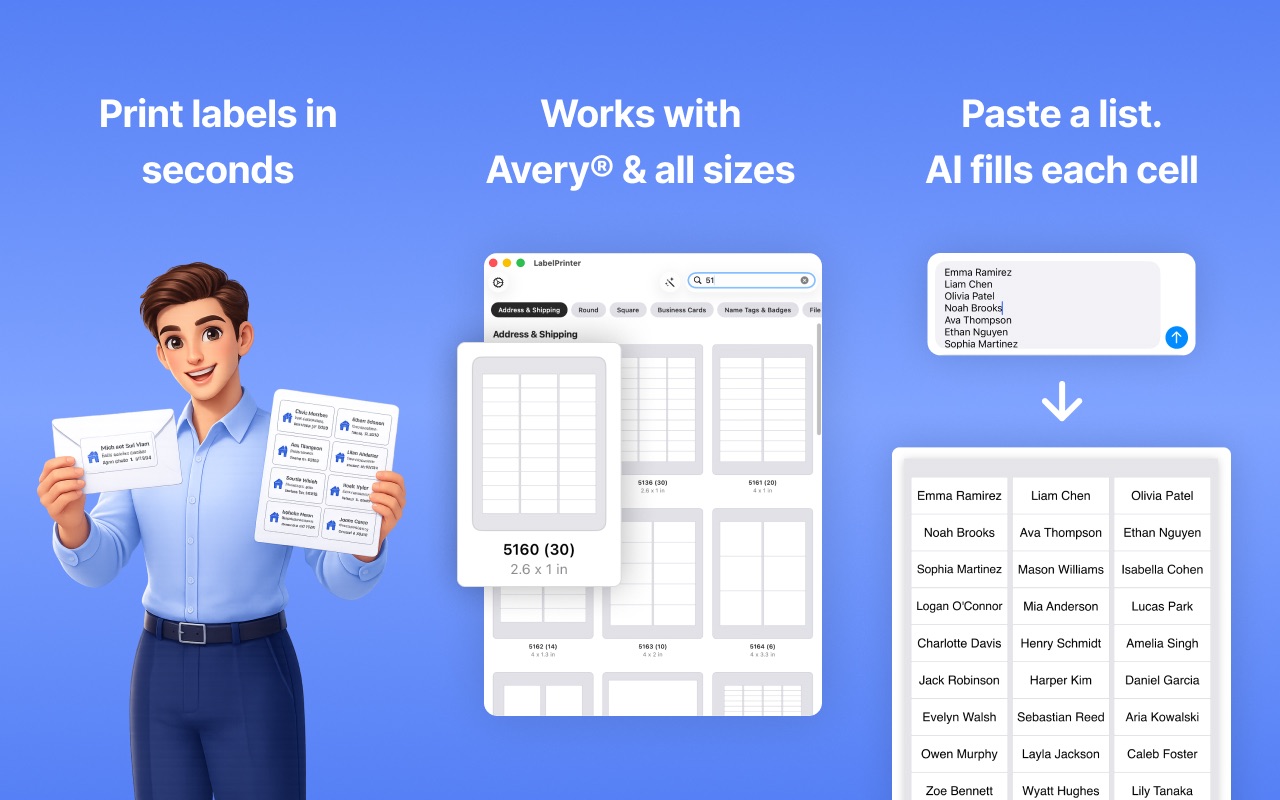
Print sharp address, shipping, name tag, and round labels straight onto
any Avery sheet you've got lying around. Paste a list, let the AI fill
every cell, and you're at the printer in under a minute. This app is free to download but contains paid features.
Free Version
- Comes with a limited number of free prints.
Pro Version
- Unlimited prints, and saves
- No more annoying popups
WORKS WITH EVERY AVERY SHEET
Type in your product code — 5160, 5161, 5163, 8160, 8163, 18160, 22838,
and dozens more — and LabelPrinter lines up perfectly with the grid on
the page. Presets cover address, shipping, return address, file folder,
name badge, business card, round, square, and A4 layouts.
PASTE A LIST AND YOU'RE DONE
Got a CSV from Numbers? A bunch of addresses copied out of an email?
Or just a quick description like "12 return-address labels for Jane Doe,
47 Pine St, Boulder CO 80302"? Tap Populate with AI and every cell
fills itself in, with the font auto-sized to fit.
DESIGN THE EASY WAY
- Tap any cell and start typing — text auto-fits so nothing gets clipped
- One tap on Match Font Sizes evens out the whole sheet
- Set color, alignment, line spacing, bold, italic, and underline per cell
- Use any font you've got installed on your device
- Snap-to-guides keep things tidy when you free-place text outside the grid
TEMPLATES YOU CAN COME BACK TO
- Save any layout to Favorites with a live thumbnail of how it looks
- Build your own sheet if your label stock isn't a standard Avery code —
pick the rows, columns, margins, spacing, and rectangle, round,
square, or oval shape
- Pull addresses straight from your Contacts
PRINT IT, SHARE IT, OR SAVE A PDF
AirPrint to any printer on your network. Or export a clean, print-ready
PDF to take to FedEx, send to a coworker, or hold onto for next time.
ON EVERY DEVICE YOU OWN
A real universal app — iPhone, iPad, and Mac. Start something on the
couch, finish it at your desk, and print from whichever's closer.
Built for small businesses, Etsy shops, teachers, mail rooms, event
planners, and anyone with a drawer full of half-used Avery sheets.
Contact:
Jordanzeleny@gmail.com
Terms:
https://www.apple.com/legal/internet-services/itunes/dev/stdeula/
Privacy:
https://sites.google.com/view/labelprinterprivacypolicy
In-App Purchases US pricing
Pro Subscription
7 days 3-day free trial$4.99
One-Time Purchases
Pro$29.99
Capabilities
In-App Purchases
Accessibility
ipadiphonemacrealityDevicetvoswatch
Version history 2 versions
Build 887654025v1.0.62026-07-01 16:12:27
Bug fixes and performance improvements.
Build 881442382v1.0.52026-05-11 20:46:39
Price history by region
Currency
Show
Columns
Search
Availability 1 of 1 storefronts
| Region | Language | Price | Ratings | Avg | Version |
|---|---|---|---|---|---|
| US | en-US | Free | 35 | 4.1 | 1.0.6 |
Change log 6 changes · US
✎
releaseNotes updated
Bug fixes and performance improvements.
✎
description updated
Print sharp address, shipping, name tag, and round labels straight onto
any Avery sheet you've got lying around. Paste a list, let the AI fill
every cell, and y
✎
subtitle updated
Print labels at home
✎
name updated
Label Printer Address Stickers
◆
Version 1.0.6 released
Bug fixes and performance improvements.
◆
Version 1.0.5 released