Home › Photo & Video

 US
US
1 of 1 storefronts
Content in en-US
Content in en-US
Information
Preview 2 platforms
iPhone 7 images


iPad 7 images



What’s New Version 1.1
What's New in Version 1.1
- Added a new onboarding experience to help users get started quickly.
- Step-by-step guidance for creating subtitles and captions.
- Performance improvements and bug fixes.
Description
**AI Video Subtitles – Auto Captions, SRT Export & Translation**
Create professional, accurate subtitles for any video in seconds with powerful AI. Whether you're a content creator, social media influencer, educator, marketer, or filmmaker, this AI Video Subtitles app helps you generate auto captions, edit subtitles, customize styles, and export SRT files effortlessly.
Turn any video into accessible, multilingual content — fast.
Automatic Subtitle Generation with AI
Advanced AI speech recognition automatically converts video audio into accurate subtitles with precise timestamps and perfect synchronization.
• Generate subtitles instantly
• AI-powered auto captions
• Accurate speech-to-text transcription
• Perfect timing and sync
• Fast and fully automated process
No manual typing. No complex tools. Just upload and generate.
Import or Record Videos
Flexible video input options to match your workflow:
• Import videos from your gallery
• Record videos live inside the app
• Instantly generate subtitles after recording
Perfect for reels, YouTube videos, interviews, tutorials, vlogs, podcasts, online courses, and short-form content.
Full Subtitle Editor
Take complete control of your captions.
• Edit subtitle text
• Correct transcription errors
• Adjust timestamps and sync
• Add, delete, or split subtitle segments
• Fine-tune subtitle timing
The intuitive subtitle editor makes professional editing simple and efficient.
Customize Subtitle Style
Make your captions stand out and match your brand.
• Change font style
• Adjust font size
• Customize text color
• Add background color
• Improve subtitle readability
Create aesthetic captions for social media or clean, professional subtitles for business videos.
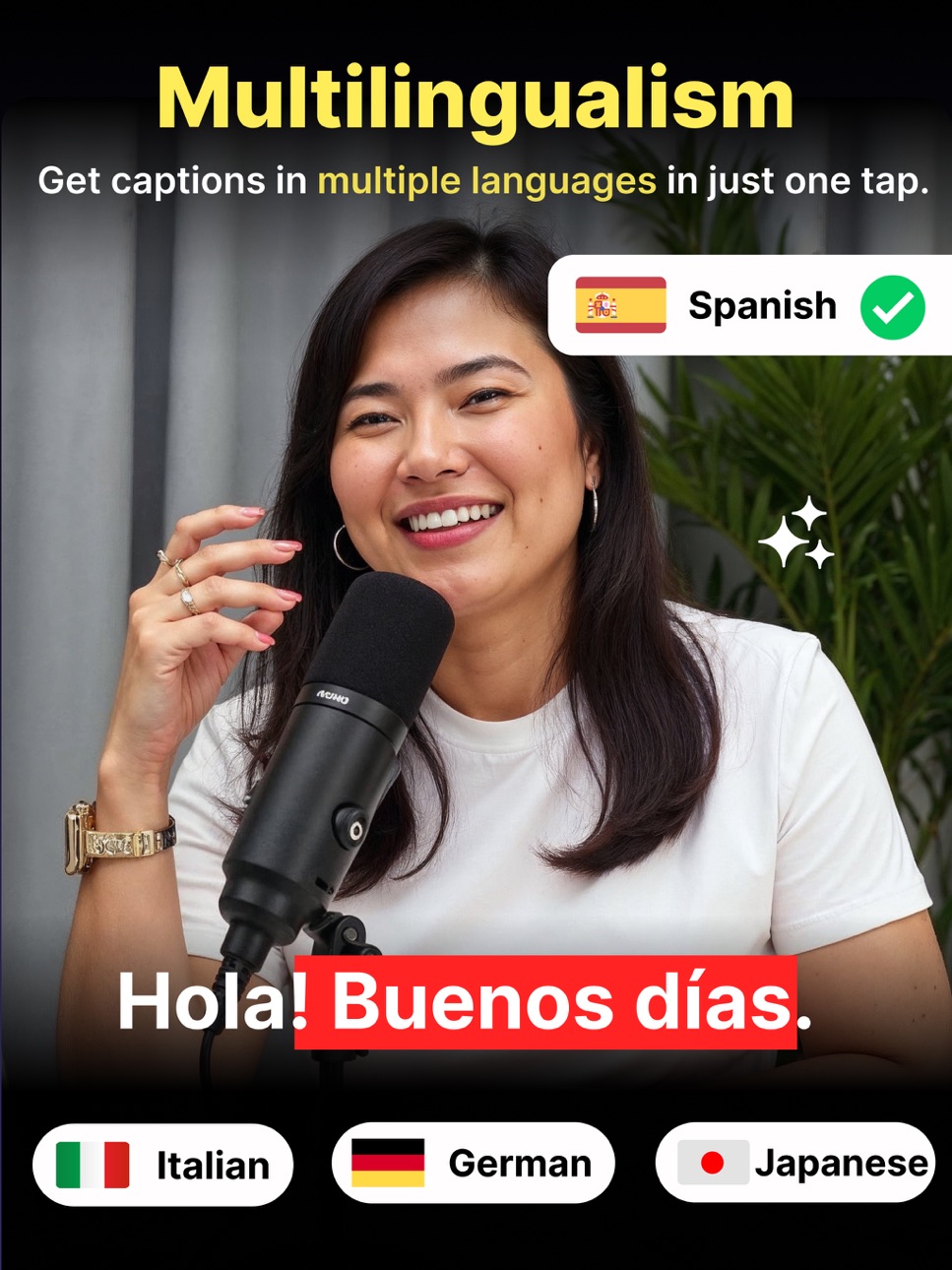
Multi-Language Subtitle Translation
Reach global audiences with AI-powered subtitle translation.
Translate subtitles into:
• Italian
• Chinese
• French
• Japanese
• Korean
• Spanish
• And many more languages
Expand your content worldwide with multilingual subtitles and boost engagement across international markets.
Export in SRT Format
Export subtitles in industry-standard SRT format.
• Download SRT files
• Use in video editing software
• Upload to YouTube and other platforms
• Compatible with media players
• Share with clients or teams
Seamless integration into your video editing workflow.
Save Projects Offline
• Save subtitle projects locally
• Continue editing anytime
• Manage multiple subtitle files
• Secure on-device storage
Work at your own pace without losing progress.
Perfect For
• Content creators
• YouTubers
• Social media marketers
• Educators and trainers
• Businesses
• Podcasters
• Filmmakers
Improve video accessibility, boost engagement, increase watch time, and grow your audience with AI-generated subtitles.
If you are looking for a powerful AI subtitle generator, auto caption app, SRT exporter, video transcription tool, or multilingual subtitle editor, this is your complete solution.
Download now and transform your videos with smart AI subtitles.
Subscription Terms
- Subscribe to get unlimited AI Video subtitle generator access to all features.
- Upon confirmation of purchase, the payment will be charged to the iTunes account.
- Until you turn off the auto-renew at least 24 hours before the end of the current.
period it will be automatically renewed.
- If you decide to turn off auto-renewal, you can turn it off maybe by going to account settings after purchase.
-The renewal amount will be charged from the account within 24 hours before the end of the current period.
-As per the policy, cancellation of the current subscription is not allowed during the active subscription period. Once purchased, refunds will not be returned for any unused portion of the subscription period.
Terms of use - https://www.outthinkingindia.com/terms-of-use/
Privacy policy - https://www.outthinkingindia.com/privacy-policy/
In-App Purchases US pricing
premium features Subscription
Weekly Premium · 7 days$2.99
Monthly Premium · Monthly$9.99
Yearly Premium · Yearly$29.99
Capabilities
In-App Purchases
Accessibility
ipadiphonemacrealityDevicetvoswatch
Version history 2 versions
Build 886825231v1.12026-06-16 17:58:04
What's New in Version 1.1
- Added a new onboarding experience to help users get started quickly.
- Step-by-step guidance for creating subtitles and captions.
- Performance improvements and bug fixes.
Build 881419453v1.02026-04-08 21:02:21
Price history by region
Currency
Show
Columns
Search
Availability 1 of 1 storefronts
| Region | Language | Price | Ratings | Avg | Version |
|---|---|---|---|---|---|
| US | en-US | Free | 0 | — | 1.1 |
Change log 6 changes · US
✎
releaseNotes updated
What's New in Version 1.1
- Added a new onboarding experience to help users get started quickly.
- Step-by-step guidance for creating subtitles and captions.
-
✎
description updated
**AI Video Subtitles – Auto Captions, SRT Export & Translation**
Create professional, accurate subtitles for any video in seconds with powerful AI. Whether you
✎
subtitle updated
Video Subtitles in Seconds
✎
name updated
AI Video Subtitles Generator
◆
Version 1.1 released
What's New in Version 1.1
- Added a new onboarding experience to help users get started quickly.
- Step-by-step guidance for creating subtitles and captions.
- Performance improvements and bug fixes.
◆
Version 1.0 released