Home › Lifestyle

 US
US
1 of 1 storefronts
Content in en-US
Content in en-US
Information
Preview 1 platform
iPhone 4 images


What’s New Version 1.1.1
- Bug fixes
Description
You change every day, but you only notice when looking back. Era helps you see those changes – the subtle shifts that happen day by day, month by month, year by year.
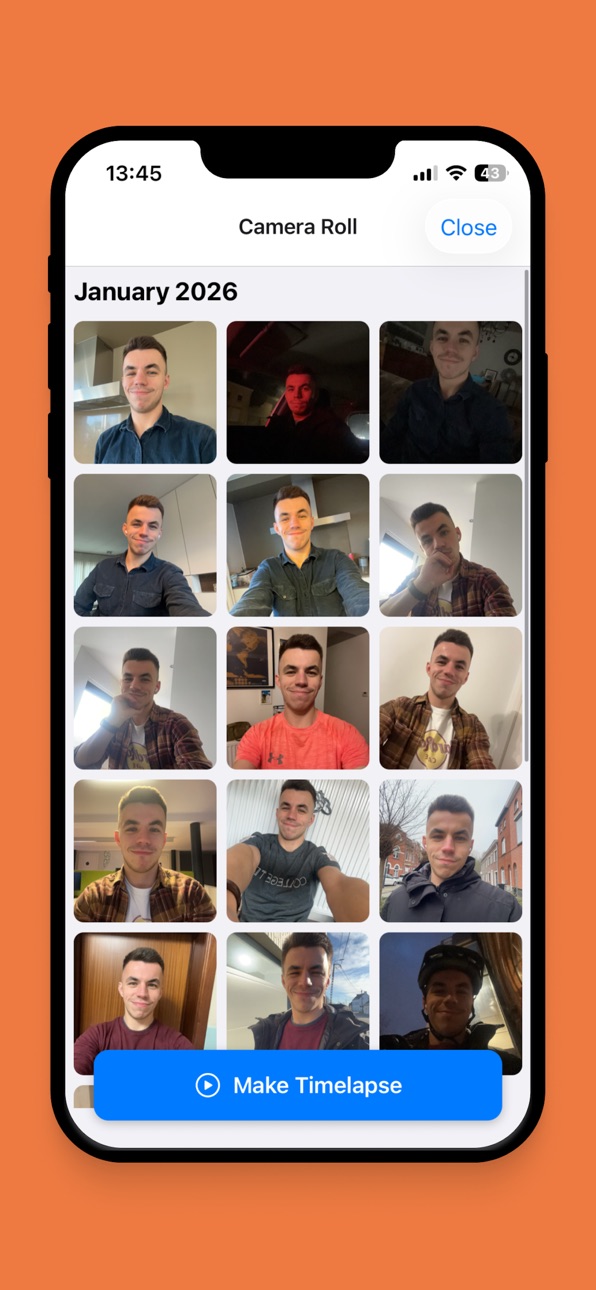
Take a daily selfie and Era creates timelapse videos from your collection. Whether you're tracking a transformation, documenting a journey, or simply curious about how time shapes your face, the app makes it effortless.
Face detection handles alignment automatically. No guides, no poses, no trying to match yesterday's angle. Just take your photo. The app detects your face and aligns everything when you create a video.
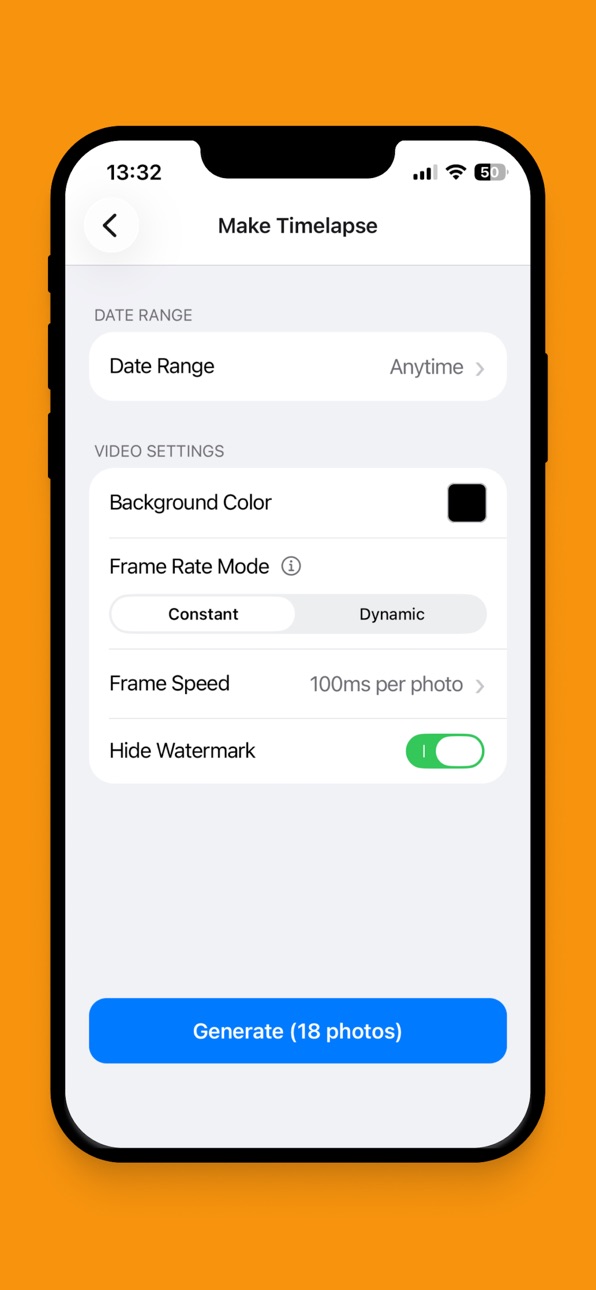
Choose how you want time to flow in your videos. Constant mode gives equal time to each photo—perfect for smooth, even timelapses. Dynamic mode adjusts frame duration based on the actual time between photos, so a week looks longer than a day.
Set a daily reminder for whenever works for you. The app stores everything locally on your device—no cloud upload, no sync, no account needed. Your photos are yours.
What's included:
• Face detection with visual feedback
• Automatic alignment using eye tracking
• Timelapse video generation with multiple frame rate modes
• Daily reminders at your preferred time
• Photo gallery organized by month
• Front and rear camera support
• Flash control for tricky lighting
• Light and dark themes
• Export videos to your camera roll
Everything stays on your device. Share your story when you're ready, or keep it entirely private. Your face, your time, your choice.
Terms of Use: https://www.apple.com/legal/internet-services/itunes/dev/stdeula/
In-App Purchases US pricing
Era Pro Subscription
(Yearly) · Yearly$14.99
Capabilities
In-App Purchases
Accessibility
ipadiphonemacrealityDevicetvoswatch
Version history 6 versions
Build 884115384v1.1.12026-04-04 18:06:03
- Bug fixes
Build 883878040v1.1.02026-03-30 02:50:29
- Ability to generate timelapses in reverse chronology
- Ability to auto-capture your daily picture when opening the app
- Timelapse generation speed improved
- Bug fixes
Build 883482743v1.0.32026-03-24 21:51:45
- Bug fixes
- UI improvements
Build 883294859v1.0.22026-03-17 22:09:30
- Allow removal of watermarks without subscription below a certain threshold of photos
- User interface improvements
- Add analytics
- Bug fixes
Build 883216461v1.0.12026-03-10 21:38:15
- Improved notification system
- User interface improvements
- Bug fixes
Build 881392647v1.0.02026-03-09 18:25:12
Price history by region
Currency
Show
Columns
Search
Availability 1 of 1 storefronts
| Region | Language | Price | Ratings | Avg | Version |
|---|---|---|---|---|---|
| US | en-US | Free | 0 | — | 1.1.1 |
Change log 10 changes · US
✎
releaseNotes updated
- Bug fixes
✎
description updated
You change every day, but you only notice when looking back. Era helps you see those changes – the subtle shifts that happen day by day, month by month, year by
✎
subtitle updated
Daily photo journal & log
✎
name updated
Era: Daily Selfie Timelapse
◆
Version 1.1.1 released
- Bug fixes
◆
Version 1.1.0 released
- Ability to generate timelapses in reverse chronology
- Ability to auto-capture your daily picture when opening the app
- Timelapse generation speed improved
- Bug fixes
◆
Version 1.0.3 released
- Bug fixes
- UI improvements
◆
Version 1.0.2 released
- Allow removal of watermarks without subscription below a certain threshold of photos
- User interface improvements
- Add analytics
- Bug fixes
◆
Version 1.0.1 released
- Improved notification system
- User interface improvements
- Bug fixes
◆
Version 1.0.0 released