Home › Utilities

 US
US
1 of 1 storefronts
Content in en-US
Content in en-US
Information
Preview 1 platform
iPhone 6 images




What’s New Version 1.0.7
Improvements:
• Voice command "cut" deletes the last token
• Added edit commands section to help
• Improved voice recognition accuracy
Description
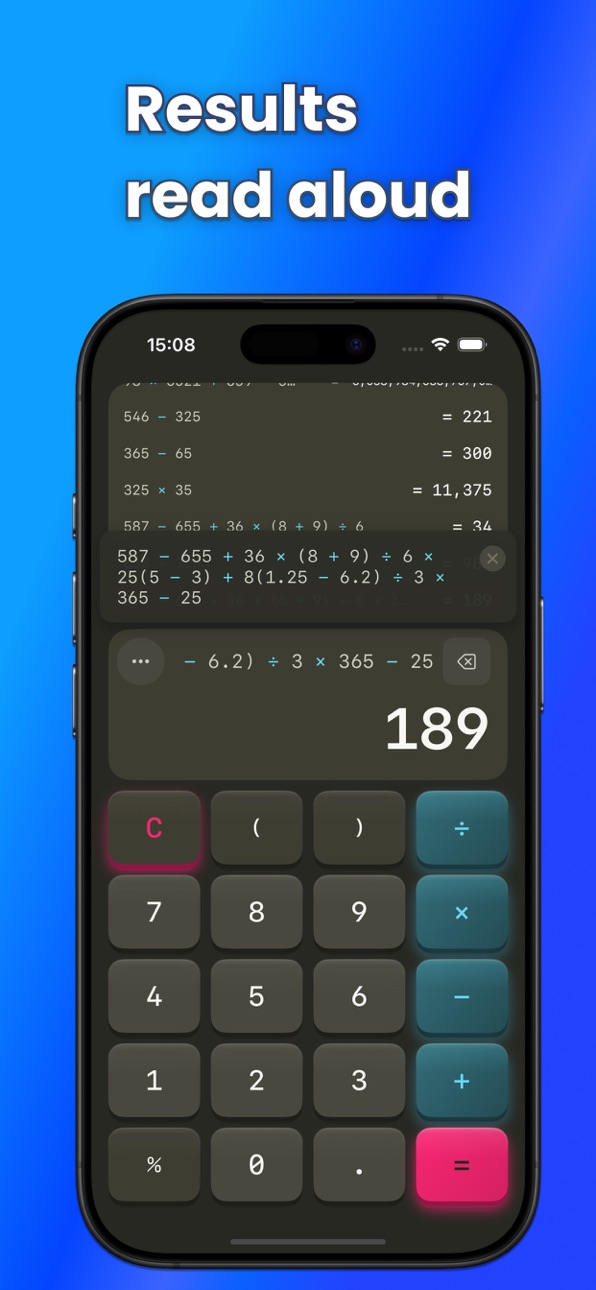
【Calculate by Voice, Hear the Results】
SoundCalc is a voice-powered calculator that speaks your answers.
■ Perfect for:
・Visually impaired users
・Hands-free calculation while cooking or driving
・Anyone who wants audio confirmation of results
・Accounting and bookkeeping professionals
■ Key Features
・Speech Recognition: Say "123 plus 456 equals" to calculate
・Speech Output: Results are read aloud automatically
・11 Languages: English, Japanese, Spanish, Chinese, Korean, French, German, Portuguese, Italian, Dutch, Russian
・Calculation History: Organize with multiple threads
・History Tap: Tap history to insert results
・21 Themes: Dark, Light, High Contrast and more
■ Business Features
・Business Keypad: Includes √ and GT keys
・Grand Total (GT): Automatically accumulates calculation results
・Equals Repeat: Tap "=" repeatedly to repeat the last operation
・Square Root: Say "square root of 9" for voice input
■ Accessibility
・VoiceOver compatible
・High contrast mode
・Haptic feedback
■ Pro Features
・Ad-free experience
・20+ premium themes
・Unlimited history
・Business keypad
・Input device selection (USB/Bluetooth microphone)
Free to use. Upgrade to Pro for ad-free experience and extended features.
In-App Purchases US pricing
One-Time Purchases
Pro (Lifetime)$2.99
Capabilities
In-App Purchases
Accessibility
ipadiphonemacrealityDevicetvoswatch
Version history 8 versions
Build 881862095v1.0.72026-01-27 00:13:14
Improvements:
• Voice command "cut" deletes the last token
• Added edit commands section to help
• Improved voice recognition accuracy
Build 881769325v1.0.62026-01-24 09:05:19
New Features:
• Business Keypad: Includes √ and GT keys
• Grand Total (GT): Automatically accumulates calculation results
• Equals Repeat: Repeat the last operation
• History Tap: Tap history to insert results
• Input Device Selection: Choose USB/Bluetooth microphone
Build 881729541v1.0.52026-01-23 00:49:17
Bug Fixes:
• Fixed a crash that could occur when stopping voice recognition
Build 881687368v1.0.32026-01-21 11:15:08
Improvements:
• Voice input now continues during speech output
• Enhanced speech recognition stability
Bug Fixes:
• Fixed issue where voice input could not start
Build 881709367v1.0.42026-01-21 23:39:58
New Features:
• Added 4 languages (Italian, Dutch, Portuguese, Russian)
Improvements:
• Screen now stays awake during voice input
• Translation improvements
Build 881637348v1.0.22026-01-20 07:27:07
New Features:
• 7 Language Support: English, Japanese, Spanish, Chinese (Simplified), Korean, French, German
• Help screen now shows operators and calculation trigger words for each language
Improvements:
• Enhanced speech recognition stability
• Faster app launch loading
Build 881529559v1.0.12026-01-19 07:01:25
Bug Fixes:
• Fixed an issue where the second calculation was not executed after the first one
Build 881370703v1.02026-01-15 10:27:04
Price history by region
Currency
Show
Columns
Search
Availability 1 of 1 storefronts
| Region | Language | Price | Ratings | Avg | Version |
|---|---|---|---|---|---|
| US | en-US | Free | 0 | — | 1.0.7 |
Change log 12 changes · US
✎
releaseNotes updated
Improvements:
• Voice command "cut" deletes the last token
• Added edit commands section to help
• Improved voice recognition accuracy
✎
description updated
【Calculate by Voice, Hear the Results】
SoundCalc is a voice-powered calculator that speaks your answers.
■ Perfect for:
・Visually impaired users
・Hands-free c
✎
subtitle updated
Voice Calculator, See Formulas
✎
name updated
Voice Calculator - VoiCalc
◆
Version 1.0.7 released
Improvements:
• Voice command "cut" deletes the last token
• Added edit commands section to help
• Improved voice recognition accuracy
◆
Version 1.0.6 released
New Features:
• Business Keypad: Includes √ and GT keys
• Grand Total (GT): Automatically accumulates calculation results
• Equals Repeat: Repeat the last operation
• History Tap: Tap history to insert results
• Input Device Selection: Choo
◆
Version 1.0.5 released
Bug Fixes:
• Fixed a crash that could occur when stopping voice recognition
◆
Version 1.0.4 released
New Features:
• Added 4 languages (Italian, Dutch, Portuguese, Russian)
Improvements:
• Screen now stays awake during voice input
• Translation improvements
◆
Version 1.0.3 released
Improvements:
• Voice input now continues during speech output
• Enhanced speech recognition stability
Bug Fixes:
• Fixed issue where voice input could not start
◆
Version 1.0.2 released
New Features:
• 7 Language Support: English, Japanese, Spanish, Chinese (Simplified), Korean, French, German
• Help screen now shows operators and calculation trigger words for each language
Improvements:
• Enhanced speech recognition stab
◆
Version 1.0.1 released
Bug Fixes:
• Fixed an issue where the second calculation was not executed after the first one
◆
Version 1.0 released