Home › Travel

 US
US
1 of 1 storefronts
Content in en-US
Content in en-US
Information
Preview 2 platforms
iPhone 10 images





iPad 10 images




What’s New Version 2.1
Import Photos by Date is here — bring a whole trip's memories in at once.
NEW: IMPORT PHOTOS BY DATE
Pick a trip and we'll gather the photos you took during those dates, so you can review and add them in one step — no more endless scrolling through your camera roll. Review everything first, skip screenshots or photos without a location with a tap, and let the import run in the background while you keep exploring. Find it when you create a trip, or anytime from a trip's add menu under "Find by Date."
ALSO IN THIS UPDATE
• Much faster photo imports, even for large date ranges
• After you create a trip with photos, you land right on it and watch your memories stream in
• Smoother scrolling and photo swiping in trips with thousands of memories
• Fixed crashes when importing into or viewing very large trips
• Various performance and stability improvements
Thanks for using TripChronos! Questions or ideas? Reach us anytime at support@tripchronos.com.
Description
TripChronos — Plan, Capture, Share, and Relive Your Travels
The travel journal reimagined for modern explorers. TripChronos helps you plan smarter, capture every moment, and share your story — beautifully.
PLAN SMARTER WITH AI
- Build day-by-day itineraries with drag-and-drop stops
- Optimize your day with on-device Apple Intelligence
- See suggested activities, weather, and walking times between stops
- Add cruises, transit, accommodations, and untimed plans
- Trip dates extend automatically as your plans grow
CAPTURE YOUR JOURNEY
- Photos auto-organized by date, location, and timezone from metadata
- Capture altitude and compass direction for every shot
- Tag locations manually when missing — drop a pin, search, or paste coordinates
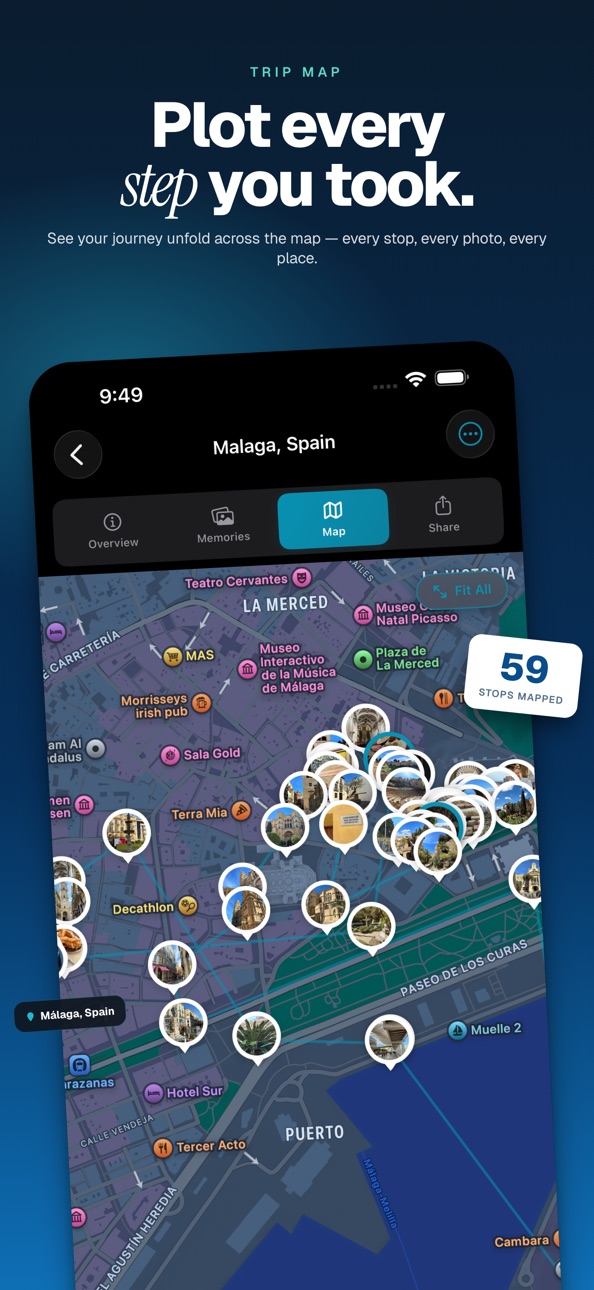
- Day-by-day timeline with smart filtering on the Trip Map
- Imported items land in the right trip automatically
CREATE TRAVEL VIDEOS
- Turn any trip into a beat-synced cinematic recap
- Region-aware curated music library
- Customizable captions, intros, transitions, and pacing
- Year-in-review Wrapped videos covering your whole year
- 9:16 vertical export ready for social
EXPLORE A LIVING WORLD MAP
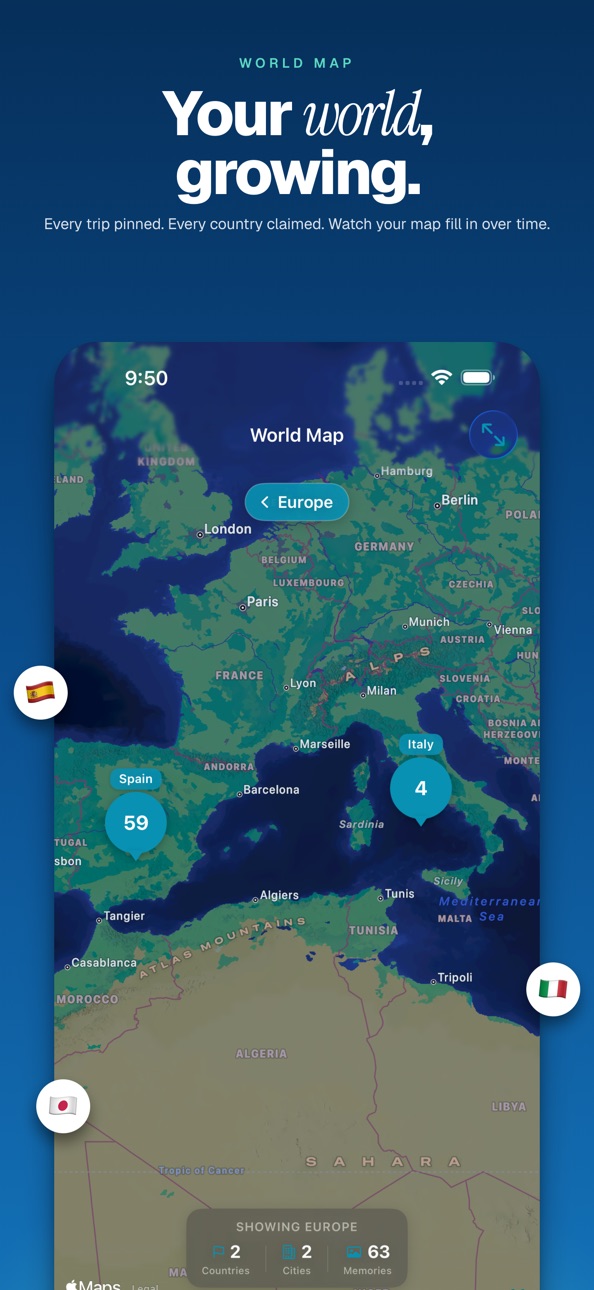
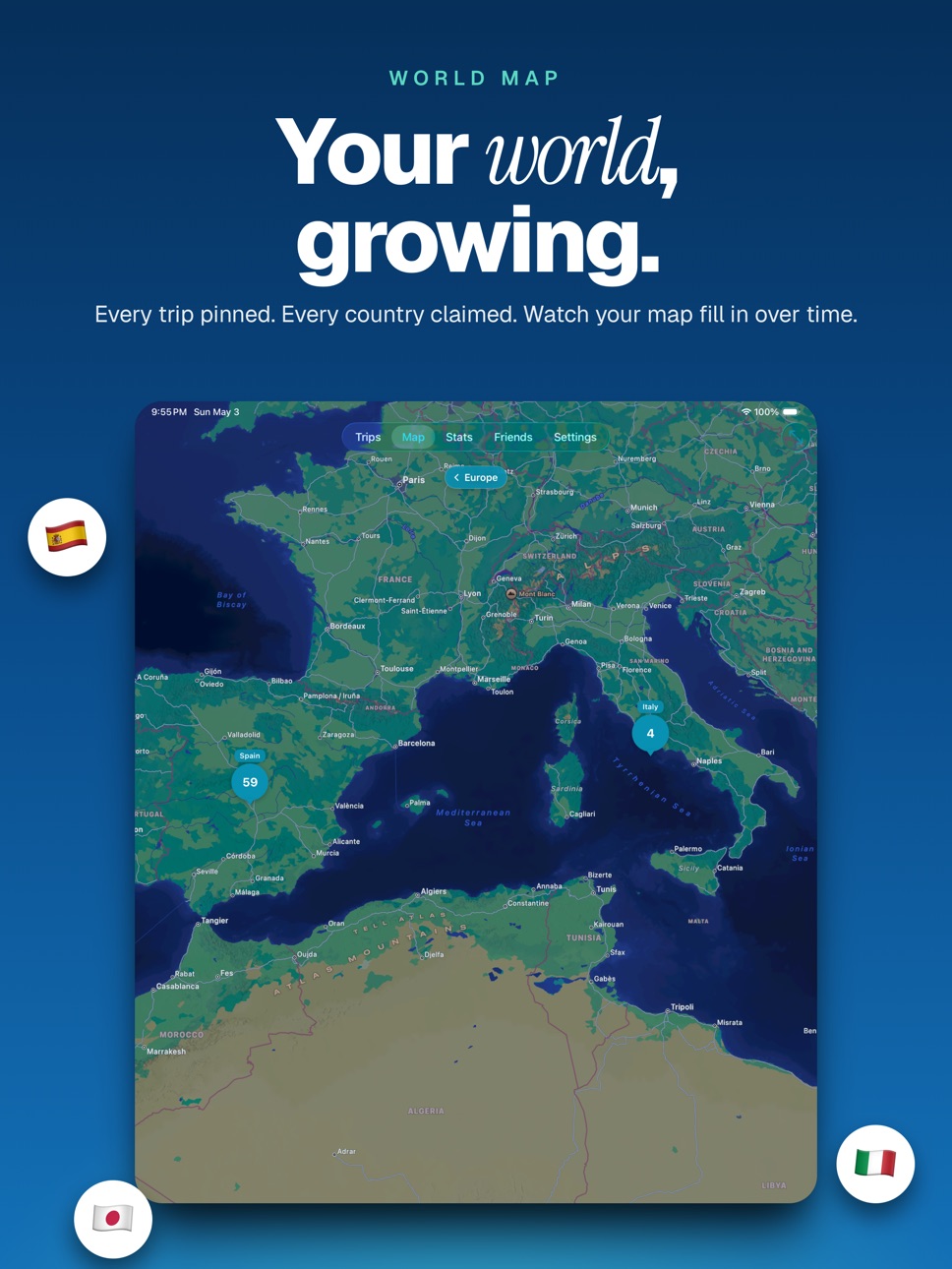
- Multi-level navigation: World → Region → Country → City
- Interactive clustering with smooth drill-down
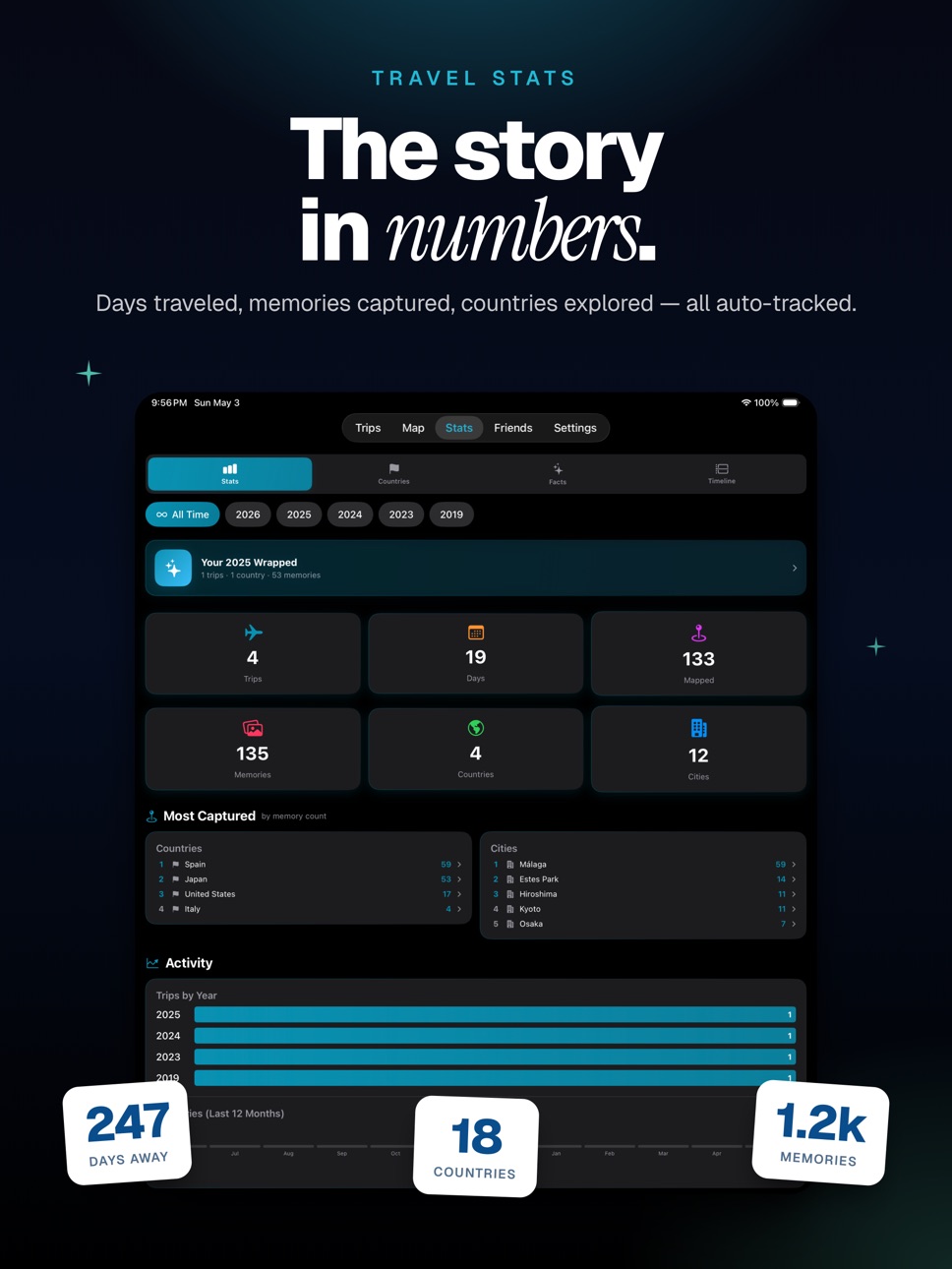
- Lifetime travel stats integrated right in
- Drill into any city or country to see every photo and trip there
UNLOCK 46 ACHIEVEMENTS
- Bronze, Silver, Gold, Platinum, and Diamond tiers
- 7 categories — Countries, Trips, Memories, Geography, Social, Streaks, Discovery
- Visual unlock animations and progress tracking
TRAVEL TOGETHER
- Share trips with friends and family using iCloud
- Real-time syncing across all collaborators
- Friend system with QR codes, friend codes, and activity feed
- Manage and revoke access any time
WIDGETS & LIVE ACTIVITIES
- Home Screen widgets — Trip, Memory, Travel Dashboard, Countdown, Country Progress, On This Day, Capture Streak
- Lock Screen accessory widgets and StandBy support with night dimming
- Live Activities show your active trip on the Lock Screen and in the Dynamic Island
- Smart Stack rotation surfaces the right widget at the right time
ON THIS DAY
- Optional notifications surface past memories on the same date — a little nostalgia, every year
SIRI & SHORTCUTS
- Trigger TripChronos from Siri, the Shortcuts app, or the Action Button
SHARE YOUR ADVENTURES
- Export trip videos optimized for social
- Generate shareable images in story, square, or card formats
- Detailed PDF trip reports
- Web links anyone can view — no app required
DESIGNED FOR TRAVELERS
- Seamless iCloud sync across all your devices
- Works offline — your memories are always with you
- Localized in 12 languages
- Multiple themes to personalize your experience
Whether you're a weekend explorer or a world traveler, TripChronos helps you plan, capture, and relive your story.
Start your travel chronicle today.
Terms of Use: https://www.apple.com/legal/internet-services/itunes/dev/stdeula/
In-App Purchases US pricing
TripChronos Premium Subscription
Yearly Premium · Yearly$14.99
Monthly Premium · Monthly$1.99
One-Time Purchases
Lifetime Premium $39.99
Capabilities
In-App Purchases
Accessibility
ipadiphonemacrealityDevicetvoswatch
Version history 4 versions
Build 886555785v2.12026-06-07 17:51:36
Import Photos by Date is here — bring a whole trip's memories in at once.
NEW: IMPORT PHOTOS BY DATE
Pick a trip and we'll gather the photos you took during those dates, so you can review and add them in one step — no more endless scrolling through your camera roll. Review everything first, skip screenshots or photos without a location with a tap, and let the import run in the background while you keep exploring. Find it when you create a trip, or anytime from a trip's add menu under "Find by Date."
ALSO IN THIS UPDATE
• Much faster photo imports, even for large date ranges
• After you create a trip with photos, you land right on it and watch your memories stream in
• Smoother scrolling and photo swiping in trips with thousands of memories
• Fixed crashes when importing into or viewing very large trips
• Various performance and stability improvements
Thanks for using TripChronos! Questions or ideas? Reach us anytime at support@tripchronos.com.
Build 885222147v2.02026-05-04 22:26:07
TripChronos 2.0 — our biggest update yet.
TRIP VIDEOS
Turn any trip into a shareable, beat-synced video. Curated regional music, dynamic transitions, custom captions, intro scenes, and map overviews. Plus Wrapped-style year-in-review recaps.
REDESIGNED ITINERARY PLANNING
Build day-by-day plans with drag-and-drop stops. Apple Intelligence powers Optimize Day, suggested activities, walking times, and per-day weather. Add cruises, transit, accommodations, and untimed plans — trip dates extend as you go.
NEW WORLD MAP
Multi-level navigation from World → Region → Country → City. Interactive clustering, drill-down stats, and faster zooming.
REAL-TIME TRIP SHARING
Share trips with friends and family using iCloud. Real-time sync, friend codes, QR codes, activity feed, and full access controls.
46 ACHIEVEMENTS
Across 7 categories — Countries, Trips, Memories, Geography, Social, Streaks, and Discovery — with five tiers and unlock animations.
WIDGETS & LIVE ACTIVITIES
A full Home Screen widget set: Trip (with embedded map), Memory, Travel Dashboard, Countdown, Country Progress, On This Day, and Capture Streak. Lock Screen accessory widgets, StandBy with night dimming, and Live Activities for active trips on the Lock Screen and Dynamic Island.
PHOTO METADATA & MANUAL LOCATION TAGGING
Capture altitude and compass direction. Add or correct locations on photos using a pin, search, or coordinates — individually or in bulk.
DRILL-DOWN STATS
See every photo from a selected city or country across all your trips. New "Trip in Numbers" summary for completed trips.
ON THIS DAY
Optional notifications surface memories from the same date in past years.
SIRI SHORTCUTS
Trigger TripChronos from Siri, the Shortcuts app, or the Action Button.
ONBOARDING
A four-step intro tour, replayable any time from Settings. Permissions are now requested only when needed.
PROMO & OFFER CODES
Redeem subscription promo codes and App Store offer codes from Settings.
IMPROVEMENTS
- Faster scrolling and memories performance
- Day-by-day location maps inside memories
- Swipe between memories within a trip
- Bulk delete and Save to Photos
- Forecasts for upcoming trips and historical weather for past memories
- Better geocoding and background reprocessing for missing locations
- Smarter import inbox routing — items land in the right trip
- Faster, more reliable CloudKit sync
- Full localization across all 12 supported languages
FIXES
- Fixed crashes related to map rendering, thumbnails, and memory data
- Fixed video export edge cases
- Fixed duplicate photo and stats inconsistencies
- Fixed collaboration sync edge cases
- Fixed itinerary saving and ordering issues
- Fixed Add-Cruise occasionally saving without confirmation
- Fixed rare cases where cloud sync could overwrite local data with empty values
Thank you for traveling with TripChronos. We can't wait to see where you go next.
Build 884478587v1.12026-04-14 16:20:19
Version 1.1
• Country and city names on the World Map and Stats screens now appear in your device's language. Existing memories update automatically in the background the first time you open the app after a language change.
• Fixed the app icon badge so it clears properly after you accept or decline a friend request or trip invitation.
Thanks for the feedback on our launch day. Keep it coming!
Build 881337958v1.02026-04-13 19:16:33
Price history by region
Currency
Show
Columns
Search
Availability 1 of 1 storefronts
| Region | Language | Price | Ratings | Avg | Version |
|---|---|---|---|---|---|
| US | en-US | Free | 0 | — | 2.1 |
Change log 8 changes · US
✎
releaseNotes updated
Import Photos by Date is here — bring a whole trip's memories in at once.
NEW: IMPORT PHOTOS BY DATE
Pick a trip and we'll gather the photos you took during th
✎
description updated
TripChronos — Plan, Capture, Share, and Relive Your Travels
The travel journal reimagined for modern explorers. TripChronos helps you plan smarter, capture eve
✎
subtitle updated
Relive Every Journey
✎
name updated
TripChronos
◆
Version 2.1 released
Import Photos by Date is here — bring a whole trip's memories in at once.
NEW: IMPORT PHOTOS BY DATE
Pick a trip and we'll gather the photos you took during those dates, so you can review and add them in one step — no more endless scrollin
◆
Version 2.0 released
TripChronos 2.0 — our biggest update yet.
TRIP VIDEOS
Turn any trip into a shareable, beat-synced video. Curated regional music, dynamic transitions, custom captions, intro scenes, and map overviews. Plus Wrapped-style year-in-review recap
◆
Version 1.1 released
Version 1.1
• Country and city names on the World Map and Stats screens now appear in your device's language. Existing memories update automatically in the background the first time you open the app after a language change.
• Fixed the app
◆
Version 1.0 released