Home › Developer Tools

 US
US
1 of 1 storefronts
Content in en-US
Content in en-US
Information
Preview 3 platforms
iPhone 7 images




iPad 5 images




Mac 3 images


What’s New Version 2.4
Version 2.4 refreshes VVTerm across Mac, iPhone, and iPad.
• New native macOS connection toolbar and improved tab strip.
• Cleaner macOS sidebar, file-tab empty state, and Liquid Glass/soft-edge polish.
• Better iOS accessory arrow-key handling and empty workspace flow.
• Improved tmux title handling and PowerShell working directory restore.
Description
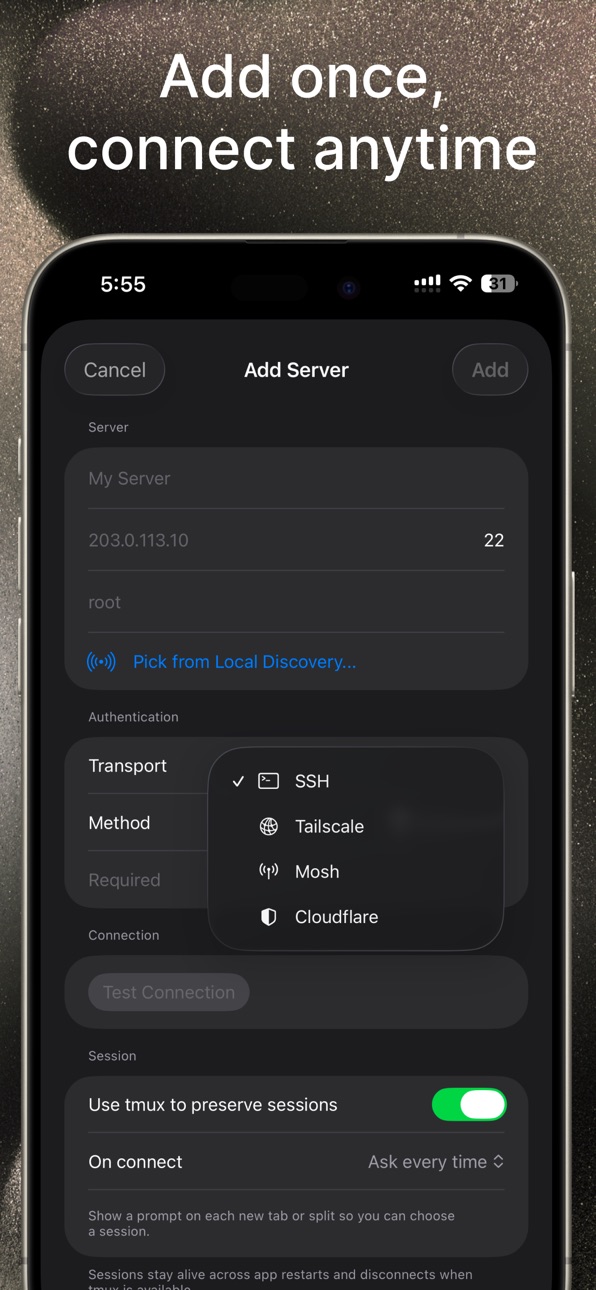
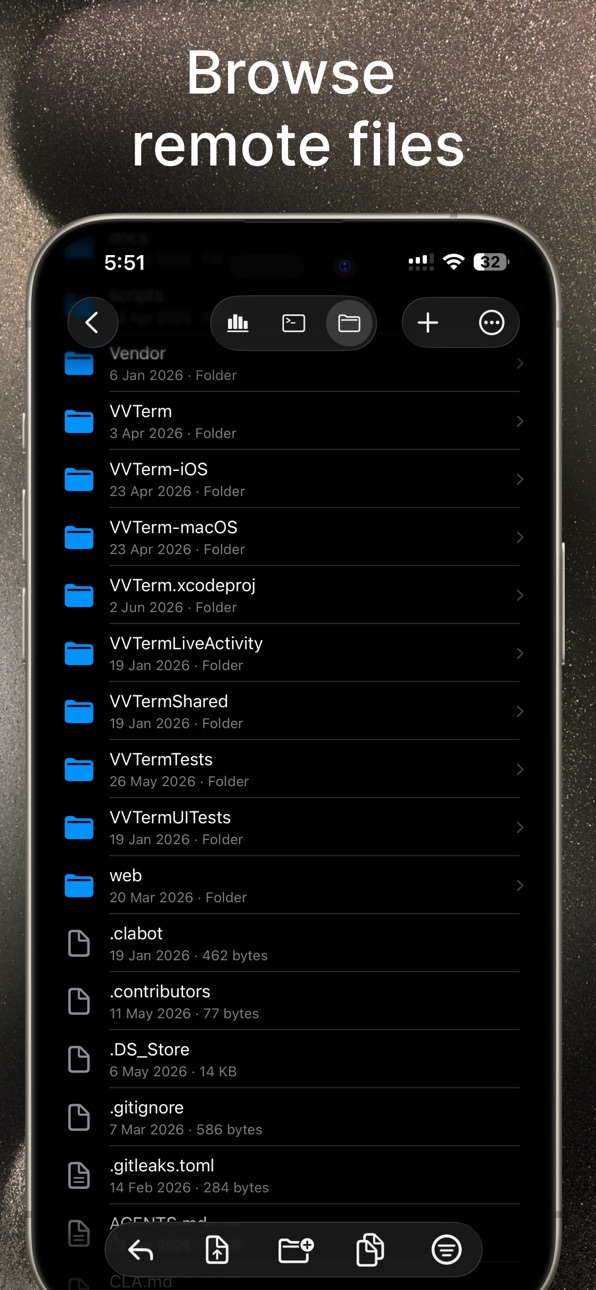
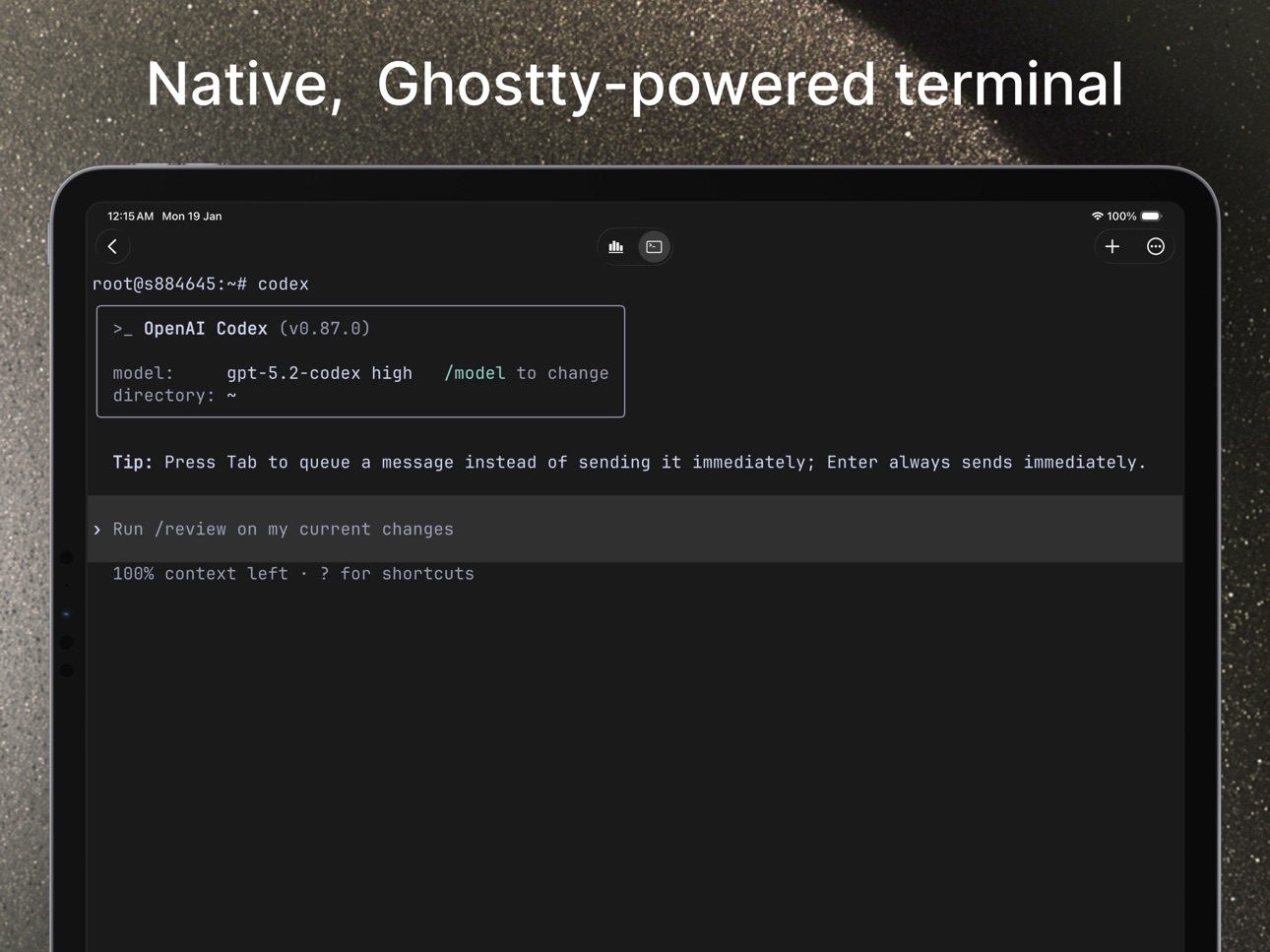
VVTerm is a native SSH client for iPhone, iPad, and Mac. Connect to servers with passwords or SSH keys, browse remote files over SFTP, keep your hosts in sync with iCloud, and work comfortably across Apple devices with tmux, Mosh, and tunnel support.
FEATURES
• Fast native terminal rendering with full color support
• SSH connections with password or SSH key authentication
• Remote files browser and transfers over SFTP
• iCloud sync for servers and workspaces across devices
• Secure storage in Keychain
• Workspaces with custom colors and environment labels
• Multiple tabs for simultaneous connections (Pro)
• tmux integration with session picker on connect
• Tailscale and Cloudflare Tunnel support
• Mosh support
• Zen Mode, Privacy Mode, and custom themes
iPhone & iPad
• Keyboard toolbar with Esc, Tab, Ctrl, arrows, and function keys
• Custom toolbar actions for commands and shortcuts
• Full-screen terminal optimized for iPad
Pro
• Unlimited workspaces and servers
• Unlimited tabs
• Monthly, yearly, or lifetime unlock
Free includes 1 workspace, 1 server for new users, and 1 active connection.
Terms of Use (EULA): https://vvterm.com/terms/
Privacy Policy: https://vvterm.com/privacy/
Capabilities
In-App Purchases
Accessibility
ipadiphonemacrealityDevicetvoswatch
Version history 14 versions
Build 887403722v2.42026-06-30 14:59:31
Version 2.4 refreshes VVTerm across Mac, iPhone, and iPad.
• New native macOS connection toolbar and improved tab strip.
• Cleaner macOS sidebar, file-tab empty state, and Liquid Glass/soft-edge polish.
• Better iOS accessory arrow-key handling and empty workspace flow.
• Improved tmux title handling and PowerShell working directory restore.
Build 886423390v2.32026-06-11 18:24:09
VVTerm 2.3 makes the terminal feel smoother in daily use.
You can now zoom terminal panes and adjust cursor controls more easily, with better zoom indicator placement on iOS. tmux support is improved for Windows hosts, tab titles now follow runtime changes, and the voice recording UI has been polished.
This update also fixes working directory reuse between servers and includes smaller reliability and UI improvements.
Build 886145773v2.22026-05-27 23:21:38
VVTerm 2.2 focuses on terminal reliability and day-to-day workflow polish.
• Improved iPhone and iPad terminal input, including hardware keyboard + IME handling, software Backspace repeat, text selection focus, and trackpad scrolling.
• Improved Mosh and remote terminal startup with CJK/IME input fixes and better xterm-ghostty compatibility.
• Added SSH host key re-trust recovery and macOS controls for deleting saved SSH keys.
• Better Windows shell detection that respects pwsh when it is the default shell.
• Polished Remote Files tabs, hidden-keyboard controls, Pro upgrade screens, and localization details.
Build 885503298v2.12026-05-16 04:01:52
VVTerm 2.1 improves Remote Files, terminal input, and cross-device reliability.
Remote Files now supports tabs, remembers browser state, and includes refined previews, toolbars, notices, and file actions. Remote directory operations are also more reliable, including deletion of non-empty folders.
Terminal input is smoother across iOS and macOS, with better hardware keyboard and IME handling, improved text selection and find behavior, inline IME preedit on macOS, and stronger remote terminal compatibility with xterm-ghostty support.
This update also adds Korean localization, improves Cloudflare Access translations, and makes sync recovery and onboarding more resilient.
Build 883786452v2.02026-04-10 06:56:01
VVTerm 2.0 brings Files over SFTP to iPhone, iPad, and Mac. Browse remote directories, preview files, upload and download, create folders, rename, move, delete, and edit text files inline.
Build 883419435v1.92026-03-20 16:42:54
This update improves Windows support, makes mosh much faster and more responsive, adds Cmd key support on iOS, and includes overall reliability and connection improvements across the app.
Build 883125647v1.72026-03-14 16:58:51
Zen Mode. Privacy Mode. Refinement for custom actions. Dismiss keyboard and more.
Build 883378411v1.82026-03-14 21:46:16
Performance and stability improvements!
Build 882567107v1.52026-02-22 00:02:48
Face ID/Touch ID lock for app and protected servers, improved iPad hardware keyboard behavior, smoother no-flicker terminal startup, and better terminal/accessory bar theme consistency.
Build 882464859v1.42026-02-17 21:44:53
- Custom terminal themes
- Customization for Accessary bar
- Snippets
- On connection Tmux session picker
Build 882374123v1.32026-02-12 21:31:28
Mosh improvements
Build 882268711v1.22026-02-11 10:35:51
Mosh + Tailscale + Cloudflare
Build 882034211v1.12026-02-01 18:54:26
Improvements for Stats Monitor.
Build 881318470v1.02026-01-29 16:50:15
No pricing data captured yet — comparisons appear once the app has paid storefronts or in-app purchases.
Availability 1 of 1 storefronts
| Region | Language | Price | Ratings | Avg | Version |
|---|---|---|---|---|---|
| US | en-US | Free | 4 | 5.0 | 2.4 |
Change log 18 changes · US
✎
releaseNotes updated
Version 2.4 refreshes VVTerm across Mac, iPhone, and iPad.
• New native macOS connection toolbar and improved tab strip.
• Cleaner macOS sidebar, file-tab empt
✎
description updated
VVTerm is a native SSH client for iPhone, iPad, and Mac. Connect to servers with passwords or SSH keys, browse remote files over SFTP, keep your hosts in sync w
✎
subtitle updated
SSH Terminal, SFTP, Mosh
✎
name updated
VVTerm: Native SSH Client
◆
Version 2.4 released
Version 2.4 refreshes VVTerm across Mac, iPhone, and iPad.
• New native macOS connection toolbar and improved tab strip.
• Cleaner macOS sidebar, file-tab empty state, and Liquid Glass/soft-edge polish.
• Better iOS accessory arrow-key han
◆
Version 2.3 released
VVTerm 2.3 makes the terminal feel smoother in daily use.
You can now zoom terminal panes and adjust cursor controls more easily, with better zoom indicator placement on iOS. tmux support is improved for Windows hosts, tab titles now follo
◆
Version 2.2 released
VVTerm 2.2 focuses on terminal reliability and day-to-day workflow polish.
• Improved iPhone and iPad terminal input, including hardware keyboard + IME handling, software Backspace repeat, text selection focus, and trackpad scrolling.
• Im
◆
Version 2.1 released
VVTerm 2.1 improves Remote Files, terminal input, and cross-device reliability.
Remote Files now supports tabs, remembers browser state, and includes refined previews, toolbars, notices, and file actions. Remote directory operations are al
◆
Version 2.0 released
VVTerm 2.0 brings Files over SFTP to iPhone, iPad, and Mac. Browse remote directories, preview files, upload and download, create folders, rename, move, delete, and edit text files inline.
◆
Version 1.9 released
This update improves Windows support, makes mosh much faster and more responsive, adds Cmd key support on iOS, and includes overall reliability and connection improvements across the app.
◆
Version 1.8 released
Performance and stability improvements!
◆
Version 1.7 released
Zen Mode. Privacy Mode. Refinement for custom actions. Dismiss keyboard and more.
◆
Version 1.5 released
Face ID/Touch ID lock for app and protected servers, improved iPad hardware keyboard behavior, smoother no-flicker terminal startup, and better terminal/accessory bar theme consistency.
◆
Version 1.4 released
- Custom terminal themes
- Customization for Accessary bar
- Snippets
- On connection Tmux session picker
◆
Version 1.3 released
Mosh improvements
◆
Version 1.2 released
Mosh + Tailscale + Cloudflare
◆
Version 1.1 released
Improvements for Stats Monitor.
◆
Version 1.0 released