Home › Photo & Video

 US
US
1 of 1 storefronts
Content in en-US
Content in en-US
Information
Preview 2 platforms
iPhone 7 images



iPad 3 images


What’s New Version 2.2.4
- What's New
Added a full-screen preview when exporting in batch, making it easier to inspect photo details before saving.
Performance improvements and bug fixes.
Description
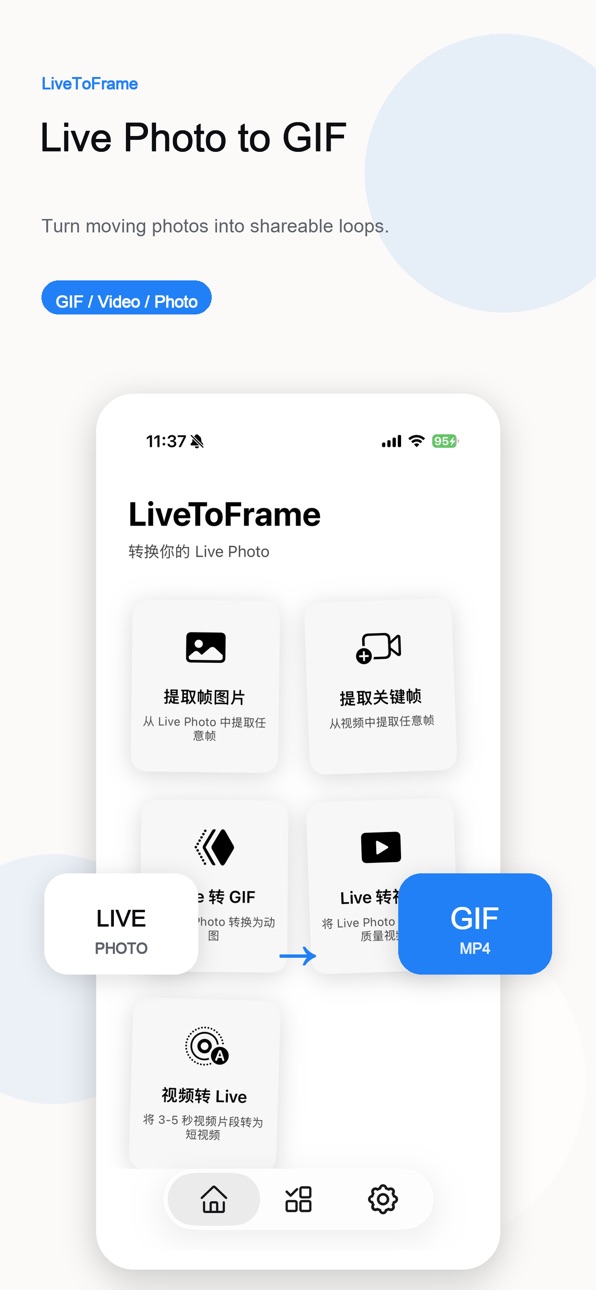
LiveToFrame helps you turn Live Photos and videos into the exact moments you want to keep, share, or save.
Extract a perfect still frame, convert a Live Photo into a GIF or video, and process multiple items without uploading your media anywhere.
Key features:
- Extract high-quality frames from Live Photos
- Convert Live Photos to GIFs for easy sharing
- Export Live Photos as standard videos
- Capture still images from regular videos
- Batch process multiple Live Photos
- Preview frame by frame before exporting
- Save results directly to your photo library
- Private by design: processing happens on your device
Perfect for:
- Saving the best moment from a Live Photo
- Creating GIFs for messages and social posts
- Making video thumbnails
- Capturing clear still photos from moving clips
- Turning motion moments into wallpapers or shareable files
LiveToFrame is a simple, focused toolkit for anyone who wants more control over Live Photos, GIFs, videos, and frame exports.
Download LiveToFrame and keep the moment that matters.
In-App Purchases US pricing
One-Time Purchases
Buy Me a Coffee$0.99
Buy Me Noodles$1.99
LiveToFrame-Pro$4.99
Super Support$9.99
Capabilities
In-App Purchases
Accessibility
ipadiphonemacrealityDevicetvoswatch
Version history 12 versions
Build 887584581v2.2.42026-06-29 20:30:54
- What's New
Added a full-screen preview when exporting in batch, making it easier to inspect photo details before saving.
Performance improvements and bug fixes.
Build 887539837v2.2.32026-06-28 17:02:30
- New Feature: Zoom in on keyframes for detailed viewing
You can now zoom in on keyframes with one tap to clearly view screen details, textures and parameter specifics. Optimize your editing and creation with more precise detail control!
Build 887276295v2.2.22026-06-22 18:27:01
- fix some bugs
Build 886507379v2.2.12026-06-04 18:05:22
- Capture the Perfect Frame
Build 886467232v2.2.02026-06-03 17:21:25
- fix some bugs
Build 885462774v2.1.22026-05-10 20:24:18
- fix some bugs
Build 884791222v2.1.12026-04-22 22:00:51
- fix some bugs
Build 884263004v2.1.02026-04-09 02:42:23
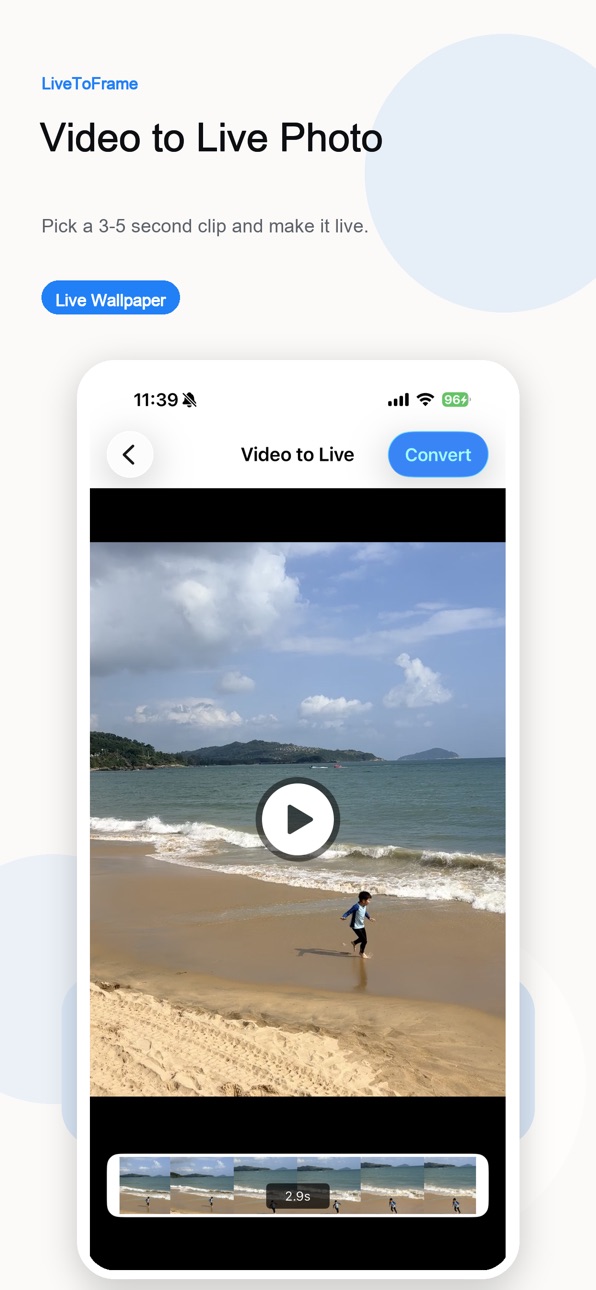
- Added support for converting videos into Live Photos
Build 882844168v2.0.12026-02-27 20:01:52
- fix some bugs
Build 882065335v2.0.02026-02-04 06:39:14
- fix some bugs
Build 881706807v1.1.02026-01-21 22:58:43
- Redesign the preview page
- Fix some issues
Build 881238629v1.0.02026-01-11 17:10:02
Price history by region
Currency
Show
Columns
Search
Availability 1 of 1 storefronts
| Region | Language | Price | Ratings | Avg | Version |
|---|---|---|---|---|---|
| US | en-US | Free | 0 | — | 2.2.4 |
Change log 16 changes · US
✎
releaseNotes updated
- What's New
Added a full-screen preview when exporting in batch, making it easier to inspect photo details before saving.
Performance improvements and bug fix
✎
description updated
LiveToFrame helps you turn Live Photos and videos into the exact moments you want to keep, share, or save.
Extract a perfect still frame, convert a Live Photo
✎
subtitle updated
Video Converter, Frame Extract
✎
name updated
LiveToFrame: Live Photo & GIFs
◆
Version 2.2.4 released
- What's New
Added a full-screen preview when exporting in batch, making it easier to inspect photo details before saving.
Performance improvements and bug fixes.
◆
Version 2.2.3 released
- New Feature: Zoom in on keyframes for detailed viewing
You can now zoom in on keyframes with one tap to clearly view screen details, textures and parameter specifics. Optimize your editing and creation with more precise detail control!
◆
Version 2.2.2 released
- fix some bugs
◆
Version 2.2.1 released
- Capture the Perfect Frame
◆
Version 2.2.0 released
- fix some bugs
◆
Version 2.1.2 released
- fix some bugs
◆
Version 2.1.1 released
- fix some bugs
◆
Version 2.1.0 released
- Added support for converting videos into Live Photos
◆
Version 2.0.1 released
- fix some bugs
◆
Version 2.0.0 released
- fix some bugs
◆
Version 1.1.0 released
- Redesign the preview page
- Fix some issues
◆
Version 1.0.0 released