Home › Productivity

 US
US
1 of 1 storefronts
Content in en-US
Content in en-US
Information
Preview 3 platforms
iPhone 4 images


iPad 4 images

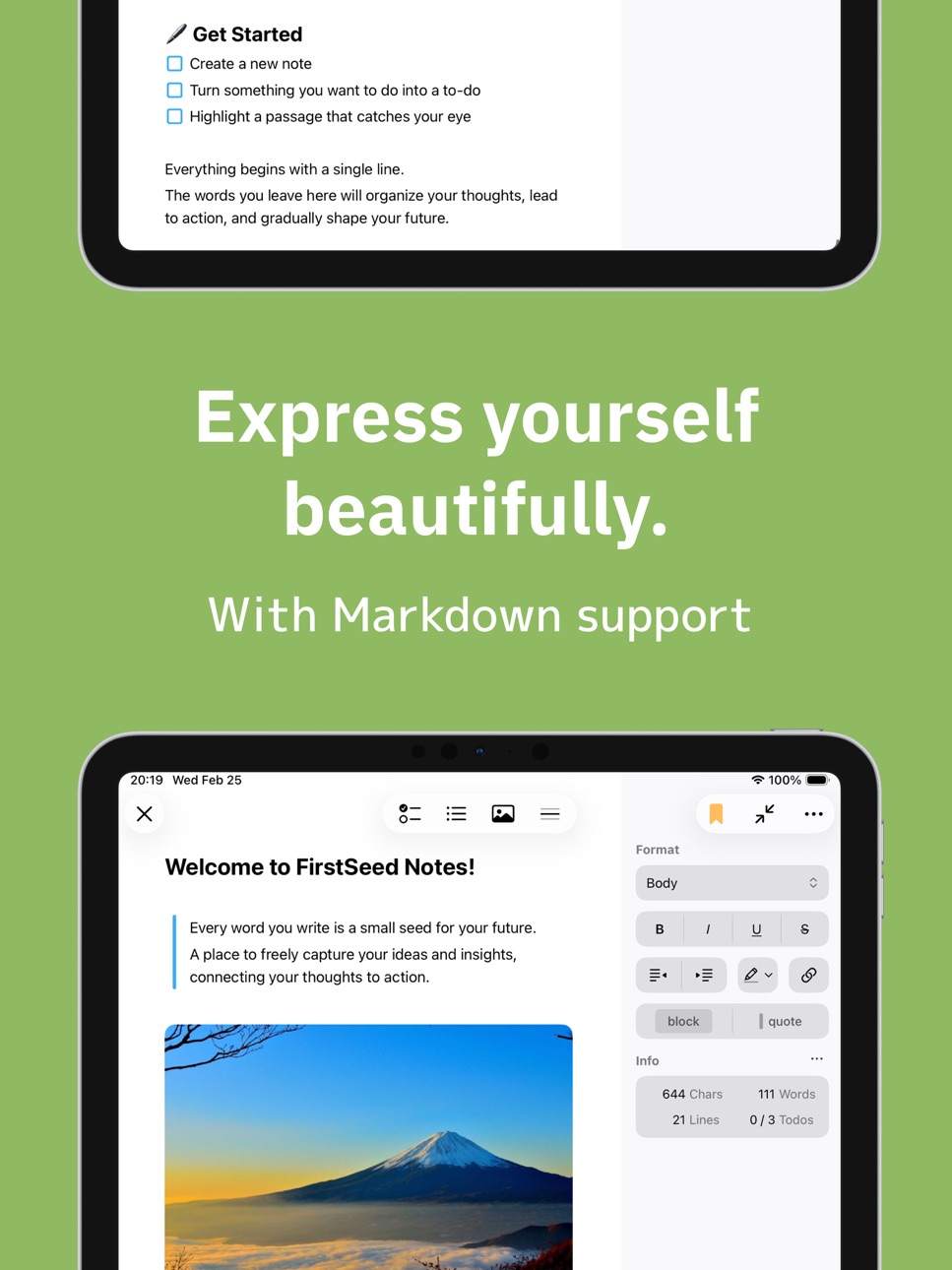


Mac 7 images


What’s New Version 2.1.1
- You can now add tables to your notes.
- Tables can display the sum and average of columns.
- Minor bug fixes and improvements.
Description
FirstSeed Notes is a beautifully designed note-taking app that helps you capture and refine your daily thoughts and insights. By writing down the words in your mind and organizing your ideas, you can naturally build them up over time. It supports your everyday thinking and actions, from taking notes and keeping records to organizing ideas, managing ToDos, and reflecting on important sentences.
Main Features
- Create and edit notes (simple and comfortable writing experience)
- Organize tasks with a ToDo list
- Highlight important sentences to record and review them later
- Supports recording and transcription
- Create summaries, meeting minutes, study notes, action lists, and more from transcriptions
- Categorize and organize notes with tags
- Quickly access important notes with bookmarks
- Fast access to recent notes
- Share individual notes or entire notebooks
- Sync across devices
- Customize font size and line spacing
- Markdown support
- Smart formatting feature
- Display character and line counts
Data can be synced and shared via iCloud servers. Some of the above features require a subscription or lifetime license.
About Subscription:
Payment will be charged to your Apple ID account at the confirmation of purchase. Subscription automatically renews unless it is canceled at least 24 hours before the end of the current period. Your account will be charged for renewal within 24 hours prior to the end of the current period.
You can manage and cancel your subscriptions by going to your account settings on the App Store after purchase.
Terms of Use:
https://firstseed.io/terms.html
In-App Purchases US pricing
Pro Subscription
Team Monthly · Monthly 7-day free trial$9.99
Team Yearly · Yearly 1-month free trial$95.99
Personal Monthly · Monthly 7-day free trial$2.99
Personal Yearly · Yearly 1-month free trial$26.99
One-Time Purchases
Lifetime$49.99
Capabilities
In-App Purchases
Accessibility
ipadiphonemacrealityDevicetvoswatch
Version history 13 versions
Build 887983669v2.1.12026-07-08 20:00:32
- You can now add tables to your notes.
- Tables can display the sum and average of columns.
- Minor bug fixes and improvements.
Build 887716590v2.1.02026-07-05 08:00:08
- You can now add tables to your notes.
- Tables can display the sum and average of columns.
- Minor bug fixes and improvements.
Build 887245468v2.0.12026-06-21 22:44:17
- AI Agent has been added. Use it for a wide range of tasks, including brainstorming, proofreading, and organizing notes.
- You can now add attachments, draw with Apple Pencil support, and enter mathematical formulas.
- Notebooks can now be archived.
- Press and hold the app icon to quickly access features such as creating a new note, AI Agent, and the mini editor.
Build 886948587v2.0.02026-06-15 23:33:16
- AI Agent has been added. Use it for a wide range of tasks, including brainstorming, proofreading, and organizing notes.
- You can now add attachments, draw with Apple Pencil support, and enter mathematical formulas.
- Notebooks can now be archived.
- Press and hold the app icon to quickly access features such as creating a new note, AI Agent, and the mini editor.
Build 885800653v1.5.22026-05-21 17:23:00
- You can now record and transcribe audio.
- You can create summaries, meeting minutes, study notes, action lists, and more from transcribed data.
- A viewing mode has been added to the editor.
Build 885625862v1.5.12026-05-13 20:30:15
- You can now record and transcribe audio.
- You can create summaries, meeting minutes, study notes, action lists, and more from transcribed data.
- A viewing mode has been added to the editor.
Build 885181799v1.5.02026-05-11 21:55:58
- You can now record and transcribe audio.
- You can create summaries, meeting minutes, study notes, action lists, and more from transcribed data.
- A viewing mode has been added to the editor.
Build 884788361v1.3.02026-04-23 23:02:10
- You can now export notes in Markdown (MD) format.
- PDF export is now supported in Mac version.
- Added additional font sizes for notes.
- Some custom app icons now support Light, Dark, and Clear modes.
- You can now share text from other apps to FirstSeed Notes.
- Minor bug fixes and improvements.
Build 884099556v1.2.02026-04-06 00:50:15
- You can now choose image sizes from preset options.
- You can make all images in a note the same size. Tap the "..." button on an image, and select "Apply Same Size to Other Images..." from the menu.
- Bug fixes and improvements.
Build 883588138v1.1.02026-03-30 05:03:38
- When you open a note from search, the relevant section is now highlighted.
- Numbered lists are now supported. Type "1." and then press space.
- Minor bug fixes.
Build 883342220v1.0.22026-03-14 03:32:24
- Fixed minor bugs.
Build 883149845v1.0.12026-03-12 23:12:51
- Updated app icon.
- Minor bug fixes.
Build 881176762v1.02026-03-08 14:38:36
Price history by region
Currency
Show
Columns
Search
Availability 1 of 1 storefronts
| Region | Language | Price | Ratings | Avg | Version |
|---|---|---|---|---|---|
| US | en-US | Free | 0 | — | 2.1.1 |
Change log 17 changes · US
✎
releaseNotes updated
- You can now add tables to your notes.
- Tables can display the sum and average of columns.
- Minor bug fixes and improvements.
✎
description updated
FirstSeed Notes is a beautifully designed note-taking app that helps you capture and refine your daily thoughts and insights. By writing down the words in your
✎
subtitle updated
Markdown + AI Transcription
✎
name updated
FirstSeed Notes
◆
Version 2.1.1 released
- You can now add tables to your notes.
- Tables can display the sum and average of columns.
- Minor bug fixes and improvements.
◆
Version 2.1.0 released
- You can now add tables to your notes.
- Tables can display the sum and average of columns.
- Minor bug fixes and improvements.
◆
Version 2.0.1 released
- AI Agent has been added. Use it for a wide range of tasks, including brainstorming, proofreading, and organizing notes.
- You can now add attachments, draw with Apple Pencil support, and enter mathematical formulas.
- Notebooks can now be
◆
Version 2.0.0 released
- AI Agent has been added. Use it for a wide range of tasks, including brainstorming, proofreading, and organizing notes.
- You can now add attachments, draw with Apple Pencil support, and enter mathematical formulas.
- Notebooks can now be
◆
Version 1.5.2 released
- You can now record and transcribe audio.
- You can create summaries, meeting minutes, study notes, action lists, and more from transcribed data.
- A viewing mode has been added to the editor.
◆
Version 1.5.1 released
- You can now record and transcribe audio.
- You can create summaries, meeting minutes, study notes, action lists, and more from transcribed data.
- A viewing mode has been added to the editor.
◆
Version 1.5.0 released
- You can now record and transcribe audio.
- You can create summaries, meeting minutes, study notes, action lists, and more from transcribed data.
- A viewing mode has been added to the editor.
◆
Version 1.3.0 released
- You can now export notes in Markdown (MD) format.
- PDF export is now supported in Mac version.
- Added additional font sizes for notes.
- Some custom app icons now support Light, Dark, and Clear modes.
- You can now share text from other
◆
Version 1.2.0 released
- You can now choose image sizes from preset options.
- You can make all images in a note the same size. Tap the "..." button on an image, and select "Apply Same Size to Other Images..." from the menu.
- Bug fixes and improvements.
◆
Version 1.1.0 released
- When you open a note from search, the relevant section is now highlighted.
- Numbered lists are now supported. Type "1." and then press space.
- Minor bug fixes.
◆
Version 1.0.2 released
- Fixed minor bugs.
◆
Version 1.0.1 released
- Updated app icon.
- Minor bug fixes.
◆
Version 1.0 released