Home › Education

JustDrive: Teen Driver Log
Auto-Detects Every Drive
#6757282940In-App Purchases
Screenshots — platforms

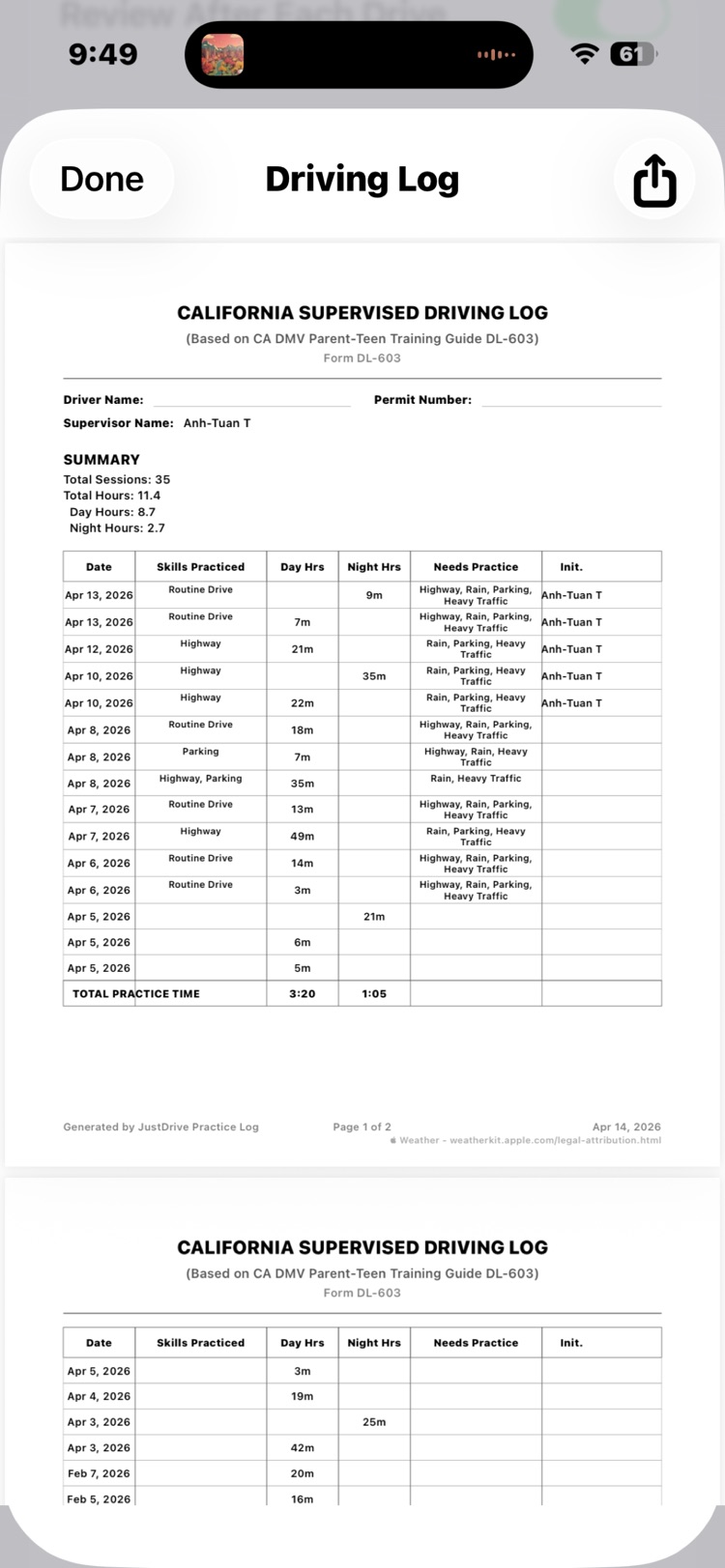


Description
Automatically track your teen’s driving practice hours — no timers, no manual logs. JustDrive detects and records every drive in the background, including time, route, and day/night hours.
Review trips anytime, confirm supervised sessions, and track progress toward your state’s requirements with clear, simple insights.
Built for privacy, all information stays on your device and in iCloud — never collected or shared.
Key Features:
- Automatic drive detection
- Day & night hour tracking
- State-specific requirements (all 50 states)
- Trip history with maps
- Progress tracking toward license goals
- Log sharing for families and driving instructors
No subscriptions. No ads. Just a simple, private way to log driving practice.
Information
Bundle IDcom.DragonCatPictures.DrivingLog
SellerMcIntosh & Tran Partnership LLC
Min iOS18.5
Content rating4+
Released2026-04-01
Version history · 5 recorded
1.1.4
2026-04-22
Automatic skill detection identifies when you practice everyday driving, parking, heavy traffic, highway driving, and adverse weather - no manual tagging required.
1.1.3
2026-04-14
I updated the images to match the version attached to this review (1.23.3). Kindly note that certain UI elements only appear (or substantially change appearance) when driving records are added. In the simulator, users can add driving records through the Progress screen by the following process:
1. Tap the Driving tab.
2. Tap "Add New", enter the number of minutes in the Time section. (Optionally, tap "Advanced" to enter specific start and end times.)
3. Hit Save to create a new driving record.
Once some driving records exist, then the Driving tab will list those records as shown in the screen prints. Also, the Progress screen will show how much more practice is required in each category and summarize the Weekly Practice Plan, and the "Plan and see progress for this week" link will appear.
1.1.0
2026-04-07
Skills Practiced detection and Needs Practice recommendations.
1.0.4
2026-04-02
This is the first version to be made available to the public.
1.0.3
2026-04-01
—
Region availability · 1 of 1 storefronts
| Store | Price | Ratings | Avg | Version |
|---|---|---|---|---|
| US | Free | 1 | 5.0 | 1.1.4 |