Home › Utilities

 US
US
1 of 1 storefronts
Content in en-US
Content in en-US
Information
Apple ID6757092198
Bundle IDapp.nicholasspackman.PulseRelay
SellerSeller
Min iOS17.0
Min macOS14.0
Device familieswatch, iphone
Released2026-01-08
Copyright© 2026 Nicholas Spackman
Privacy policyLink ↗
Preview 2 platforms
iPhone 3 images
Apple Watch 3 images


What’s New Version 1.6
RPE Display — Toggle on Rate of Perceived Exertion (1–10 scale) alongside your heart rate zone on both iPhone and Apple Watch. Turn it on in Settings → Show RPE Level.
Rock-solid background reliability — PulseRelay now stays running through incoming calls, FaceTime audio, and FaceTime video calls. Broadcasting automatically recovers after your call ends without any intervention.
Smarter connection indicator — The Start/Stop bar now shows your connection status directly. The antenna icon pulses when gym equipment is connected, so you always know at a glance.
Bug fixes — Resolved a crash triggered by incoming FaceTime video calls. Resolved a drop-out that occurred when a video call ended.
Description
LAUNCH SPECIAL: EARLY ADOPTER ACCESS PulseRelay is currently in its introductory launch phase and is 100% free. Download now to automatically secure 'Early Adopter' status, granting you lifetime unlimited access to all future premium features.
Turn your Apple Watch into a professional Bluetooth Heart Rate Monitor.
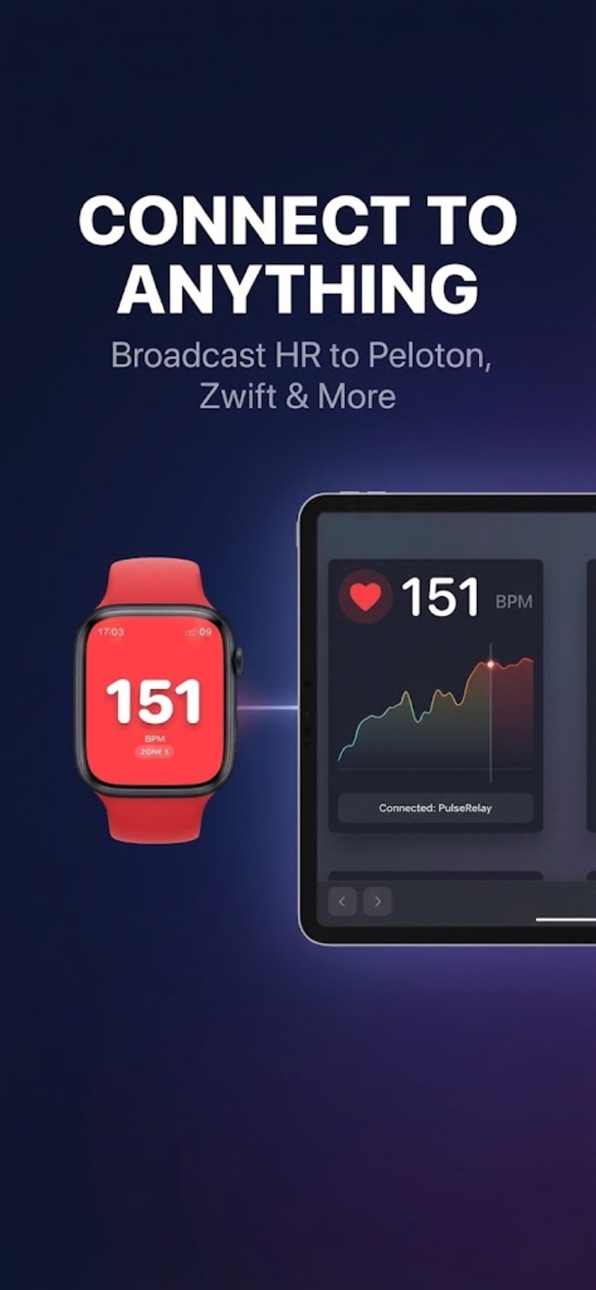
PulseRelay broadcasts your real-time heart rate from your Apple Watch to any Bluetooth-enabled fitness equipment or app. Connect seamlessly to Peloton, Zwift, Garmin, NordicTrack, Hydrow, Wahoo, and gym equipment that supports standard Bluetooth Heart Rate monitors.
Why PulseRelay?
Stop buying expensive chest straps or armbands. You already wear the world's best heart rate sensor on your wrist. PulseRelay unlocks its power to work with everything else.
Key Features:
- Universal Bluetooth Broadcasting: Works with any device that accepts a standard Bluetooth Heart Rate Monitor (BLE). No proprietary walled gardens.
- AirPods Pro Support: forgot your watch? No problem. PulseRelay can read heart rate directly from your AirPods Pro (3rd Gen or newer) during broadcasting.
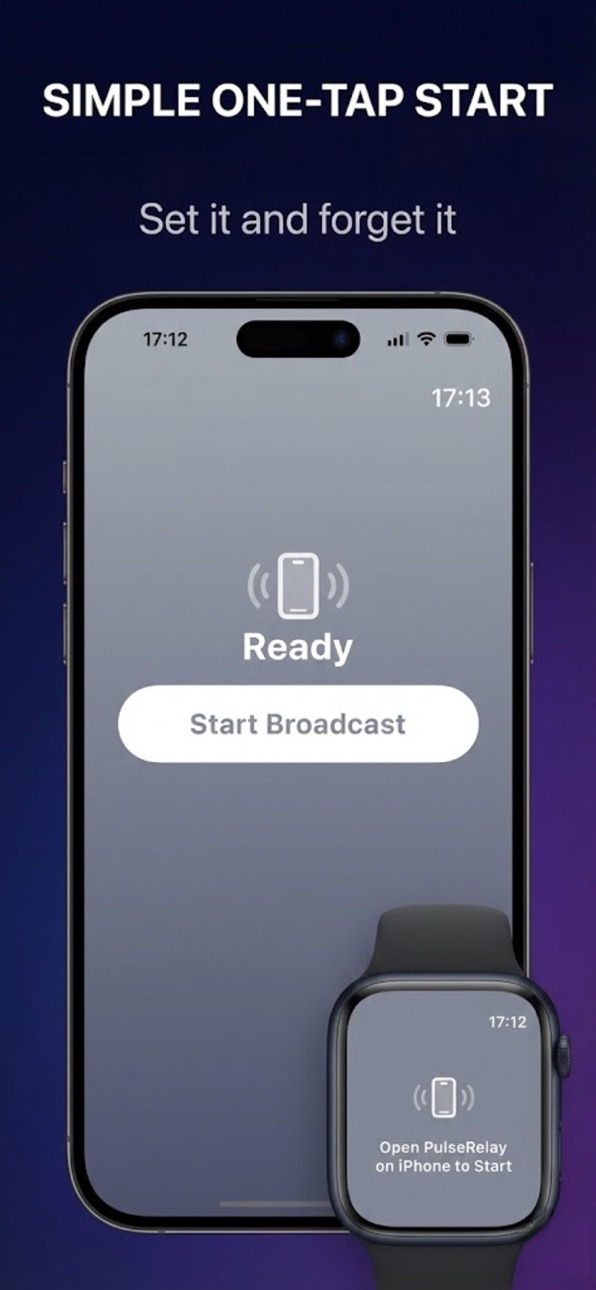
- Live Activity & Dynamic Island: See your Heart Rate instantly on your iPhone's Lock Screen or Dynamic Island.
- Native Apple Watch Recording: Tracks your workout using Apple's native algorithms for Running, Cycling, Rowing, and more. Your rings, calories, and distance are tracked accurately and saved directly to Apple Health.
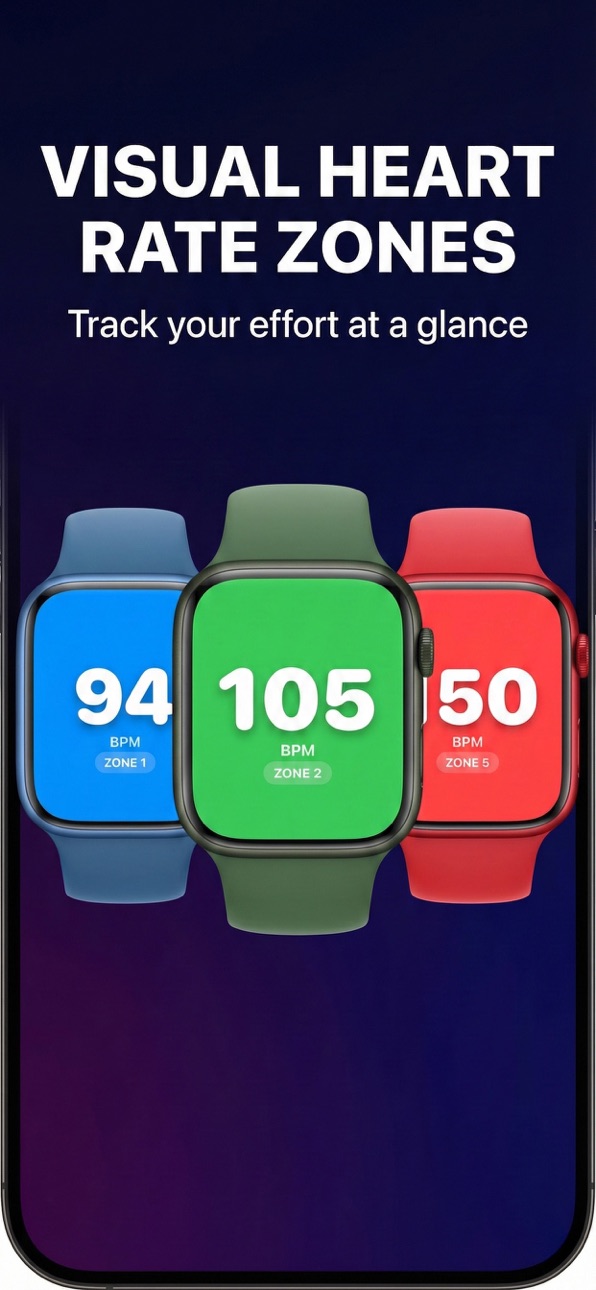
- Heart Rate Zones: Visualize your effort with beautiful, real-time Heart Rate Zone gauges (Warmup, Fat Burn, Cardio, Peak, Max).
Private & Secure:
- No Account Required.
- No Tracking/Analytics.
- Your health data stays on your device.
Requirements:
- Apple Watch Series 4 or newer.
- iPhone iOS 26.2 or newer.
Disclaimer:
PulseRelay is an independent app and is not affiliated with, endorsed by, or associated with Peloton, Zwift, Garmin, or any other equipment manufacturers mentioned. All trademarks are the property of their respective owners.
Accessibility
ipadiphonemacrealityDevicetvoswatch
Version history 7 versions
Build 884702915v1.62026-05-18 19:11:34
RPE Display — Toggle on Rate of Perceived Exertion (1–10 scale) alongside your heart rate zone on both iPhone and Apple Watch. Turn it on in Settings → Show RPE Level.
Rock-solid background reliability — PulseRelay now stays running through incoming calls, FaceTime audio, and FaceTime video calls. Broadcasting automatically recovers after your call ends without any intervention.
Smarter connection indicator — The Start/Stop bar now shows your connection status directly. The antenna icon pulses when gym equipment is connected, so you always know at a glance.
Bug fixes — Resolved a crash triggered by incoming FaceTime video calls. Resolved a drop-out that occurred when a video call ended.
Build 882501390v1.52026-02-16 19:59:28
Hold-to-Stop Protection The Stop button on both iPhone and Apple Watch now requires a 1-second hold to activate, keeping your session safe during intense workouts.
Bug Fixes & Improvements
Improved app stability and internal configuration.
Build 882217324v1.42026-02-06 08:18:55
Background Connectivity: Fixed an issue where the app would disconnect from equipment when switching to other apps (like Music or Email). Your connection is now rock solid!
Easier Installation: The Watch app can now be installed independently over cellular/Wi-Fi without needing the phone.
Compatibility: Resolved installation issues for various Apple Watch models.
Build 881584035v1.32026-01-20 07:04:58
This update fixes an issue where calorie counts were underreported for certain machine types. The app now utilizes the Apple Watch's native active energy calculation for significantly improved accuracy to match your Activity Rings.
Build 881493985v1.22026-01-15 18:59:53
Improved gym equipment compatibility (Concept2 PM5). • Simplified setup and settings. • Stability and performance improvements.
Build 881421023v1.12026-01-13 00:12:02
Bug fixes and performance improvements for a smoother workout experience.
Build 881028826v1.02026-01-08 13:00:28
No pricing data captured yet — comparisons appear once the app has paid storefronts or in-app purchases.
Availability 1 of 1 storefronts
| Region | Language | Price | Ratings | Avg | Version |
|---|---|---|---|---|---|
| US | en-US | Free | 0 | — | 1.6 |
Change log 11 changes · US
✎
releaseNotes updated
RPE Display — Toggle on Rate of Perceived Exertion (1–10 scale) alongside your heart rate zone on both iPhone and Apple Watch. Turn it on in Settings → Show RPE
✎
description updated
LAUNCH SPECIAL: EARLY ADOPTER ACCESS PulseRelay is currently in its introductory launch phase and is 100% free. Download now to automatically secure 'Early Adop
✎
subtitle updated
Broadcast Heart Rate to BLE
✎
name updated
PulseRelay
◆
Version 1.6 released
RPE Display — Toggle on Rate of Perceived Exertion (1–10 scale) alongside your heart rate zone on both iPhone and Apple Watch. Turn it on in Settings → Show RPE Level.
Rock-solid background reliability — PulseRelay now stays running throug
◆
Version 1.5 released
Hold-to-Stop Protection The Stop button on both iPhone and Apple Watch now requires a 1-second hold to activate, keeping your session safe during intense workouts.
Bug Fixes & Improvements
Improved app stability and internal configuration
◆
Version 1.4 released
Background Connectivity: Fixed an issue where the app would disconnect from equipment when switching to other apps (like Music or Email). Your connection is now rock solid!
Easier Installation: The Watch app can now be installed independent
◆
Version 1.3 released
This update fixes an issue where calorie counts were underreported for certain machine types. The app now utilizes the Apple Watch's native active energy calculation for significantly improved accuracy to match your Activity Rings.
◆
Version 1.2 released
Improved gym equipment compatibility (Concept2 PM5). • Simplified setup and settings. • Stability and performance improvements.
◆
Version 1.1 released
Bug fixes and performance improvements for a smoother workout experience.
◆
Version 1.0 released