Home › Utilities

 US
US
 THen-GB
 VNen-GBUSen-US
 KZen-GB
 SAen-GB
 IQen-GB
 KRko
KRko UAen-GB
 AEen-GB
 AUen-AU
 GBen-GB
 IDen-GB
 JPja
JPja KHen-GB
 LAen-GB
 MYen-GB
 NPen-GB
 PHen-GB
 RUru
RUru AFen-GB
 ALen-GB
 AMen-GB
 AZen-GB
 BAen-GB
 BHen-GB
 BMen-GB
 BNen-GB
 BTen-GB
 BYen-GB
 CAen-CA
 CHde-CH
 CNzh-Hans-CN
 EGen-GB
 FJen-GB
 FMen-GB
 GEen-GB
 HKzh-Hant-HK
 ILen-GB
 INen-GB
 ISen-GB
 JOen-GB
 KGen-GB
 KWen-GB
 LBen-GB
 LKen-GB
 MDen-GB
 MEen-GB
 MKen-GB
 MMen-GB
 MNen-GB
 MOzh-Hant-HK
 MRen-GB
 MVen-GB
 NOen-GB
 NRen-GB
 NZen-AU
 OMen-GB
 PGen-GB
 PKen-GB
 PWen-GB
 QAen-GB
 RSen-GB
 SBen-GB
 SGen-GB
 TJen-GB
 TMen-GB
 TOen-GB
 TRen-GB
 TWzh-Hant-TW
 UZen-GB
 VUen-GB
 XKen-GB
 YEen-GB
 ZAen-GB
 ATNot Available
 BENot Available
 BGNot Available
 CYNot Available
 CZNot Available
 DENot Available
 DKNot Available
 EENot Available
 ESNot Available
 FINot Available
 FRNot Available
 GRNot Available
 HRNot Available
 HUNot Available
 IENot Available
 ITNot Available
 LTNot Available
 LUNot Available
 LVNot Available
 MTNot Available
 NLNot Available
 PLNot Available
 PTNot Available
 RONot Available
 SENot Available
 SINot Available
 SKNot Available
74 of 101 storefronts
Content in en-US
Content in en-US
Information
Preview 1 platform
iPhone 9 images





Description
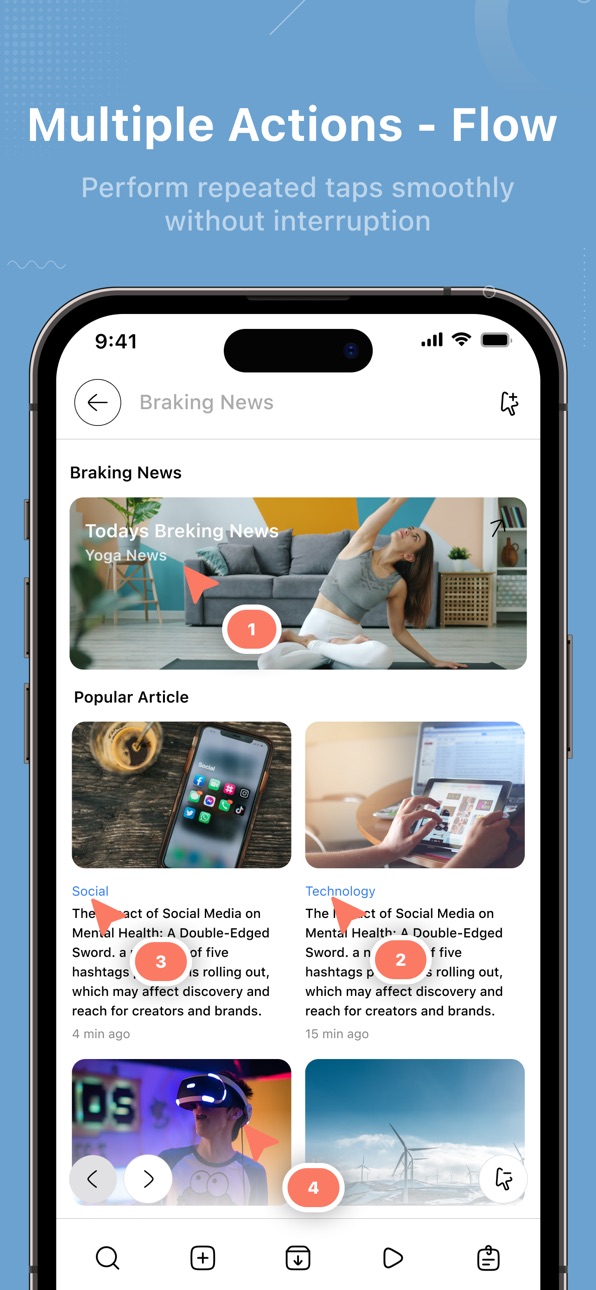
Auto Assistant is a thoughtfully designed iOS utility that helps simplify everyday digital actions through a clean and intuitive experience. The app focuses on clarity and speed, allowing users to interact with multiple tools without feeling overwhelmed.
The home screen is built with a completely unique layout, making navigation feel natural from the first launch. Different working modes give users flexibility based on their needs.
Auto mode helps streamline repeated actions, while single point mode is ideal for focused tasks. Sync point mode connects actions in a smooth sequence, and multi point mode offers greater control for more advanced use.
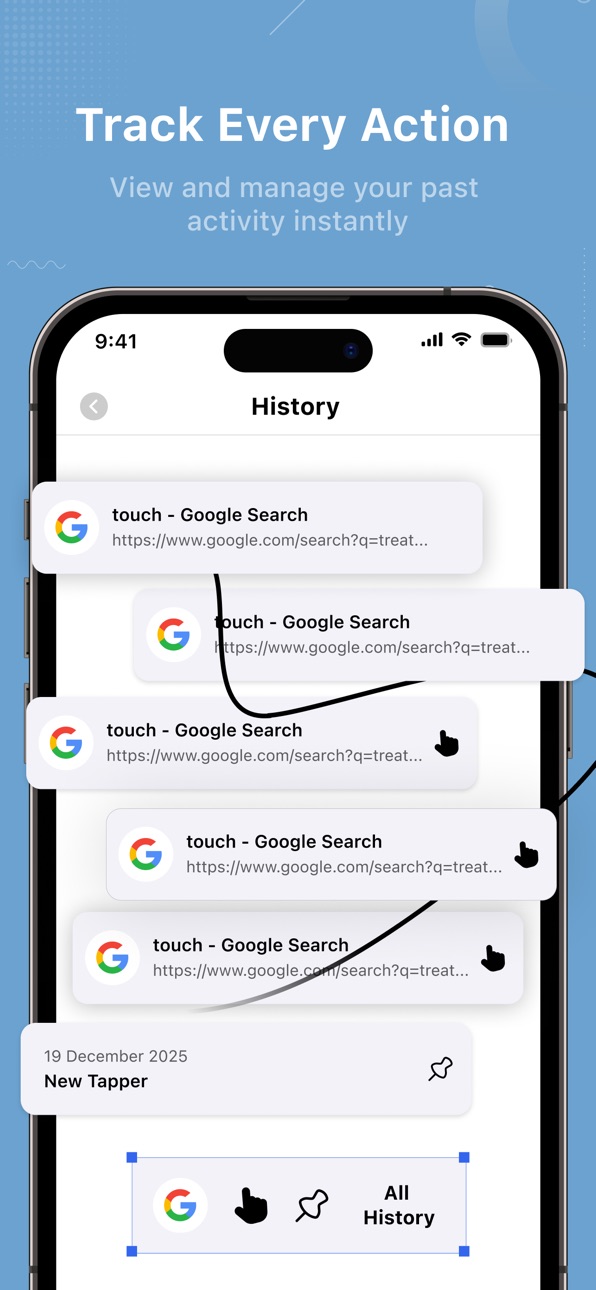
Auto reload keeps content refreshed automatically, reducing the need for manual interaction. The history section provides a clear view of past activity, and pinned tappers allow quick access to frequently used actions, saving time during daily use.
A secure built-in browser enables fast and private browsing without leaving the app. QR scanning and QR generation make sharing and accessing information quick and effortless. The notes feature offers a simple space to store short ideas, reminders, or important information whenever needed.
Auto Assistant is built for users who value a smooth iOS experience, where design, performance, and usability work together. It is not just a collection of tools, but a reliable assistant designed to keep everyday tasks organized, efficient, and easy to manage.
Privacy Policy : https://clickassistantautoclicker.blogspot.com/2025/12/privacy-policy-for-click-assistant-auto.html
Terms Condition : https://clickassistantautoclicker.blogspot.com/2025/12/terms-conditions-for-click-assistant.html
EULA : https://clickassistantautoclicker.blogspot.com/2025/12/end-user-license-agreement-eula-of.html
Accessibility
ipadiphonemacrealityDevicetvoswatch
Version history 1 versions
Build 881009335v1.02026-01-05 15:15:07
No pricing data captured yet — comparisons appear once the app has paid storefronts or in-app purchases.
Availability 74 of 101 storefronts
| Region | Language | Price | Ratings | Avg | Version |
|---|---|---|---|---|---|
| TH | en-GB | Free | 13 | 1.5 | 1.0 |
| VN | en-GB | Free | 12 | 1.3 | 1.0 |
| US | en-US | Free | 10 | 1.9 | 1.0 |
| KZ | en-GB | Free | 4 | 3.0 | 1.0 |
| SA | en-GB | Free | 3 | 2.7 | 1.0 |
| IQ | en-GB | Free | 2 | 5.0 | 1.0 |
| KR | ko | Free | 2 | 1.0 | 1.0 |
| UA | en-GB | Free | 2 | 1.0 | 1.0 |
| AE | en-GB | Free | 1 | 1.0 | 1.0 |
| AU | en-AU | Free | 1 | 1.0 | 1.0 |
| GB | en-GB | Free | 1 | 1.0 | 1.0 |
| ID | en-GB | Free | 1 | 1.0 | 1.0 |
| JP | ja | Free | 1 | 1.0 | 1.0 |
| KH | en-GB | Free | 1 | 5.0 | 1.0 |
| LA | en-GB | Free | 1 | 1.0 | 1.0 |
| MY | en-GB | Free | 1 | 1.0 | 1.0 |
| NP | en-GB | Free | 1 | 3.0 | 1.0 |
| PH | en-GB | Free | 1 | 1.0 | 1.0 |
| RU | ru | Free | 1 | 1.0 | 1.0 |
| AF | en-GB | Free | 0 | — | 1.0 |
| AL | en-GB | Free | 0 | — | 1.0 |
| AM | en-GB | Free | 0 | — | 1.0 |
| AZ | en-GB | Free | 0 | — | 1.0 |
| BA | en-GB | Free | 0 | — | 1.0 |
| BH | en-GB | Free | 0 | — | 1.0 |
| BM | en-GB | Free | 0 | — | 1.0 |
| BN | en-GB | Free | 0 | — | 1.0 |
| BT | en-GB | Free | 0 | — | 1.0 |
| BY | en-GB | Free | 0 | — | 1.0 |
| CA | en-CA | Free | 0 | — | 1.0 |
| CH | de-CH | Free | 0 | — | 1.0 |
| CN | zh-Hans-CN | Free | 0 | — | 1.0 |
| EG | en-GB | Free | 0 | — | 1.0 |
| FJ | en-GB | Free | 0 | — | 1.0 |
| FM | en-GB | Free | 0 | — | 1.0 |
| GE | en-GB | Free | 0 | — | 1.0 |
| HK | zh-Hant-HK | Free | 0 | — | 1.0 |
| IL | en-GB | Free | 0 | — | 1.0 |
| IN | en-GB | Free | 0 | — | 1.0 |
| IS | en-GB | Free | 0 | — | 1.0 |
| JO | en-GB | Free | 0 | — | 1.0 |
| KG | en-GB | Free | 0 | — | 1.0 |
| KW | en-GB | Free | 0 | — | 1.0 |
| LB | en-GB | Free | 0 | — | 1.0 |
| LK | en-GB | Free | 0 | — | 1.0 |
| MD | en-GB | Free | 0 | — | 1.0 |
| ME | en-GB | Free | 0 | — | 1.0 |
| MK | en-GB | Free | 0 | — | 1.0 |
| MM | en-GB | Free | 0 | — | 1.0 |
| MN | en-GB | Free | 0 | — | 1.0 |
| MO | zh-Hant-HK | Free | 0 | — | 1.0 |
| MR | en-GB | Free | 0 | — | 1.0 |
| MV | en-GB | Free | 0 | — | 1.0 |
| NO | en-GB | Free | 0 | — | 1.0 |
| NR | en-GB | Free | 0 | — | 1.0 |
| NZ | en-AU | Free | 0 | — | 1.0 |
| OM | en-GB | Free | 0 | — | 1.0 |
| PG | en-GB | Free | 0 | — | 1.0 |
| PK | en-GB | Free | 0 | — | 1.0 |
| PW | en-GB | Free | 0 | — | 1.0 |
| QA | en-GB | Free | 0 | — | 1.0 |
| RS | en-GB | Free | 0 | — | 1.0 |
| SB | en-GB | Free | 0 | — | 1.0 |
| SG | en-GB | Free | 0 | — | 1.0 |
| TJ | en-GB | Free | 0 | — | 1.0 |
| TM | en-GB | Free | 0 | — | 1.0 |
| TO | en-GB | Free | 0 | — | 1.0 |
| TR | en-GB | Free | 0 | — | 1.0 |
| TW | zh-Hant-TW | Free | 0 | — | 1.0 |
| UZ | en-GB | Free | 0 | — | 1.0 |
| VU | en-GB | Free | 0 | — | 1.0 |
| XK | en-GB | Free | 0 | — | 1.0 |
| YE | en-GB | Free | 0 | — | 1.0 |
| ZA | en-GB | Free | 0 | — | 1.0 |
Not available in: AT, BE, BG, CY, CZ, DE, DK, EE, ES, FI, FR, GR, HR, HU, IE, IT, LT, LU, LV, MT, NL, PL, PT, RO, SE, SI, SK
Reviews 3 reviews · US
★★★★★
Dear developers
It is very hard to figure out how to use your auto click I placed it on something, but it didn’t click. 😲 developers can you please make a easier tutorial?
@ Reviewer me2026-06-07
★★★★★
Don’t install
When I install this app and opened it I immediately got a warning that the app can’t function due to the fact that “I was watching adult videos” but I never watch an adult video but it had a warning that the malware was in my phone so I deleted it so please don’t download this app!
k ssss2026-06-07
★★★★★
Good but how
Its work its free but I don’t know how to use it on other apps
GreenBattery2026-04-26
Change log 4 changes · US
✎
description updated
Auto Assistant is a thoughtfully designed iOS utility that helps simplify everyday digital actions through a clean and intuitive experience. The app focuses on
✎
subtitle updated
effortless multiple Control
✎
name updated
Click Assistant, Auto Clicker
◆
Version 1.0 released