Home › Productivity

 US
US
 CAen-CA
 AEen-GB
 AFen-GB
 ALen-GB
 AMen-GB
 ATde-DE
 AUen-AU
 AZen-GB
 BAen-GB
 BEen-GB
 BGen-GB
 BHen-GB
 BMen-GB
 BNen-GB
 BTen-GB
 BYen-GB
 CHde-CH
 CNzh-Hans-CN
 CYen-GB
 CZen-GB
 DEde-DE
 DKen-GB
 EEen-GB
 EGen-GB
 ESes-ES
 FIen-GB
 FJen-GB
 FMen-GB
 FRfr-FR
 GBen-GB
 GEen-GB
 GRen-GB
 HKzh-Hant-HK
 HRen-GB
 HUen-GB
 IDen-GB
 IEen-GB
 ILen-GB
 INen-GB
 IQen-GB
 ISen-GB
 ITit
ITit JOen-GB
 JPja
JPja KGen-GB
 KHen-GB
 KRko
KRko KWen-GB
 KZen-GB
 LAen-GB
 LBen-GB
 LKen-GB
 LTen-GB
 LUen-GB
 LVen-GB
 MDen-GB
 MEen-GB
 MKen-GB
 MMen-GB
 MNen-GB
 MOzh-Hant-HK
 MRen-GB
 MTen-GB
 MVen-GB
 MYen-GB
 NLnl
NLnl NOen-GB
 NPen-GB
 NRen-GB
 NZen-AU
 OMen-GB
 PGen-GB
 PHen-GB
 PKen-GB
 PLen-GB
 PTpt-PT
 PWen-GB
 QAen-GB
 ROen-GB
 RSen-GB
 RUru
RUru SAen-GB
 SBen-GB
 SEsv
SEsv SGen-GB
 SIen-GB
 SKen-GB
 THen-GB
 TJen-GB
 TMen-GB
 TOen-GB
 TRen-GB
 TWzh-Hant-TW
 UAen-GBUSen-US
 UZen-GB
 VNen-GB
 VUen-GB
 XKen-GB
 YEen-GB
 ZAen-GB
101 of 101 storefronts
Content in en-US
Content in en-US
Information
Preview 2 platforms
iPhone 6 images
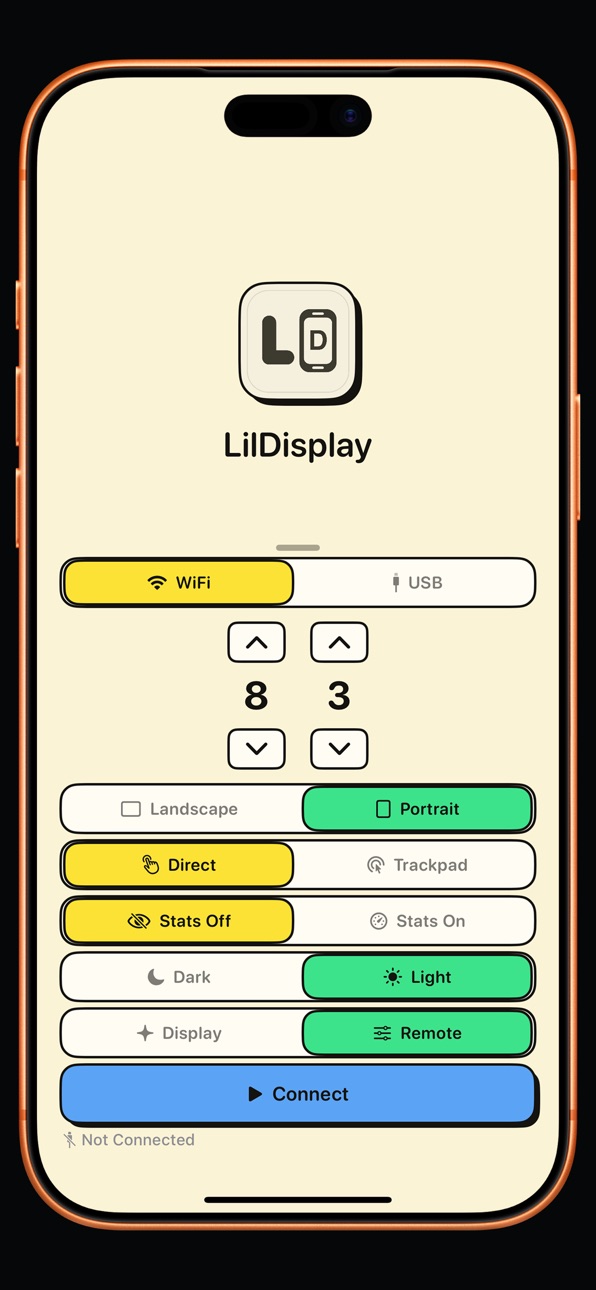


iPad 3 images

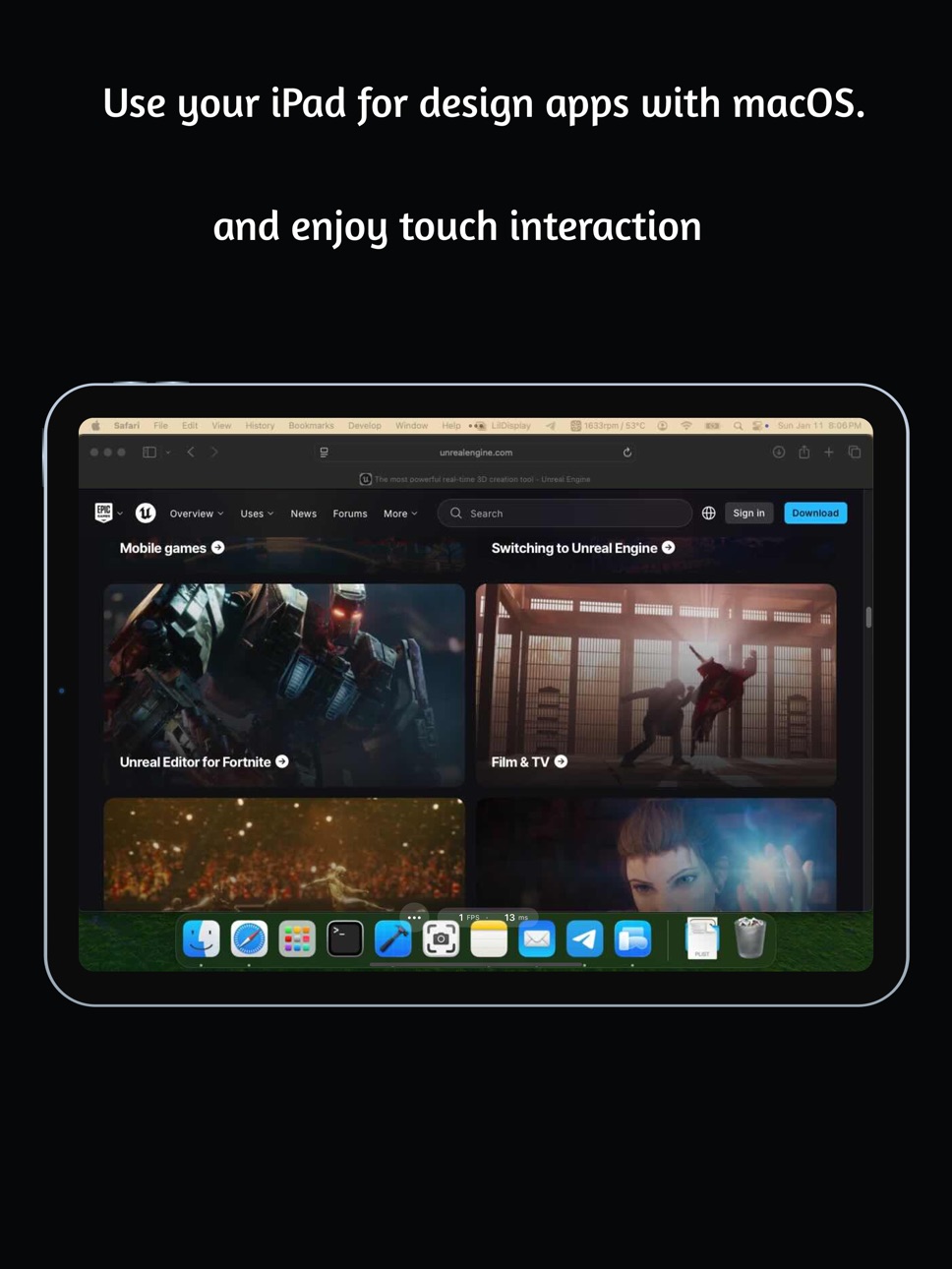
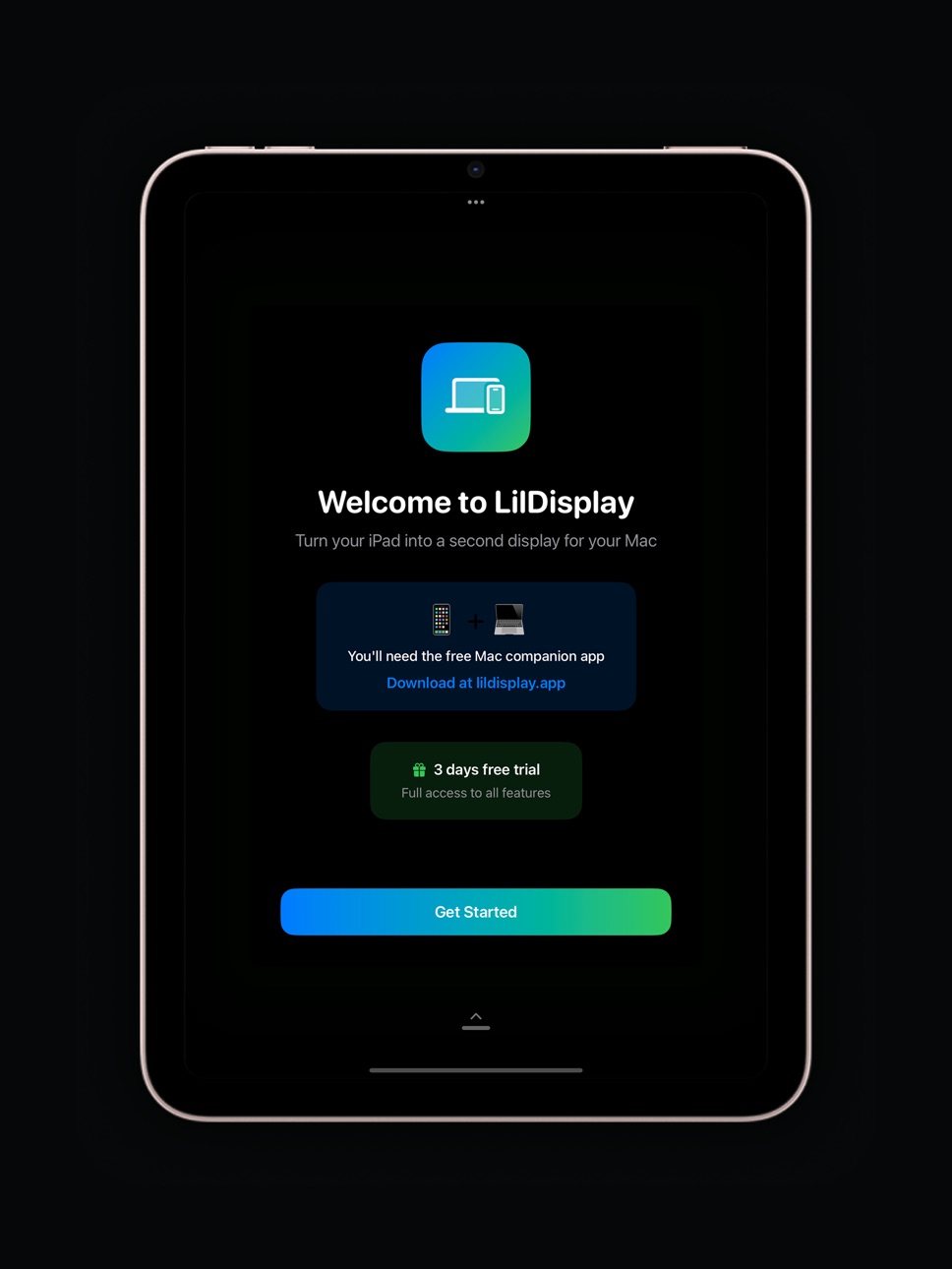
What’s New Version 2.0
• Added Dark and Light mode
• New toggle to show or hide the FPS counter, whenever you want
• Smoother performance and a refreshed UI
Description
LilDisplay — Turn your iPhone or iPad into a touchscreen Mac display
Give your Mac a second screen you can actually touch. No extra hardware, no subscriptions.
Just your device, a free Mac app, and you're set.
Blazing-fast — USB for 5–10ms latency, or Wi-Fi for wireless freedom.
Touch your Mac — Tap, scroll, and control right on screen.
A true external display — Extend your desktop and run fullscreen apps.
Works everywhere — iPhone and iPad, back to iOS 15.
Download the free Mac app at lildisplay.app
Requires iOS/iPadOS 15+ and macOS 14 (Sonoma) or later.
Accessibility
ipadiphonemacrealityDevicetvoswatch
Version history 5 versions
Build 887228305v2.02026-06-21 22:45:20
• Added Dark and Light mode
• New toggle to show or hide the FPS counter, whenever you want
• Smoother performance and a refreshed UI
Build 882725611v1.2.02026-03-04 02:20:56
Completely FREE now!
Added Wi-Fi support!
Build 881403912v1.1.02026-01-12 16:26:31
- Added iPadOS support - use your iPad as a secondary display
- Bug fixes and UI enhancements
- Improved overall stability
Build 881333174v1.0.12026-01-09 04:31:11
Minor App Store presentation updates. No functional changes.
Build 881006062v1.02026-01-08 06:21:23
No pricing data captured yet — comparisons appear once the app has paid storefronts or in-app purchases.
Availability 101 of 101 storefronts
| Region | Language | Price | Ratings | Avg | Version |
|---|---|---|---|---|---|
| CA | en-CA | Free | 4 | 5.0 | 2.0 |
| AE | en-GB | Free | 0 | — | 2.0 |
| AF | en-GB | Free | 0 | — | 2.0 |
| AL | en-GB | Free | 0 | — | 2.0 |
| AM | en-GB | Free | 0 | — | 2.0 |
| AT | de-DE | Free | 0 | — | 2.0 |
| AU | en-AU | Free | 0 | — | 2.0 |
| AZ | en-GB | Free | 0 | — | 2.0 |
| BA | en-GB | Free | 0 | — | 2.0 |
| BE | en-GB | Free | 0 | — | 2.0 |
| BG | en-GB | Free | 0 | — | 2.0 |
| BH | en-GB | Free | 0 | — | 2.0 |
| BM | en-GB | Free | 0 | — | 2.0 |
| BN | en-GB | Free | 0 | — | 2.0 |
| BT | en-GB | Free | 0 | — | 2.0 |
| BY | en-GB | Free | 0 | — | 2.0 |
| CH | de-CH | Free | 0 | — | 2.0 |
| CN | zh-Hans-CN | Free | 0 | — | 2.0 |
| CY | en-GB | Free | 0 | — | 2.0 |
| CZ | en-GB | Free | 0 | — | 2.0 |
| DE | de-DE | Free | 0 | — | 2.0 |
| DK | en-GB | Free | 0 | — | 2.0 |
| EE | en-GB | Free | 0 | — | 2.0 |
| EG | en-GB | Free | 0 | — | 2.0 |
| ES | es-ES | Free | 0 | — | 2.0 |
| FI | en-GB | Free | 0 | — | 2.0 |
| FJ | en-GB | Free | 0 | — | 2.0 |
| FM | en-GB | Free | 0 | — | 2.0 |
| FR | fr-FR | Free | 0 | — | 2.0 |
| GB | en-GB | Free | 0 | — | 2.0 |
| GE | en-GB | Free | 0 | — | 2.0 |
| GR | en-GB | Free | 0 | — | 2.0 |
| HK | zh-Hant-HK | Free | 0 | — | 2.0 |
| HR | en-GB | Free | 0 | — | 2.0 |
| HU | en-GB | Free | 0 | — | 2.0 |
| ID | en-GB | Free | 0 | — | 2.0 |
| IE | en-GB | Free | 0 | — | 2.0 |
| IL | en-GB | Free | 0 | — | 2.0 |
| IN | en-GB | Free | 0 | — | 2.0 |
| IQ | en-GB | Free | 0 | — | 2.0 |
| IS | en-GB | Free | 0 | — | 2.0 |
| IT | it | Free | 0 | — | 2.0 |
| JO | en-GB | Free | 0 | — | 2.0 |
| JP | ja | Free | 0 | — | 2.0 |
| KG | en-GB | Free | 0 | — | 2.0 |
| KH | en-GB | Free | 0 | — | 2.0 |
| KR | ko | Free | 0 | — | 2.0 |
| KW | en-GB | Free | 0 | — | 2.0 |
| KZ | en-GB | Free | 0 | — | 2.0 |
| LA | en-GB | Free | 0 | — | 2.0 |
| LB | en-GB | Free | 0 | — | 2.0 |
| LK | en-GB | Free | 0 | — | 2.0 |
| LT | en-GB | Free | 0 | — | 2.0 |
| LU | en-GB | Free | 0 | — | 2.0 |
| LV | en-GB | Free | 0 | — | 2.0 |
| MD | en-GB | Free | 0 | — | 2.0 |
| ME | en-GB | Free | 0 | — | 2.0 |
| MK | en-GB | Free | 0 | — | 2.0 |
| MM | en-GB | Free | 0 | — | 2.0 |
| MN | en-GB | Free | 0 | — | 2.0 |
| MO | zh-Hant-HK | Free | 0 | — | 2.0 |
| MR | en-GB | Free | 0 | — | 2.0 |
| MT | en-GB | Free | 0 | — | 2.0 |
| MV | en-GB | Free | 0 | — | 2.0 |
| MY | en-GB | Free | 0 | — | 2.0 |
| NL | nl | Free | 0 | — | 2.0 |
| NO | en-GB | Free | 0 | — | 2.0 |
| NP | en-GB | Free | 0 | — | 2.0 |
| NR | en-GB | Free | 0 | — | 2.0 |
| NZ | en-AU | Free | 0 | — | 2.0 |
| OM | en-GB | Free | 0 | — | 2.0 |
| PG | en-GB | Free | 0 | — | 2.0 |
| PH | en-GB | Free | 0 | — | 2.0 |
| PK | en-GB | Free | 0 | — | 2.0 |
| PL | en-GB | Free | 0 | — | 2.0 |
| PT | pt-PT | Free | 0 | — | 2.0 |
| PW | en-GB | Free | 0 | — | 2.0 |
| QA | en-GB | Free | 0 | — | 2.0 |
| RO | en-GB | Free | 0 | — | 2.0 |
| RS | en-GB | Free | 0 | — | 2.0 |
| RU | ru | Free | 0 | — | 2.0 |
| SA | en-GB | Free | 0 | — | 2.0 |
| SB | en-GB | Free | 0 | — | 2.0 |
| SE | sv | Free | 0 | — | 2.0 |
| SG | en-GB | Free | 0 | — | 2.0 |
| SI | en-GB | Free | 0 | — | 2.0 |
| SK | en-GB | Free | 0 | — | 2.0 |
| TH | en-GB | Free | 0 | — | 2.0 |
| TJ | en-GB | Free | 0 | — | 2.0 |
| TM | en-GB | Free | 0 | — | 2.0 |
| TO | en-GB | Free | 0 | — | 2.0 |
| TR | en-GB | Free | 0 | — | 2.0 |
| TW | zh-Hant-TW | Free | 0 | — | 2.0 |
| UA | en-GB | Free | 0 | — | 2.0 |
| US | en-US | Free | 0 | — | 2.0 |
| UZ | en-GB | Free | 0 | — | 2.0 |
| VN | en-GB | Free | 0 | — | 2.0 |
| VU | en-GB | Free | 0 | — | 2.0 |
| XK | en-GB | Free | 0 | — | 2.0 |
| YE | en-GB | Free | 0 | — | 2.0 |
| ZA | en-GB | Free | 0 | — | 2.0 |
Change log 9 changes · US
✎
releaseNotes updated
• Added Dark and Light mode
• New toggle to show or hide the FPS counter, whenever you want
• Smoother performance and a refreshed UI
✎
description updated
LilDisplay — Turn your iPhone or iPad into a touchscreen Mac display
Give your Mac a second screen you can actually touch. No extra hardware, no subscriptions.
✎
subtitle updated
Second display for your Mac
✎
name updated
LilDisplay
◆
Version 2.0 released
• Added Dark and Light mode
• New toggle to show or hide the FPS counter, whenever you want
• Smoother performance and a refreshed UI
◆
Version 1.2.0 released
Completely FREE now!
Added Wi-Fi support!
◆
Version 1.1.0 released
- Added iPadOS support - use your iPad as a secondary display
- Bug fixes and UI enhancements
- Improved overall stability
◆
Version 1.0.1 released
Minor App Store presentation updates. No functional changes.
◆
Version 1.0 released