Home › Entertainment

 US
US
1 of 1 storefronts
Content in en-US
Content in en-US
Information
Preview 2 platforms
iPhone 3 images

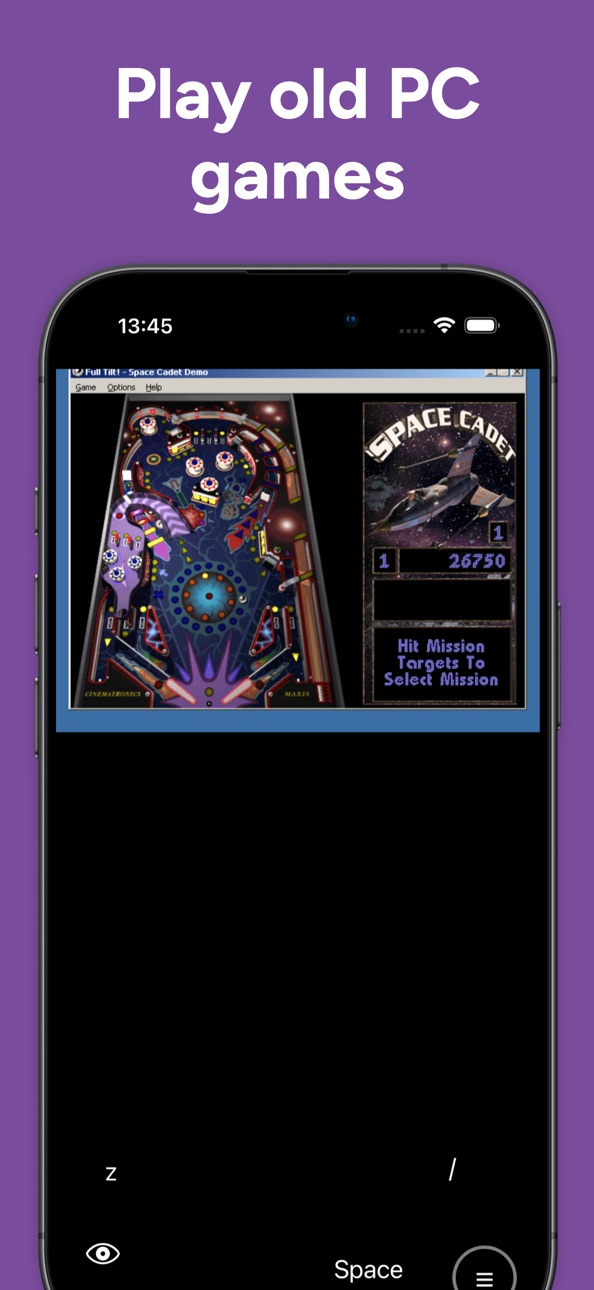

iPad 3 images


What’s New Version 1.4
- More stable save/load states.
- Metal can render better.
- Bug on-screen controller in PC fixed.
- Better UX/UI.
Description
RTM EMU is the most ambitious emulator on iOS — built to run PC games and PlayStation 2 classics natively on your iPhone, with the polish of a modern app and the flexibility of a real desktop emulator.
Two emulators in one app
- PC — runs PC games right on iOS. Drop in your favourite point-and-click adventure, RPG, indie title, or retro Windows classic and it runs. No jailbreak, no sideloading, no PC required.
- PS2 — relive the PlayStation 2 era with the included PS2 emulator core. Bring your own legally-owned ISOs.
- More on the way — vote for the next emulator we add right from the in-app Discord button.
Quick-launch hub
A unique drag-and-hold pie wheel lets you pick your emulator with a flick. Hold any segment for a second to set it as your default — the next time you open the app it jumps straight to your favourite.
A controller that fits your hand
- Built-in on-screen gamepad with multiple layouts (analog stick + face buttons, WASD circle, Type-C custom layout).
- Customise everything — drag any button to any spot, resize, mix-and-match analog sticks, mouse-cursor pads, or labelled keys.
- Two-controller support so you can play split-screen co-op classics.
- Plug in MFi or PS / Xbox controllers — full hardware controller support is built in.
Live in-game translator
Stuck on a Japanese RPG? Tap the globe icon and RTM EMU captures the screen, OCRs the on-screen text, and overlays a live translation in your language. Supports English, Mandarin, and more on the way.
Save & load anywhere
- Save states on PS2 (and on PC with Pro) — pick up exactly where you left off.
Performance you can feel
- Selectable CPU profile (P3 fast mode) for demanding games.
- HD-graphics toggle, frame-skip, FPS overlay, optional black-screen filter.
- Click-only mouse mode for AGS / point-and-click games (smoother than per-pixel tracking).
Localised
Full English and 中文 support, with more languages on the roadmap.
RTM Pro — support the dev, get the best experience
A single $2.99 / month tier unlocks:
- Save / Load State on PC
- HD Graphics on every emulator
- Advanced configuration controls
- 2nd on-screen controller
- Custom on-screen controller editor
- Unlimited Translator (free tier: 100 / day)
- Direct line to feature requests
We promise: every cent goes back into making this the best emulator on iOS. No ads. No data harvesting. Just the dev, the code, and you.
---
Bring your own games. Use only legally-obtained software, ROMs, and ISOs you own. RTM EMU does not provide game files of any kind.
Terms of Use: https://www.apple.com/legal/internet-services/itunes/dev/stdeula/
In-App Purchases US pricing
Pro plan Subscription
Monthly$2.99
Standard plan · Monthly$0.99
One-Time Purchases
Lifetime Pro plan$35.99
Capabilities
In-App Purchases
Accessibility
ipadiphonemacrealityDevicetvoswatch
Version history 10 versions
Build 885998433v1.42026-06-23 16:28:38
- More stable save/load states.
- Metal can render better.
- Bug on-screen controller in PC fixed.
- Better UX/UI.
Build 885825449v1.3.22026-05-21 10:27:01
- Metal option added for PS2
Build 885649773v1.3.12026-05-14 12:11:55
- Fixed HD vertical screen bug.
- Fixed shoulder buttons block D-pad.
Build 885526335v1.32026-05-13 23:58:22
- Renamed to RTM EMU.
- Refined App preview.
- Fixed iPad UI bug.
- Save/Load button in the main controller.
- More advanced config to PS2.
Build 884168071v 1.22026-05-05 07:42:52
- Retro PC emulator included
Build 884087741v1.1.32026-04-03 20:41:29
- Changed category to Entertainment
Build 882363539v1.1.22026-04-02 20:26:59
- Medal Collection added.
- UI bug in Light theme fixed.
- FPS added.
Build 881802220v1.1.12026-02-11 04:29:15
- Missing sound bug fixed.
- On-screen controller is configurable.
- Donation section added.
Build 881552955v1.12026-01-22 09:58:13
- Black frame flickering improved.
- Smooth external controller experience.
- Added report button.
Build 880960614v1.02026-01-15 23:17:05
Price history by region
Currency
Show
Columns
Search
Availability 1 of 1 storefronts
| Region | Language | Price | Ratings | Avg | Version |
|---|---|---|---|---|---|
| US | en-US | Free | 262 | 3.5 | 1.4 |
Change log 14 changes · US
✎
releaseNotes updated
- More stable save/load states.
- Metal can render better.
- Bug on-screen controller in PC fixed.
- Better UX/UI.
✎
description updated
RTM EMU is the most ambitious emulator on iOS — built to run PC games and PlayStation 2 classics natively on your iPhone, with the polish of a modern app and th
✎
subtitle updated
Enjoy PS2/PC memories
✎
name updated
RTM EMU : PS2/PC games
◆
Version 1.4 released
- More stable save/load states.
- Metal can render better.
- Bug on-screen controller in PC fixed.
- Better UX/UI.
◆
Version 1.3.2 released
- Metal option added for PS2
◆
Version 1.3.1 released
- Fixed HD vertical screen bug.
- Fixed shoulder buttons block D-pad.
◆
Version 1.3 released
- Renamed to RTM EMU.
- Refined App preview.
- Fixed iPad UI bug.
- Save/Load button in the main controller.
- More advanced config to PS2.
◆
Version 1.2 released
- Retro PC emulator included
◆
Version 1.1.3 released
- Changed category to Entertainment
◆
Version 1.1.2 released
- Medal Collection added.
- UI bug in Light theme fixed.
- FPS added.
◆
Version 1.1.1 released
- Missing sound bug fixed.
- On-screen controller is configurable.
- Donation section added.
◆
Version 1.1 released
- Black frame flickering improved.
- Smooth external controller experience.
- Added report button.
◆
Version 1.0 released