Home › Productivity

 US
US
 JPja
JPja AEen-GB
 RUruUSen-US
 ALen-GB
 AMen-GB
 AUen-AU
 AZen-GB
 BAen-GB
 BHen-GB
 BMen-GB
 BNen-GB
 BTen-GB
 BYen-GB
 CAen-CA
 CHde-CH
 CNzh-Hans-CN
 EGen-GB
 FJen-GB
 FMen-GB
 GBen-GB
 GEen-GB
 HKzh-Hant-HK
 IDen-GB
 ILen-GB
 IQen-GB
 JOen-GB
 KGen-GB
 KHen-GB
 KRko
KRko KWen-GB
 KZen-GB
 LAen-GB
 LBen-GB
 LKen-GB
 MDen-GB
 MEen-GB
 MKen-GB
 MMen-GB
 MNen-GB
 MOzh-Hant-HK
 MRen-GB
 MVen-GB
 MYen-GB
 NOen-GB
 NPen-GB
 NRen-GB
 NZen-AU
 OMen-GB
 PGen-GB
 PWen-GB
 QAen-GB
 RSen-GB
 SAen-GB
 SBen-GB
 SGen-GB
 THen-GB
 TJen-GB
 TMen-GB
 TOen-GB
 TRen-GB
 TWzh-Hant-TW
 UAen-GB
 UZen-GB
 VUen-GB
 XKen-GB
 YEen-GB
 ZAen-GB
 ATNot Available
 BENot Available
 CYNot Available
 CZNot Available
 DENot Available
 DKNot Available
 EENot Available
 ESNot Available
 FINot Available
 FRNot Available
 HRNot Available
 IENot Available
 ITNot Available
 LTNot Available
 LUNot Available
 LVNot Available
 MTNot Available
 NLNot Available
 PLNot Available
 PTNot Available
 SENot Available
 SINot Available
68 of 90 storefronts
Content in en-US
Content in en-US
Information
Apple ID6756807803
Bundle IDcom.tsujimoto.FocusLapse
SellerSeller
Min iOS18.5
Min macOS15.5
Device familiesiphone, ipad
Released2025-12-22
CopyrightCopyright © 2025 FocusLapse
Privacy policyLink ↗
Preview 2 platforms
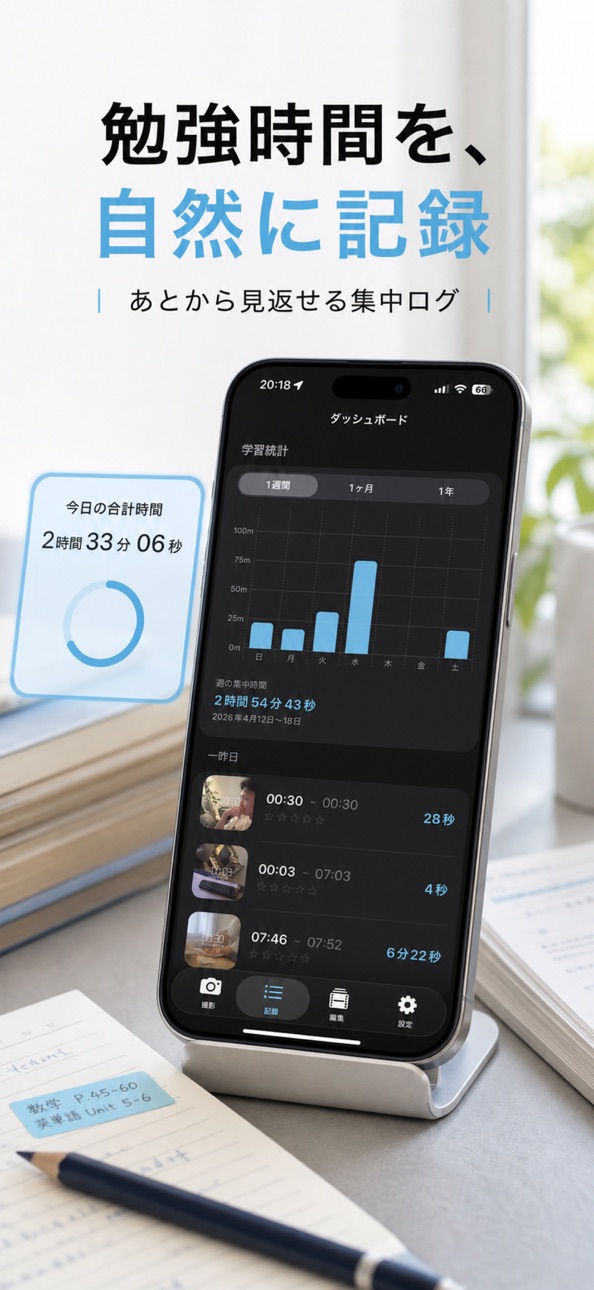
iPhone 10 images




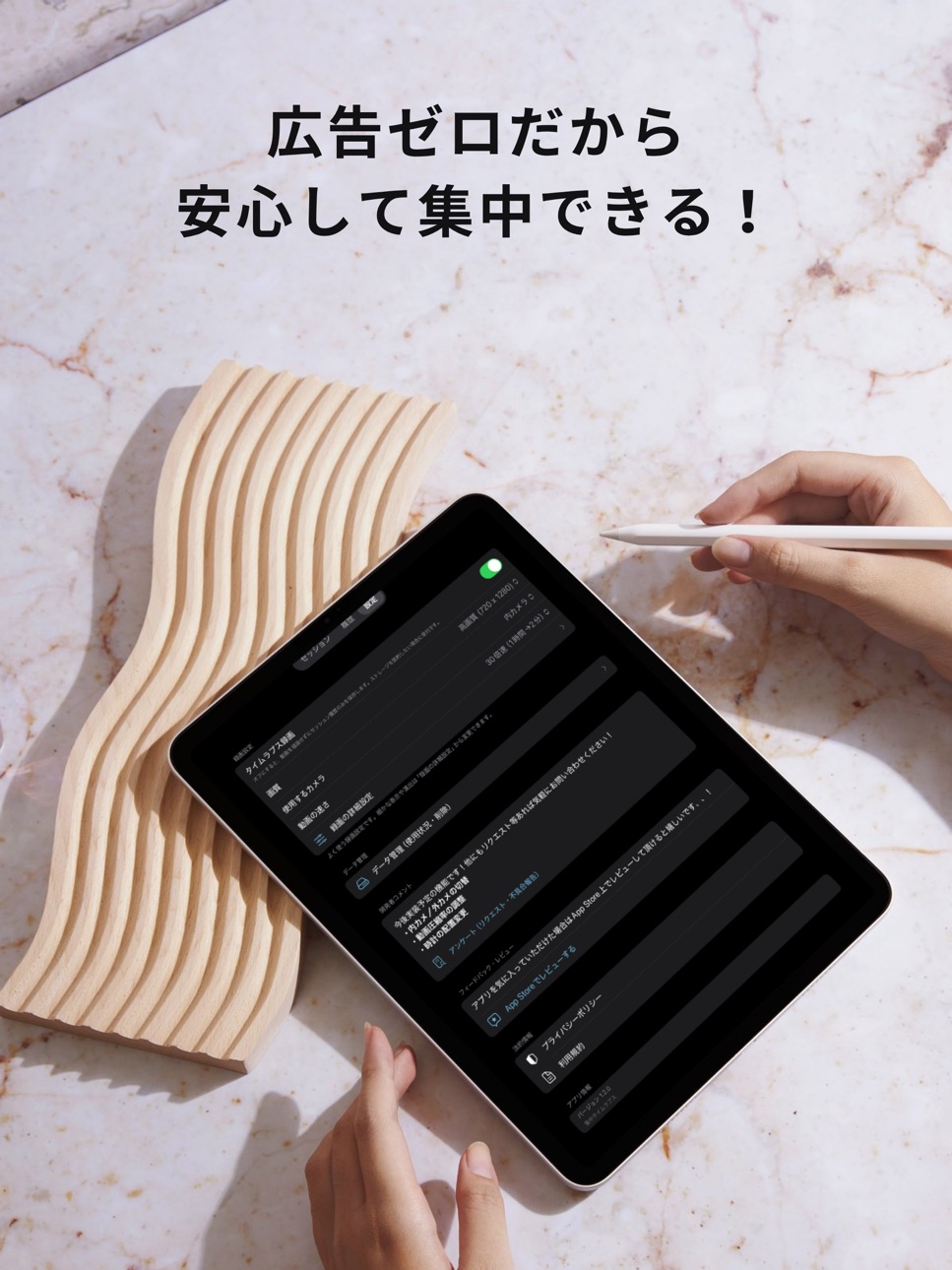
iPad 3 images


What’s New Version 1.3.3
・Improved the quality of exported videos
・Made the digest creation screen easier to understand
・Added stronger protection against accidental video deletion
・Fixed issues related to video orientation
・Added clearer guidance for first-time users
Description
FocusLapse is a focus support app that lets you record your study or work sessions as time-lapse videos.
Place your phone as a recording camera while you study or work. This helps make your phone harder to pick up during a session, and when you finish, you can look back on your effort as a short time-lapse video.
Main Features:
- Record study and work sessions as time-lapse videos
- Animated analog clock overlay
- Front and rear camera support
- Adjustable video speed
- Adjustable clock and session text position
- Focus history and progress graphs
- Home screen widgets
- No ads
Recommended for:
- Students who want to keep a visual study log
- People who want to reduce phone distractions while working
- Anyone who wants to review study or work sessions as time-lapse videos
- Users who want to share study logs on social media
- People looking for a simple, ad-free focus app
Recorded videos and focus history are stored on your device.
Use FocusLapse to make your daily focus visible.
Accessibility
ipadiphonemacrealityDevicetvoswatch
Version history 9 versions
Build 886834144v1.3.32026-06-11 17:22:19
・Improved the quality of exported videos
・Made the digest creation screen easier to understand
・Added stronger protection against accidental video deletion
・Fixed issues related to video orientation
・Added clearer guidance for first-time users
Build 886068337v1.3.22026-05-24 18:43:51
FocusLapse has been improved to make recording and reviewing focus sessions easier.
- Added a new Digital (Vlog-style) video design
- Improved camera preview and saved video orientation
- Added and improved the beta digest creation feature
- Added speed options and estimated output duration for digest videos
- Improved study graphs, recording settings, iPad layout, and overall UI
- Fixed minor issues and improved stability
Build 885628819v1.3.12026-05-13 19:52:42
Version 1.3.1 is now available.
- Improved the UI/UX of the recording and settings screens
- Added a new digital clock-style video overlay
- Improved recording stability
- Reorganized the video overlay options
- Added an option to record without clock or text overlays
- Improved usability on the recording start screen
- Improved video orientation display and handling
- Fixed minor layout issues and bugs
Build 885359953v1.3.02026-05-07 16:43:00
Version 1.3.0 is now available.
- Added support for recording with the rear camera
- Added options to adjust the position of the clock and session text
- Improved the clock overlay design in time-lapse videos
- Added swipe navigation for weekly, monthly, and yearly history graphs
- Reorganized recording settings and added an advanced settings screen
- Added in-app developer comments
- Improved the iPad layout
- Fixed minor layout issues and bugs
Build 884668364v1.2.02026-04-18 20:52:41
[Major Update: Customization Features Now Available!] We’ve released a major update to make your focus recording experience even better and more personalized.
1. Adjustable Video Speed You can now create time-lapses at your preferred speed, from 15x up to 120x! Recap an hour of hard work in just 30 seconds.
2. Camera Mirroring (Selfie Mirror Mode) Added a mirroring mode that lets you record exactly as you see yourself in a mirror. Now your selfie recordings feel more natural than ever.
3. Refreshed Recording Overlays Our Digital and Analog clock designs have been overhauled. With new progress bars and "Elapsed / Total" time displays, tracking your focus status is easier and more intuitive.
4. Enhanced Home Screen Widgets Stay motivated by checking your total focus time for the day, week, and month right from your home screen! The charts are now more vibrant and easier to read.
5. Improved User Experience We’ve polished every detail—from faster stats processing to better video player controls—for a smoother and more professional experience.
Beat smartphone addiction and record your greatest achievements with FocusLapse!
Build 881601829v1.1.02026-01-18 17:52:35
[Important: Video Saving & UI Improvements]
We've implemented significant fixes based on your feedback regarding video saving issues and UI confusion.
- Fixed Video Saving: Resolved an issue where videos occasionally failed to save after completing a session.
- Seamless Completion Screen: Improved the post-recording flow to ensure saving status is clear and the transition is smooth.
- Interactive Charts: You can now tap or drag across the dashboard chart to see detailed focus duration.
- Smarter Storage: Calculate exactly how much space you'll free up before deleting old videos.
- Global Optimization: Enhanced localization for international users.
Build 881375923v1.0.32026-01-10 23:10:53
- Added Home Screen Widget! Now you can track your daily focus time and weekly progress at a glance.
- Improved background termination notifications for a more reliable recording experience.
- Added new storage management features.
- UI optimizations for a 100% ad-free and privacy-focused experience.
Build 881011804v1.0.12025-12-26 07:59:58
Fixed an issue where the screen would sleep during recording.
Updated the app icon.
Build 880864563v1.02025-12-22 18:42:38
No pricing data captured yet — comparisons appear once the app has paid storefronts or in-app purchases.
Availability 68 of 90 storefronts
| Region | Language | Price | Ratings | Avg | Version |
|---|---|---|---|---|---|
| JP | ja | Free | 46 | 4.7 | 1.3.3 |
| AE | en-GB | Free | 1 | 5.0 | 1.3.3 |
| RU | ru | Free | 1 | 5.0 | 1.3.3 |
| US | en-US | Free | 1 | 5.0 | 1.3.3 |
| AL | en-GB | Free | 0 | — | 1.3.3 |
| AM | en-GB | Free | 0 | — | 1.3.3 |
| AU | en-AU | Free | 0 | — | 1.3.3 |
| AZ | en-GB | Free | 0 | — | 1.3.3 |
| BA | en-GB | Free | 0 | — | 1.3.3 |
| BH | en-GB | Free | 0 | — | 1.3.3 |
| BM | en-GB | Free | 0 | — | 1.3.3 |
| BN | en-GB | Free | 0 | — | 1.3.3 |
| BT | en-GB | Free | 0 | — | 1.3.3 |
| BY | en-GB | Free | 0 | — | 1.3.3 |
| CA | en-CA | Free | 0 | — | 1.3.3 |
| CH | de-CH | Free | 0 | — | 1.3.3 |
| CN | zh-Hans-CN | Free | 0 | — | 1.3.3 |
| EG | en-GB | Free | 0 | — | 1.3.3 |
| FJ | en-GB | Free | 0 | — | 1.3.3 |
| FM | en-GB | Free | 0 | — | 1.3.3 |
| GB | en-GB | Free | 0 | — | 1.3.3 |
| GE | en-GB | Free | 0 | — | 1.3.3 |
| HK | zh-Hant-HK | Free | 0 | — | 1.3.3 |
| ID | en-GB | Free | 0 | — | 1.3.3 |
| IL | en-GB | Free | 0 | — | 1.3.3 |
| IQ | en-GB | Free | 0 | — | 1.3.3 |
| JO | en-GB | Free | 0 | — | 1.3.3 |
| KG | en-GB | Free | 0 | — | 1.3.3 |
| KH | en-GB | Free | 0 | — | 1.3.3 |
| KR | ko | Free | 0 | — | 1.3.3 |
| KW | en-GB | Free | 0 | — | 1.3.3 |
| KZ | en-GB | Free | 0 | — | 1.3.3 |
| LA | en-GB | Free | 0 | — | 1.3.3 |
| LB | en-GB | Free | 0 | — | 1.3.3 |
| LK | en-GB | Free | 0 | — | 1.3.3 |
| MD | en-GB | Free | 0 | — | 1.3.3 |
| ME | en-GB | Free | 0 | — | 1.3.3 |
| MK | en-GB | Free | 0 | — | 1.3.3 |
| MM | en-GB | Free | 0 | — | 1.3.3 |
| MN | en-GB | Free | 0 | — | 1.3.3 |
| MO | zh-Hant-HK | Free | 0 | — | 1.3.3 |
| MR | en-GB | Free | 0 | — | 1.3.3 |
| MV | en-GB | Free | 0 | — | 1.3.3 |
| MY | en-GB | Free | 0 | — | 1.3.3 |
| NO | en-GB | Free | 0 | — | 1.3.3 |
| NP | en-GB | Free | 0 | — | 1.3.3 |
| NR | en-GB | Free | 0 | — | 1.3.3 |
| NZ | en-AU | Free | 0 | — | 1.3.3 |
| OM | en-GB | Free | 0 | — | 1.3.3 |
| PG | en-GB | Free | 0 | — | 1.3.3 |
| PW | en-GB | Free | 0 | — | 1.3.3 |
| QA | en-GB | Free | 0 | — | 1.3.3 |
| RS | en-GB | Free | 0 | — | 1.3.3 |
| SA | en-GB | Free | 0 | — | 1.3.3 |
| SB | en-GB | Free | 0 | — | 1.3.3 |
| SG | en-GB | Free | 0 | — | 1.3.3 |
| TH | en-GB | Free | 0 | — | 1.3.3 |
| TJ | en-GB | Free | 0 | — | 1.3.3 |
| TM | en-GB | Free | 0 | — | 1.3.3 |
| TO | en-GB | Free | 0 | — | 1.3.3 |
| TR | en-GB | Free | 0 | — | 1.3.3 |
| TW | zh-Hant-TW | Free | 0 | — | 1.3.3 |
| UA | en-GB | Free | 0 | — | 1.3.3 |
| UZ | en-GB | Free | 0 | — | 1.3.3 |
| VU | en-GB | Free | 0 | — | 1.3.3 |
| XK | en-GB | Free | 0 | — | 1.3.3 |
| YE | en-GB | Free | 0 | — | 1.3.3 |
| ZA | en-GB | Free | 0 | — | 1.3.3 |
Not available in: AT, BE, CY, CZ, DE, DK, EE, ES, FI, FR, HR, IE, IT, LT, LU, LV, MT, NL, PL, PT, SE, SI
Change log 13 changes · US
✎
releaseNotes updated
・Improved the quality of exported videos
・Made the digest creation screen easier to understand
・Added stronger protection against accidental video deletion
・Fix
✎
description updated
FocusLapse is a focus support app that lets you record your study or work sessions as time-lapse videos.
Place your phone as a recording camera while you study
✎
subtitle updated
Record focus sessions as video
✎
name updated
FocusLapse - Study Time Lapse
◆
Version 1.3.3 released
・Improved the quality of exported videos
・Made the digest creation screen easier to understand
・Added stronger protection against accidental video deletion
・Fixed issues related to video orientation
・Added clearer guidance for first-time us
◆
Version 1.3.2 released
FocusLapse has been improved to make recording and reviewing focus sessions easier.
- Added a new Digital (Vlog-style) video design
- Improved camera preview and saved video orientation
- Added and improved the beta digest creation feature
◆
Version 1.3.1 released
Version 1.3.1 is now available.
- Improved the UI/UX of the recording and settings screens
- Added a new digital clock-style video overlay
- Improved recording stability
- Reorganized the video overlay options
- Added an option to record w
◆
Version 1.3.0 released
Version 1.3.0 is now available.
- Added support for recording with the rear camera
- Added options to adjust the position of the clock and session text
- Improved the clock overlay design in time-lapse videos
- Added swipe navigation for w
◆
Version 1.2.0 released
[Major Update: Customization Features Now Available!] We’ve released a major update to make your focus recording experience even better and more personalized.
1. Adjustable Video Speed You can now create time-lapses at your preferred speed
◆
Version 1.1.0 released
[Important: Video Saving & UI Improvements]
We've implemented significant fixes based on your feedback regarding video saving issues and UI confusion.
- Fixed Video Saving: Resolved an issue where videos occasionally failed to save after co
◆
Version 1.0.3 released
- Added Home Screen Widget! Now you can track your daily focus time and weekly progress at a glance.
- Improved background termination notifications for a more reliable recording experience.
- Added new storage management features.
- UI opt
◆
Version 1.0.1 released
Fixed an issue where the screen would sleep during recording.
Updated the app icon.
◆
Version 1.0 released