Home › Entertainment

 US
US
1 of 1 storefronts
Content in en-US
Content in en-US
Information
Apple ID6756739491
Bundle IDcom.spriggan.animefy
SellerSeller
Min iOS15.1
Min macOS12.0
Device familiesiphone, ipad, ipod
Released2026-01-24
Copyright© ASGAR ALIYEV
Privacy policyLink ↗
Preview 2 platforms
iPhone 8 images


iPad 8 images




What’s New Version 2.3.0
Fresh new app icon! Two new trend styles: Busted and Football, with 48 national team kits. Pick your AI model when creating comics. Comic upgrades: custom titles, seamless chapter reading, story continuations, and smoother reel exports. Plus performance improvements and bug fixes.
Description
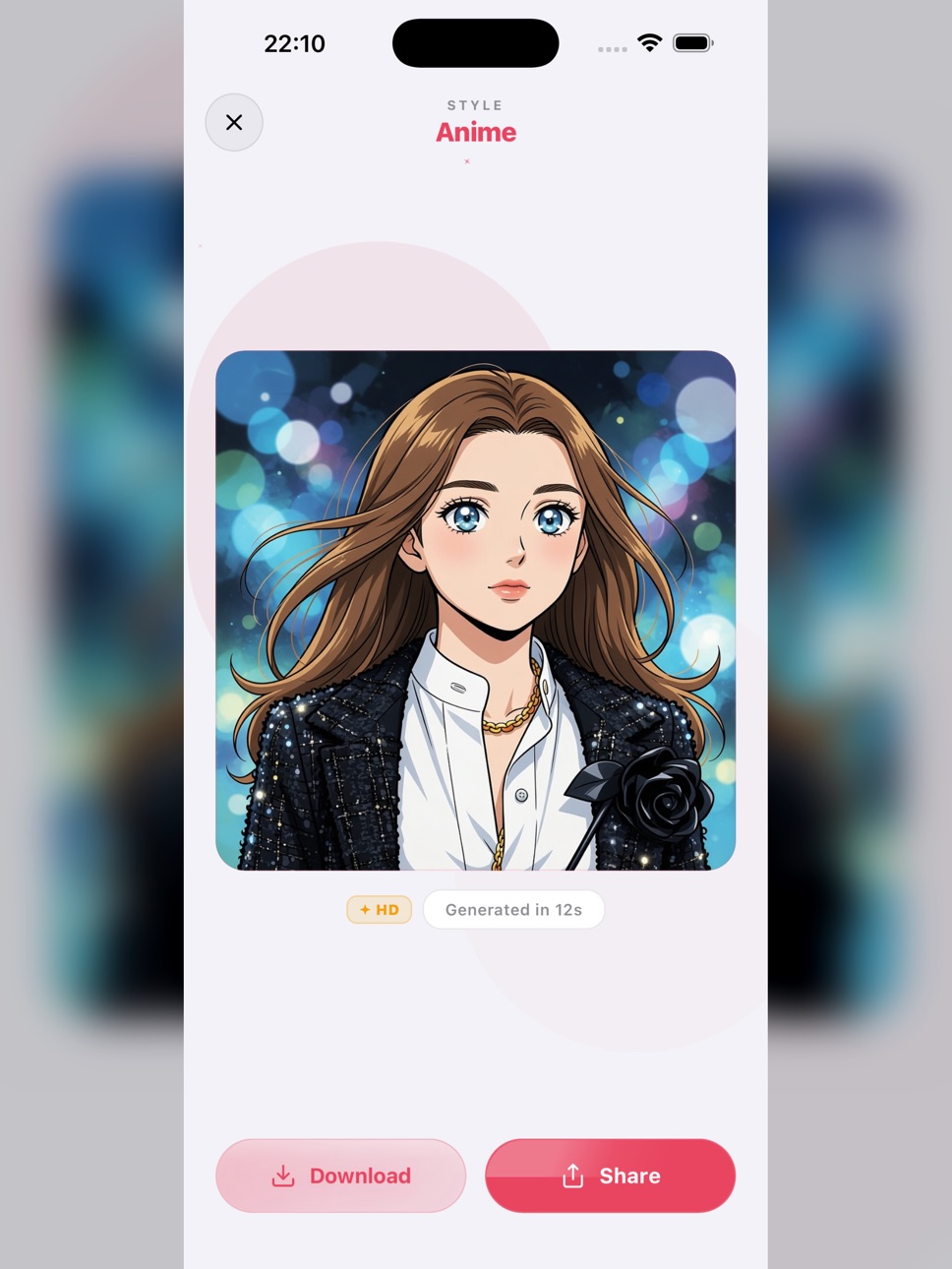
Turn any photo into a cartoon masterpiece — powered by AI.
ToonCam is the easiest way to cartoon yourself and transform photos into stunning art. Pick a style, tap generate, and watch your selfie come to life in seconds.
WHAT YOU CAN CREATE
• 6 Cartoon Styles — Cartoon, Anime, Storybook, Glow Up, 3D Render, and Pixel Art
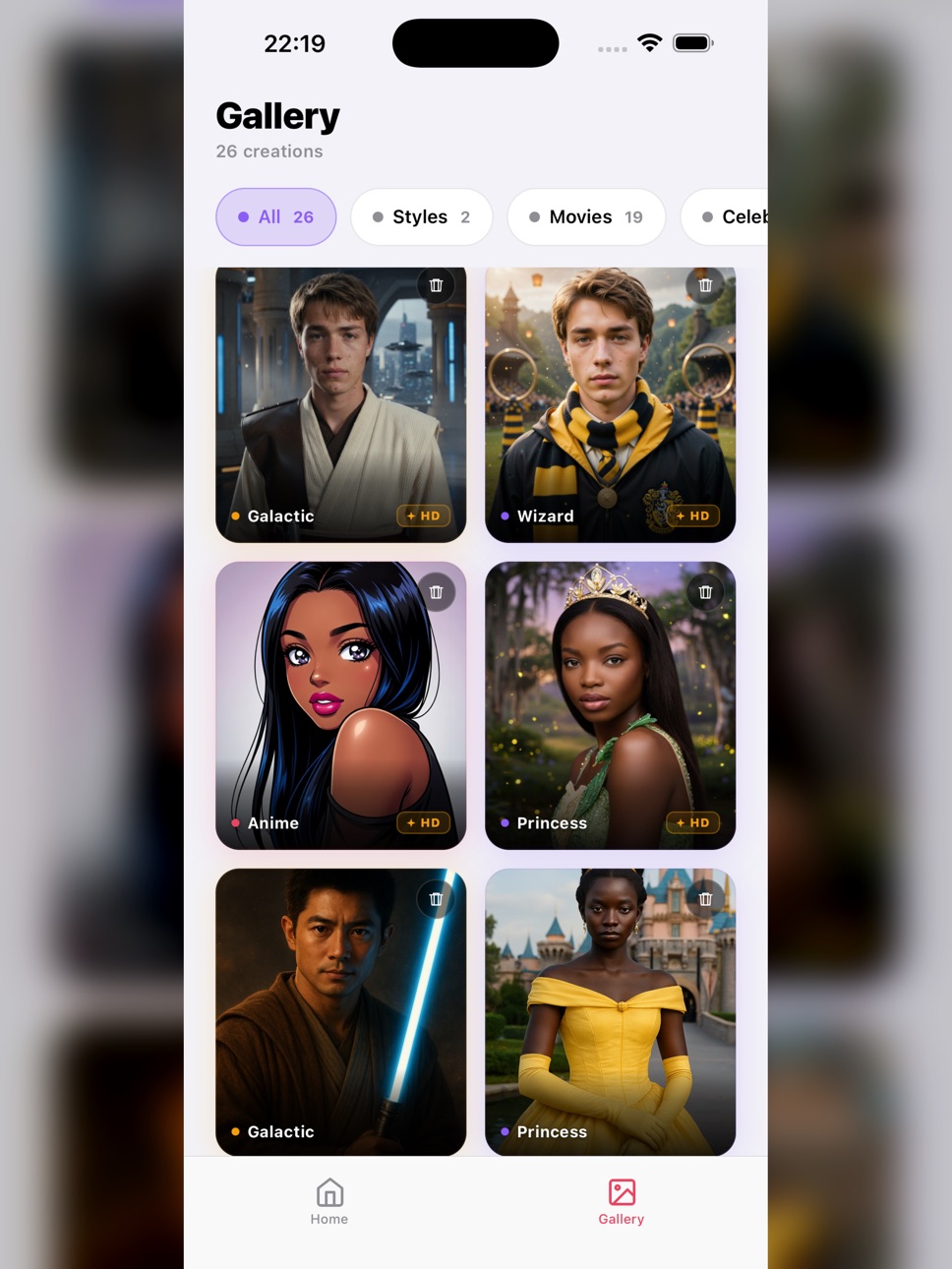
• 5 Movie Universes — Superhero, Wizard, Space Warrior, Dark Hero, or Princess
• 5 Celebration Cards — Birthday, Congrats, Anniversary, Thank You, and Holiday
• AI Text-to-Image — Describe anything and let AI create it
KEY FEATURES
• Standard and HD quality modes
• Personal gallery to manage all your creations
• One-tap save and share to Instagram, TikTok, WhatsApp, and more
• 4 languages — English, Arabic, German, Japanese
• Light and Dark mode
• Free generations to get started
HOW IT WORKS
1. Upload any photo or selfie
2. Choose a style, movie universe, celebration card, or write a prompt
3. Generate, save, and share
No design skills needed. Just your photo and a tap.
Terms of Use: https://animefy-ai.com/terms
Privacy Policy: https://animefy-ai.com/privacy
In-App Purchases US pricing
Animefy Premium Subscription
Premium · 7 days$2.99
One-Time Purchases
10 Credits.$2.99
20 Credits$4.99
50 Credits$8.99
100 Credits$17.99
Capabilities
In-App Purchases
Accessibility
ipadiphonemacrealityDevicetvoswatch
Version history 15 versions
Build 888163475v2.3.02026-07-11 23:13:44
Fresh new app icon! Two new trend styles: Busted and Football, with 48 national team kits. Pick your AI model when creating comics. Comic upgrades: custom titles, seamless chapter reading, story continuations, and smoother reel exports. Plus performance improvements and bug fixes.
Build 886949322v2.2.02026-07-07 15:57:06
• Brand-new Comics creator: pick a type, style & genre, then watch your story come to life
• Cinematic photo-reveal intros + pinch-to-zoom comic viewer
• Chapter navigation for multi-page comics
• Faster generating screen and smoother flows
• Bug fixes and improvements
Build 886881951v2.1.02026-06-12 16:14:00
• Share your comics as a flipbook video with page-turn animation
• Smoother comic creation — live progress, clearer errors, automatic refunds if a page fails
• Find and copy your User ID in Settings for faster support
Build 886419082v2.0.02026-06-04 07:01:18
Comics are here!
• Comic Strip Me — turn your photos into a multi-page comic. Pick a style, choose your story, and star as the hero.
• Glow Up, your way — fine-tune body type, outfit, and glam level for the perfect portrait.
• A cleaner credits store, smoother checkout, and lots of stability fixes.
Thanks for creating with ToonCam!
Build 884956996v1.9.02026-04-27 17:02:03
Credit packs are here. Buy 10, 20, or 50 credits at once — one-time purchase, no subscription, credits never expire.
Build 884093643v1.8.02026-04-04 19:08:17
Smart local notifications to keep you inspired, HD quality glass badges on your creations, and improved image download reliability.
Build 883708488v1.7.02026-03-24 22:13:08
New villain universe and fashion cover templates, before/after comparison slider, Settings screen with dark/light mode toggle and language picker, and improved iPad layout.
Build 883664038v1.6.02026-03-23 20:27:43
Light mode with Apple-native design, tiered quality system (Standard/HD), and welcome gift for new users.
Build 883601736v1.5.02026-03-22 23:29:29
• 5 Movie Universes — transform into a Superhero, Wizard, Space Warrior, Dark Hero, or Princess
• 5 Celebration Cards — Birthday, Congrats, Anniversary, Thank You, and Holiday
• New Glow Up style for premium portrait enhancement
• Light and Dark mode
• 4 languages — English, Arabic, German, Japanese
• Performance improvements and bug fixes
Build 883478840v1.4.02026-03-17 21:39:21
New name, same great AI cartoon maker! Bug fixes and performance improvements.
Build 883191685v1.3.02026-03-15 00:45:36
Bug fixes & New Generation Templates
Build 882795151v1.2.32026-03-04 03:17:15
Bug fixes
Build 882614739v1.2.12026-02-21 17:04:57
> - Cartoon yourself with one tap — improved Cartoonify style
> - Sharper results for Anime, 3D, and Pixel styles
> - Faster generation and smoother sharing
Build 882124946v1.1.62026-02-11 22:51:41
Bug fixes
Build 880817965v1.0.22026-01-25 00:45:52
Price history by region
Currency
Show
Columns
Search
Availability 1 of 1 storefronts
| Region | Language | Price | Ratings | Avg | Version |
|---|---|---|---|---|---|
| US | en-US | Free | 1 | 5.0 | 2.3.0 |
Change log 19 changes · US
✎
releaseNotes updated
Fresh new app icon! Two new trend styles: Busted and Football, with 48 national team kits. Pick your AI model when creating comics. Comic upgrades: custom title
✎
description updated
Turn any photo into a cartoon masterpiece — powered by AI.
✎
subtitle updated
Photo to Cartoon & Anime Art
✎
name updated
ToonCam - AI Cartoon Maker
◆
Version 2.3.0 released
Fresh new app icon! Two new trend styles: Busted and Football, with 48 national team kits. Pick your AI model when creating comics. Comic upgrades: custom titles, seamless chapter reading, story continuations, and smoother reel exports. Plu
◆
Version 2.2.0 released
• Brand-new Comics creator: pick a type, style & genre, then watch your story come to life
• Cinematic photo-reveal intros + pinch-to-zoom comic viewer
• Chapter navigation for multi-page comics
• Faster generating screen and smoother flows
◆
Version 2.1.0 released
• Share your comics as a flipbook video with page-turn animation
• Smoother comic creation — live progress, clearer errors, automatic refunds if a page fails
• Find and copy your User ID in Settings for faster support
◆
Version 2.0.0 released
Comics are here!
• Comic Strip Me — turn your photos into a multi-page comic. Pick a style, choose your story, and star as the hero.
• Glow Up, your way — fine-tune body type, outfit, and glam level for the perfect portrait.
• A cleaner cre
◆
Version 1.9.0 released
Credit packs are here. Buy 10, 20, or 50 credits at once — one-time purchase, no subscription, credits never expire.
◆
Version 1.8.0 released
Smart local notifications to keep you inspired, HD quality glass badges on your creations, and improved image download reliability.
◆
Version 1.7.0 released
New villain universe and fashion cover templates, before/after comparison slider, Settings screen with dark/light mode toggle and language picker, and improved iPad layout.
◆
Version 1.6.0 released
Light mode with Apple-native design, tiered quality system (Standard/HD), and welcome gift for new users.
◆
Version 1.5.0 released
• 5 Movie Universes — transform into a Superhero, Wizard, Space Warrior, Dark Hero, or Princess
• 5 Celebration Cards — Birthday, Congrats, Anniversary, Thank You, and Holiday
• New Glow Up style for premium portrait enhancement
• Light and
◆
Version 1.4.0 released
New name, same great AI cartoon maker! Bug fixes and performance improvements.
◆
Version 1.3.0 released
Bug fixes & New Generation Templates
◆
Version 1.2.3 released
Bug fixes
◆
Version 1.2.1 released
> - Cartoon yourself with one tap — improved Cartoonify style
> - Sharper results for Anime, 3D, and Pixel styles
> - Faster generation and smoother sharing
◆
Version 1.1.6 released
Bug fixes
◆
Version 1.0.2 released