Home › Navigation

 US
US
1 of 1 storefronts
Content in en-US
Content in en-US
Information
Preview 1 platform
iPhone 6 images


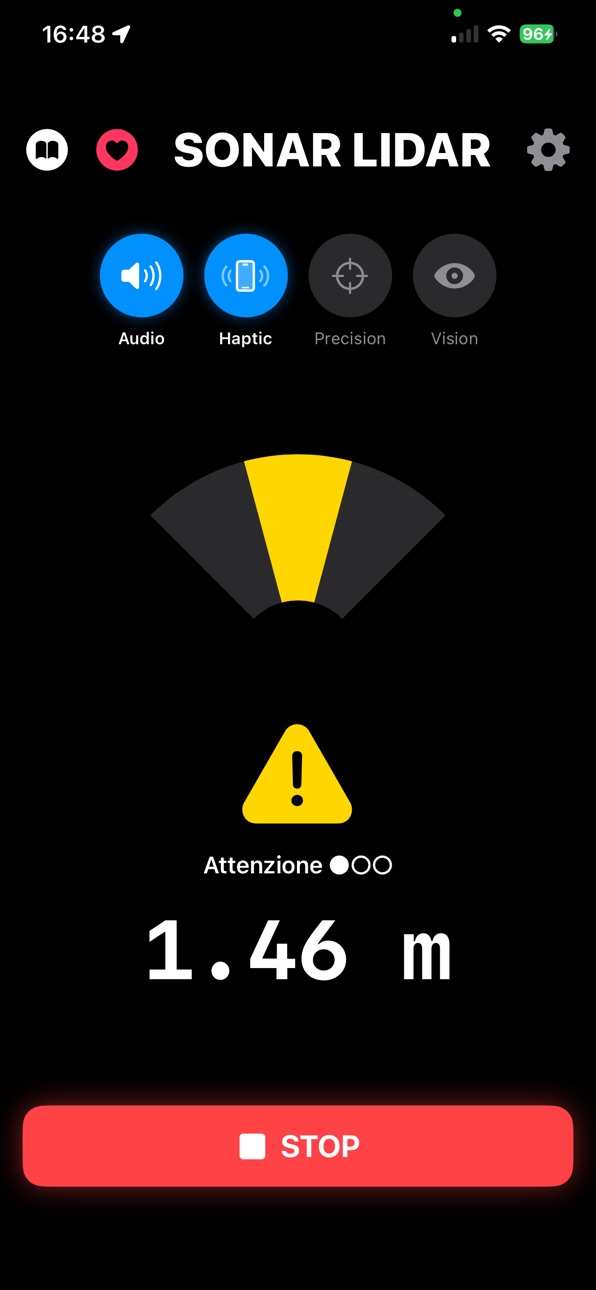

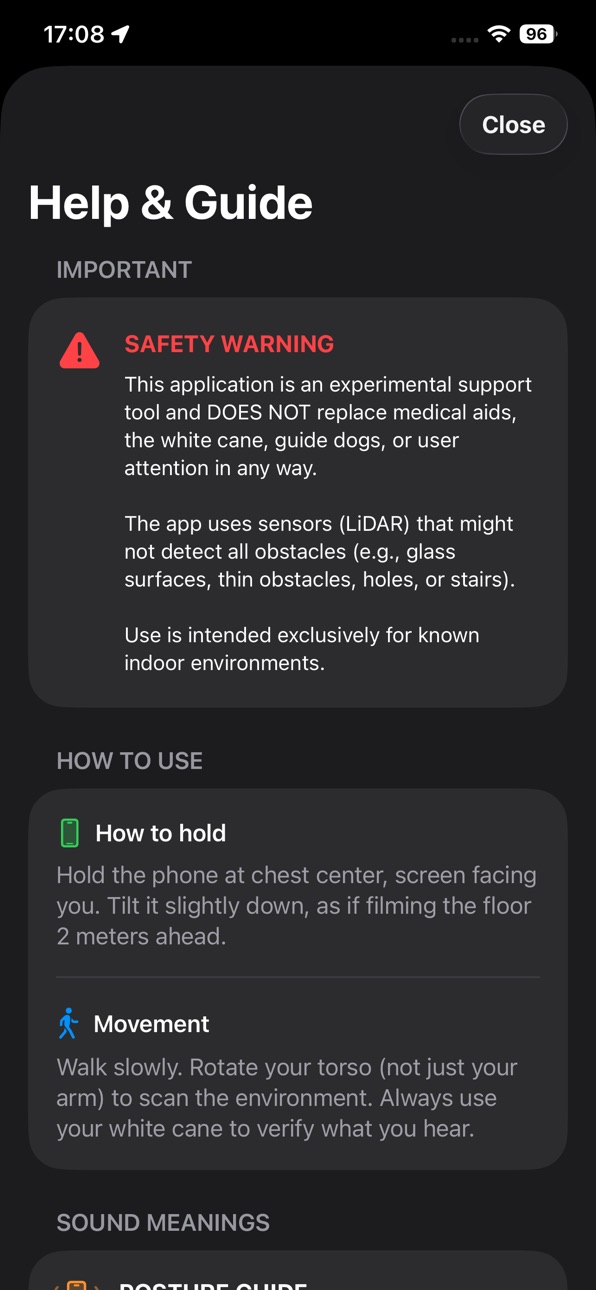
What’s New Version 1.9
New: gradual proximity haptic.
• In the warning zone you now feel a vibration that grows stronger and faster as you get closer to an obstacle: light when it's far, firm when you're near the stop distance. Especially useful in crowded places.
• New "Proximity Haptic" toggle to turn it on or off as you like, without affecting the stop, frontal-obstacle, and drop-off alerts.
Thanks to everyone sending in suggestions — keep them coming!
Description
IMPORTANT: This app works EXCLUSIVELY on iPhone Pro (12, 13, 14, 15, 16, 17) with a LiDAR sensor. Standard models without LiDAR are not supported.
Sonar Lidar — feel your surroundings.
Sonar Lidar turns the LiDAR sensor on your iPhone Pro (or iPad Pro) into a real-time sonar. As you point your phone ahead, it translates distance into sound and vibration, giving you instant feedback about what's around you.
What it detects
• Walls and obstacles in front of you
• Low furniture — sofas, benches, tables
• Steps and drop-offs ("cliffs")
• Narrow passages and doorways
How it works
• Audio sonar: beeps get faster as you get closer, panning left/right toward the obstacle
• Haptic feedback: feel the proximity through vibration
• Posture guide: a gentle tone helps you hold the phone at the right angle
• Night vision: an optional on-screen depth view
• The screen stays awake while scanning
Made to fit you
Simple, essential controls up front — distances, sonar spread, low-obstacle and drop sensitivity — with an "Advanced Settings" section for fine-tuning. Full VoiceOver support.
Important: Sonar Lidar is an experimental support tool. It does NOT replace the white cane, a guide dog, medical aids, or your own attention. Use it only in known environments and always stay alert. Requires a device with a LiDAR sensor.
We strongly recommend testing the app in a safe, known environment to find the best tilt angle and sensitivity setting (adjustable in Settings) for your height and walking style.
In-App Purchases US pricing
One-Time Purchases
Offer me a coffee$0.99
Offer me a beer.$3.99
Capabilities
In-App Purchases
Accessibility
ipadiphonemacrealityDevicetvoswatch
Version history 6 versions
Build 887896077v1.92026-07-06 21:31:09
New: gradual proximity haptic.
• In the warning zone you now feel a vibration that grows stronger and faster as you get closer to an obstacle: light when it's far, firm when you're near the stop distance. Especially useful in crowded places.
• New "Proximity Haptic" toggle to turn it on or off as you like, without affecting the stop, frontal-obstacle, and drop-off alerts.
Thanks to everyone sending in suggestions — keep them coming!
Build 887557315v1.82026-06-28 22:50:48
Thanks to your feedback, this update makes Sonar safer and easier to use:
• The screen no longer auto-locks while scanning — navigate without the phone going to sleep.
• Much better detection of low obstacles (sofas, benches, low furniture), with new dedicated controls.
• Greatly improved detection of steps and drop-offs.
• Wider vertical field of view.
• Redesigned Settings: only the essentials up front, everything else tucked into "Advanced Settings."
• Clearer labels and an updated in-app guide.
Tip: open Settings and tap "Reset" to load the new recommended defaults.
Build 881254571v1.72026-01-06 22:28:35
• Cliff Detection: The app now actively protects you by detecting sudden drops (stairs, edges, uneven ground) with a dedicated alarm sound.
• New Posture Guide: A smart audio assistant helps you hold the phone at the optimal tilt (35°-82°) for perfect LiDAR scanning. A high-pitched sound confirms the correct position, while a low tone warns you if you are aiming too high or low.
• Integrated User Manual: We added a complete guide accessible directly from Home, with instructions on how to hold the device and understand the sounds.
• Night Vision: Reintroduced and optimized visual mode that displays the real-time depth map, allowing you to "see" in total darkness.
• Advanced Settings: The menu has been redesigned. You can now calibrate Scenarios (Indoor/Nature), Low Obstacle sensitivity, and customize the audio rhythm.
• Enhanced Safety & Audio: New seamless audio mixing system. We also increased the default STOP distance to 0.8m and made the "smoothing" filter more responsive to sudden obstacles.
Build 881065369v1.22025-12-30 01:12:55
What’s new:
• Significantly improved LiDAR accuracy
• More robust spatial sampling (windowed median) to reduce noise and outliers.
• Temporal smoothing for distances and direction to minimize jitter and stabilize state changes.
• Hysteresis and persistence for “STOP”, “Narrow Passage”, and “VOID!” to avoid false positives.
• Better low-obstacle detection
• New adjustable threshold to detect low objects like sofas and coffee tables.
• More reliable “Narrow Passage” and “VOID!” detection
• Multi-sample analysis and multi-frame persistence to reduce false alerts.
• More informative audio
• New non-linear curve for beep cadence: faster when close, slower when far.
• Smoother and more accurate audio panning to indicate obstacle direction.
• Advanced settings
• New sliders to tune: smoothing, sampling window size, STOP hysteresis, “Narrow Passage” thresholds, detection persistence, and beep curve parameters.
• Various optimizations and fixes
• Improved overall stability and reduced reading oscillations.
Tip: if the app detects too many or too few low obstacles, adjust the “Low Obstacles Threshold” in Settings to match your environment.
Build 880818151v1.02025-12-23 14:10:38
Build 880957412v1.12025-12-23 23:49:24
In this update we introduced:
• Cliff Detection: The app now alerts you with a distinct high-pitched alarm if it detects a sudden drop ahead (like stairs or edges), helping you avoid falls.
• Adjustable Sensitivity: New option in Settings to calibrate the drop detection distance.
• Improvements: Cliff Detection is now enabled by default to ensure maximum protection from the very first launch.
• Minor optimizations to the scanning algorithm.
Price history by region
Currency
Show
Columns
Search
Availability 1 of 1 storefronts
| Region | Language | Price | Ratings | Avg | Version |
|---|---|---|---|---|---|
| US | en-US | Free | 1 | 5.0 | 1.9 |
Change log 9 changes · US
✎
releaseNotes updated
New: gradual proximity haptic.
• In the warning zone you now feel a vibration that grows stronger and faster as you get closer to an obstacle: light when it's
✎
description updated
IMPORTANT: This app works EXCLUSIVELY on iPhone Pro (12, 13, 14, 15, 16, 17) with a LiDAR sensor. Standard models without LiDAR are not supported.
Sonar Lidar
✎
name updated
Sonar LiDAR
◆
Version 1.9 released
New: gradual proximity haptic.
• In the warning zone you now feel a vibration that grows stronger and faster as you get closer to an obstacle: light when it's far, firm when you're near the stop distance. Especially useful in crowded place
◆
Version 1.8 released
Thanks to your feedback, this update makes Sonar safer and easier to use:
• The screen no longer auto-locks while scanning — navigate without the phone going to sleep.
• Much better detection of low obstacles (sofas, benches, low furniture
◆
Version 1.7 released
• Cliff Detection: The app now actively protects you by detecting sudden drops (stairs, edges, uneven ground) with a dedicated alarm sound.
• New Posture Guide: A smart audio assistant helps you hold the phone at the optimal tilt (35°-82°)
◆
Version 1.2 released
What’s new:
• Significantly improved LiDAR accuracy
• More robust spatial sampling (windowed median) to reduce noise and outliers.
• Temporal smoothing for distances and direction to minimize jitter and stabilize state changes.
• H
◆
Version 1.1 released
In this update we introduced:
• Cliff Detection: The app now alerts you with a distinct high-pitched alarm if it detects a sudden drop ahead (like stairs or edges), helping you avoid falls.
• Adjustable Sensitivity: New option in Settings
◆
Version 1.0 released