Home › Sports

 US
US
1 of 1 storefronts
Content in en-US
Content in en-US
Information
Preview 1 platform
iPhone 7 images


What’s New Version 6.2
Pick up where you left off. Force-quit mid-session? The next launch offers to resume - players, courts, round and all.
Smoother schedule mode. "Next round →" advances cleanly in Plan Full Session, and you can flip back to compare earlier rounds. Edit the lineup mid-schedule and the rounds you've already played stay locked - only future rounds get rebuilt.
Better sharing. WhatsApp share now falls back to your system share sheet if WhatsApp isn't installed.
Easier to tap. Every button now meets Apple's 44pt tap-target floor - built for fingers, not styluses.
Plus modal polish, copy fixes, and accessibility improvements.
Description
Run pickleball nights without the spreadsheet.
Pickleball Rotator handles the maths so you don't have to. Tap to add players, tap to set courts, tap Assign - done. Fair rotation, balanced teams, every round.
Built for club organisers, casual group hosts, and anyone tired of figuring out who plays who on the back of a napkin.
WHAT IT DOES
- Auto-assigns players to courts with fair rotation - nobody sits out twice in a row
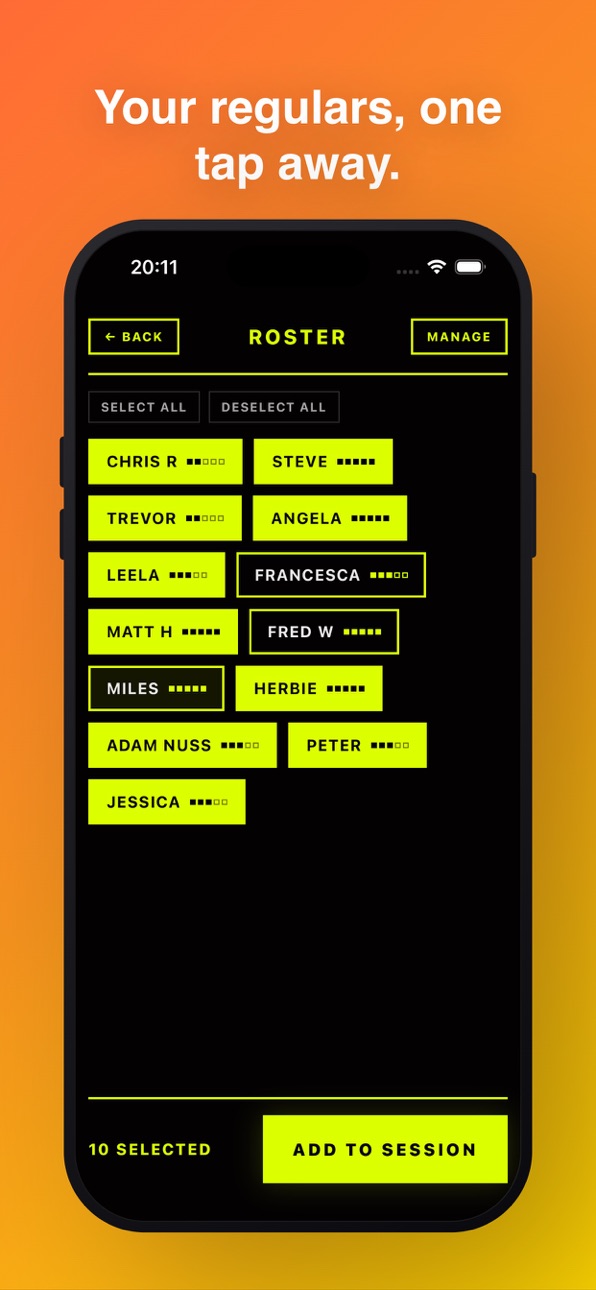
- Persistent player roster - your regulars are one tap away each session
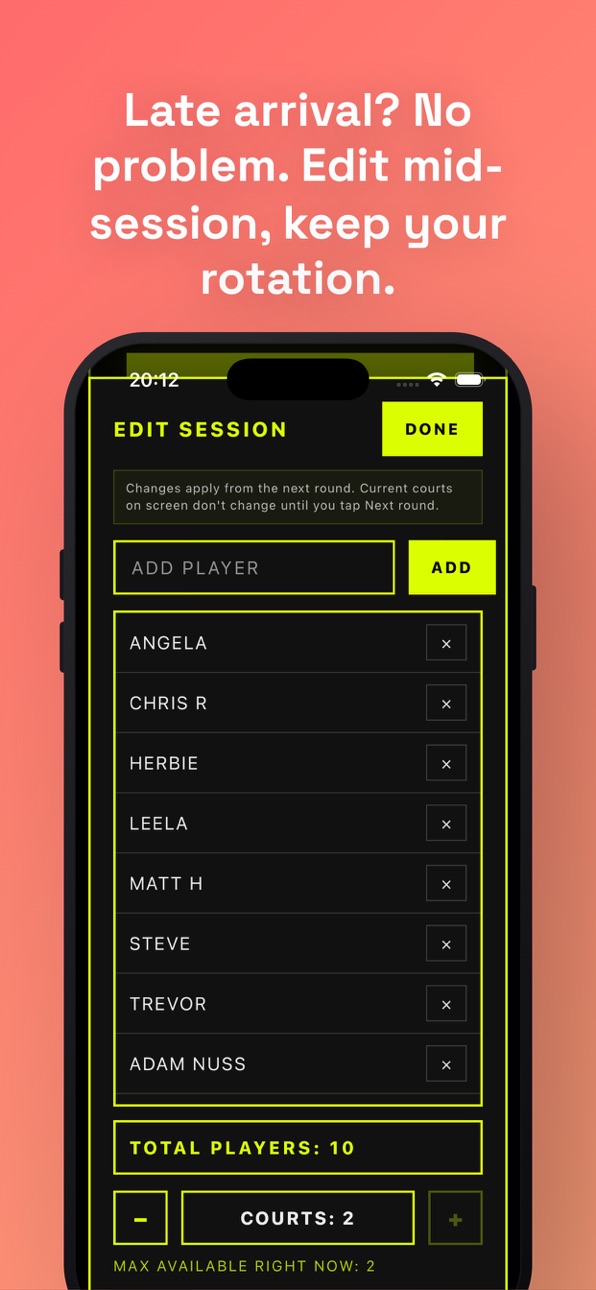
- Edit mid-session - late arrivals, early leavers, opening a court - no reset needed
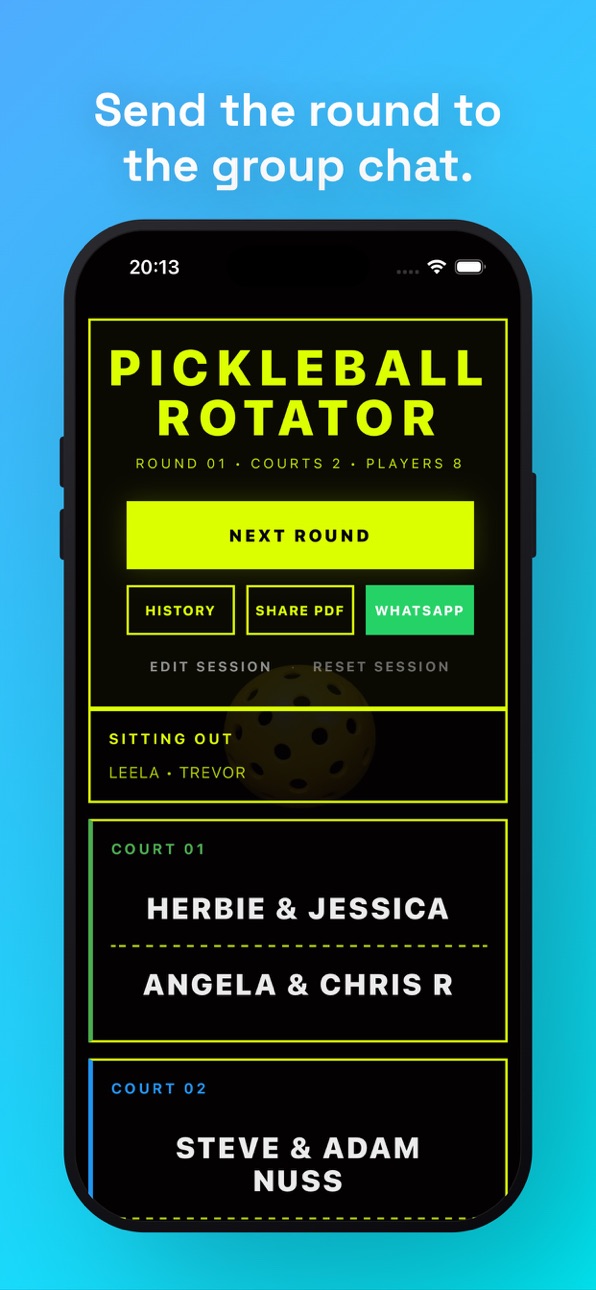
- PDF + WhatsApp share - send the round straight to your group chat
- Clean dark-and-yellow design that's easy to read courtside
PRO ($2.99 one-time, no subscription)
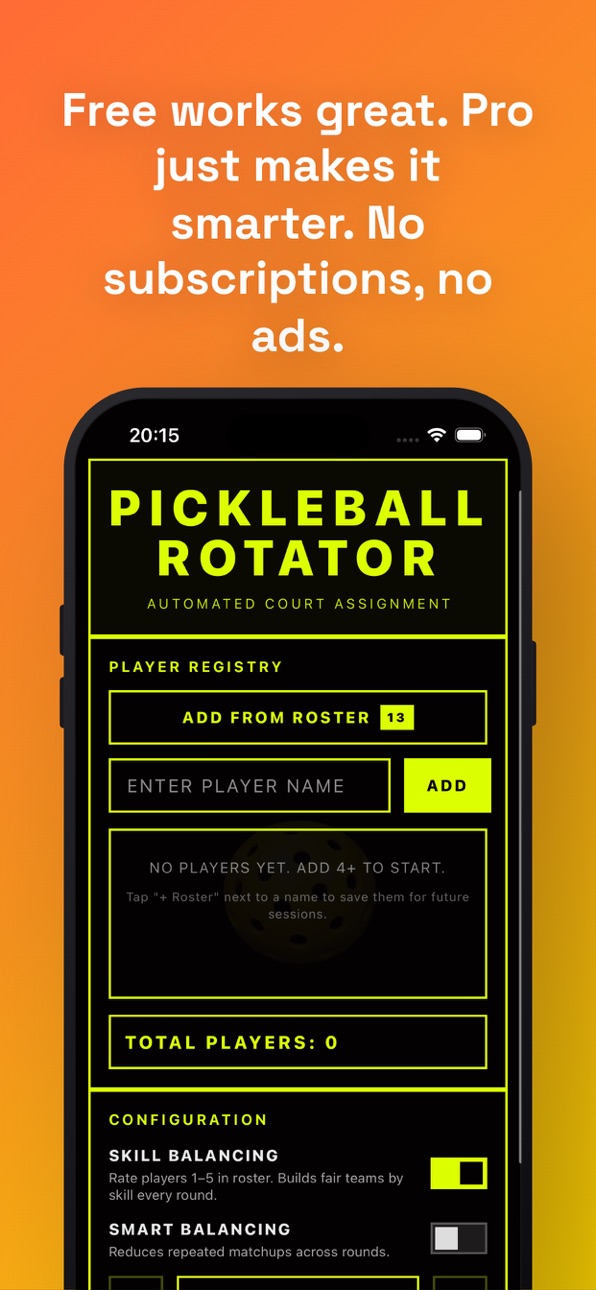
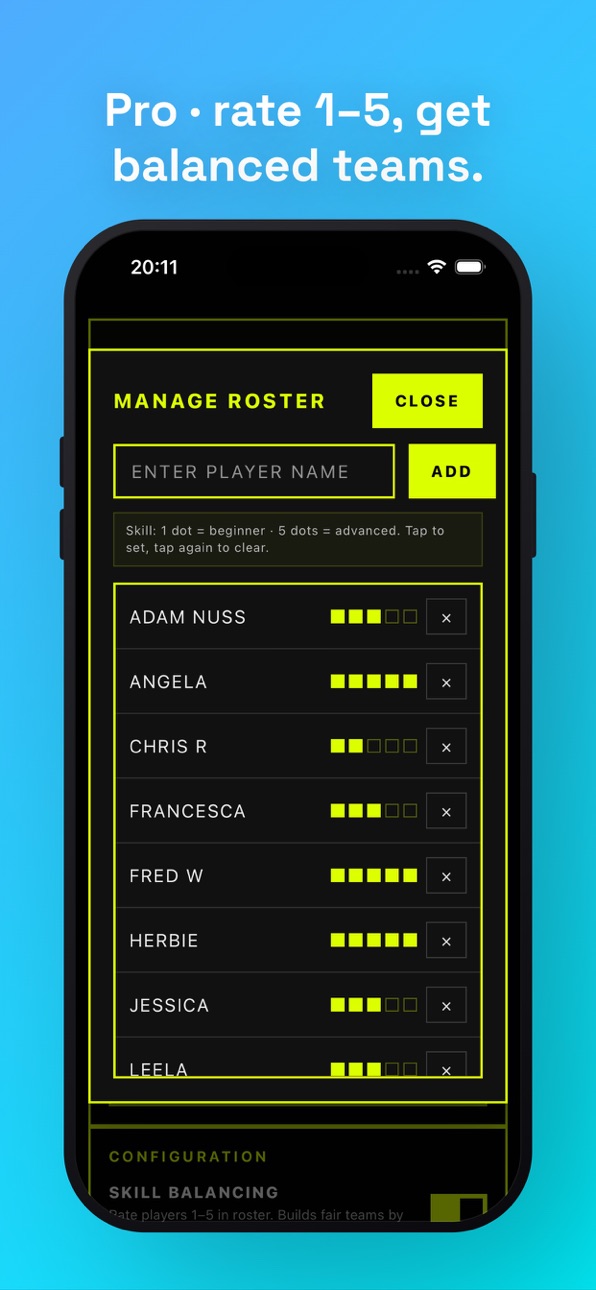
- Skill Balancing - rate your roster 1–5 and the app builds fair-fight teams every round
- Smart Balancing - picks the arrangement with the fewest repeat matchups across rounds
- Session History - every session and every round saved automatically
Free works great. Pro just makes it smarter.
———
Built by a pickleball-playing dev in the UK. No accounts, no tracking, no ads — your data stays on your phone.
Questions or feature requests? office@longspaces.com
In-App Purchases US pricing
One-Time Purchases
Pro Unlock $2.99
Capabilities
In-App Purchases
Accessibility
ipadiphonemacrealityDevicetvoswatch
Version history 14 versions
Build 887310809v6.22026-06-23 16:17:44
Pick up where you left off. Force-quit mid-session? The next launch offers to resume - players, courts, round and all.
Smoother schedule mode. "Next round →" advances cleanly in Plan Full Session, and you can flip back to compare earlier rounds. Edit the lineup mid-schedule and the rounds you've already played stay locked - only future rounds get rebuilt.
Better sharing. WhatsApp share now falls back to your system share sheet if WhatsApp isn't installed.
Easier to tap. Every button now meets Apple's 44pt tap-target floor - built for fingers, not styluses.
Plus modal polish, copy fixes, and accessibility improvements.
Build 887245671v6.12026-06-21 22:43:12
v6.1 - the "iOS won't lose your night" update.
If the app gets killed mid-session, a call, a pocket-lock, anything, you'll now see a Resume option when you relaunch. The whole session comes back: players, rotation, sit-out counts, even where you were looking.
For Pro schedule sessions:
- Big "Next round" button so you can advance through the rota courtside
- Adding a latecomer rebuilds future rounds while keeping played rounds intact (printed schedules still match what you've used so far)
Quality of life:
- WhatsApp share falls back to the system share sheet if WhatsApp isn't installed
- Bigger tap targets across the app - easier for sweaty courtside thumbs
- Duplicate names show "already in the session" instead of silently doing nothing
- Subtitle reads "4 playing · 2 resting" so the maths makes sense when the lineup isn't divisible
Feature requests welcome office@longspaces.com.
Build 885955532v6.02026-05-21 20:23:59
Plan your whole session in one tap.
NEW — Plan Full Session (Pro): tell PBRotator how many rounds you're playing and it builds the entire rota up front. Flip through every round before you start, and share or print the full schedule as a PDF so everyone knows where they're playing all night.
Also in this update:
• Add players straight from your roster while editing a live session
• A clearer Edit Session screen with Cancel
Thanks for all the reviews and requests - this one came straight from your feedback. Keep it coming.
Build 885782727v5.22026-05-18 16:00:00
Following your feedback, Round Navigation is live!
Build 885090514v5.02026-04-29 21:10:08
A top-to-bottom polish based on a full UX audit.
- Edit Session - add latecomers, drop early leavers, or open another court mid-session without losing your rotation history.
- Skill dots in the picker - every player chip now shows their 1–5 skill level so you can spot a balanced line-up instantly.
- Cleaner results screen - Next Round is now the big primary button; secondary actions (History, Share, WhatsApp) sit below.
- Smaller PDFs - typical export drops from ~9MB to under 1MB. Sharing the rotation in a group chat is instant.
- Sit-out hint - when your player count doesn't divide cleanly, setup tells you exactly how many will rest each round.
- Dated WhatsApp messages - the round summary now includes the day so it's still useful when you scroll back through chat next week.
- History dates rewritten - readable formatting, plus a player preview so you can spot the right session at a glance.
- Confirm-before-Reset - no more losing a session to a stray thumb tap.
- A pile of smaller fixes: roster modal layering, court colour preview, sit-out list expand/collapse, history clear button moved out of foot-gun range.
Run a club night this week and see the difference.
Build 885094634v5.12026-04-29 23:42:34
What's New": "Critical paywall fix - Pro unlock now gates correctly. Existing Pro users: tap Restore Purchases on first launch.
Build 885000499v4.82026-04-28 18:35:49
Skill Balancing - rate each player from 1 to 5 in your roster. PBRotator now builds teams so every court is a fair match, not just a random draw. PRO feature.
Plus a visual refresh - bigger court cards, sharper typography, smoother animations.
And a small but obvious fix: the roster screen now has a proper back button.
Build 884295167v4.72026-04-08 21:19:33
Version 4.7
No more retyping the same names every week.
Player Roster - save your regular players once and they're there every session. Tap a name to add them to tonight's game, tap again to remove. Guests and new players can still be added manually as before.
For anyone running a weekly club night with the same crowd, this one's for you.
Build 883621870v4.62026-03-22 20:22:29
Minor tweaks under the hood!
Build 882863183v4.52026-02-27 19:58:08
Version 4.5
PBRotator just got its biggest update yet.
Smart Balancing — tired of ending up with the same partner three rounds in a row? Smart Balancing runs 50 combinations to find the fairest arrangement every round, so players get fresh pairings and nobody gets stuck in the same matchup twice.
Session History — every session is now saved automatically. Review past court assignments, see who played with whom, and keep a full record of your club's history.
Both features are part of the new Pro tier — £2.99, one-time, no subscription.
The free version remains fully featured: unlimited players, instant rotations, sit-out handling, PDF export and sharing.
Build 882668563v4.02026-02-24 07:10:54
- PRO unlock: Upgrade to PRO for advanced features like PDF export, sharing, and session history
- Session history: View past rotations with expandable details and net dividers between pairs
- PDF export & sharing: Export your rotation schedule as a PDF or share/print directly
- Visual polish: Improved dark mode modals, smoother transitions, and cleaner UI
Build 881737514v3.02026-01-22 22:05:50
Added the ability to share and print court player assignments.
Build 881129643v2.02026-01-01 09:26:02
New high-contrast interface;
New Icon;
Stability improvements;
Able to now assign players to 'sit out'.
Build 880738107v1.02025-12-17 19:03:50
Price history by region
Currency
Show
Columns
Search
Availability 1 of 1 storefronts
| Region | Language | Price | Ratings | Avg | Version |
|---|---|---|---|---|---|
| US | en-US | Free | 0 | — | 6.2 |
Change log 18 changes · US
✎
releaseNotes updated
Pick up where you left off. Force-quit mid-session? The next launch offers to resume - players, courts, round and all.
Smoother schedule mode. "Next round →" a
✎
description updated
Run pickleball nights without the spreadsheet.
Pickleball Rotator handles the maths so you don't have to. Tap to add players, tap to set courts, tap Assign - d
✎
subtitle updated
Round Robin Doubles Pairings
✎
name updated
Pickleball Rotator
◆
Version 6.2 released
Pick up where you left off. Force-quit mid-session? The next launch offers to resume - players, courts, round and all.
Smoother schedule mode. "Next round →" advances cleanly in Plan Full Session, and you can flip back to compare earlier r
◆
Version 6.1 released
v6.1 - the "iOS won't lose your night" update.
If the app gets killed mid-session, a call, a pocket-lock, anything, you'll now see a Resume option when you relaunch. The whole session comes back: players, rotation, sit-out counts, even whe
◆
Version 6.0 released
Plan your whole session in one tap.
NEW — Plan Full Session (Pro): tell PBRotator how many rounds you're playing and it builds the entire rota up front. Flip through every round before you start, and share or print the full schedule as a PD
◆
Version 5.2 released
Following your feedback, Round Navigation is live!
◆
Version 5.1 released
What's New": "Critical paywall fix - Pro unlock now gates correctly. Existing Pro users: tap Restore Purchases on first launch.
◆
Version 5.0 released
A top-to-bottom polish based on a full UX audit.
- Edit Session - add latecomers, drop early leavers, or open another court mid-session without losing your rotation history.
- Skill dots in the picker - every player chip now shows their 1–
◆
Version 4.8 released
Skill Balancing - rate each player from 1 to 5 in your roster. PBRotator now builds teams so every court is a fair match, not just a random draw. PRO feature.
Plus a visual refresh - bigger court cards, sharper typography, smoother animatio
◆
Version 4.7 released
Version 4.7
No more retyping the same names every week.
Player Roster - save your regular players once and they're there every session. Tap a name to add them to tonight's game, tap again to remove. Guests and new players can still be added
◆
Version 4.6 released
Minor tweaks under the hood!
◆
Version 4.5 released
Version 4.5
PBRotator just got its biggest update yet.
Smart Balancing — tired of ending up with the same partner three rounds in a row? Smart Balancing runs 50 combinations to find the fairest arrangement every round, so players get fresh
◆
Version 4.0 released
- PRO unlock: Upgrade to PRO for advanced features like PDF export, sharing, and session history
- Session history: View past rotations with expandable details and net dividers between pairs
- PDF export & sharing: Export your rotation sc
◆
Version 3.0 released
Added the ability to share and print court player assignments.
◆
Version 2.0 released
New high-contrast interface;
New Icon;
Stability improvements;
Able to now assign players to 'sit out'.
◆
Version 1.0 released