Home › Utilities

 US
US
USen-US AONot Available
 BFNot Available
 BJNot Available
 BWNot Available
 CDNot Available
 CINot Available
 CMNot Available
 CVNot Available
 DZNot Available
 GANot Available
 GHNot Available
 GWNot Available
 KENot Available
 LYNot Available
 MANot Available
 MGNot Available
 MLNot Available
 MUNot Available
 MZNot Available
 NANot Available
 NENot Available
 NGNot Available
 SCNot Available
 SNNot Available
 STNot Available
 TDNot Available
 TNNot Available
 TZNot Available
 UGNot Available
 ZMNot Available
 ZWNot Available
1 of 32 storefronts
Content in en-US
Content in en-US
Information
Preview 2 platforms
iPhone 5 images


iPad 5 images



What’s New Version 26.2.1
Bug Fixes
Description
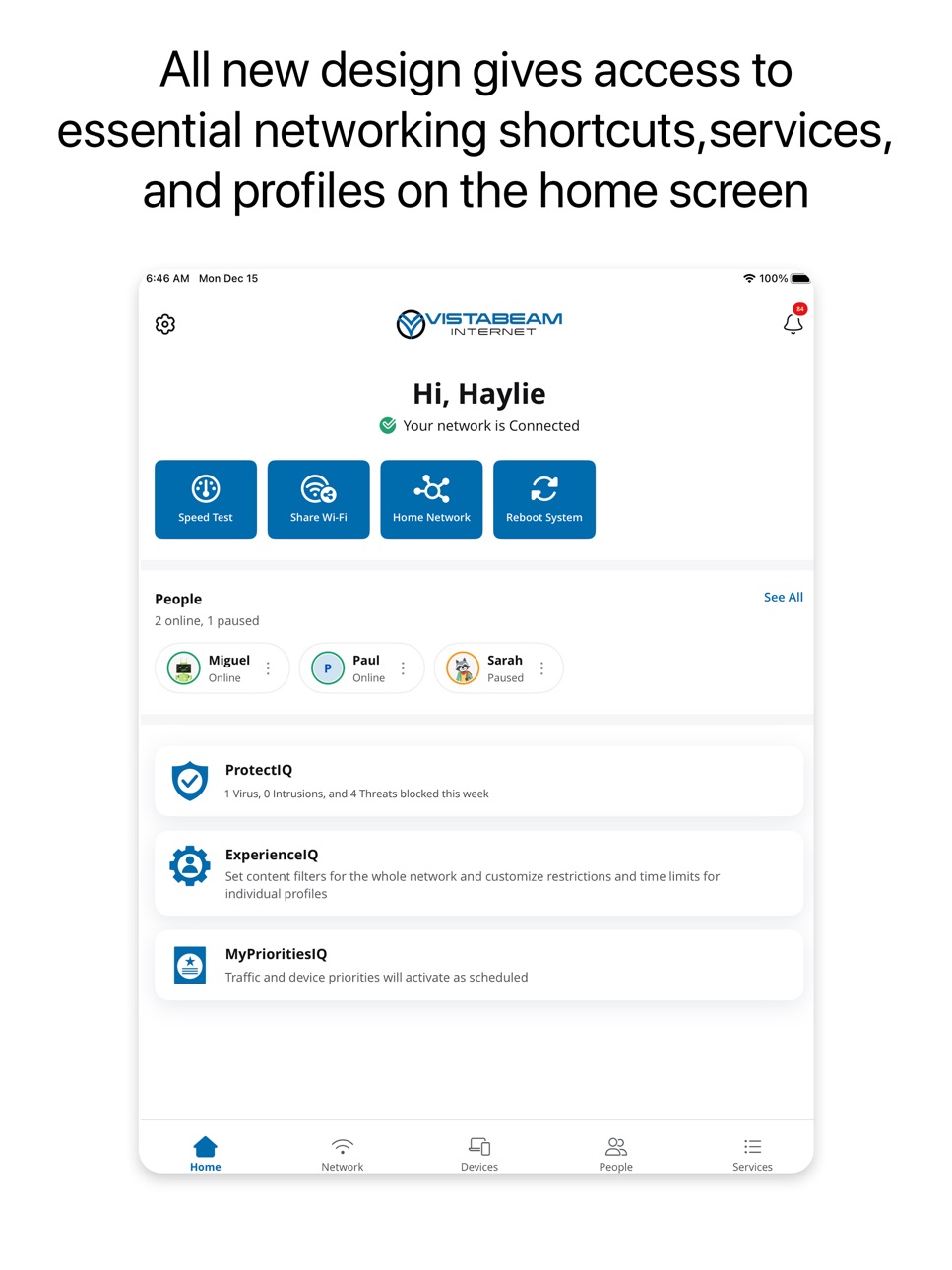
Vistabeam Connect is a mobile application that allows subscribers to manage their Smart Home Wi-Fi Network. This app features parental controls, network security, setting up guest Wi-Fi networks, and much more.
Accessibility
ipadiphonemacrealityDevicetvoswatch
Version history 3 versions
Build 887380885v26.2.12026-06-24 15:16:37
Bug Fixes
Build 884052104v26.1.12026-04-02 20:25:02
1. New functionality allowing you to add a hotspot for cellular backup of your internet service if there is an outage
2. Bug fixes
Build 880672817v25.4.02025-12-22 13:56:41
No pricing data captured yet — comparisons appear once the app has paid storefronts or in-app purchases.
Availability 1 of 32 storefronts
| Region | Language | Price | Ratings | Avg | Version |
|---|---|---|---|---|---|
| US | en-US | Free | 0 | — | 26.2.1 |
Not available in: AO, BF, BJ, BW, CD, CI, CM, CV, DZ, GA, GH, GW, KE, LY, MA, MG, ML, MU, MZ, NA, NE, NG, SC, SN, ST, TD, TN, TZ, UG, ZM, ZW
Change log 6 changes · US
✎
releaseNotes updated
Bug Fixes
✎
description updated
Vistabeam Connect is a mobile application that allows subscribers to manage their Smart Home Wi-Fi Network. This app features parental controls, network securit
✎
name updated
Vistabeam Connect
◆
Version 26.2.1 released
Bug Fixes
◆
Version 26.1.1 released
1. New functionality allowing you to add a hotspot for cellular backup of your internet service if there is an outage
2. Bug fixes
◆
Version 25.4.0 released