Home › Productivity

 US
US
1 of 1 storefronts
Content in en-US
Content in en-US
Information
Preview 2 platforms
iPhone 6 images




iPad 3 images


What’s New Version 1.3
> v1.3 // DAILY HABITS UPDATE
• Writing streak — keep your daily writing habit alive, with 2 forgiving skips per week
• Daily reminder — one gentle prompt at your chosen time
• Setup wizard — 4-step terminal install for new users
• Quick capture tip — widget suggestion after your 3rd note
• Other apps from 1 Bit Studio — discover what else we're building
• Boot screen now shows the correct version
• Polish, bug fixes
Description
1 Bit Notes brings the nostalgic charm of classic computer terminals to modern note-taking. With its authentic retro aesthetic and pixel-perfect design, taking notes has never been this stylish.
FEATURES:
> Terminal-Style Interface
Clean, minimalist design inspired by vintage computer systems. Green phosphor text on dark background creates the perfect writing atmosphere.
> Organize Your Thoughts Create categories, pin important notes, and mark favorites. Search through all your notes instantly.
> Secure Your Notes
Lock sensitive notes with passcode encryption. Your private thoughts stay private.
> Reminders
Set reminders for your notes and never forget important tasks.
> Widget Support
Quick access to your notes right from your home screen.
> Multiple Themes
Choose from different retro color schemes to match your style.
> Export Options
Export your notes as Markdown or PDF files.
> iCloud Sync
Keep your notes synchronized across all your devices.
PREMIUM FEATURES:
Unlock the full experience with a one-time purchase:
- iCloud Sync
- Extra Themes
- Note Encryption
- Reminders
- Boot Screen Customization
- Terminal Commands
Whether you're a developer, writer, or just someone who appreciates retro aesthetics, 1 Bit Notes is the perfect companion for capturing your ideas.
> START TAKING NOTES_
Capabilities
In-App Purchases
Accessibility
ipadiphonemacrealityDevicetvoswatch
Version history 6 versions
Build 886213557v1.32026-05-28 20:40:11
> v1.3 // DAILY HABITS UPDATE
• Writing streak — keep your daily writing habit alive, with 2 forgiving skips per week
• Daily reminder — one gentle prompt at your chosen time
• Setup wizard — 4-step terminal install for new users
• Quick capture tip — widget suggestion after your 3rd note
• Other apps from 1 Bit Studio — discover what else we're building
• Boot screen now shows the correct version
• Polish, bug fixes
Build 884247021v1.22026-04-07 21:39:58
- Fixed iCloud sync between devices — your notes now sync reliably across iPhone, iPad and Mac
- Fixed duplicate categories appearing after sync
- Improved sync status logging and error reporting
Build 883636813v1.12026-03-23 22:31:42
MEGA UPDATE - The biggest update yet!
TERMINAL EVOLVED
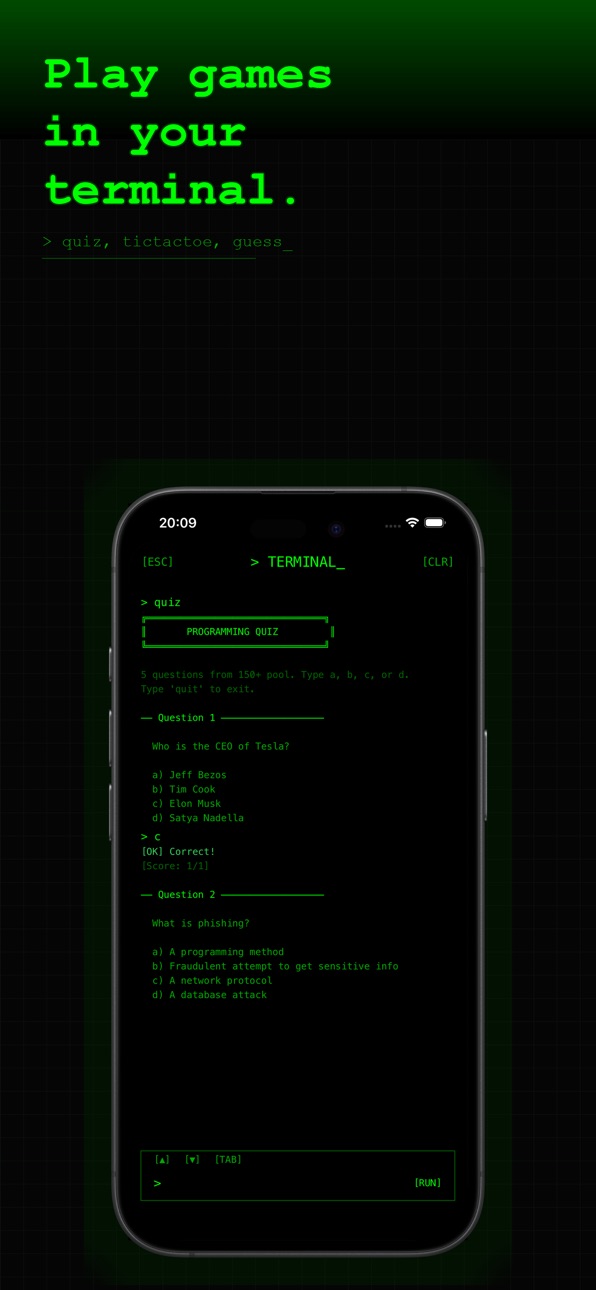
- Interactive games: guess, quiz (150 questions!), tic-tac-toe
- Built-in calculator
- Animated hack & matrix commands
- Colored output: errors in red, success in green
- Command history (up/down navigation)
- Tab autocomplete
- Real grep search & command history
- New commands: theme, mv, rename, export, stats, wc, find, sort
- Typewriter text effect
NEW FEATURES
- Spotlight Search: find notes from iOS search
- Markdown preview in editor
- Bulk select: delete, pin, or favorite multiple notes at once
- JSON backup & import
- Search highlighting in results
- iPad Split View with sidebar navigation
- iPad keyboard shortcuts (Cmd+N, Cmd+S, Cmd+F)
UNDER THE HOOD
- Improved encryption security
- Better iCloud sync handling
- Accessibility support (VoiceOver)
- Performance optimizations
Build 882072266v1.0.22026-02-02 19:50:10
• Improved iCloud Sync - Fixed sync between iPhone and iPad
• Haptic Feedback - Feel the retro vibes with tactile feedback
• Word Counter - See word and character count while typing
• Quick Actions - Long press app icon for shortcuts
• Last Sync Time - See when your notes were last synced
• Category Note Count - See how many notes in each category
• Bug fixes and performance improvements
Build 880570844v1.0.12025-12-15 16:36:48
Bug Fixes & Improvements:
• Fixed note saving issues
• Improved UI layout stability
• Added Instagram link in About section
• Various performance improvements
Build 880421024v1.02025-12-08 15:45:20
No pricing data captured yet — comparisons appear once the app has paid storefronts or in-app purchases.
Availability 1 of 1 storefronts
| Region | Language | Price | Ratings | Avg | Version |
|---|---|---|---|---|---|
| US | en-US | Free | 5 | 5.0 | 1.3 |
Change log 10 changes · US
✎
releaseNotes updated
> v1.3 // DAILY HABITS UPDATE
• Writing streak — keep your daily writing habit alive, with 2 forgiving skips per week
• Daily reminder — one gentle prompt
✎
description updated
1 Bit Notes brings the nostalgic charm of classic computer terminals to modern note-taking. With its authentic retro aesthetic and pixel-perfect design, taking
✎
subtitle updated
Retro Terminal Note-Taking
✎
name updated
1 Bit Notes
◆
Version 1.3 released
> v1.3 // DAILY HABITS UPDATE
• Writing streak — keep your daily writing habit alive, with 2 forgiving skips per week
• Daily reminder — one gentle prompt at your chosen time
• Setup wizard — 4-step terminal install for new users
•
◆
Version 1.2 released
- Fixed iCloud sync between devices — your notes now sync reliably across iPhone, iPad and Mac
- Fixed duplicate categories appearing after sync
◆
Version 1.1 released
MEGA UPDATE - The biggest update yet!
TERMINAL EVOLVED
- Interactive games: guess, quiz (150 questions!), tic-tac-toe
- Built-in calculator
- Animated hack & matrix commands
- Colored output: errors in red, success in green
◆
Version 1.0.2 released
• Improved iCloud Sync - Fixed sync between iPhone and iPad
• Haptic Feedback - Feel the retro vibes with tactile feedback
• Word Counter - See word and character count while ty
◆
Version 1.0.1 released
Bug Fixes & Improvements:
• Fixed note saving issues
• Improved UI layout stability
• Added Instagram link in About section
• Various performance improvements
◆
Version 1.0 released