Home › Utilities

 US
US
1 of 1 storefronts
Content in en-US
Content in en-US
Information
Preview 2 platforms
iPhone 7 images




iPad 6 images


What’s New Version 4.0
Now Pdfs can be added with custom signature on documents.
Description
PDF Compressor & Photo Optimizer — Everything on your iPhone, nothing in the cloud.
Shrink PDFs and photos by up to 95% while you blink eyes. No internet required. No uploads.
Your files never leave your device.
---------------------------------
WHAT YOU CAN DO
---------------------------------
COMPRESS PDF
Reduce PDF file size with adjustable quality levels. Perfect for email attachments,
web uploads, and freeing up storage.
COMPRESS PHOTOS
Shrink JPEG, PNG and HEIC images while keeping them sharp and shareable.
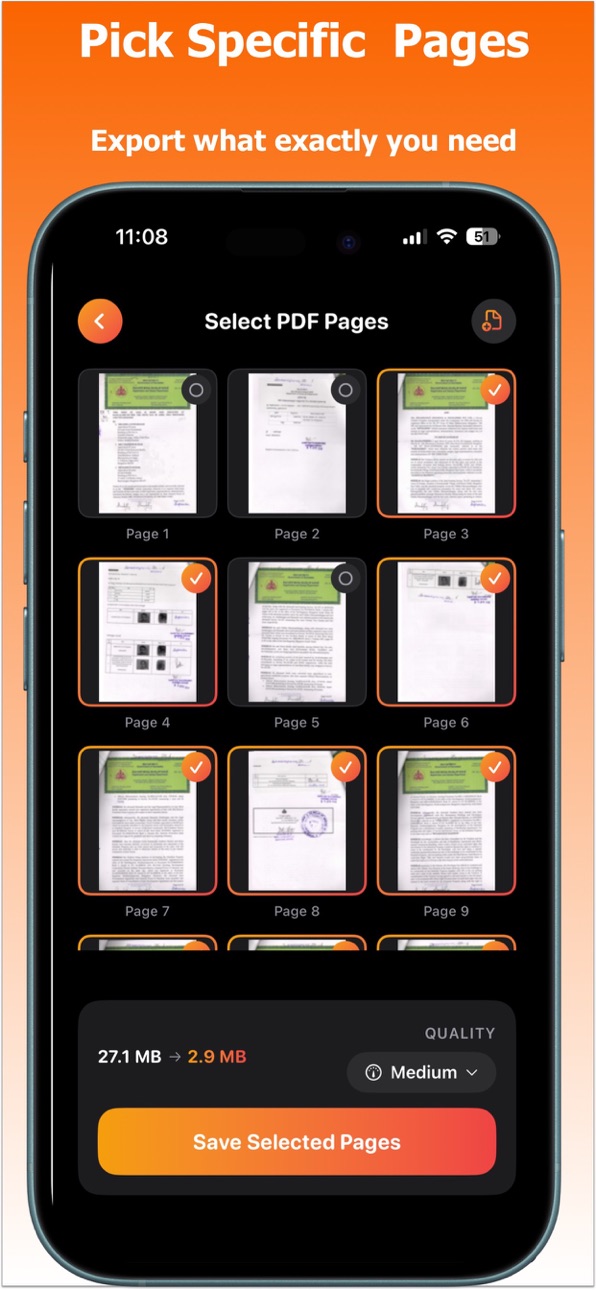
SELECT & SPLIT PAGES
Pick only the pages you need from any PDF using a visual thumbnail grid.
MERGE & JOIN PDFs
Combine multiple PDFs or images into a single document in seconds.
PASSWORD LOCK & UNLOCK
Protect sensitive PDFs with a password or remove password from encrypted files —
all on-device, no cloud key storage.
RECENT FILES
Instantly access and re-share your recently compressed or edited files.
ADD SIGNATURE
Append signature to your PDFs and share them instantly
-----------------------------------------
WHY CHOOSE PDF COMPRESSOR
-----------------------------------------
100% on-device - your documents never leave your iPhone or iPad
No account, no subscription required to get started
Works offline - compress on a plane, in a meeting, anywhere
Supports Files app - open and save directly from iCloud, Dropbox and more
iPad & Mac (Apple Silicon) ready
Perfect for students, professionals, lawyers, and anyone who handles PDFs regularly.
In-App Purchases US pricing
Pro Features Subscription
Unlock All Photo PDF functionality · Monthly$2.99
Unlock All Photo PDF functionality · 6 months$9.99
Unlock All Photo PDF functionality · Yearly$14.99
Capabilities
In-App Purchases
Accessibility
ipadiphonemacrealityDevicetvoswatch
Version history 8 versions
Build 884320490v4.02026-04-10 01:16:44
Now Pdfs can be added with custom signature on documents.
Build 883290496v3.02026-03-14 05:53:05
Now Combine & Select Pdf functionality can be combined with Compression Step. No need to back & go, everything in one single go.
Build 883377922v3.12026-03-14 21:43:52
Minor UX improvements
Build 882248370v2.02026-02-10 21:42:48
New compression mechanism to reduce file size even smaller.
Build 881917110v1.32026-01-28 14:01:41
Minor UX improvements and verbiage changes
Build 881408557v1.22026-01-13 14:36:07
Minor UX enhancements and Push notifications support.
Build 880828048v1.12025-12-20 01:02:59
Minor UX tweaks
Build 880406510v1.02025-12-18 22:25:39
Price history by region
Currency
Show
Columns
Search
Availability 1 of 1 storefronts
| Region | Language | Price | Ratings | Avg | Version |
|---|---|---|---|---|---|
| US | en-US | Free | 0 | — | 4.0 |
Change log 12 changes · US
✎
releaseNotes updated
Now Pdfs can be added with custom signature on documents.
✎
description updated
PDF Compressor & Photo Optimizer — Everything on your iPhone, nothing in the cloud.
Shrink PDFs and photos by up to 95% while you blink eyes. No internet requi
✎
subtitle updated
Edit, Merge, Split & Sign PDFs
✎
name updated
PDF Compressor: Editor & Tools
◆
Version 4.0 released
Now Pdfs can be added with custom signature on documents.
◆
Version 3.1 released
Minor UX improvements
◆
Version 3.0 released
Now Combine & Select Pdf functionality can be combined with Compression Step. No need to back & go, everything in one single go.
◆
Version 2.0 released
New compression mechanism to reduce file size even smaller.
◆
Version 1.3 released
Minor UX improvements and verbiage changes
◆
Version 1.2 released
Minor UX enhancements and Push notifications support.
◆
Version 1.1 released
Minor UX tweaks
◆
Version 1.0 released