Home › Health & Fitness

 US
US
1 of 1 storefronts
Content in en-US
Content in en-US
Information
Preview 1 platform
iPhone 8 images

What’s New Version 2.5
Version 2.5:
Earn your drinks!
Make healthy choices by tracking your estimated drinking calories
Compare estimated drink calories to your Apple Health activity (steps + active energy)
With a simple green → yellow → orange → red bar, you can see when you’re under, close to, or over your burn.
**Make sure to turn permissions on in your profile settings!**
Previous implementations:
Calendar & past sessions:
Edit drink in past sessions — tap any drink in the calendar to change type, size, ABV, or time; peak BAC updates automatically
Add drink to past sessions — use the green “Add drink” button to log a drink retroactively with a custom time
Peak BAC is always based on your current drink log and recalculates when you add, remove, or edit drinks
Deleting a drink in the calendar now refreshes the displayed peak BAC
Tap the Calendar tab again to jump to today’s date and session
BAC accuracy:
Widmark formula fix: drinks are no longer counted before their consumption time (more accurate peak BAC)
Peak BAC only from your actual drink log — no spikes from drinks you later remove
Improved BAC tracking accuracy using the Widmark formula
BAC now continues across all sessions in a day (more accurate!)
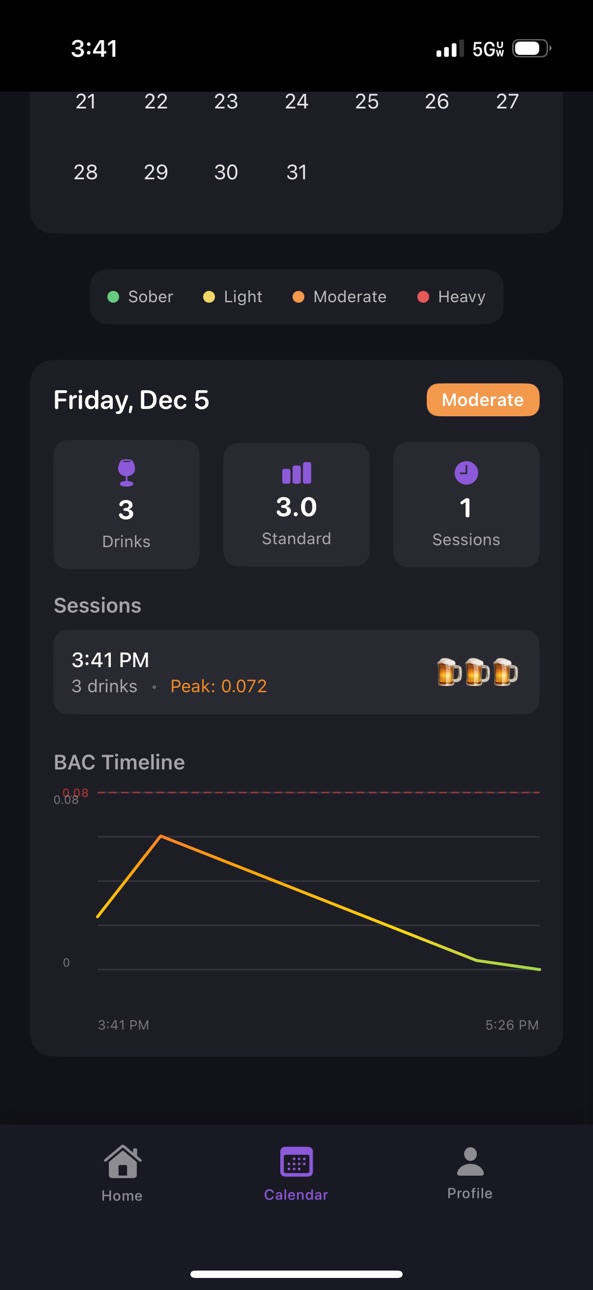
Calendar graphs show your full 24-hour BAC trends
Better representation of how alcohol affects your body
Social Features:
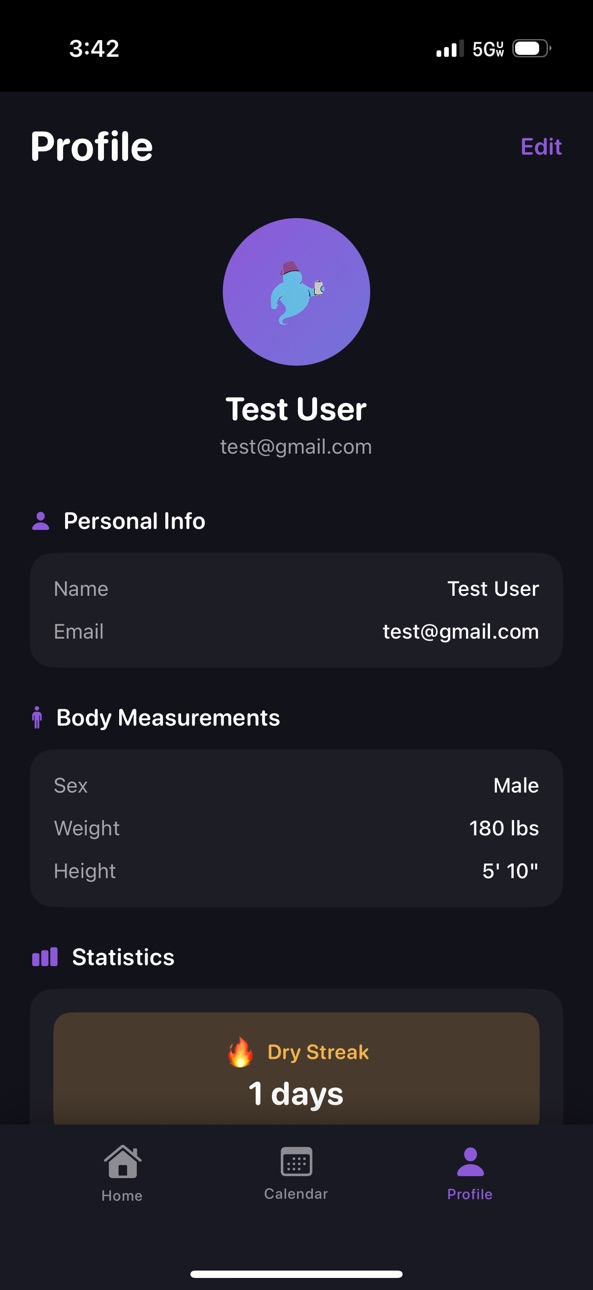
Profile photos — add a photo that appears in your profile and on your friends' feed
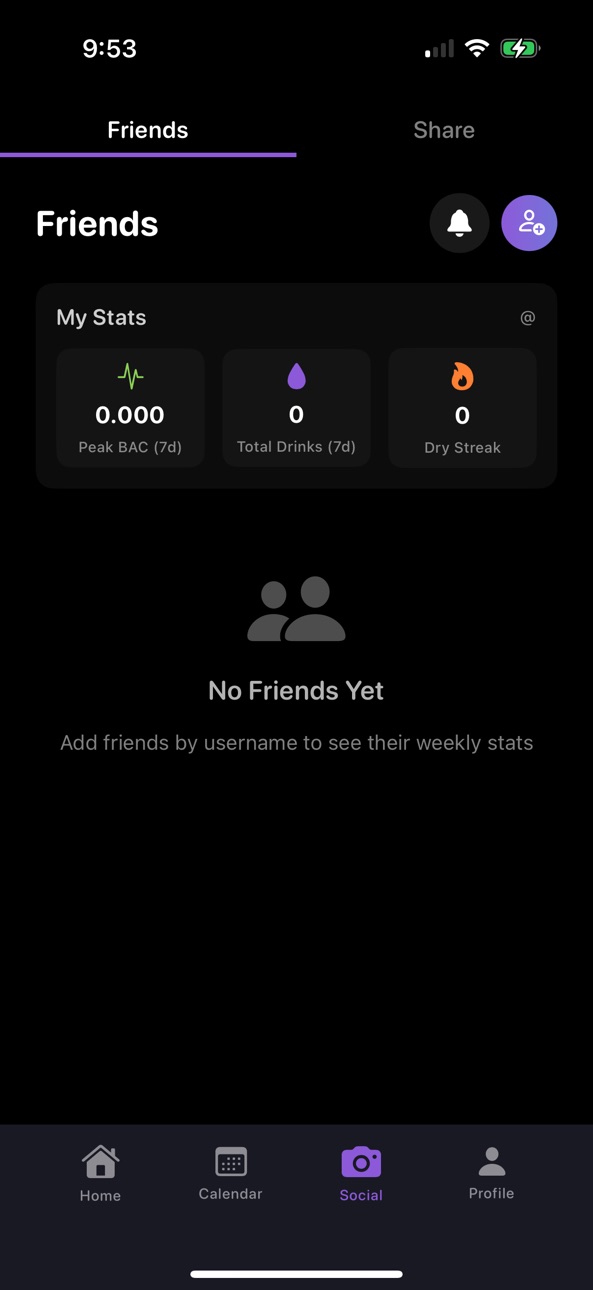
Connect with friends and share your weekly stats
Privacy controls - choose what data you share
Search and sort your friends list
Photo Capture & Sharing:
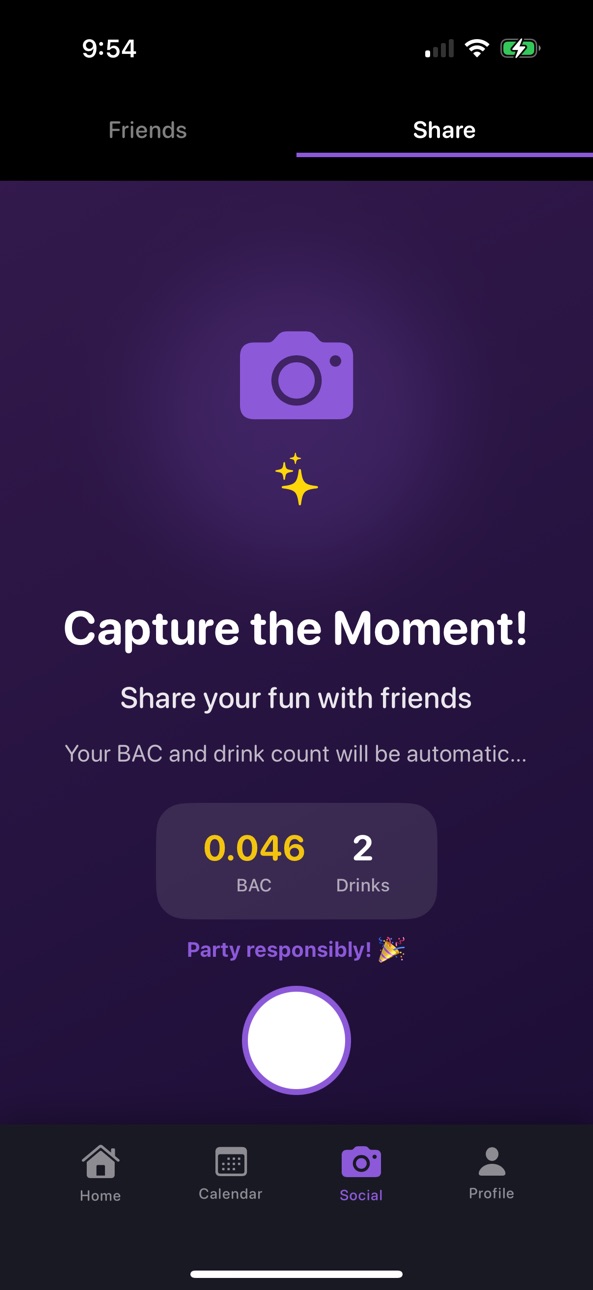
Take photos with fun BAC and drink count overlays
Share your memories via text, Snapchat, Instagram, and more
Photos saved to your calendar and device photo library
UI:
Calendar session rows show a pencil icon for edit and stay consistent with the rest of the app
Fixed button text display issues and improved UI consistency
Accessibility Improvements
Description
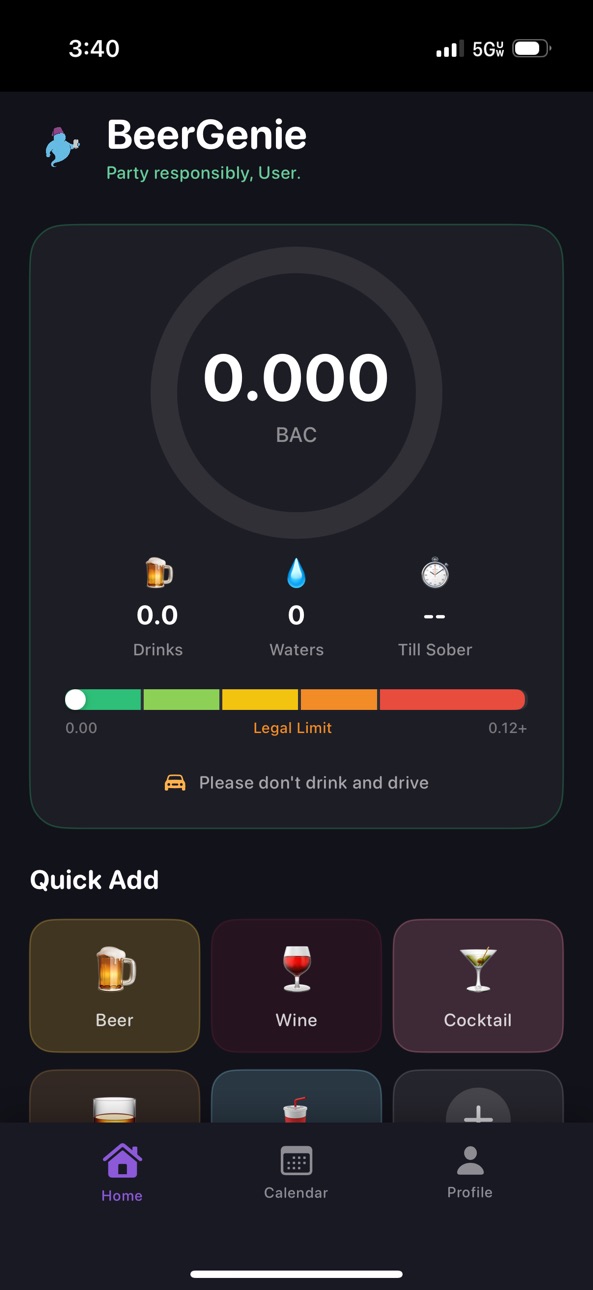
BeerGenie: Your Drink Counter & Habit Tracker
Party responsibly with BeerGenie, the comprehensive drink-counting and habit-tracking app. Log every drink, monitor consumption patterns, set personalized limits based on health guidelines, and build awareness around your drinking habits. Whether tracking daily intake, celebrating sober streaks, reviewing history, or connecting with friends, BeerGenie helps you make informed decisions.
Drink Tracking
- Log every drink with type, size, and alcohol content
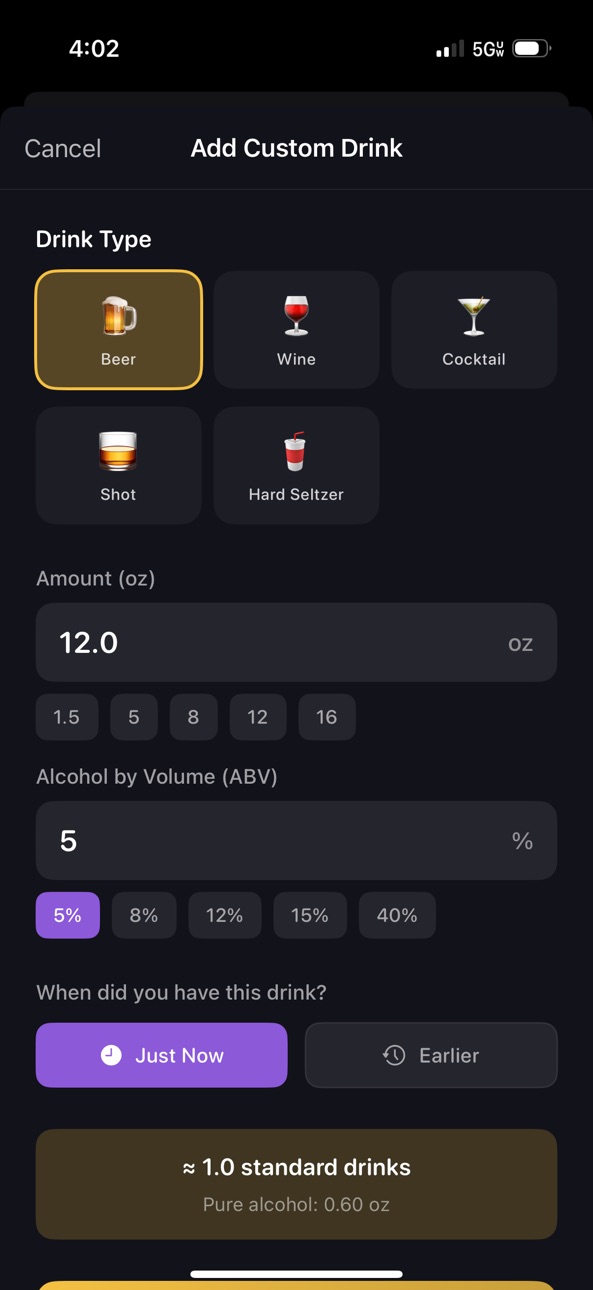
- Quick-add buttons for common drinks (Beer, Wine, Shot, Cocktail, Hard Seltzer)
- Custom drink creator with ABV and volume settings
- Retroactive drink logging for accurate session tracking
- Water tracking to stay hydrated
History & Habit Tracking
- Calendar view of drinking sessions with color-coded days
- Daily timeline graphs showing consumption trends
- Comprehensive statistics and summaries
- Dry streak counter to celebrate and track sober days
- Review consumption history to identify patterns
Social Features
- Connect with friends and compare weekly stats (Peak BAC, Total Drinks, Dry Streaks)
- Send and accept friend requests to build your social circle
- Full privacy controls - choose exactly what data you share
- Search and sort your friends list
Photo Capture & Sharing
- Capture memories with fun BAC and drink count overlays
- Share photos via text, Snapchat, Instagram, and more
- Photos saved to your calendar and device photo library
- Session-linked photos help you remember your drinking history
Enhanced BAC & Session Tracking
- Continuous daily BAC tracking across all sessions for improved accuracy
- Re-enter today's sessions to add forgotten drinks
- Sessions automatically merge when reactivated
- Calendar graphs display full 24-hour BAC trends
- Better representation of how alcohol affects you throughout the day
Accessibility Improvements
- Dynamic Type support for improved text readability
- Important text scales with your iOS accessibility settings
Smart Safety Features
- Personalized daily drink limit recommendations (based on CDC guidelines)
- Customizable warnings when approaching or exceeding limits
- Water reminders during active sessions
- Session-based notifications for hydration and awareness
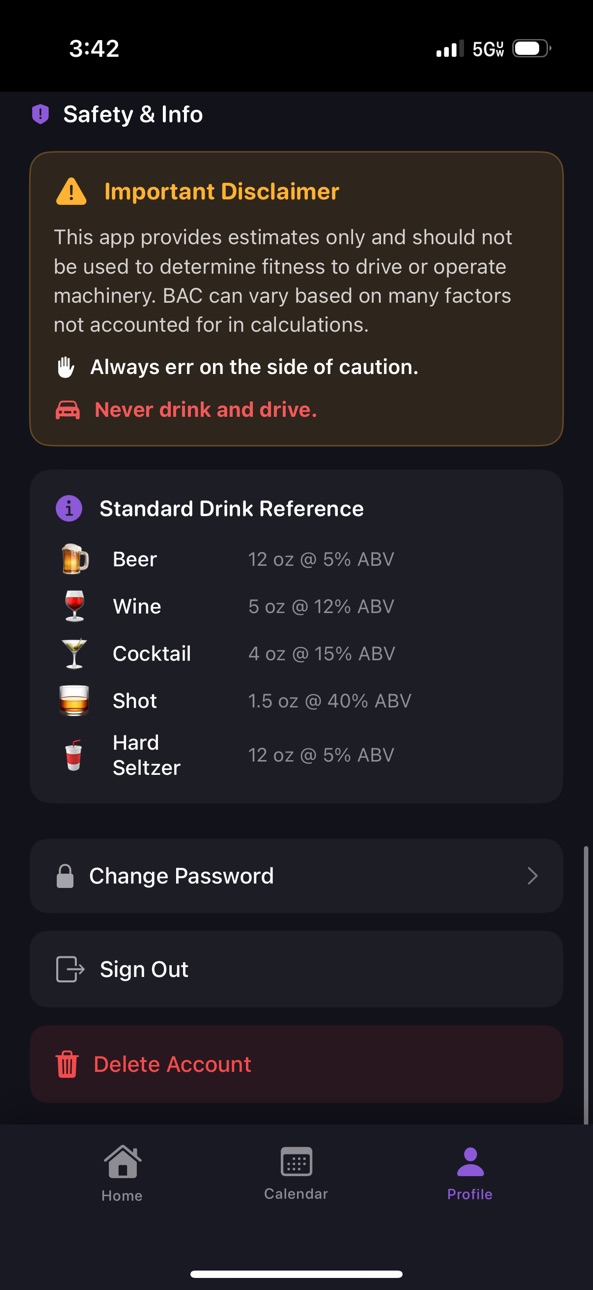
- "Don't drink and drive" safety reminders
Understanding Your Consumption
- Visual indicators to help recognize drinking patterns
- Educational awareness tools to track trends over time
- Optional approximate estimates for educational purposes only (clearly labeled, not medical or legal advice)
Design & User Experience
- Modern dark-themed interface designed for nighttime use
- Smooth animations and haptic feedback
- Genie-themed consumption indicators
Privacy & Security
- Your data is encrypted and securely synced via Firebase
- Cloud sync across devices
- Delete your account and data anytime
- Never share personal information with third parties
Optional Apple Health Integration
- Sync drink intake with Apple Health (user-controlled)
- Track alcohol consumption alongside other health metrics
- Enable or disable HealthKit sync anytime
- Only syncs data you log in BeerGenie
IMPORTANT SAFETY NOTICE:
BeerGenie is a drink counter and habit tracking tool. Any estimates or indicators provided are approximate and for educational purposes only. They are NOT medical or legal facts and must not be used to determine fitness to drive or operate machinery. Alcohol affects everyone differently. Always err on the side of caution. Never drink and drive.
Perfect for anyone who wants to accurately count drinks, understand drinking habits and patterns, celebrate sober streaks, maintain detailed drinking history, and seek awareness with safety reminders for responsible habits.
Download BeerGenie today and start partying responsibly!
In-App Purchases US pricing
One-Time Purchases
Remove Ads$1.99
Capabilities
In-App Purchases
Accessibility
ipadiphonemacrealityDevicetvoswatch
Version history 8 versions
Build 883118047v2.52026-03-07 17:43:17
Version 2.5:
Earn your drinks!
Make healthy choices by tracking your estimated drinking calories
Compare estimated drink calories to your Apple Health activity (steps + active energy)
With a simple green → yellow → orange → red bar, you can see when you’re under, close to, or over your burn.
**Make sure to turn permissions on in your profile settings!**
Previous implementations:
Calendar & past sessions:
Edit drink in past sessions — tap any drink in the calendar to change type, size, ABV, or time; peak BAC updates automatically
Add drink to past sessions — use the green “Add drink” button to log a drink retroactively with a custom time
Peak BAC is always based on your current drink log and recalculates when you add, remove, or edit drinks
Deleting a drink in the calendar now refreshes the displayed peak BAC
Tap the Calendar tab again to jump to today’s date and session
BAC accuracy:
Widmark formula fix: drinks are no longer counted before their consumption time (more accurate peak BAC)
Peak BAC only from your actual drink log — no spikes from drinks you later remove
Improved BAC tracking accuracy using the Widmark formula
BAC now continues across all sessions in a day (more accurate!)
Calendar graphs show your full 24-hour BAC trends
Better representation of how alcohol affects your body
Social Features:
Profile photos — add a photo that appears in your profile and on your friends' feed
Connect with friends and share your weekly stats
Privacy controls - choose what data you share
Search and sort your friends list
Photo Capture & Sharing:
Take photos with fun BAC and drink count overlays
Share your memories via text, Snapchat, Instagram, and more
Photos saved to your calendar and device photo library
UI:
Calendar session rows show a pencil icon for edit and stay consistent with the rest of the app
Fixed button text display issues and improved UI consistency
Accessibility Improvements
Build 882759585v2.42026-02-25 03:10:55
Version 2.4:
Calendar & past sessions:
Edit drink in past sessions — tap any drink in the calendar to change type, size, ABV, or time; peak BAC updates automatically
Add drink to past sessions — use the green “Add drink” button to log a drink retroactively with a custom time
Peak BAC is always based on your current drink log and recalculates when you add, remove, or edit drinks
Deleting a drink in the calendar now refreshes the displayed peak BAC
Tap the Calendar tab again to jump to today’s date and session
BAC accuracy:
Widmark formula fix: drinks are no longer counted before their consumption time (more accurate peak BAC)
Peak BAC only from your actual drink log — no spikes from drinks you later remove
Improved BAC tracking accuracy using the Widmark formula
BAC now continues across all sessions in a day (more accurate!)
Calendar graphs show your full 24-hour BAC trends
Better representation of how alcohol affects your body
Social Features:
Profile photos — add a photo that appears in your profile and on your friends' feed
Connect with friends and share your weekly stats
Privacy controls - choose what data you share
Search and sort your friends list
Photo Capture & Sharing:
Take photos with fun BAC and drink count overlays
Share your memories via text, Snapchat, Instagram, and more
Photos saved to your calendar and device photo library
UI:
Calendar session rows show a pencil icon for edit and stay consistent with the rest of the app
Fixed button text display issues and improved UI consistency
Accessibility Improvements
Build 882383605v2.32026-02-13 17:29:16
Version 2.3:
Social Features:
Profile photos — add a photo that appears in your profile and on your friends' feed
Connect with friends and share your weekly stats
Privacy controls - choose what data you share
Search and sort your friends list
Photo Capture & Sharing:
Take photos with fun BAC and drink count overlays
Share your memories via text, Snapchat, Instagram, and more
Photos saved to your calendar and device photo library
Enhanced Session Management:
Re-enter today's sessions to add forgotten drinks
Sessions automatically merge when you reactivate earlier ones
Continuous Daily BAC Tracking:
Improved BAC tracking accuracy using the Widmark formula
BAC now continues across all sessions in a day (more accurate!)
Calendar graphs show your full 24-hour BAC trends
Better representation of how alcohol affects your body
UI:
Fixed button text display issues and improved UI consistency
Better button sizing and touch targets throughout the app
Accessibility Improvements
Dynamic Type support for better text readability
Important text scales with your system settings
Build 881294304v2.22026-01-08 02:29:49
Version 2.2:
- Minor bug fixes and social updates
Previous additions:
Social Features
- Connect with friends and share your weekly stats
- Privacy controls - choose what data you share
- Search and sort your friends list
Photo Capture & Sharing
- Take photos with fun BAC and drink count overlays
- Share your memories via text, Snapchat, Instagram, and more
- Photos saved to your calendar and device photo library
Enhanced Session Management
- Re-enter today's sessions to add forgotten drinks
- Sessions automatically merge when you reactivate earlier ones
Continuous Daily BAC Tracking
- BAC now continues across all sessions in a day (more accurate!)
- Calendar graphs show your full 24-hour BAC trends
- Better representation of how alcohol affects your body
Accessibility Improvements
- Dynamic Type support for better text readability
- Important text scales with your system settings
Build 880779169v2.02025-12-18 17:22:15
Version 2.0 - Major Update!
Social Features
- Connect with friends and share your weekly stats
- Privacy controls - choose what data you share
- Search and sort your friends list
Photo Capture & Sharing
- Take photos with fun BAC and drink count overlays
- Share your memories via text, Snapchat, Instagram, and more
- Photos saved to your calendar and device photo library
Enhanced Session Management
- Re-enter today's sessions to add forgotten drinks
- Sessions automatically merge when you reactivate earlier ones
Continuous Daily BAC Tracking
- BAC now continues across all sessions in a day (more accurate!)
- Calendar graphs show your full 24-hour BAC trends
- Better representation of how alcohol affects your body
Accessibility Improvements
- Dynamic Type support for better text readability
- Important text scales with your system settings
Plus bug fixes and performance improvements!
Build 880818538v2.12025-12-18 22:17:29
Version 2.0 - Major Update!
Social Features
- Connect with friends and share your weekly stats
- Privacy controls - choose what data you share
- Search and sort your friends list
Photo Capture & Sharing
- Take photos with fun BAC and drink count overlays
- Share your memories via text, Snapchat, Instagram, and more
- Photos saved to your calendar and device photo library
Enhanced Session Management
- Re-enter today's sessions to add forgotten drinks
- Sessions automatically merge when you reactivate earlier ones
Continuous Daily BAC Tracking
- BAC now continues across all sessions in a day (more accurate!)
- Calendar graphs show your full 24-hour BAC trends
- Better representation of how alcohol affects your body
Accessibility Improvements
- Dynamic Type support for better text readability
- Important text scales with your system settings
Plus bug fixes and performance improvements!
Build 880574265v1.12025-12-12 21:11:33
New in this version: BeerGenie now includes optional HealthKit integration. Users can choose to sync their drink intake data with Apple Health, allowing their alcohol consumption to be tracked alongside other health metrics in the Health app. This feature is completely optional and can be enabled or disabled in the app's settings. When enabled, drinks logged in BeerGenie are automatically synced to Apple Health as alcohol consumption data. The integration respects user privacy and only syncs data that users explicitly log in BeerGenie—it does not interfere with or modify data from other apps. Users can disable HealthKit sync at any time, and the app will stop syncing new data while preserving existing HealthKit entries.
Build 880398898v1.02025-12-11 11:11:51
Price history by region
Currency
Show
Columns
Search
Availability 1 of 1 storefronts
| Region | Language | Price | Ratings | Avg | Version |
|---|---|---|---|---|---|
| US | en-US | Free | 4 | 5.0 | 2.5 |
Change log 12 changes · US
✎
releaseNotes updated
Version 2.5:
Earn your drinks!
Make healthy choices by tracking your estimated drinking calories
Compare estimated drink calories to your Apple Health activity
✎
description updated
BeerGenie: Your Drink Counter & Habit Tracker
Party responsibly with BeerGenie, the comprehensive drink-counting and habit-tracking app. Log every drink, monit
✎
subtitle updated
Party responsibly.
✎
name updated
BeerGenie: Drink Counter
◆
Version 2.5 released
Version 2.5:
Earn your drinks!
Make healthy choices by tracking your estimated drinking calories
Compare estimated drink calories to your Apple Health activity (steps + active energy)
With a simple green → yellow → orange → red bar, you c
◆
Version 2.4 released
Version 2.4:
Calendar & past sessions:
Edit drink in past sessions — tap any drink in the calendar to change type, size, ABV, or time; peak BAC updates automatically
Add drink to past sessions — use the green “Add drink” button to log a dr
◆
Version 2.3 released
Version 2.3:
Social Features:
Profile photos — add a photo that appears in your profile and on your friends' feed
Connect with friends and share your weekly stats
Privacy controls - choose what data you share
Search and sort your friends l
◆
Version 2.2 released
Version 2.2:
- Minor bug fixes and social updates
Previous additions:
Social Features
- Connect with friends and share your weekly stats
- Privacy controls - choose what data you share
- Search and sort your friends list
Photo Capture &
◆
Version 2.1 released
Version 2.0 - Major Update!
Social Features
- Connect with friends and share your weekly stats
- Privacy controls - choose what data you share
- Search and sort your friends list
Photo Capture & Sharing
- Take photos with fun BAC and drin
◆
Version 2.0 released
Version 2.0 - Major Update!
Social Features
- Connect with friends and share your weekly stats
- Privacy controls - choose what data you share
- Search and sort your friends list
Photo Capture & Sharing
- Take photos with fun BAC and drin
◆
Version 1.1 released
New in this version: BeerGenie now includes optional HealthKit integration. Users can choose to sync their drink intake data with Apple Health, allowing their alcohol consumption to be tracked alongside other health metrics in the Health ap
◆
Version 1.0 released