Home › Graphics & Design

 US
US
1 of 1 storefronts
Content in en-US
Content in en-US
Information
Preview 3 platforms
iPhone 8 images


iPad 3 images


Mac 6 images




What’s New Version 3.1.4
- Better Color Walk
Description
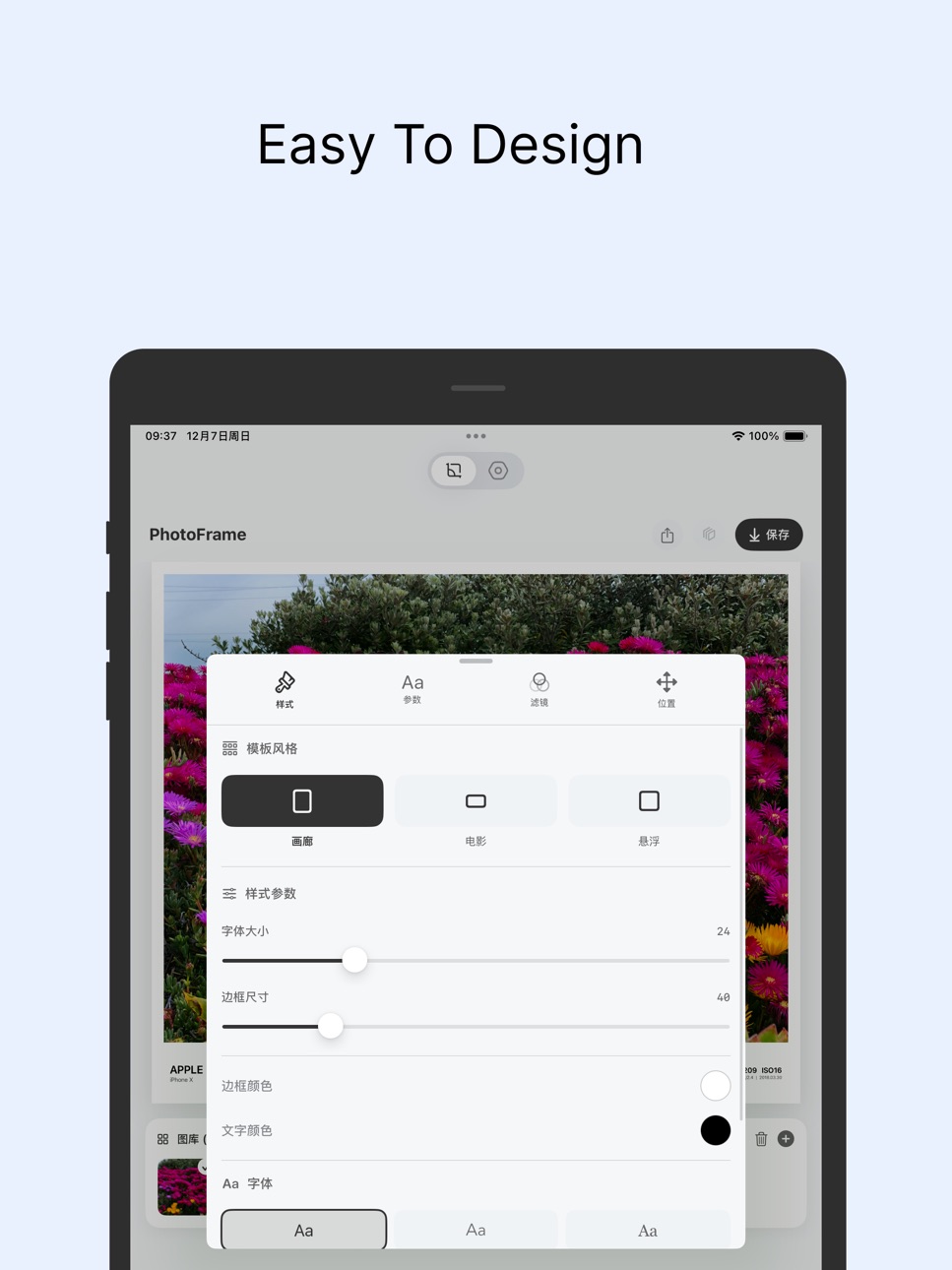
PhotoFramify helps you turn everyday photos into polished, share-ready visuals with clean frames, camera watermarks, EXIF details, collage layouts, and color-inspired templates.
Add a minimal border, place a camera-style watermark, show shooting details, create a freeform collage, or build a color story from your photo. The app is designed for photographers, mobile creators, travelers, and anyone who wants their images to feel more intentional before posting.
Key features:
Camera watermark templates with border, side, top, bottom, and transparent styles
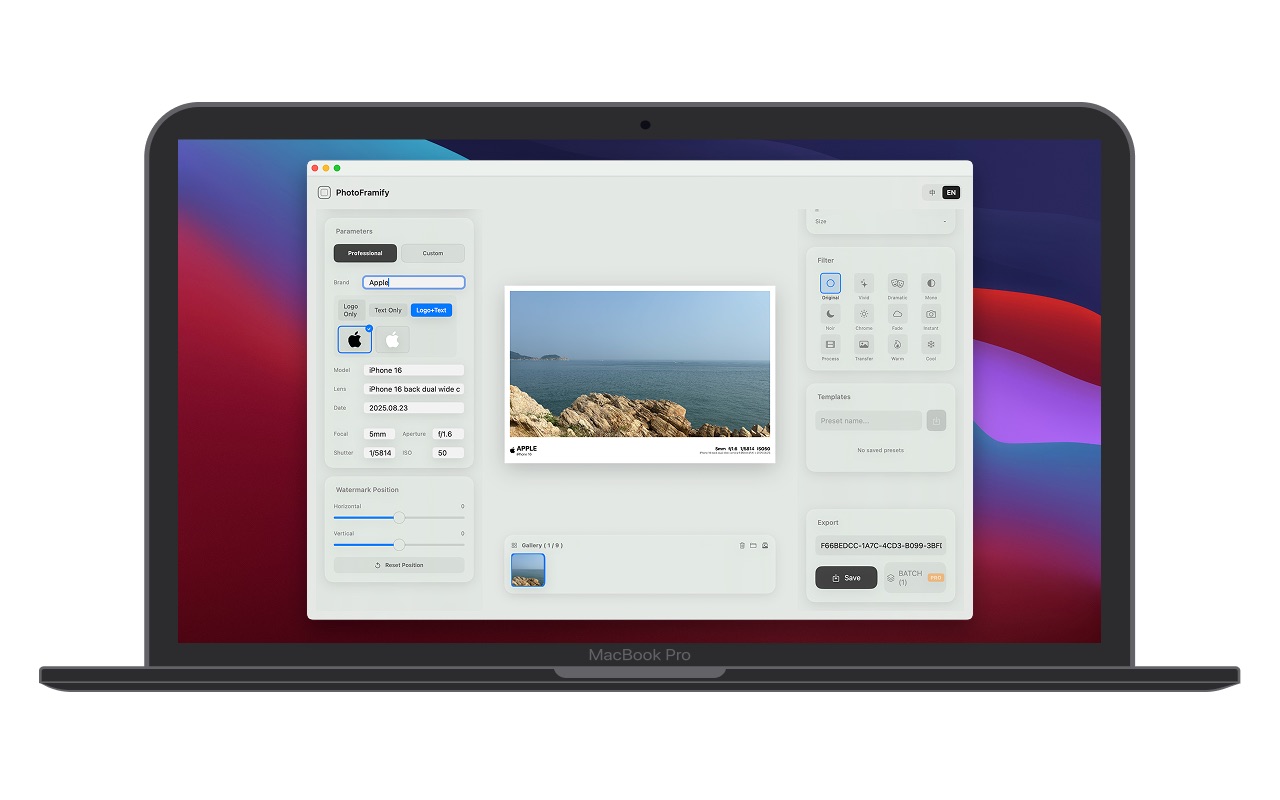
EXIF-based camera details, including brand, model, lens, focal length, aperture, shutter, ISO, and date
Custom text, location, logo display, watermark position, font, color, and border controls
Film, Polaroid, blank space, cinematic, and story-style templates
Grid collage, freeform collage, Color Walk, photo palette, and grid slicing tools
Filters, blur backgrounds, custom colors, and reusable templates
Export polished images for Photos, social posts, portfolios, and stories
PhotoFramify is not a heavy photo editor. It is a finishing tool: focused, visual, and built to make your photos look composed, intentional, and ready to share.
Multi-language Support
• 中文
• English
Use Cases
• Photography portfolio presentation
• Social media sharing
• Travel photo organization
• Artistic creation
• Photography notes
Whether you're a professional photographer or photography enthusiast, PhotoFramify helps make your photos more artistic.
Download now and start your creative journey!
---
Privacy Protection
• All photo processing done locally
• No photos uploaded to servers
• No personal information collected
https://www.apple.com/legal/internet-services/itunes/dev/stdeula/
Support: zhyl1881@163.com
In-App Purchases US pricing
PhotoFramify Subscribe Subscription
PhotoFramify Yearly (Best Value) · Yearly$7.99
PhotoFramify Monthly · Monthly$1.99
One-Time Purchases
Pro$12.99
Capabilities
In-App Purchases
Accessibility
ipadiphonemacrealityDevicetvoswatch
Version history 16 versions
Build 887775335v3.1.42026-07-04 00:03:47
- Better Color Walk
Build 886866728v3.1.32026-06-12 23:36:58
- fix some bugs
Build 886455276v3.1.22026-06-03 23:15:30
- Photo Frame
- Collage
Build 886409210v3.1.12026-06-02 16:32:38
- camera logos fix
Build 886019997v3.1.02026-05-28 13:17:16
- Live Photo Collage
Build 885462786v3.0.12026-05-11 00:28:36
- fix some bugs
Build 885115747v3.0.02026-05-06 02:37:01
Redesigned the Watermark home for clearer browsing across border and transparent styles
New collage home and unified editor for a cleaner workflow
Added Long Image, Freeform Collage, and Grid Slice
Added new creative styles: Color Walk and Color Beads
Added solid, gradient, texture, and blur backgrounds
Improved text, font, save, and localization experience
Build 884791421v2.5.12026-04-23 00:02:23
- fix some bugs
Build 883253155v2.5.02026-03-11 23:50:06
Introducing Personal Stamps!
Now you can add your own signature, name, or custom stamp to photos and make every image uniquely yours.
We've also improved performance and overall editing experience.
Build 881425756v2.4.02026-01-17 03:35:49
- New templates have been added, offering a wider range of choices
- Optimize the image selection page
- The Settings page has been revamped to be more refreshing
Build 881254597v2.3.02026-01-07 00:20:21
- fix some bugs
Build 881006954v2.2.02025-12-26 13:52:55
- more camera parameters
- fix some bugs
Build 880790327v2.1.02025-12-19 09:14:22
- Added frame template selection with "Gaussian Blur Background," giving your photos a more artistic touch!
- Interaction structure optimized for an enhanced user experience.
- Fixed several issues to ensure smoother operation.
Build 880729336v2.0.02025-12-16 23:02:11
- Collage Photos
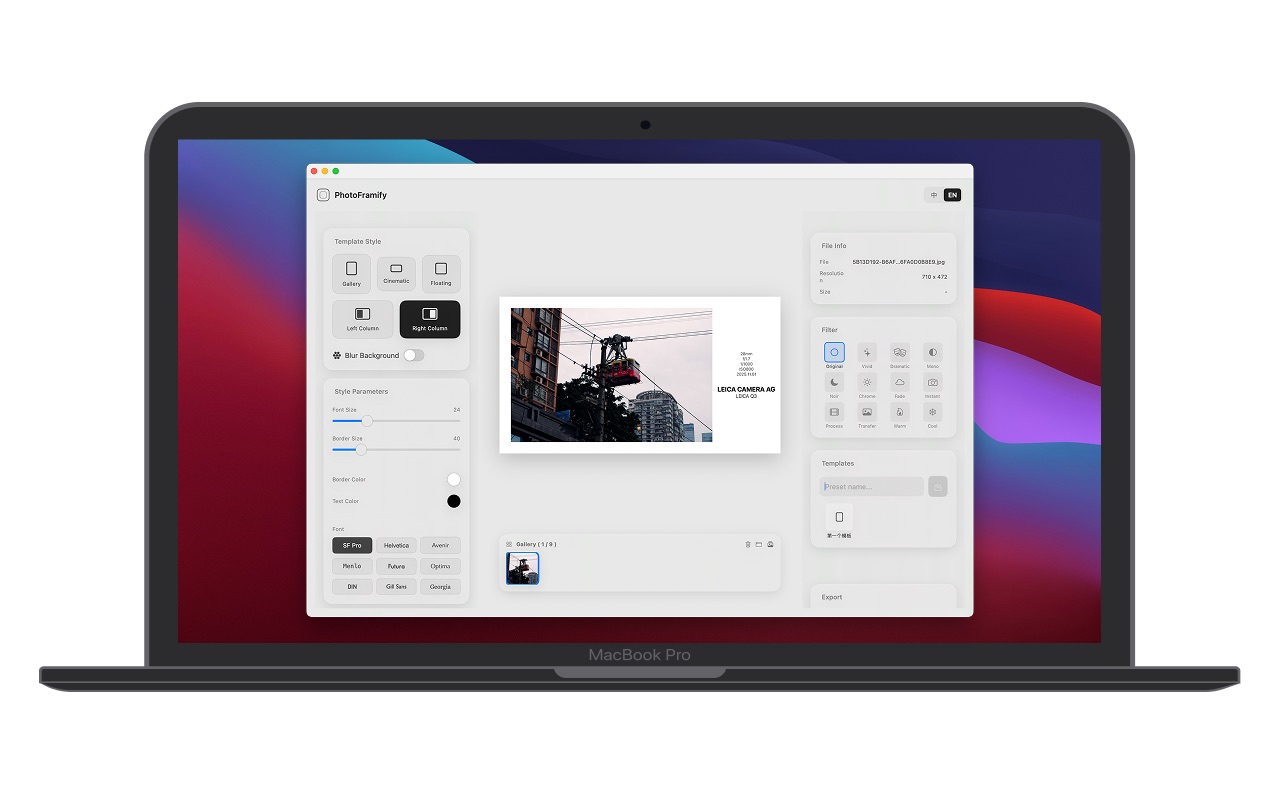
- Added "Left Column" and "Right Column" styles: vertical watermark design with unique artistic style
- Optimized image processing performance for faster loading
- Improved UI interaction experience
Build 880508119v1.1.02025-12-11 06:33:51
1.1.0
The re-layout of the style makes it more user-friendly
The watermark can be directly awakened upon clicking
- Fixed some known issues
Build 880328812v1.0.02025-12-09 10:14:14
Price history by region
Currency
Show
Columns
Search
Availability 1 of 1 storefronts
| Region | Language | Price | Ratings | Avg | Version |
|---|---|---|---|---|---|
| US | en-US | Free | 0 | — | 3.1.4 |
Change log 20 changes · US
✎
releaseNotes updated
- Better Color Walk
✎
description updated
PhotoFramify helps you turn everyday photos into polished, share-ready visuals with clean frames, camera watermarks, EXIF details, collage layouts, and color-in
✎
subtitle updated
Frames, Borders & Collages
✎
name updated
PhotoFramify: EXIF Overlay
◆
Version 3.1.4 released
- Better Color Walk
◆
Version 3.1.3 released
- fix some bugs
◆
Version 3.1.2 released
- Photo Frame
- Collage
◆
Version 3.1.1 released
- camera logos fix
◆
Version 3.1.0 released
- Live Photo Collage
◆
Version 3.0.1 released
- fix some bugs
◆
Version 3.0.0 released
Redesigned the Watermark home for clearer browsing across border and transparent styles
New collage home and unified editor for a cleaner workflow
Added Long Image, Freeform Collage, and Grid Slice
Added new creative styles: Color Walk and
◆
Version 2.5.1 released
- fix some bugs
◆
Version 2.5.0 released
Introducing Personal Stamps!
Now you can add your own signature, name, or custom stamp to photos and make every image uniquely yours.
We've also improved performance and overall editing experience.
◆
Version 2.4.0 released
- New templates have been added, offering a wider range of choices
- Optimize the image selection page
- The Settings page has been revamped to be more refreshing
◆
Version 2.3.0 released
- fix some bugs
◆
Version 2.2.0 released
- more camera parameters
- fix some bugs
◆
Version 2.1.0 released
- Added frame template selection with "Gaussian Blur Background," giving your photos a more artistic touch!
- Interaction structure optimized for an enhanced user experience.
- Fixed several issues to ensure smoother operation.
◆
Version 2.0.0 released
- Collage Photos
- Added "Left Column" and "Right Column" styles: vertical watermark design with unique artistic style
- Optimized image processing performance for faster loading
- Improved UI interaction experience
◆
Version 1.1.0 released
1.1.0
The re-layout of the style makes it more user-friendly
The watermark can be directly awakened upon clicking
- Fixed some known issues
◆
Version 1.0.0 released