Home › Graphics & Design

 US
US
1 of 1 storefronts
Content in en-US
Content in en-US
Information
Preview 2 platforms
iPhone 10 images


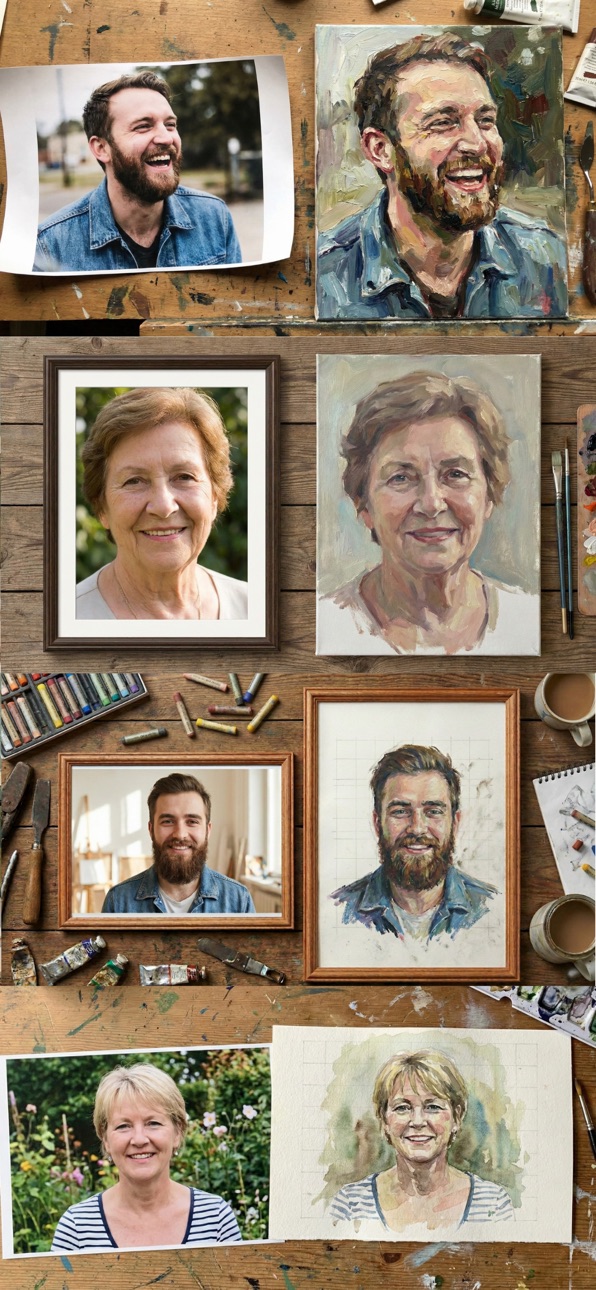


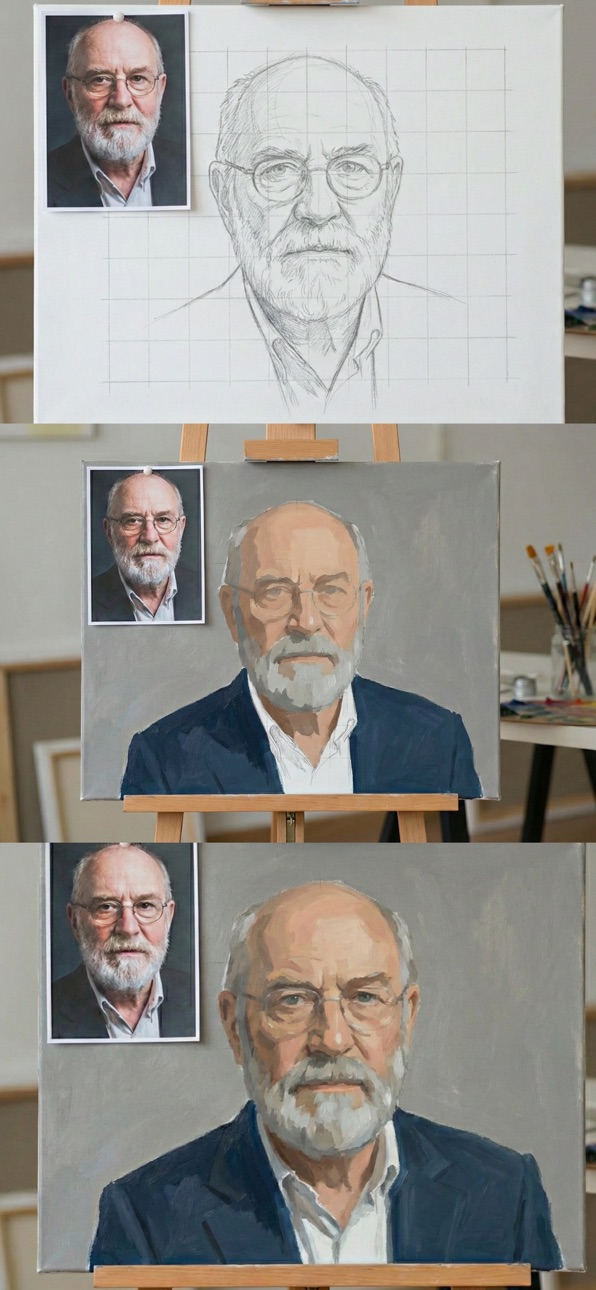

iPad 10 images
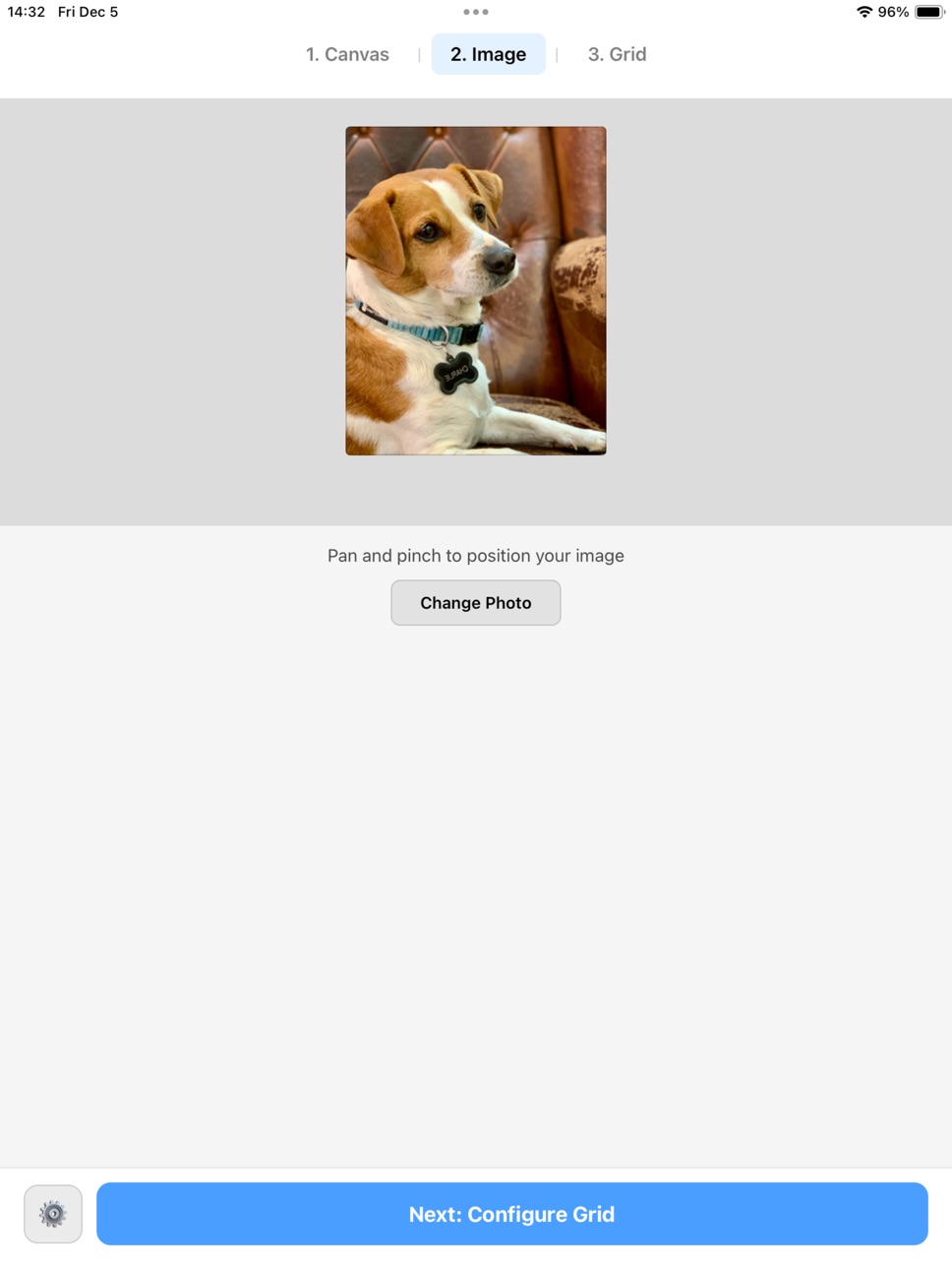


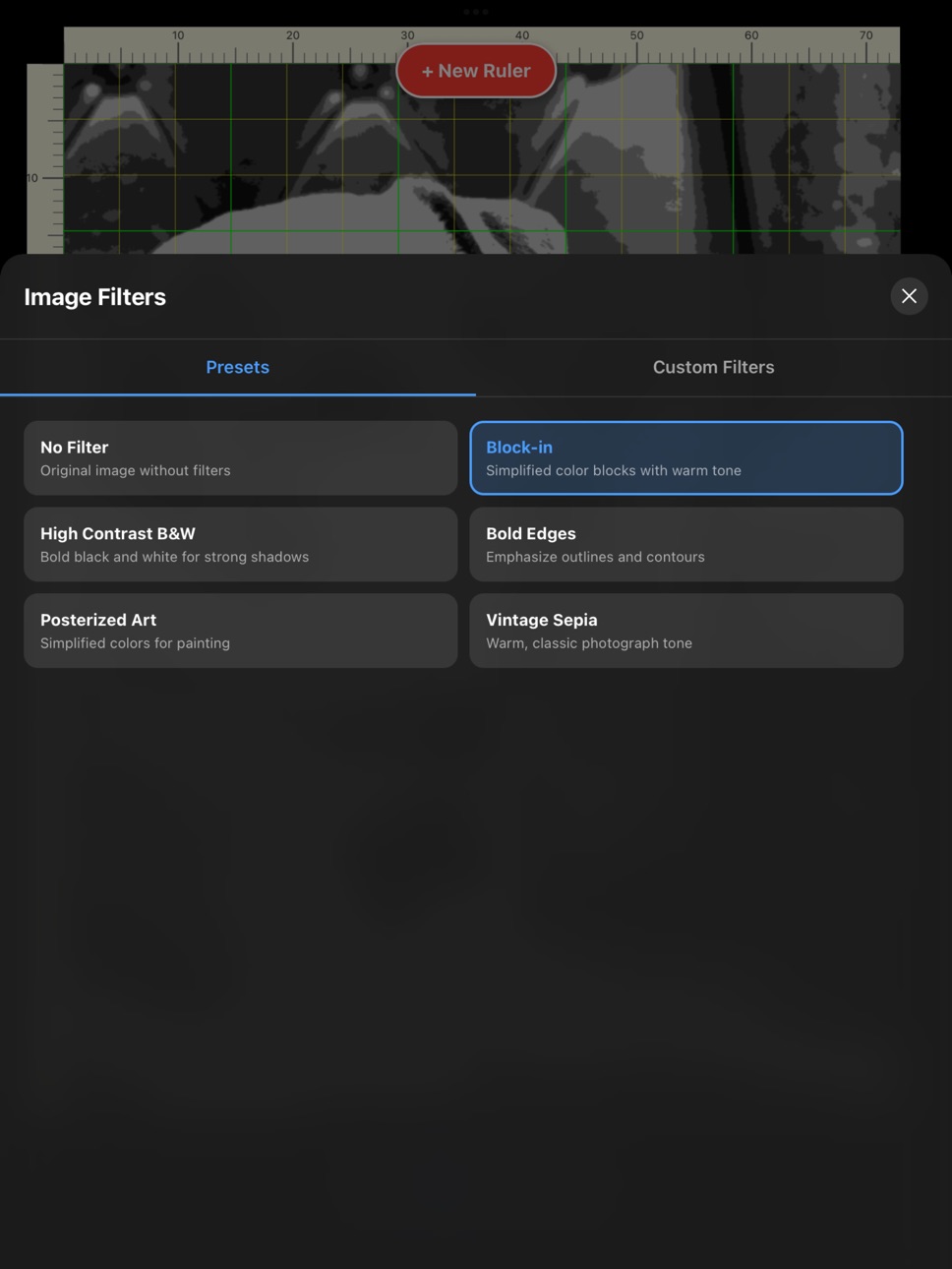


What’s New Version 1.5.6
- A new improved color mixing algorithm that includes more accurate recommendations and adds additional colors to the mix
Description
Draw With Accuracy. Learn With Structure.
Atelier: Art Grid is a professional reference and construction tool for artists who want to draw or paint with accuracy and confidence.
Designed for traditional and digital artists alike, Atelier helps you analyze proportions, understand head structure, and transfer reference images to paper or canvas using proven academic methods.
The app focuses on clarity, precision, and minimal distraction, giving you exactly what you need while you draw, and nothing you don’t.
CORE WORKFLOWS
Loomis Head Construction
* Overlay a structured Loomis head directly onto your reference
* Adjust orientation, scale, and alignment to match the subject
* Ideal for learning head rotation, proportion, and placement
Measurement & Proportion Tools
* Place multiple measurement lines on your reference
* Check distances, angles, and relative proportions
* Toggle measurements on and off as you work
Color & Value Analysis
* Sample colors directly from your reference
* Analyze value relationships to support accurate rendering
* Useful for painters and realistic drawing workflows
* Color mixing guide.
STUDIO FEATURES
* Grid System: Precise grid overlays for scaling and transfer
* Canvas Presets: Match common paper and canvas formats
* Layer Visibility Control: Show only the tools you need
* High-Resolution Zoom: Maintain position while inspecting detail
* Clean Drawing Mode: Designed for long, focused sessions
BUILT FOR ARTISTS
* No ads
* No social features
* No clutter
Atelier is intentionally narrow in scope, built for artists who care about fundamentals, structure, and craft.
Whether you are studying portrait drawing, refining your proportions, or preparing a reference for a finished work, Atelier supports the way artists actually work.
Accessibility
ipadiphonemacrealityDevicetvoswatch
Version history 13 versions
Build 885209205v1.5.62026-05-03 21:15:07
- A new improved color mixing algorithm that includes more accurate recommendations and adds additional colors to the mix
Build 884771953v1.5.52026-04-21 20:06:28
Critical bug fix that was crashing the app on some previously existing saved session for some users upgrading from v1.5.4
Build 884674997v1.5.42026-04-20 20:03:53
* Added lock to grid in measure mode
* Fixed problem with WIP in upload rather than camera.
* Added interactive help
* Auto update version when new one comes out.
* Some additional bug fixes
Build 883276332v1.5.22026-03-11 23:33:55
- Some bug fixes.
- Small improvement to color mixing algorithm
Build 883113731v1.5.12026-03-07 00:09:02
- Fixed the measure tool inaccuracy with the end points, added arrows and magnifying loop for more precise measurement placements
- Removed legacy color mixing guide.
- Some bug fixes.
Build 883022846v1.52026-03-06 00:11:13
Several major new features and bug fixes:
- New more accurate color mixing algorithm
- WIP (Work in progress) tracking with alignment and overlay to view my work.
- WIP realignment screen fixes (Modal wrap + corner persistence)
- Rectangle auto-detection module (Vision framework)
- Color mixing improvements (ratio precision, Advanced panel reorder, tinting strength fix)
- WIP photo position re-adjustment (realign + pan/zoom nudge)
Build 882868959v1.4.42026-03-03 14:13:16
- Fixed critical bug in measure tool
- Fixed a problem with the studio mode tabs.
Build 882834556v1.4.32026-02-27 02:52:25
- Increased accuracy on the mixing algorithm
- Fixed local values settings to allow detection of small windows and tighten the values.
- Clear canvas tool was hiding color detection creating a confusing UI
- Improved session management.
Build 882757543v1.4.22026-02-25 03:07:58
- Color picker with previous are current color selection.
- Fully functional color mixing feature, with color wheel and values scales.
- 10 pallets to choose from
- Notan Color analysis with slider
Build 882669394v1.42026-02-22 19:02:54
This version brings a new color picker and color mixing analysis to help artists find the perfect pallet for their masterpiece.
Added more canvas sizes as default.
Also a critical bug fix with saving sessions with custom canvas sizes.
Build 882445234v1.3.82026-02-18 00:48:50
- Bug fixes.
- Cleaned up the user interface to simplify tool access.
- Improved tonal evaluation of the image.
- Fixed scaling of measure tool labels and thumb pins
Build 881393910v1.3.52026-02-02 16:58:36
Major New Features:
Loomis Head Construction Overlay — The entire feature including:
Classic/Filled/Planes visualization modes
Pose/Move gesture controls
3D interactive positioning and rotation
Reset functionality
Color Analysis Tool Suite — All seven analysis modes:
Notan (threshold-based black/white)
Value (posterized value bands)
Chroma (saturation analysis)
Hue (color family mapping)
Combined (value + hue together)
Edge Detection
Temperature (warm/cool mapping)
Block-In Pro (K-means clustering)
Shape Smoothing option
Bug Fixes (per the doc):
Rectangular grid mode canvas coverage
Graph paper visibility with Color Analysis active
Graph paper overlay opacity adjusted to 70%
Build 880202674v1.02026-01-10 12:50:29
No pricing data captured yet — comparisons appear once the app has paid storefronts or in-app purchases.
Availability 1 of 1 storefronts
| Region | Language | Price | Ratings | Avg | Version |
|---|---|---|---|---|---|
| US | en-US | Free | 8 | 4.4 | 1.5.6 |
Change log 17 changes · US
✎
releaseNotes updated
- A new improved color mixing algorithm that includes more accurate recommendations and adds additional colors to the mix
✎
description updated
Draw With Accuracy. Learn With Structure.
Atelier: Art Grid is a professional reference and construction tool for artists who want to draw or paint with accura
✎
subtitle updated
Portrait & Proportion Tools
✎
name updated
Atelier: Art Grid
◆
Version 1.5.6 released
- A new improved color mixing algorithm that includes more accurate recommendations and adds additional colors to the mix
◆
Version 1.5.5 released
Critical bug fix that was crashing the app on some previously existing saved session for some users upgrading from v1.5.4
◆
Version 1.5.4 released
* Added lock to grid in measure mode
* Fixed problem with WIP in upload rather than camera.
* Added interactive help
* Auto update version when new one comes out.
* Some additional bug fixes
◆
Version 1.5.2 released
- Some bug fixes.
- Small improvement to color mixing algorithm
◆
Version 1.5.1 released
- Fixed the measure tool inaccuracy with the end points, added arrows and magnifying loop for more precise measurement placements
- Removed legacy color mixing guide.
- Some bug fixes.
◆
Version 1.5 released
Several major new features and bug fixes:
- New more accurate color mixing algorithm
- WIP (Work in progress) tracking with alignment and overlay to view my work.
- WIP realignment screen fixes (Modal wrap + corner persistence)
- Rectangle
◆
Version 1.4.4 released
- Fixed critical bug in measure tool
- Fixed a problem with the studio mode tabs.
◆
Version 1.4.3 released
- Increased accuracy on the mixing algorithm
- Fixed local values settings to allow detection of small windows and tighten the values.
- Clear canvas tool was hiding color detection creating a confusing UI
- Improved session management.
◆
Version 1.4.2 released
- Color picker with previous are current color selection.
- Fully functional color mixing feature, with color wheel and values scales.
- 10 pallets to choose from
- Notan Color analysis with slider
◆
Version 1.4 released
This version brings a new color picker and color mixing analysis to help artists find the perfect pallet for their masterpiece.
Added more canvas sizes as default.
Also a critical bug fix with saving sessions with custom canvas sizes.
◆
Version 1.3.8 released
- Bug fixes.
- Cleaned up the user interface to simplify tool access.
- Improved tonal evaluation of the image.
- Fixed scaling of measure tool labels and thumb pins
◆
Version 1.3.5 released
Major New Features:
Loomis Head Construction Overlay — The entire feature including:
Classic/Filled/Planes visualization modes
Pose/Move gesture controls
3D interactive positioning and rotation
Reset functionality
Color Analysis Tool Su
◆
Version 1.0 released