Home › Simulation

 US
US
USen-US NLnl
NLnl FRfr-FR
 ITit
ITit AIen-GB
 ALen-GB
 AMen-GB
 AOen-GB
 AZen-GB
 BEen-GB
 BHen-GB
 BYen-GB
 CDen-GB
 CGen-GB
 CHde-CH
 CLes-MX
 COes-MX
 CRes-MX
 CVen-GB
 CYen-GB
 DEde-DE
 ESes-ES
 FJen-GB
 GAfr-FR
 GTes-MX
 GYen-GB
 HNes-MX
 IEen-GB
 KGen-GB
 KYen-GB
 KZen-GB
 LCen-GB
 LUen-GB
 MDen-GB
 MEen-GB
 MNen-GB
 MSen-GB
 MTen-GB
 MUen-GB
 MVen-GB
 MWen-GB
 MZen-GB
 NAen-GB
 NEen-GB
 NZen-AU
 OMen-GB
 PAes-MX
 PEes-MX
 PHen-GB
 PTpt-PT
 RUru
RUru SKen-GB
 SLen-GB
 SNen-GB
 SVes-MX
 SZen-GB
 TCen-GB
 TJen-GB
 TMen-GB
 TRen-GB
 VCen-GB
 VGen-GB
 VNen-GB
 XKen-GB
64 of 64 storefronts
Content in en-US
Content in en-US
Information
Preview 2 platforms
iPhone 10 images



iPad 5 images


What’s New Version 1.6.9
What's New
• New: Added Cursor Mode for Nintendo DS. You can now control the touch screen using a compatible game controller.
• Improved the Pictomee experience when using a game controller.
• Increased the maximum number of visible Pictomee posts to 100.
• Improved Performance Mode with better tuning and optimizations for enhanced performance.
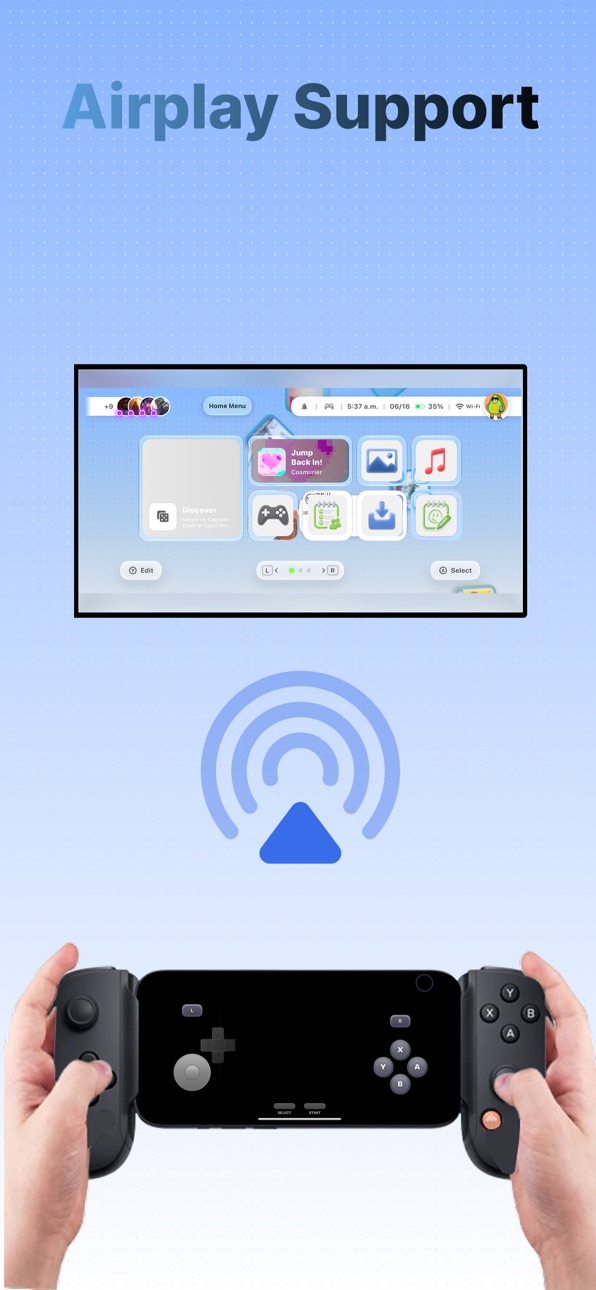
• Enhanced AirPlay support across all emulators for a smoother and higher-quality display experience.
• Fixed an issue that prevented users from removing legacy apps that were no longer part of the system but still had leftover data.
• Fixed an issue where Direct Messages (DMs) from different friends could become mixed together.
Description
SUMEE! turns your iPhone into a complete handheld gaming system for organizing, customizing, emulating, and enjoying compatible retro games in one place.
Designed for handheld play and big-screen gaming, SUMEE! is especially focused on users who play with a game controller and connect their iPhone to an external display using HDMI or AirPlay.
SUMEE! supports compatible files for multiple classic systems, including Nintendo 3DS, Nintendo DS/DSi, Game Boy Advance, NES, SNES, Nintendo 64, PSP, PlayStation / PSX, and Sega Genesis.
Main features:
• Dock Mode for big-screen, console-style play
• Game controller support
• HDMI and AirPlay external display support
• Modern interface inspired by classic handheld devices
• Game launcher and library organization
• USB support for importing your own files
• iCloud support for supported data
• RetroAchievements support
• Save files and save states
• Customizable touch controls
• Skins, themes, and visual options
• Performance tools for a smoother experience
• Local multiplayer features for supported systems
• Two-player split-screen support for compatible games
• Wi-Fi support for compatible DS/DSi local play
• GBA Link support for compatible local connection features
• PictoMee, a built-in social space for sharing posts
• User profiles, friends, and social interactions
• Direct messages between users
• Account options and user safety tools
SUMEE! does not include games, ROMs, BIOS files, or copyrighted content. Users are responsible for importing only files they legally own or have the right to use.
SUMEE! is not affiliated with, endorsed by, sponsored by, or associated with Nintendo, Sony, PlayStation, Sega, RetroAchievements, Apple, AirPlay, or any other console manufacturer, game publisher, service provider, or trademark owner.
PictoMee is intended for users aged 16 and older. Users should review and follow the PictoMee Terms and Community Guidelines before using the social features.
Built for users who enjoy retro experiences, compatible emulation, customization, achievements, social connection, handheld play, and console-style big-screen gaming.
Accessibility
ipadiphonemacrealityDevicetvoswatch
Version history 14 versions
Build 887823312v1.6.92026-07-05 03:22:28
What's New
• New: Added Cursor Mode for Nintendo DS. You can now control the touch screen using a compatible game controller.
• Improved the Pictomee experience when using a game controller.
• Increased the maximum number of visible Pictomee posts to 100.
• Improved Performance Mode with better tuning and optimizations for enhanced performance.
• Enhanced AirPlay support across all emulators for a smoother and higher-quality display experience.
• Fixed an issue that prevented users from removing legacy apps that were no longer part of the system but still had leftover data.
• Fixed an issue where Direct Messages (DMs) from different friends could become mixed together.
Build 887765626v1.6.82026-07-03 20:29:48
• Redesigned EENews with a more touch-friendly interface.
• Added the News widget for the SUMEE! Home screen and iOS.
• Added new Settings toggles:
• Disable EENews notifications.
• Disable version update alerts.
Build 887717884v1.6.72026-07-02 19:45:46
What's New
• Added a mini browser to the floating menu.
• Added Cursor Mode for web games. You can now use a game controller to enable a cursor whenever touch input is required.
• Redesigned the SUMEE! keyboard. It now automatically matches the user's selected appearance.
• Redesigned the Welcome experience for new users.
• Added iCloud Sync for PictoMee. You can now sync your PictoMee account across all your Apple devices using iCloud. Sign in on one device, then sign in on another. On the second device, you'll be asked which account to keep. Choose carefully, as the selected account will permanently replace the other on that device.
• Improved MiBrowser when using AirPlay.
Build 887623921v1.6.62026-07-01 16:29:44
• Improved the widget selection UI on the Home screen.
• Improved the Mee Store UI.
• The Themes section has been completely redesigned. Delta themes are now available directly within the SUMEE! app. Open Game Systems → Themes to browse and manage your themes.
• Improved the Global Chat. You can now see when other users are typing with the new "Typing..." indicator.
• You can now tap the header bar to open the menu. This makes it easier to exit apps, and on the Home screen it also lets you close SUMEE!, especially when using AirPlay.
Build 887574436v1.6.52026-06-29 17:14:44
Improvements to Mee Store and some bug fixes
Build 887515384v1.6.42026-06-28 22:53:47
The Mee Store has been improved.
The Mee Themes section (formerly Community Themes) has been improved and now offers significantly faster performance.
Build 887458508v1.6.32026-06-26 20:45:43
* Polished audio and improved performance for the Nintendo 64 emulator.
* Improved physical controller support for WebROM players, including Xbox, PlayStation, Switch, and other compatible gamepads.
* Updated PictoMee Social Chat with softer Sumi mention styling and typing indicators.
* Added more playful drawing and social hints.
* Improved chat badge display so badges can expand more naturally inside chat bubbles.
Build 887401628v1.6.22026-06-25 18:00:52
What's New in Version 1.6.2!
This update brings key usability enhancements and visual fixes to keep your gaming experience smooth and responsive:
• Games and web apps were added to the store. They are served by the server, so the library will keep growing.
• Header & Social Improvements: In vertical layout mode, your badges are now conveniently placed directly on your user avatar. We have also introduced a redesigned, cleaner layout for the friends list.
• Controls & Navigation Polish: Improved the response time of the bottom buttons on the Home screen and resolved an issue where gamepad navigation felt sticky when scrolling through the Game Systems grid.
• Web Browser Pointer Fix: Resolved a bug where the gamepad cursor would occasionally snap back to the center of the screen when hovering over buttons or moving near corners.
• AirPlay & iPad Visual Fixes: Corrected header rendering glitches when streaming over AirPlay, resolved several iPad-specific visual layout bugs, and optimized loading behavior so that the community themes section feels much more fluid.
Thank you for using SUMEE!
Build 887321691v1.6.12026-06-24 16:56:12
New Features
• New home widgets for Sketch, Stats, and Achievements.
• You can now open and link games from the iOS Files app. This does not copy the game; it stays in the selected folder and only creates a shortcut.
• New edit mode in Game Systems in grid mode. You can select more than one game, delete them, and/or place them in a folder.
• PSP Skins: Custom controller skins are now available for the PSP emulator, allowing you to personalize your layout and console designs.
• Add ROMs to iOS Home Screen: You can now add ROMs from Sumee! directly to your iOS Home Screen. Go to Game Systems, press and hold a ROM, select Add to iOS Home, then use Safari’s Share menu and choose Add to Home Screen. This creates a shortcut to open games directly in Sumee!
• Feedback & Support: Added a new section in Settings > System > Feedback & Bug Report to submit suggestions, support tickets, or bug reports with safe logs directly to support.
• Widget Interaction: You can now tap anywhere on a home widget’s body to activate or open its corresponding section.
Bug Fixes & Improvements
• iPad Improvements: Fixed a PictoMee bug where tapping a link on a post incorrectly opened the post details page instead of liking it. The status bar now behaves, hides, and scales correctly across all screen orientations.
• App Grid & Widgets: PictoMee points now load immediately on app startup. Fixed widget deletion issues on the Home screen, solved rendering and alignment problems in the split app grid, and improved widget performance and background resource usage to help devices run cooler.
• PSP Skin Assets: Fixed PSP skin asset loading and resolved PDF pre-rendering issues with background threads to avoid main thread lag.
• System Settings: Fixed settings toggles failing to update their state. Toggles that are incompatible with Performance Mode are now grayed out to make their availability clear.
• PictoMee & Sketch: Updated the Sketch interface inside PictoMee.
• Haptic Feedback: Added light haptic feedback to navigation and selection events across most menus.
Build 887238510v1.62026-06-21 23:56:10
SUMEE! 1.6
New:
-PictoPoints has been implemented! Users will now receive points for actions within Pictomee, and they can view their progress on their profile. A “Share It” feature was also added so users can share their profile.
-Badges are back on PictoMee!
-Added three new widgets: Achievements, where users can view unlocked achievements, and Library Stats, which shows game count, storage usage, installed themes, and theme storage. -PictoMee widget
-Added French language support.
Fixes:
-Fixed game controller issues when editing the Home grid.
-Fixed controller navigation when adding images or widgets from empty grid slots.
Build 887227913v1.52026-06-20 19:03:31
What’s New
New: Web Widgets. You can now add links and display them as widgets. On your Home screen, press and hold an app to enter edit mode, then tap the three dots in an empty space. The new widget selection menu will open. Select Web Widget and add your link.
New widget selection menu. You can now add more than one widget. You can also use this menu to restore widgets you previously deleted.
New images in Game Systems for consoles.
Spanish language added. You can now select Spanish from Settings.
Build 887151964v1.32026-06-18 21:22:48
* New audio engine. Audio should now be more responsive when using Bluetooth devices.
* Various fixes for the Xbox app.
* Music UI improvements on iPad.
* UI improvements for the DS and 3DS apps.
* Images in the grid now expand correctly.
Build 887062599v1.22026-06-17 19:23:46
Pre-Release 18
Controller Navigation: Added animations when using a controller to navigate between apps.
Emulator UI Improvements: Improved the interface of virtual controller elements like Select, Start, and Fast Forward buttons.
Game Boy Accelerometer: Added accelerometer support for Game Boy games (tested on WarioWare: Twisted!).
Credits Section: Added a new credits section to Settings > Info.
Build 880161560v1.02026-06-16 22:36:26
Price history by region
Currency
Show
Columns
Search
Availability 64 of 64 storefronts
| Region | Language | Price | Ratings | Avg | Version |
|---|---|---|---|---|---|
| US | en-US | USD 1.99 | 18 | 5.0 | 1.6.9 |
| NL | nl | EUR 1.99 | 4 | 5.0 | 1.6.9 |
| FR | fr-FR | EUR 1.99 | 2 | 5.0 | 1.6.9 |
| IT | it | EUR 1.99 | 1 | 5.0 | 1.6.9 |
| AI | en-GB | USD 1.99 | 0 | — | 1.6.9 |
| AL | en-GB | USD 1.99 | 0 | — | 1.6.9 |
| AM | en-GB | USD 1.99 | 0 | — | 1.6.9 |
| AO | en-GB | USD 1.99 | 0 | — | 1.6.9 |
| AZ | en-GB | USD 1.99 | 0 | — | 1.6.9 |
| BE | en-GB | EUR 1.99 | 0 | — | 1.6.9 |
| BH | en-GB | USD 1.99 | 0 | — | 1.6.9 |
| BY | en-GB | USD 1.99 | 0 | — | 1.6.9 |
| CD | en-GB | USD 1.99 | 0 | — | 1.6.9 |
| CG | en-GB | USD 1.99 | 0 | — | 1.6.9 |
| CH | de-CH | CHF 2 | 0 | — | 1.6.9 |
| CL | es-MX | CLP 1990 | 0 | — | 1.6.9 |
| CO | es-MX | COP 9900 | 0 | — | 1.6.9 |
| CR | es-MX | USD 1.99 | 0 | — | 1.6.9 |
| CV | en-GB | USD 1.99 | 0 | — | 1.6.9 |
| CY | en-GB | EUR 1.99 | 0 | — | 1.6.9 |
| DE | de-DE | EUR 1.99 | 0 | — | 1.6.9 |
| ES | es-ES | EUR 1.99 | 0 | — | 1.6.9 |
| FJ | en-GB | USD 1.99 | 0 | — | 1.6.9 |
| GA | fr-FR | USD 1.99 | 0 | — | 1.6.9 |
| GT | es-MX | USD 1.99 | 0 | — | 1.6.9 |
| GY | en-GB | USD 1.99 | 0 | — | 1.6.9 |
| HN | es-MX | USD 1.99 | 0 | — | 1.6.9 |
| IE | en-GB | EUR 1.99 | 0 | — | 1.6.9 |
| KG | en-GB | USD 1.99 | 0 | — | 1.6.9 |
| KY | en-GB | USD 1.99 | 0 | — | 1.6.9 |
| KZ | en-GB | KZT 999 | 0 | — | 1.6.9 |
| LC | en-GB | USD 1.99 | 0 | — | 1.6.9 |
| LU | en-GB | EUR 1.99 | 0 | — | 1.6.9 |
| MD | en-GB | USD 1.99 | 0 | — | 1.6.9 |
| ME | en-GB | EUR 1.99 | 0 | — | 1.6.9 |
| MN | en-GB | USD 1.99 | 0 | — | 1.6.9 |
| MS | en-GB | USD 1.99 | 0 | — | 1.6.9 |
| MT | en-GB | EUR 1.99 | 0 | — | 1.6.9 |
| MU | en-GB | USD 1.99 | 0 | — | 1.6.9 |
| MV | en-GB | USD 1.99 | 0 | — | 1.6.9 |
| MW | en-GB | USD 1.99 | 0 | — | 1.6.9 |
| MZ | en-GB | USD 1.99 | 0 | — | 1.6.9 |
| NA | en-GB | USD 1.99 | 0 | — | 1.6.9 |
| NE | en-GB | USD 1.99 | 0 | — | 1.6.9 |
| NZ | en-AU | NZD 3.99 | 0 | — | 1.6.9 |
| OM | en-GB | USD 1.99 | 0 | — | 1.6.9 |
| PA | es-MX | USD 1.99 | 0 | — | 1.6.9 |
| PE | es-MX | PEN 9.9 | 0 | — | 1.6.9 |
| PH | en-GB | PHP 129 | 0 | — | 1.6.9 |
| PT | pt-PT | EUR 1.99 | 0 | — | 1.6.9 |
| RU | ru | RUB 199 | 0 | — | 1.6.9 |
| SK | en-GB | EUR 1.99 | 0 | — | 1.6.9 |
| SL | en-GB | USD 1.99 | 0 | — | 1.6.9 |
| SN | en-GB | USD 1.99 | 0 | — | 1.6.9 |
| SV | es-MX | USD 1.99 | 0 | — | 1.6.9 |
| SZ | en-GB | USD 1.99 | 0 | — | 1.6.9 |
| TC | en-GB | USD 1.99 | 0 | — | 1.6.9 |
| TJ | en-GB | USD 1.99 | 0 | — | 1.6.9 |
| TM | en-GB | USD 1.99 | 0 | — | 1.6.9 |
| TR | en-GB | TRY 99.99 | 0 | — | 1.6.9 |
| VC | en-GB | USD 1.99 | 0 | — | 1.6.9 |
| VG | en-GB | USD 1.99 | 0 | — | 1.6.9 |
| VN | en-GB | VND 59000 | 0 | — | 1.6.9 |
| XK | en-GB | EUR 1.99 | 0 | — | 1.6.9 |
Change log 18 changes · US
✎
releaseNotes updated
What's New
• New: Added Cursor Mode for Nintendo DS. You can now control the touch screen using a compatible game controller.
• Improved the Pictomee experienc
✎
description updated
SUMEE! turns your iPhone into a complete handheld gaming system for organizing, customizing, emulating, and enjoying compatible retro games in one place.
Desig
✎
subtitle updated
sumi
✎
name updated
SUMEE!
◆
Version 1.6.9 released
What's New
• New: Added Cursor Mode for Nintendo DS. You can now control the touch screen using a compatible game controller.
• Improved the Pictomee experience when using a game controller.
• Increased the maximum number of visible Pictom
◆
Version 1.6.8 released
• Redesigned EENews with a more touch-friendly interface.
• Added the News widget for the SUMEE! Home screen and iOS.
• Added new Settings toggles:
• Disable EENews notifications.
• Disable version update alerts.
◆
Version 1.6.7 released
What's New
• Added a mini browser to the floating menu.
• Added Cursor Mode for web games. You can now use a game controller to enable a cursor whenever touch input is required.
• Redesigned the SUMEE! keyboard. It now automatically matche
◆
Version 1.6.6 released
• Improved the widget selection UI on the Home screen.
• Improved the Mee Store UI.
• The Themes section has been completely redesigned. Delta themes are now available directly within the SUMEE! app. Open Game Systems → Themes to browse and
◆
Version 1.6.5 released
Improvements to Mee Store and some bug fixes
◆
Version 1.6.4 released
The Mee Store has been improved.
The Mee Themes section (formerly Community Themes) has been improved and now offers significantly faster performance.
◆
Version 1.6.3 released
* Polished audio and improved performance for the Nintendo 64 emulator.
* Improved physical controller support for WebROM players, including Xbox, PlayStation, Switch, and other compatible gamepads.
* Updated PictoMee Social Chat with softe
◆
Version 1.6.2 released
What's New in Version 1.6.2!
This update brings key usability enhancements and visual fixes to keep your gaming experience smooth and responsive:
• Games and web apps were added to the store. They are served by the server, so the library w
◆
Version 1.6.1 released
New Features
• New home widgets for Sketch, Stats, and Achievements.
• You can now open and link games from the iOS Files app. This does not copy the game; it stays in the selected folder and only creates a shortcut.
• New edit mode in Gam
◆
Version 1.6 released
SUMEE! 1.6
New:
-PictoPoints has been implemented! Users will now receive points for actions within Pictomee, and they can view their progress on their profile. A “Share It” feature was also added so users can share their profile.
-Badges a
◆
Version 1.5 released
What’s New
New: Web Widgets. You can now add links and display them as widgets. On your Home screen, press and hold an app to enter edit mode, then tap the three dots in an empty space. The new widget selection menu will open. Select Web W
◆
Version 1.3 released
* New audio engine. Audio should now be more responsive when using Bluetooth devices.
* Various fixes for the Xbox app.
* Music UI improvements on iPad.
* UI improvements for the DS and 3DS apps.
* Images in the grid now expand correctly.
◆
Version 1.2 released
Pre-Release 18
Controller Navigation: Added animations when using a controller to navigate between apps.
Emulator UI Improvements: Improved the interface of virtual controller elements like Select, Start, and Fast Forward buttons.
Game Boy
◆
Version 1.0 released