Home › Photo & Video

 US
US
1 of 1 storefronts
Content in en-US
Content in en-US
Information
Preview 1 platform
iPhone 6 images


What’s New Version 1.1.1
Bug fixes & performance improvements
Description
Tired of your iPhone telling you that your storage is full… again?
You’re not alone. Most of us have thousands of photos in albums we’ll never look at, buried under the ones that actually matter. PicZap helps you clear the clutter and keep the memories on your phone.
WHAT PICZAP DOES
▶ Finds photos you don’t need
Our offline on device AI identifies duplicates, near identical shots, old screenshots, and forgotten clips taking up space in your camera gallery album.
▶ Like it or pass it
Review a photo one at a time. Tap to keep, tap to delete. It’s fast, simple, and you’re always in control.
▶ Compress videos without losing quality
Large videos eating your storage? Shrink them down and save gigabytes without deleting anything.
▶ Clean up fast
Free up storage in minutes, not hours. No more deleting pictures one by one.
▶ Works with iCloud
Whether your photos live on your device or in iCloud, Pic Zap helps you manage them.
HOW IT WORKS
1. Open the app
2. Let the scan run (usually under 2 minutes)
3. Like or pass pics to decide what stays
4. Compress videos to save even more space
5. Enjoy your free storage
YOUR PHOTOS NEVER LEAVE YOUR IPHONE
Many cleaner apps upload your photos to remote servers. PicZap doesn’t. Everything runs locally on your device. No cloud processing, no accounts, no tracking. We can’t see your photos even if we wanted to.
SAFE TO USE
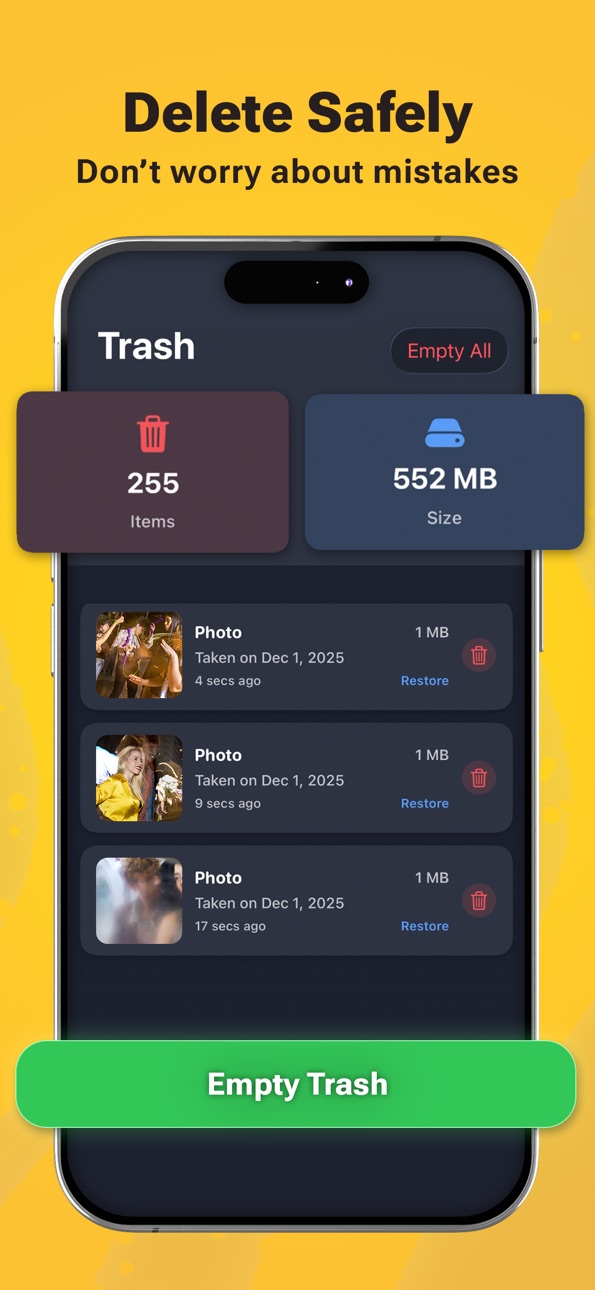
Deleted photos go to your Recently Deleted folder, giving you 30 days to recover anything. Nothing is permanently removed until you’re ready.
Privacy Policy: https://piczap.app/privacy/
Terms of Use: https://piczap.app/terms/
In-App Purchases US pricing
PicZap Pro Subscription
7 days 7-day free trial$7.99
Yearly 7-day free trial$19.99
7 days 3-day free trial$3.99
Monthly 3-day free trial$6.99
One-Time Purchases
PicZap Lifetime$39.99
Capabilities
In-App Purchases
Accessibility
ipadiphonemacrealityDevicetvoswatch
Version history 7 versions
Build 887203784v1.1.12026-06-20 16:42:39
Bug fixes & performance improvements
Build 883767301v1.1.02026-04-06 22:52:49
Bug Fixes & Performance Improvements
Build 882213397v1.0.92026-02-06 06:42:36
Bug Fixes & Performance Improvements
Build 881382416v1.0.82026-01-25 23:25:45
New features, Bug Fixes and Performance Improvements
Build 881231357v1.0.72026-01-08 11:38:19
New features, Bug Fixes and Performance Improvements
Build 880570413v1.0.62025-12-15 20:38:33
Stability and performance improvements.
Build 880089367v1.0.42025-12-10 16:53:52
Price history by region
Currency
Show
Columns
Search
Availability 1 of 1 storefronts
| Region | Language | Price | Ratings | Avg | Version |
|---|---|---|---|---|---|
| US | en-US | Free | 16 | 4.4 | 1.1.1 |
Change log 11 changes · US
✎
releaseNotes updated
Bug fixes & performance improvements
✎
description updated
Tired of your iPhone telling you that your storage is full… again?
You’re not alone. Most of us have thousands of photos in albums we’ll never look at, buried
✎
subtitle updated
Free Up Storage Phone Cleaner
✎
name updated
Swipe to Delete Photos: PicZap
◆
Version 1.1.1 released
Bug fixes & performance improvements
◆
Version 1.1.0 released
Bug Fixes & Performance Improvements
◆
Version 1.0.9 released
Bug Fixes & Performance Improvements
◆
Version 1.0.8 released
New features, Bug Fixes and Performance Improvements
◆
Version 1.0.7 released
New features, Bug Fixes and Performance Improvements
◆
Version 1.0.6 released
Stability and performance improvements.
◆
Version 1.0.4 released