Home › Books

 US
US
1 of 1 storefronts
Content in en-US
Content in en-US
Information
Preview 1 platform
iPhone 10 images




What’s New Version 1.1.6
Replacing App Store screenshots
Description
MyLibrary - Book Manager, Reading history management
Organize your precious collection with ease.
Turn your bookshelf into a beautifully organized personal library. MyLibrary helps you quickly add, manage, and explore your books and media — all privately on your device, with a convenient web viewer for large screens.
Complete Library Management
Add & Organize
• Add books via barcode scanning or manual entry
• Batch scanning mode for quick multi-book entry
• Supports multiple media types: books, eBooks, comics, manga, CDs, vinyl, DVDs, games, magazines
• Organize by custom locations and personal categories
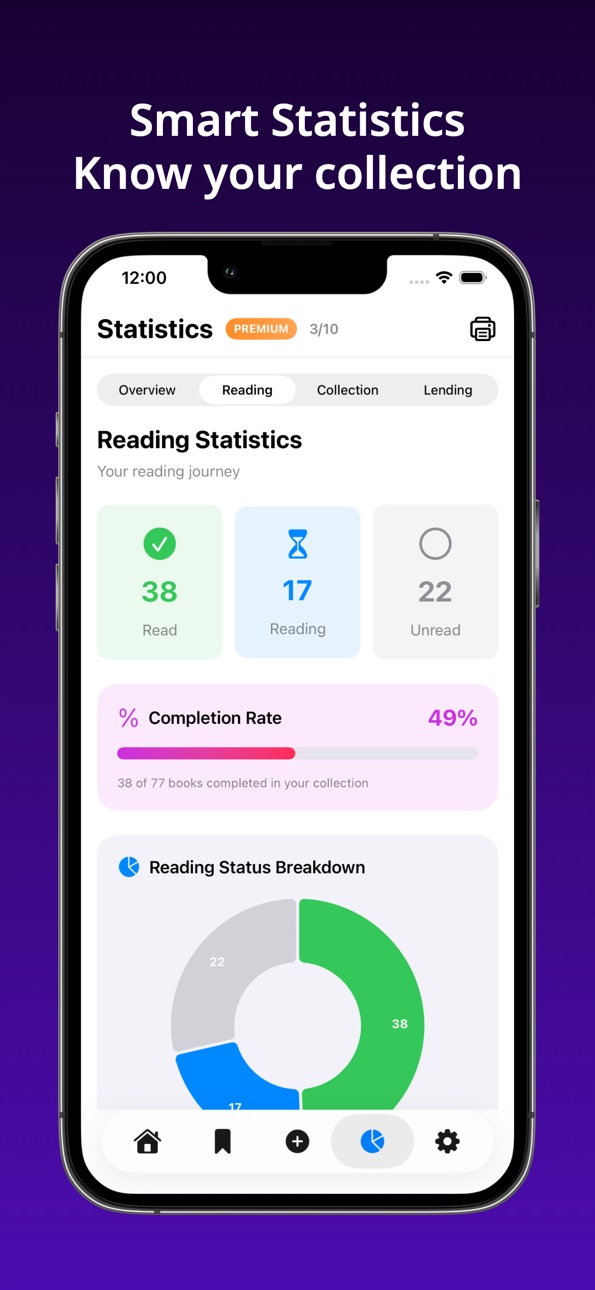
• Track reading status (Unread, Reading, Completed)
Advanced Features
• Lending Tracker – Manage book loans to friends with due date tracking and overdue alerts
• Wishlist – Save books you want to purchase with priority levels
• Detailed Statistics – View collection insights, reading progress, and lending activity
• Advanced Search – Powerful search with multiple filters across all fields
• PDF Export – Create beautiful PDF catalogs of your collection for sharing or printing
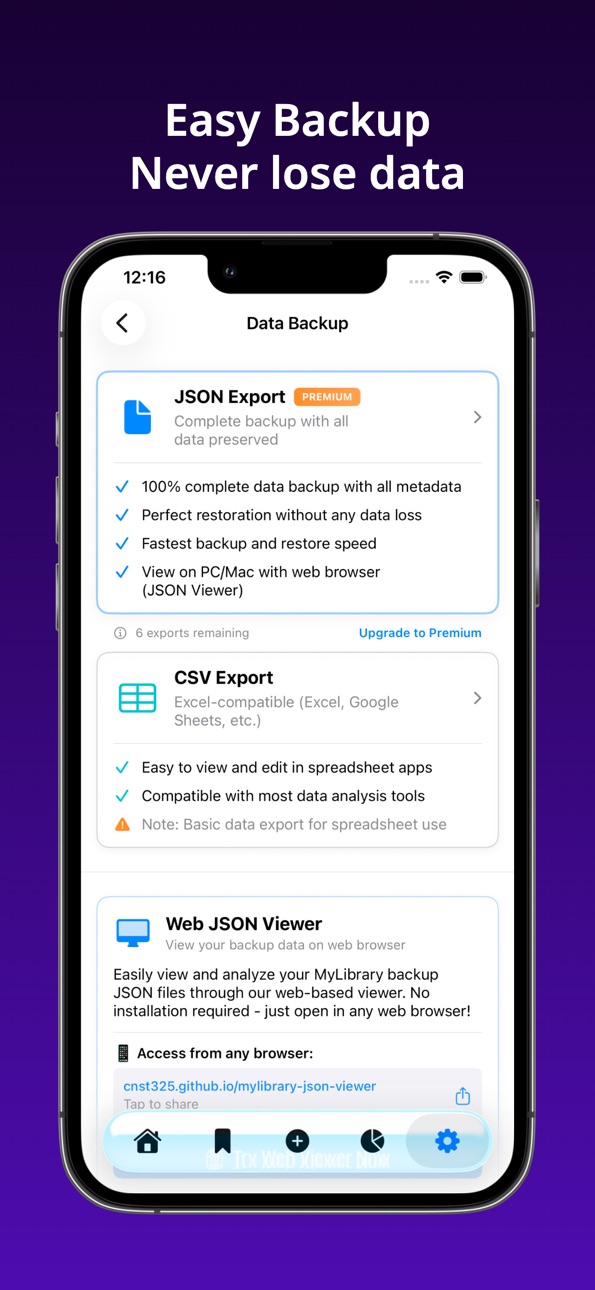
• Backup & Restore – Export to JSON or CSV format for safekeeping
Easy Information Entry
• Barcode scanning for instant ISBN recognition
• Batch scan mode for adding multiple books quickly
• Text search by title, author, or keyword
• Automatic book data from Google Books, Naver Books, OpenBD, and Open Library
• Manual entry option for detailed information
• Rich metadata support: authors, publishers, categories, page counts, prices, ratings, and more
• Automatic cover image retrieval with high-resolution support
View on Mac/PC/Tablet with Web JSON Viewer
• View your entire collection on a large screen using a browser-based JSON viewer
• No installation required – open directly in Chrome, Safari, Edge, or Firefox
• Load backup JSON files from the app and browse collection, wishlist, loans, borrowers, and locations
• Search, sort, and filter data comfortably on desktop or tablet
• Works across Windows, macOS, Linux, and mobile browsers
• All data processed locally in your browser – nothing is uploaded to any server
Personal Library Statistics
• Track your reading journey with detailed progress charts
• See collection composition by media type and category
• Monitor lending activity and identify your most-borrowed books
• Identify your favorite authors and publishers
• View price statistics and collection value
Lending Management
• Record who borrowed which book and when
• Set due dates and get overdue reminders
• Maintain borrower history and contact information
• Track most active borrowers and loan frequency
Export & Share
• PDF Export – Generate professional catalogs with cover images
• JSON Export – Full data backup with all metadata
• CSV Export – Spreadsheet-compatible format for analysis
• Share your collection or wishlist with others
Your Privacy, Your Data
• No account required – Works completely offline
• No cloud sync – Your library stays on your device
• Your data, your control – All information stored locally
• No tracking, no ads in your personal library
Premium Subscription
Unlock unlimited features with Premium subscription:
• Unlimited book collection
• Unlimited wishlist items
• Unlimited statistics views
• Advanced search without limits
• Unlimited data exports (PDF, JSON, CSV)
• Family Sharing supported — share with up to 5 family members
Terms of Use: https://www.apple.com/legal/internet-services/itunes/dev/stdeula/
Capabilities
In-App Purchases
Accessibility
ipadiphonemacrealityDevicetvoswatch
Version history 8 versions
Build 887194960v1.1.62026-06-21 18:36:50
Replacing App Store screenshots
Build 887078086v1.1.52026-06-17 18:31:57
Bug fixes
Build 886998886v1.1.42026-06-16 01:03:08
Statistics screen update
Build 886613381v1.1.32026-06-07 17:05:59
Added some localized languages
Build 883633475v1.1.22026-03-22 18:02:51
Feature improvements and language additions
Build 881895934v1.1.12026-01-27 22:06:21
Bug fixes
Build 880548097v1.1.02025-12-12 08:17:36
App feature improvements and added languages
Build 880074556v1.0.02025-12-04 21:53:33
No pricing data captured yet — comparisons appear once the app has paid storefronts or in-app purchases.
Availability 1 of 1 storefronts
| Region | Language | Price | Ratings | Avg | Version |
|---|---|---|---|---|---|
| US | en-US | Free | 3 | 5.0 | 1.1.6 |
Change log 12 changes · US
✎
releaseNotes updated
Replacing App Store screenshots
✎
description updated
MyLibrary - Book Manager, Reading history management
Organize your precious collection with ease.
Turn your bookshelf into a beautifully organized personal li
✎
subtitle updated
Book & reading history manager
✎
name updated
MyLibrary - Book Manager
◆
Version 1.1.6 released
Replacing App Store screenshots
◆
Version 1.1.5 released
Bug fixes
◆
Version 1.1.4 released
Statistics screen update
◆
Version 1.1.3 released
Added some localized languages
◆
Version 1.1.2 released
Feature improvements and language additions
◆
Version 1.1.1 released
Bug fixes
◆
Version 1.1.0 released
App feature improvements and added languages
◆
Version 1.0.0 released