Home › Travel

Information
Preview 2 platforms
iPhone 5 images



iPad 6 images




What’s New Version 1.16.0
What’s New
- You can now build richer guest lists with ticket types, seat assignments, cutoffs, request settings, filtering, exports, and printable views.
- You can now manage travel parties from the team members page.
- You can now add Bag Tag numbers to rooming lists and export rooming lists as CSV files.
What’s Improved
- Added team member search and a desktop refresh control for faster navigation.
- Improved set list export formatting.
Fixes
- Fixed an issue where the “today” shortcut could open the wrong route.
- Restored notes and memo details on mobile schedule cards.
Description
Offline-first logistics for touring professionals. Build schedules, manage days, venues, hotels, and guests — all from your device.
=====
RoadOps is a modern logistics platform built for touring professionals who need clarity, reliability, and speed — even when there’s no signal.
Designed for tour managers, production managers, and crews on the move, RoadOps keeps everyone aligned with a single source of truth for schedules, travel, lodging, venues, and guests. It’s mobile-first, offline-capable, and built for the real world of touring.
=====
BUILT FOR THE ROAD
Create and manage everything directly from your phone or tablet — not just view them. RoadOps works even without internet access and automatically syncs when you’re back online.
=====
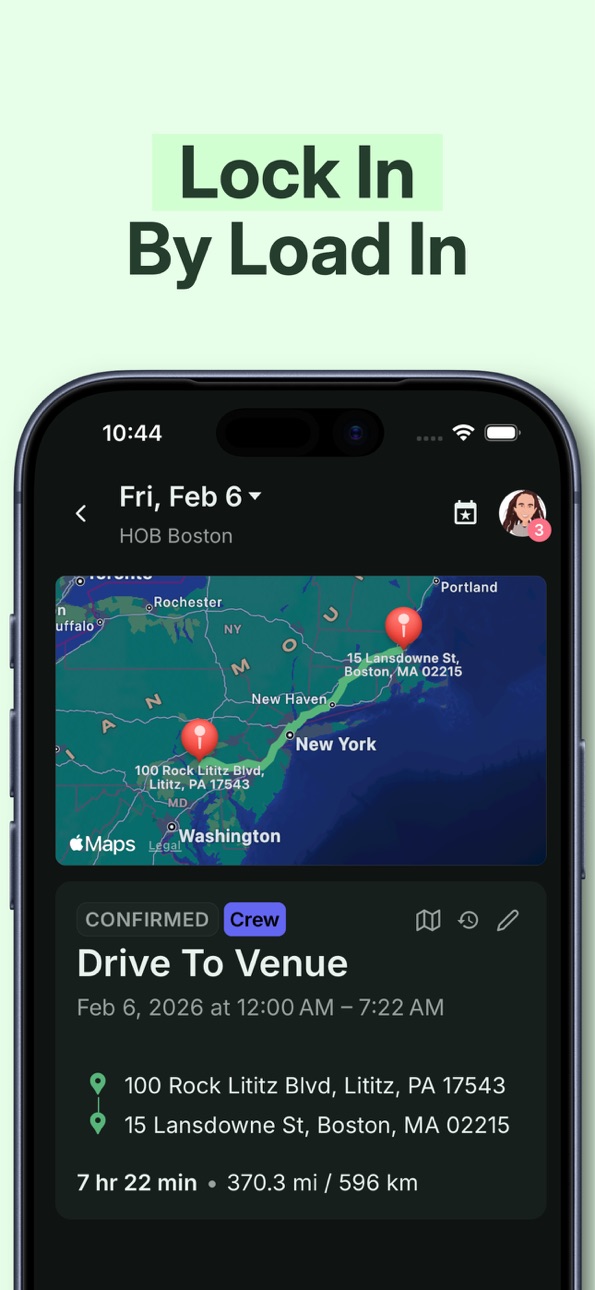
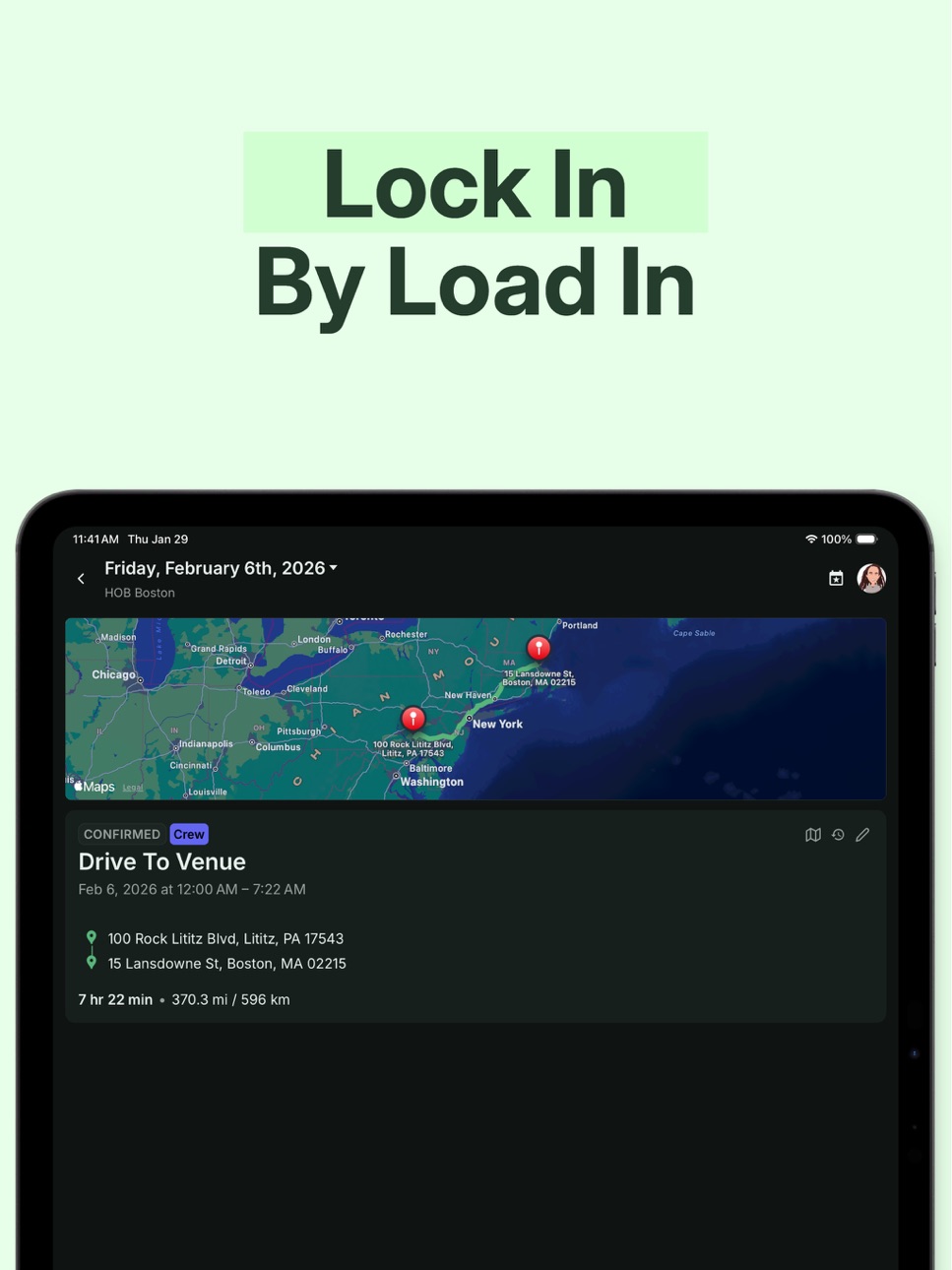
CLEAR, STRUCTURED SCHEDULES
Organize each day with detailed schedules, locations, notes, and timing. Everyone sees exactly where they need to be and when — no guesswork, no scattered PDFs.
=====
TRAVEL & LODGING IN ONE PLACE
Track hotels, addresses, confirmations, and notes alongside your daily plans so nothing gets lost between emails and texts.
=====
POWERFUL GUEST LISTS
Manage counts, pass types, cutoffs, approvals, and generate guest list reports — all from your mobile device.
=====
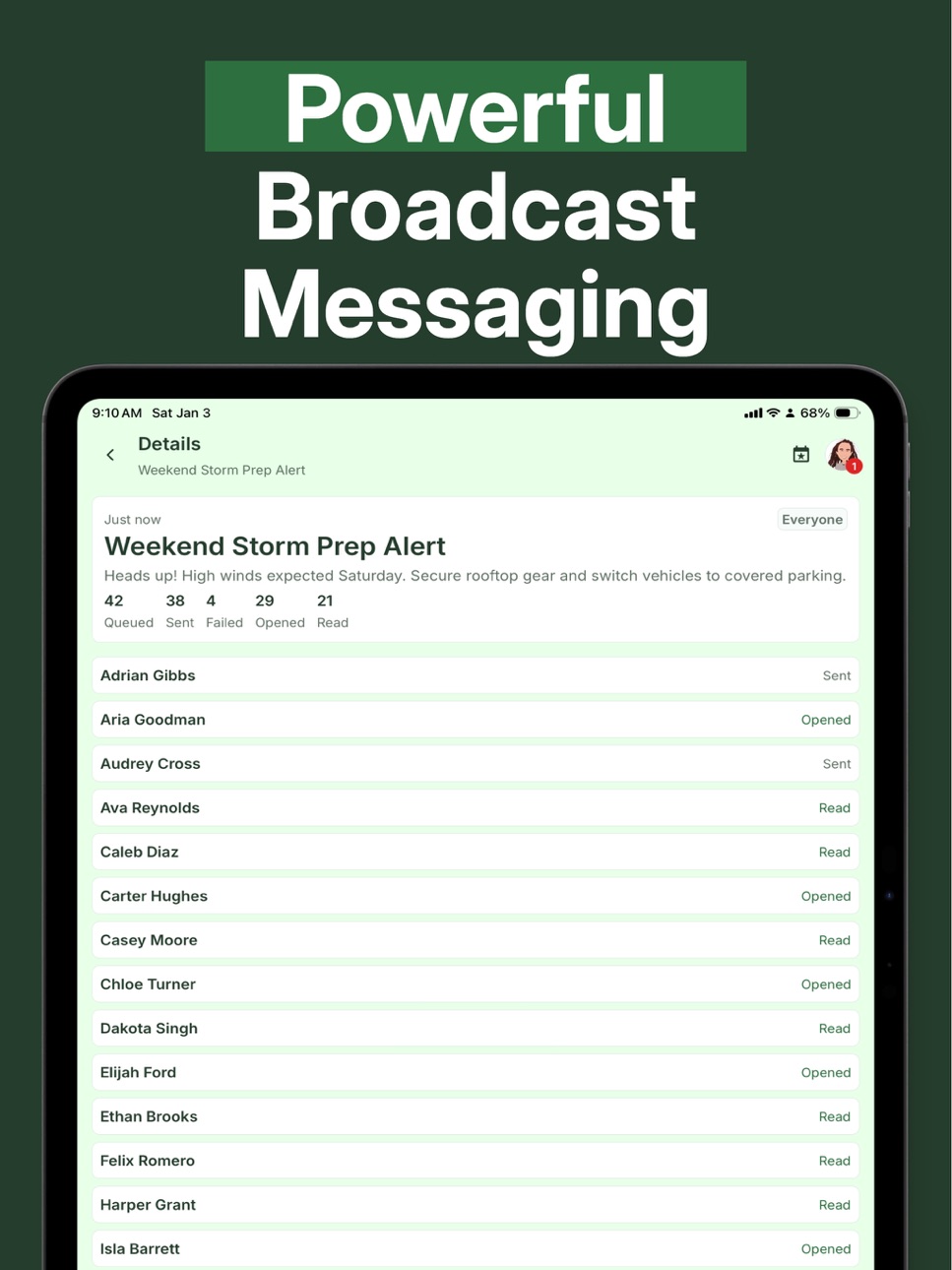
ACTIVITY FEED
See what’s changed at a glance. The activity feed shows updates across an entire day or a single item, keeping the whole team informed without endless messages.
=====
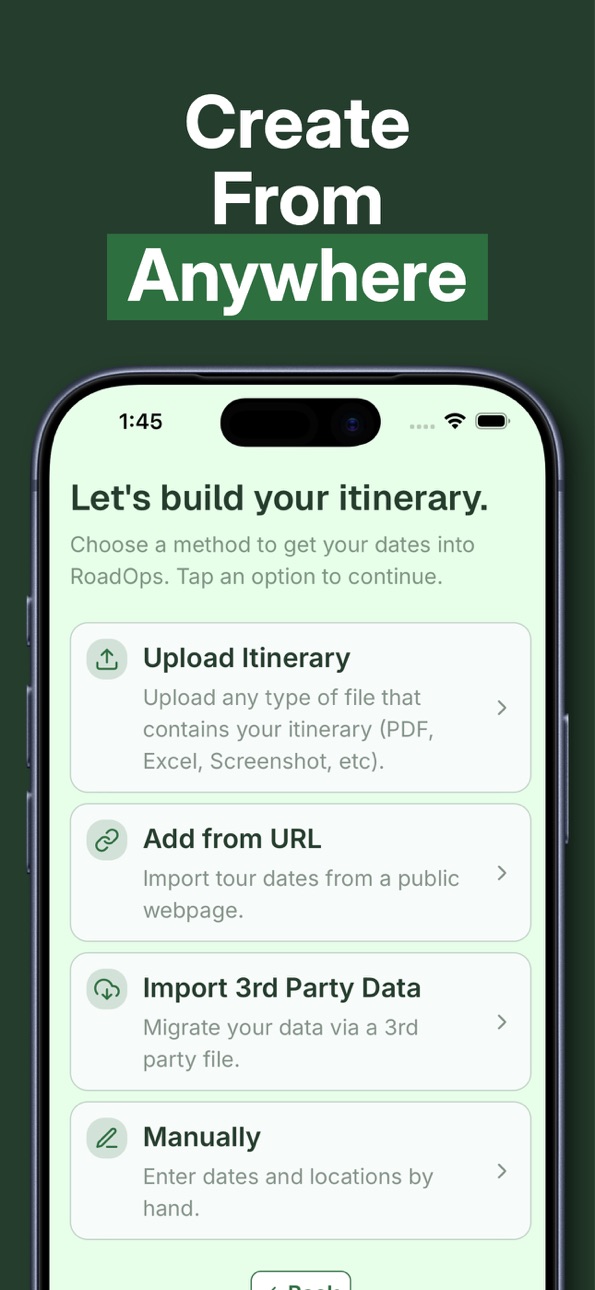
EASY IMPORTS
Bring existing schedules into RoadOps:
• Upload itineraries or confirmations for AI-assisted parsing
• Copy/Paste text schedules into AI to import them to your itinerary
• Forward itineraries, flight confirmations, or hotel confirmations to plans@roadops.app
=====
BUILT FOR TEAMS
Managers can create and update plans while crew members get read-only access to exactly what they need. Add or remove team members anytime.
=====
MODULAR BY DESIGN
RoadOps is built to adapt — whether you’re touring music, working in film, sports, or any travel-heavy production environment.
=====
WHY ROADOPS?
Because touring doesn’t happen at a desk, with perfect Wi-Fi, or time to hunt through email threads. RoadOps is built for the realities of the road.
Plan confidently. Share clearly. Stay synced — anywhere.
Accessibility
ipadiphonemacrealityDevicetvoswatch
Version history 25 versions
Build 887599093v1.16.02026-06-30 09:49:48
What’s New
- You can now build richer guest lists with ticket types, seat assignments, cutoffs, request settings, filtering, exports, and printable views.
- You can now manage travel parties from the team members page.
- You can now add Bag Tag numbers to rooming lists and export rooming lists as CSV files.
What’s Improved
- Added team member search and a desktop refresh control for faster navigation.
- Improved set list export formatting.
Fixes
- Fixed an issue where the “today” shortcut could open the wrong route.
- Restored notes and memo details on mobile schedule cards.
Build 887342798v1.15.22026-06-24 11:06:08
What’s Improved
- Improved photo picking and image saving so RoadOps asks for only the access it needs.
- Updated inbox messaging so review states apply cleanly across supported integrations.
Fixes
- Fixed an issue where the sidebar calendar could briefly highlight a different day than the selected schedule day.
- Fixed startup timing so local data is not used before the workspace is ready.
Build 887163502v1.15.12026-06-20 15:01:38
What’s New
- Admins can now use View As to preview another team member’s schedule view.
- You can now bulk delete schedule items from a day.
- Added more map actions, including easier options for opening routes and locations.
What’s Improved
- Improved map layouts and zoom behavior across phone, tablet, desktop, and offline views.
- Improved team selection, settings, and invitation flows so common actions are easier to find.
Fixes
- Fixed day sheet printing page breaks on web.
- Fixed issues with startup, cloud reachability, database reset timing, and tech pack import jitter.
Build 886886220v1.15.02026-06-13 19:45:09
What’s New
- You can now use the Optimists travel partner integration in RoadOps.
What’s Improved
- Improved app startup, team selection, and organization switching speed.
- Optimized the Overview tab layout for easier scanning.
- Embedded maps now follow the app’s light or dark mode.
Fixes
- Fixed offline refresh issues that could temporarily hide dashboard, schedule, or venue details.
- Fixed stale organizations or stale app data resurfacing after sync.
- Fixed Travel tab visibility in certain scenarios.
Build 886596195v1.14.02026-06-06 16:17:47
What’s New
- You can now add venue photos, take photos from the mobile camera, and choose a primary venue photo.
- You can now choose a 12-hour or 24-hour time display and filter schedule views.
What’s Improved
- Tech pack imports can now find and suggest venue photos with better photo matching and tagging.
- Image viewing is smoother with full-screen day image previews, pinch-to-zoom, and faster photo loading.
Fixes
- Fixed an issue where image downloads could fail in the web app.
- Fixed issues around sharing photos and opening files after recent app updates.
Build 886393828v1.13.02026-06-01 23:34:08
What’s New
- You can now import venue tech packs from files, URLs, and shared documents to build venue details faster.
- You can now attach venue files and import set list items from CSV.
What’s Improved
- Improved venue pages with clearer layouts, editable detail lists, better location lookup, and more accurate imperial measurements.
- Improved itinerary, lodging, email, and tech pack imports so larger files, PDFs, multi-day schedules, and multiple attachments are handled more reliably.
Fixes
- Fixed sync issues that could leave some rescheduled days or moved lodging items out of date.
- Fixed venue sharing, contact formatting, and import errors that could create duplicate text or miss useful venue details.
Build 886077488v1.12.12026-05-26 15:02:10
What’s New
- Added in-app uploads for flight and lodging confirmations, including grids, with a preview before saving.
What’s Improved
- Improved travel and lodging extraction for multi-day flights, multi-room hotels, and grid-based documents.
- Lodging lists now preserve saved hotel names and show check-in/check-out labels correctly.
Fixes
- Fixed hidden characters in pasted or imported phone numbers so valid numbers are accepted.
- Fixed imported hotel room counts so rooming-list rows appear immediately.
Build 886157177v1.12.22026-05-26 18:00:00
What’s New
- Admins can now turn Activity Feed on or off for each team.
What’s Improved
- Public URL imports now capture more content from lazy-loaded itinerary pages.
- Spreadsheet and team member CSV imports handle time-only Excel columns, labeled email/phone fields, and Excel text-formula cells more reliably.
Fixes
- Fixed overlapping weather labels for post-midnight hours on the schedule timeline.
Build 886033052v1.12.02026-05-23 20:02:28
What’s New
- You can now copy a full day to quickly reuse schedule details, lodging, events, notes, links, and related items.
- Team member CSV imports now support mapping columns from your file, including phone numbers, before sending invites.
What’s Improved
- Improved rooming list editing with clearer controls when updating existing rooms.
- Expired invitations are now handled automatically so invitation lists and seat counts stay current.
Fixes
- Fixed an issue where venue-only day sheet exports could show the wrong venue header.
Build 885834260v1.11.02026-05-19 16:05:32
What’s New
- You can now set automatic removal dates for team members.
What’s Improved
- Improved notes spacing and compatibility across devices.
- Improved schedule changes so rescheduled days and overnight items stay aligned.
Fixes
- Fixed a web layout issue where the calendar toggle could overlap nearby controls.
- Fixed PDF page breaks for venue blocks in day sheets.
- Fixed sync reliability to avoid no-change sync errors.
Build 885593069v1.10.22026-05-13 20:29:51
What’s New
- Desktop date fields now use a full calendar picker for easier date selection.
What’s Improved
- Drive memo lines now show cleaner location summaries instead of repeating full street addresses.
Fixes
- Fixed sharing and export actions on desktop and iPad.
- Fixed drive item timezones when timezone fields are hidden.
Build 885387948v1.10.12026-05-07 22:55:28
What’s New
- Import itinerary details from a public URL of tour dates.
- View day-by-day upcoming weather forecasts.
What’s Improved
- Team Connect invites are easier for new users to accept and finish setup.
Fixes
- Fixed an issue where the copy-to schedule list was hard to use on larger devices.
Build 885211733v1.9.22026-05-05 19:06:41
What’s New
- You can now jump directly to a specific month and year from the calendar.
What’s Improved
- Improved calendar sync performance for larger schedules.
Fixes
- Fixed note spacing so blank lines display correctly.
- Fixed calendar sync overload when quickly switching months.
Build 885302117v1.9.32026-05-05 23:17:09
What’s New
- You can now switch the Calendar to a full-year view and export calendar details.
- Schedule items now open in an overlay so you can add or edit without leaving the current day view.
What’s Improved
- Revised desktop time entry fields to avoid spinner controls.
- Improved schedule drag, click, and rescheduling interactions.
- Improved scrolling on larger profile pages.
- Improved scrolling and larger freeform text entry when importing schedule details.
Fixes
- Fixed the initial selected date on copy and paste screens.
- Fixed team invitation handling for users waiting on the initial screen.
- Fixed new schedule item titles being auto-capitalized unexpectedly.
Build 885159222v1.9.12026-05-01 17:15:47
Fixes
- Fixed an issue where manually creating days could save duplicate days at the end of the flow.
- Fixed set list empty-state messaging for team members who cannot add events.
Build 884929499v1.9.02026-04-26 23:09:56
What’s New
- Added Set Lists, including a Set List Library, favorites, exporting, copying, and personal notes.
What’s Improved
- Improved note editing and copy/paste behavior when working with notes in the app.
- Improved timeline layout so very short items display more cleanly.
Fixes
- Fixed an issue where updating the app could send you to a blank organization or make an organization look empty until data refreshed.
- Fixed an issue in Create Days where non-admin team members could appear as available creators when they should not.
Build 884567392v1.8.22026-04-16 16:23:55
What’s New
- Choose which screen opens first when you launch the app.
- Set how times are displayed to match your preferred format.
What’s Improved
- Calendar navigation is now faster and more responsive.
Fixes
- Fixed flight schedules that cross the international date line.
Build 884511685v1.8.02026-04-14 20:32:34
What’s New
- Save favorite schedules and locations to reuse across days.
- Added Mental Health resources, including CORE 12 tools and SNDCHK SESH booking.
What’s Improved
- Clearer timezone labels across day schedules.
- Faster, more efficient syncing and loading.
Fixes
- Fixed issues when editing schedule item times.
- Fixed calendar access for some group members and improved sync reliability.
Build 884518810v1.8.12026-04-14 22:43:15
What’s New
- You can now choose your app language in Settings.
What’s Improved
- Dates, times, and labels in day and lodging views now better match your language settings.
Fixes
- Fixed several incorrect or missing translated labels throughout the app.
- Fixed rooming list text layout issues so key column headings are easier to read.
Build 884334730v1.7.02026-04-09 22:00:31
What’s New
- You can now import team members from a CSV, preview the results, and send invitations in bulk.
What’s Improved
- Improved the combined month and list sidebar view so the calendar and day list stay in sync and nearby dates are easier to navigate.
- Improved the schedule timeline on larger screens so plans are easier to read.
Fixes
- Fixed an issue where profile photo uploads could fail.
- Fixed an issue where some RoadOps links did not open correctly.
Build 884173078v1.6.02026-04-05 23:45:36
What’s New
- You can now add, edit, copy, and share labor calls on events and day sheets.
What’s Improved
- Improved the day overview experience with smoother map scrolling, clearer selected states, and better performance on busy schedules.
- Improved in-app review prompts and app store review links.
Fixes
- Fixed an issue where time fields could shift if your device timezone changed while the app was open.
- Fixed issues affecting day date changes on mobile, contacts during rooming list or labor call updates, and post-update database/startup reliability.
Build 884023348v1.5.12026-04-01 19:15:05
What’s New
- You can now review venue matches before importing an itinerary.
- Itinerary imports now bring in schedule items and notes.
What’s Improved
- Venue search gives more relevant results when creating or updating events.
- Large itinerary uploads are processed more smoothly with clearer progress updates.
Fixes
- Fixed an issue where the selected day could get out of sync while navigating.
- Fixed a session refresh issue that could sign you out unexpectedly.
Build 883938560v1.5.02026-03-31 16:23:20
What’s New
- Added day visibility controls so admins can choose who can view specific days.
- Added day sidebar on larger devices for easier navigation
- Added CoTour travel agent integration for incoming flight adds, changes, and removals.
What’s Improved
- Improved flight details for multi-leg and overnight travel.
Fixes
- Fixed logo uploads when selecting logo files on certain devices.
- Fixed imported flights landing on the wrong day in some cases.
- Fixed notification issues that could cause items to stick or duplicate.
Build 883665585v1.4.22026-03-23 21:53:44
What’s New
- You can now copy schedule items to another day and adjust the copied times at the same time.
- Added a bright red color option for days and schedule items.
What’s Improved
- Day Sheets are easier to read with cleaner notes and better venue details.
- Venue details are now easier to scan.
Fixes
- Fixed a lodging date issue that could block valid check-in and check-out details.
- Fixed note formatting on the overview screen so spacing displays correctly.
Build 883506469v1.4.12026-03-18 20:35:17
What’s Improved
- Drive time estimates are more reliable.
- Failed drive-time lookups are clearer and easier to retry.
- Editing schedule items is smoother on mobile when the keyboard is open.
Fixes
- Fixed an issue where custom day colors could be lost when saving a newly created date.
- Fixed visibility lists so you can scroll through results more reliably.
- Fixed team logos in day sheet exports on devices.
No pricing data captured yet — comparisons appear once the app has paid storefronts or in-app purchases.
Availability 32 of 32 storefronts
| Region | Language | Price | Ratings | Avg | Version |
|---|---|---|---|---|---|
 US US | en-US | Free | 26 | 5.0 | 1.16.0 |
 AO AO | en-GB | Free | 0 | — | 1.16.0 |
 BF BF | en-GB | Free | 0 | — | 1.16.0 |
 BJ BJ | en-GB | Free | 0 | — | 1.16.0 |
 BW BW | en-GB | Free | 0 | — | 1.16.0 |
 CD CD | en-GB | Free | 0 | — | 1.16.0 |
 CG CG | en-GB | Free | 0 | — | 1.16.0 |
 CI CI | fr-FR | Free | 0 | — | 1.16.0 |
 CM CM | fr-FR | Free | 0 | — | 1.16.0 |
 CV CV | en-GB | Free | 0 | — | 1.16.0 |
 DZ DZ | en-GB | Free | 0 | — | 1.16.0 |
 GA GA | fr-FR | Free | 0 | — | 1.16.0 |
 GH GH | en-GB | Free | 0 | — | 1.16.0 |
 GW GW | en-GB | Free | 0 | — | 1.16.0 |
 KE KE | en-GB | Free | 0 | — | 1.16.0 |
 LY LY | en-GB | Free | 0 | — | 1.16.0 |
 MA MA | en-GB | Free | 0 | — | 1.16.0 |
 MG MG | en-GB | Free | 0 | — | 1.16.0 |
 ML ML | en-GB | Free | 0 | — | 1.16.0 |
 MU MU | en-GB | Free | 0 | — | 1.16.0 |
 MZ MZ | en-GB | Free | 0 | — | 1.16.0 |
 NA NA | en-GB | Free | 0 | — | 1.16.0 |
 NE NE | en-GB | Free | 0 | — | 1.16.0 |
 NG NG | en-GB | Free | 0 | — | 1.16.0 |
 SN SN | en-GB | Free | 0 | — | 1.16.0 |
 ST ST | en-GB | Free | 0 | — | 1.16.0 |
 TD TD | en-GB | Free | 0 | — | 1.16.0 |
 TN TN | en-GB | Free | 0 | — | 1.16.0 |
 TZ TZ | en-GB | Free | 0 | — | 1.16.0 |
 UG UG | en-GB | Free | 0 | — | 1.16.0 |
 ZM ZM | en-GB | Free | 0 | — | 1.16.0 |
 ZW ZW | en-GB | Free | 0 | — | 1.16.0 |
Change log 29 changes · US
✎
releaseNotes updated
What’s New
- You can now build richer guest lists with ticket types, seat assignments, cutoffs, request settings, filtering, exports, and printable views.
- You
✎
description updated
Offline-first logistics for touring professionals. Build schedules, manage days, venues, hotels, and guests — all from your device.
=====
RoadOps is a modern
✎
subtitle updated
Plan. Share. Execute.
✎
name updated
RoadOps Tour Management
◆
Version 1.16.0 released
What’s New
- You can now build richer guest lists with ticket types, seat assignments, cutoffs, request settings, filtering, exports, and printable views.
- You can now manage travel parties from the team members page.
- You can now add Bag
◆
Version 1.15.2 released
What’s Improved
- Improved photo picking and image saving so RoadOps asks for only the access it needs.
- Updated inbox messaging so review states apply cleanly across supported integrations.
Fixes
- Fixed an issue where the sidebar calend
◆
Version 1.15.1 released
What’s New
- Admins can now use View As to preview another team member’s schedule view.
- You can now bulk delete schedule items from a day.
- Added more map actions, including easier options for opening routes and locations.
What’s Improv
◆
Version 1.15.0 released
What’s New
- You can now use the Optimists travel partner integration in RoadOps.
What’s Improved
- Improved app startup, team selection, and organization switching speed.
- Optimized the Overview tab layout for easier scanning.
- Embedded
◆
Version 1.14.0 released
What’s New
- You can now add venue photos, take photos from the mobile camera, and choose a primary venue photo.
- You can now choose a 12-hour or 24-hour time display and filter schedule views.
What’s Improved
- Tech pack imports can now
◆
Version 1.13.0 released
What’s New
- You can now import venue tech packs from files, URLs, and shared documents to build venue details faster.
- You can now attach venue files and import set list items from CSV.
What’s Improved
- Improved venue pages with clearer
◆
Version 1.12.2 released
What’s New
- Admins can now turn Activity Feed on or off for each team.
What’s Improved
- Public URL imports now capture more content from lazy-loaded itinerary pages.
- Spreadsheet and team member CSV imports handle time-only Excel column
◆
Version 1.12.1 released
What’s New
- Added in-app uploads for flight and lodging confirmations, including grids, with a preview before saving.
What’s Improved
- Improved travel and lodging extraction for multi-day flights, multi-room hotels, and grid-based docume
◆
Version 1.12.0 released
What’s New
- You can now copy a full day to quickly reuse schedule details, lodging, events, notes, links, and related items.
- Team member CSV imports now support mapping columns from your file, including phone numbers, before sending invi
◆
Version 1.11.0 released
What’s New
- You can now set automatic removal dates for team members.
What’s Improved
- Improved notes spacing and compatibility across devices.
- Improved schedule changes so rescheduled days and overnight items stay aligned.
Fixes
- Fi
◆
Version 1.10.2 released
What’s New
- Desktop date fields now use a full calendar picker for easier date selection.
What’s Improved
- Drive memo lines now show cleaner location summaries instead of repeating full street addresses.
Fixes
- Fixed sharing and export
◆
Version 1.10.1 released
What’s New
- Import itinerary details from a public URL of tour dates.
- View day-by-day upcoming weather forecasts.
What’s Improved
- Team Connect invites are easier for new users to accept and finish setup.
Fixes
- Fixed an issue where
◆
Version 1.9.3 released
What’s New
- You can now switch the Calendar to a full-year view and export calendar details.
- Schedule items now open in an overlay so you can add or edit without leaving the current day view.
What’s Improved
- Revised desktop time entry
◆
Version 1.9.2 released
What’s New
- You can now jump directly to a specific month and year from the calendar.
What’s Improved
- Improved calendar sync performance for larger schedules.
Fixes
- Fixed note spacing so blank lines display correctly.
- Fixed calend
◆
Version 1.9.1 released
Fixes
- Fixed an issue where manually creating days could save duplicate days at the end of the flow.
- Fixed set list empty-state messaging for team members who cannot add events.
◆
Version 1.9.0 released
What’s New
- Added Set Lists, including a Set List Library, favorites, exporting, copying, and personal notes.
What’s Improved
- Improved note editing and copy/paste behavior when working with notes in the app.
- Improved timeline layout s
◆
Version 1.8.2 released
What’s New
- Choose which screen opens first when you launch the app.
- Set how times are displayed to match your preferred format.
What’s Improved
- Calendar navigation is now faster and more responsive.
Fixes
- Fixed flight schedules th
◆
Version 1.8.1 released
What’s New
- You can now choose your app language in Settings.
What’s Improved
- Dates, times, and labels in day and lodging views now better match your language settings.
Fixes
- Fixed several incorrect or missing translated labels throu
◆
Version 1.8.0 released
What’s New
- Save favorite schedules and locations to reuse across days.
- Added Mental Health resources, including CORE 12 tools and SNDCHK SESH booking.
What’s Improved
- Clearer timezone labels across day schedules.
- Faster, more effic
◆
Version 1.7.0 released
What’s New
- You can now import team members from a CSV, preview the results, and send invitations in bulk.
What’s Improved
- Improved the combined month and list sidebar view so the calendar and day list stay in sync and nearby dates are
◆
Version 1.6.0 released
What’s New
- You can now add, edit, copy, and share labor calls on events and day sheets.
What’s Improved
- Improved the day overview experience with smoother map scrolling, clearer selected states, and better performance on busy schedules
◆
Version 1.5.1 released
What’s New
- You can now review venue matches before importing an itinerary.
- Itinerary imports now bring in schedule items and notes.
What’s Improved
- Venue search gives more relevant results when creating or updating events.
- Large it
◆
Version 1.5.0 released
What’s New
- Added day visibility controls so admins can choose who can view specific days.
- Added day sidebar on larger devices for easier navigation
- Added CoTour travel agent integration for incoming flight adds, changes, and removals.
◆
Version 1.4.2 released
What’s New
- You can now copy schedule items to another day and adjust the copied times at the same time.
- Added a bright red color option for days and schedule items.
What’s Improved
- Day Sheets are easier to read with cleaner notes and
◆
Version 1.4.1 released
What’s Improved
- Drive time estimates are more reliable.
- Failed drive-time lookups are clearer and easier to retry.
- Editing schedule items is smoother on mobile when the keyboard is open.
Fixes
- Fixed an issue where custom day colors