Home › Photo & Video

 US
US
1 of 1 storefronts
Content in en-US
Content in en-US
Information
Preview 2 platforms
iPhone 6 images


iPad 4 images


What’s New Version 1.0.2
Bug fixes
Description
Mirashare for TV is the ultimate all-in-one screen mirroring and casting app that helps you connect your iPhone or iPad to any smart TV effortlessly. Enjoy smooth Miracast, AirPlay mirroring, full-screen casting, and high-quality media streaming with zero setup.
Mirror your phone screen, cast photos, videos, music, documents, or stream your favorite online content — all in one powerful and easy-to-use app.
Key Features
• Screen Mirroring – Mirror your iPhone/iPad screen to any TV in real time
• Miracast Support – Connect instantly with TVs that support Miracast
• AirPlay Casting – Fast & stable AirPlay mirror to compatible devices
• Cast Photos & Videos – Cast your personal media in full HD
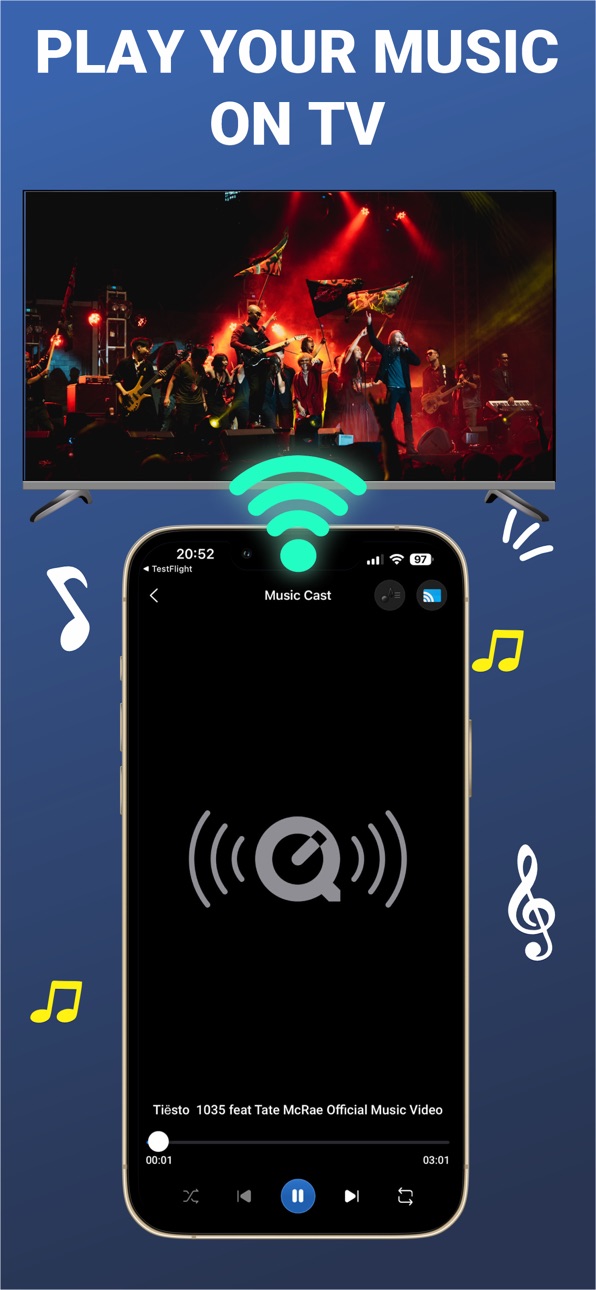
• Music & MP3 Casting – Play music from your phone directly on your TV
• Cast PDF, PPT, DOC, XLS – Present documents wirelessly
• Web Browser Cast – Cast any website to your TV
• YouTube Trending – Browse & cast trending videos instantly
• IPTV Player – Load your IPTV playlist and stream to TV
• Camera Live Stream – Use your device as a live camera feed
• Import & Cast Files – Import from your gallery, Files, cloud…
• Fast Connection • Zero Lag • No Setup Required
Perfect for
• TV presentations
• Online classes
• Watching movies & home entertainment
• Gaming mirroring
• Casting videos & music
• Business meetings & slideshows
Why users love Mirashare for TV
• Works with most Smart TVs
• Smooth mirroring with low latency
• Supports multiple casting standards (Miracast, DLNA, AirPlay)
• Clean UI, easy for everyone
• No cables needed
If you're looking for the fastest and most reliable miracast, screen mirroring, or screen share app — Mirashare for TV is the perfect choice.
Subscription:
- Payment will be charged to iTunes Account at confirmation of purchase
- Subscriptions will automatically renew unless you choose to disable auto-renewal at least 24 hours before the end of the current subscription period.
- Account will be charged for renewal within 24-hours prior to the end of the current period, and identify the cost of the renewal
- Subscriptions may be managed by the user and auto-renewal may be turned off by going to the user's Account Settings after purchase
- Any unused portion of a free trial period will be forfeited when the user purchases a subscription to that publication, where applicable
Privacy & Policy
https://mirashare-for-tv.web.app/mirashare/privacy.html
Terms of Use
https://mirashare-for-tv.web.app/mirashare/term.html
Capabilities
In-App Purchases
Accessibility
ipadiphonemacrealityDevicetvoswatch
Version history 3 versions
Build 887477926v1.0.22026-06-26 20:43:11
Bug fixes
Build 886300745v1.0.12026-05-29 20:43:25
Screen Mirroring improvements
Build 879943477v1.02025-11-25 13:38:10
No pricing data captured yet — comparisons appear once the app has paid storefronts or in-app purchases.
Availability 1 of 1 storefronts
| Region | Language | Price | Ratings | Avg | Version |
|---|---|---|---|---|---|
| US | en-US | Free | 1 | 5.0 | 1.0.2 |
Change log 7 changes · US
✎
releaseNotes updated
Bug fixes
✎
description updated
Mirashare for TV is the ultimate all-in-one screen mirroring and casting app that helps you connect your iPhone or iPad to any smart TV effortlessly. Enjoy smoo
✎
subtitle updated
Miracast & Screen Mirroring
✎
name updated
Mirashare for TV
◆
Version 1.0.2 released
Bug fixes
◆
Version 1.0.1 released
Screen Mirroring improvements
◆
Version 1.0 released