Home › Finance

Tally AI: Expense Tracker
Receipt Scanner, Budget App
#6755501884In-App Purchases
Screenshots 1 platform
iPhone 6 shots · full-res
Description
[THE PAIN POINT]
Have you tried keeping a budget but quit because manual entry was too tedious?
Does facing complex categories and endless numbers make bookkeeping feel like a burden?
[THE SOLUTION]
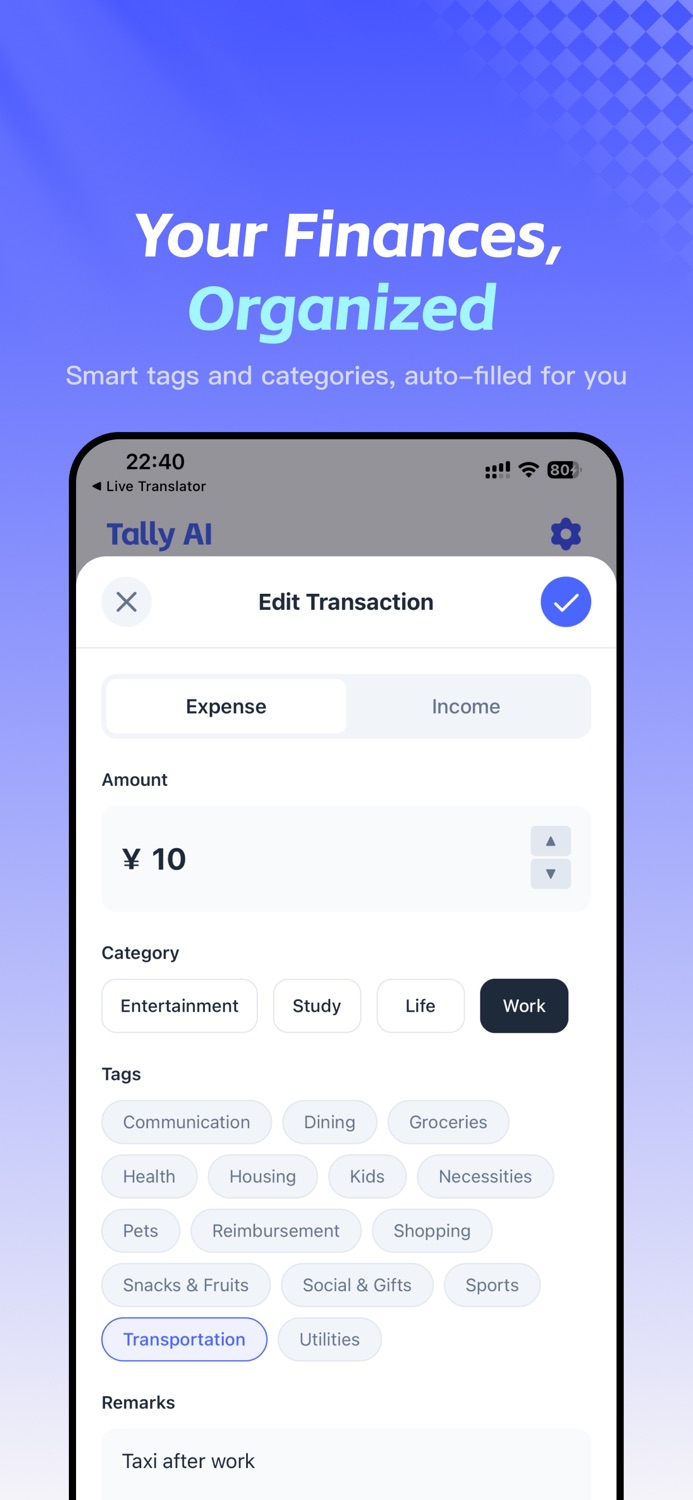
Meet Tally AI, your intelligent financial assistant. We utilize advanced AI to simplify the bookkeeping process to the absolute limit. No typing, no manual sorting—just let AI handle it.
[CORE FEATURES]
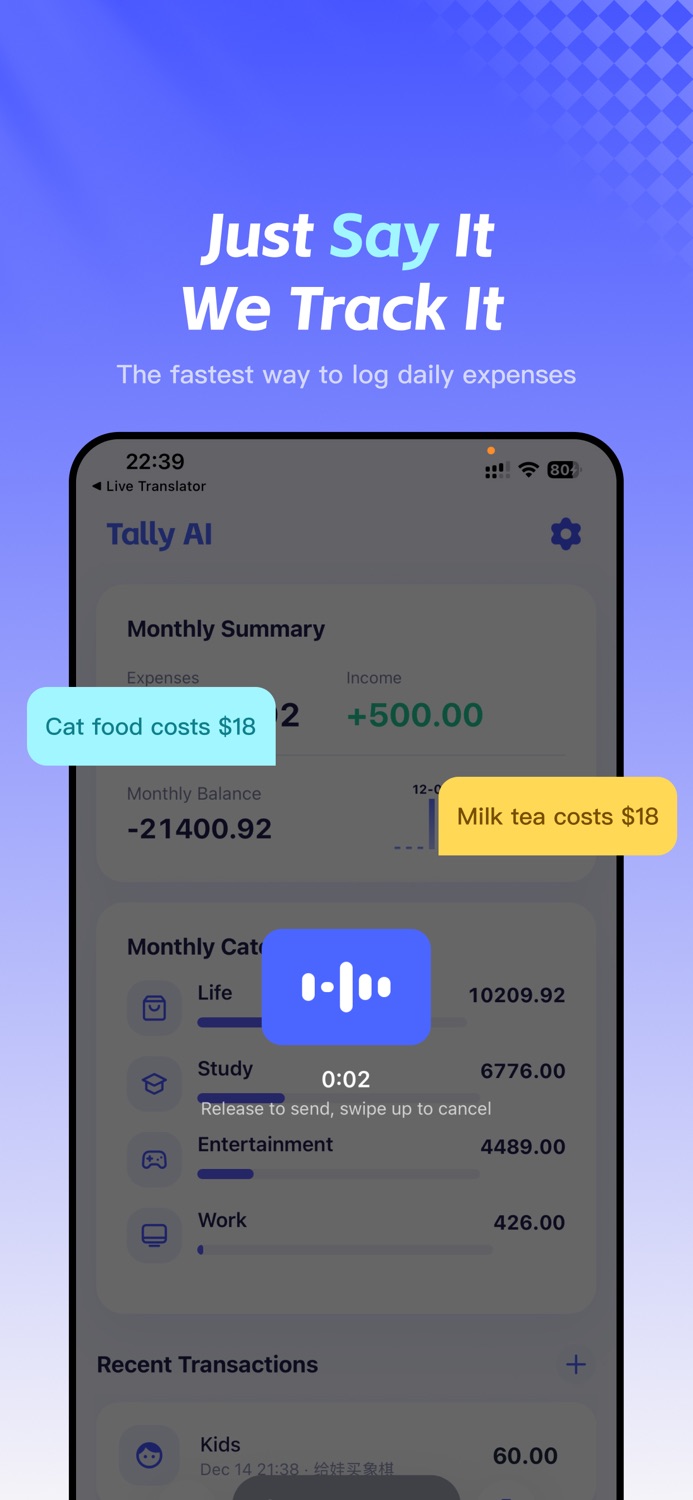
● Lightning Voice Entry (Multi-item Support)
Just speak naturally: "Spent $15 on breakfast and $35 on gas."
AI instantly understands, splits the transaction into two separate records, and automatically fills in the amount, category, and time. Speak, don't type.
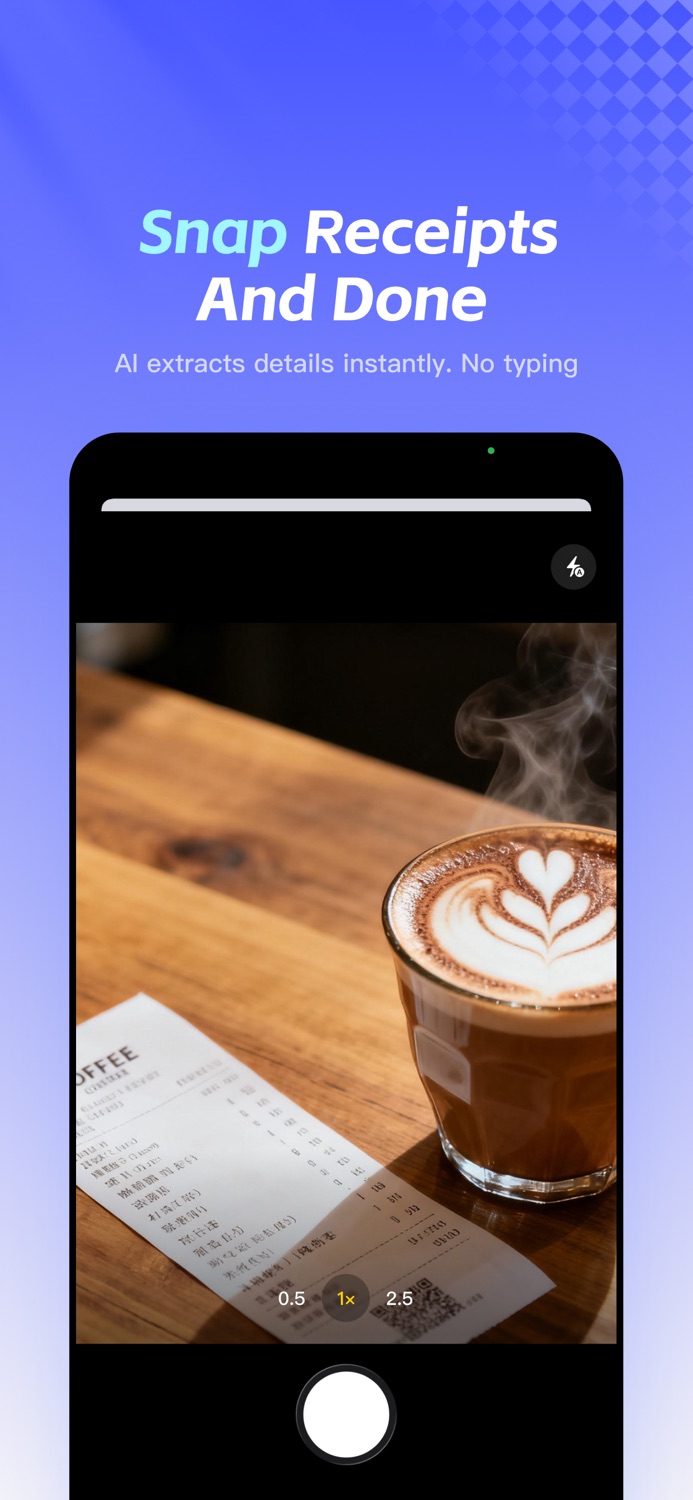
● Smart Receipt Scanning
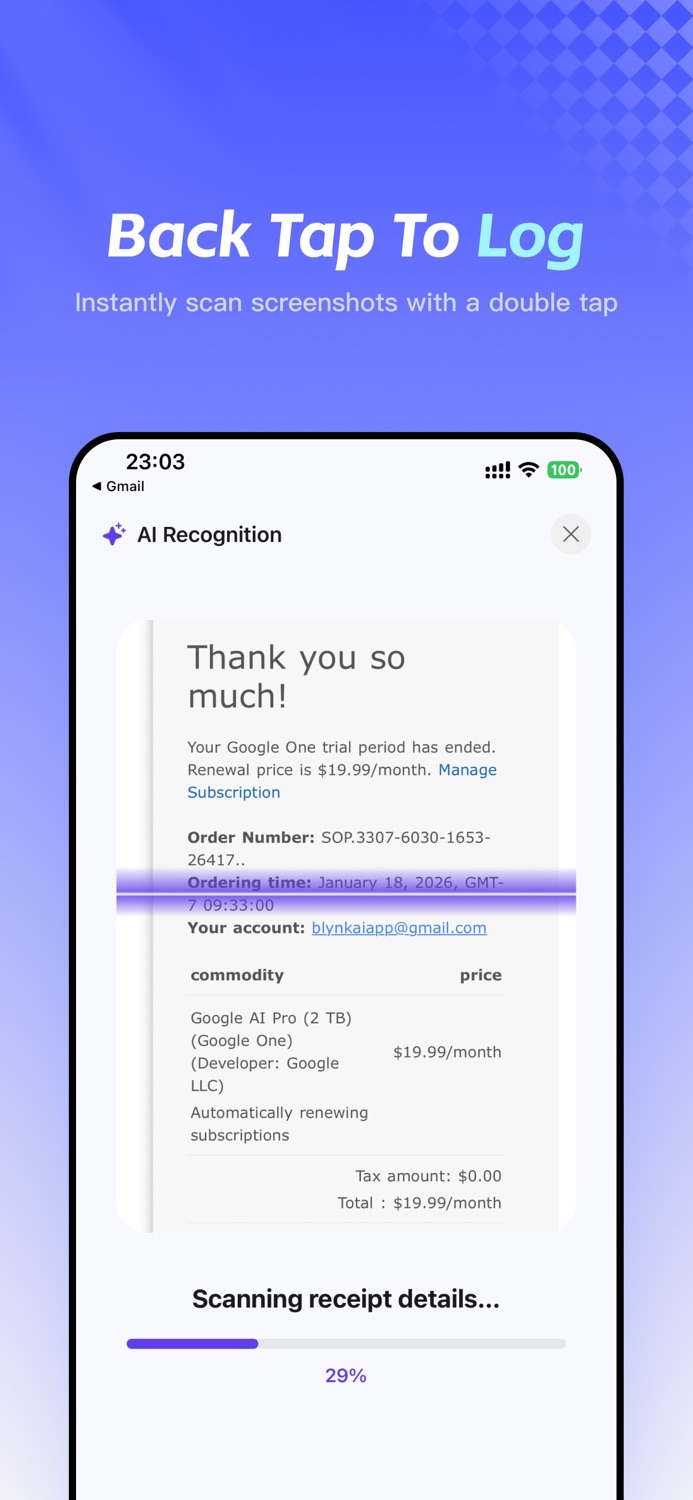
Grocery receipts, restaurant bills, handwritten notes... just snap a photo. Our OCR technology intelligently extracts consumption details.
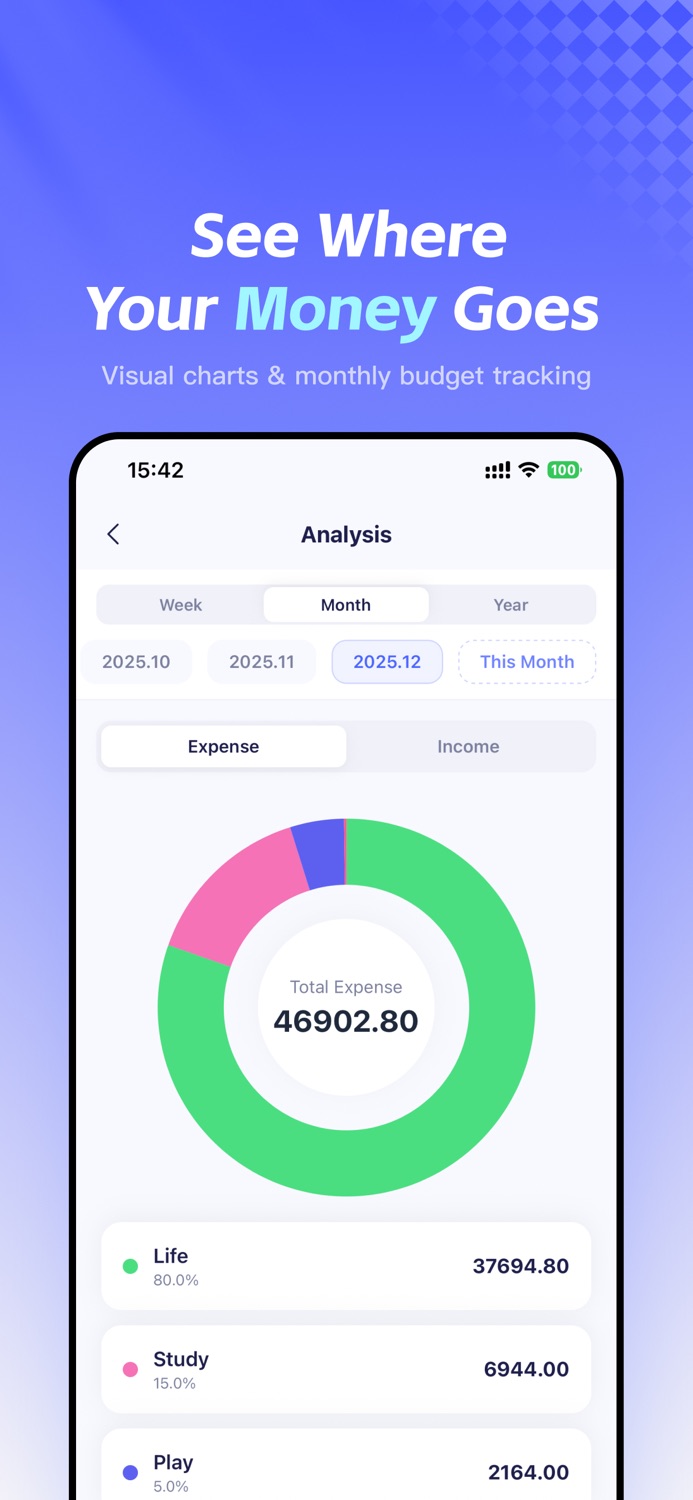
● Visual Charts & Financial Insights
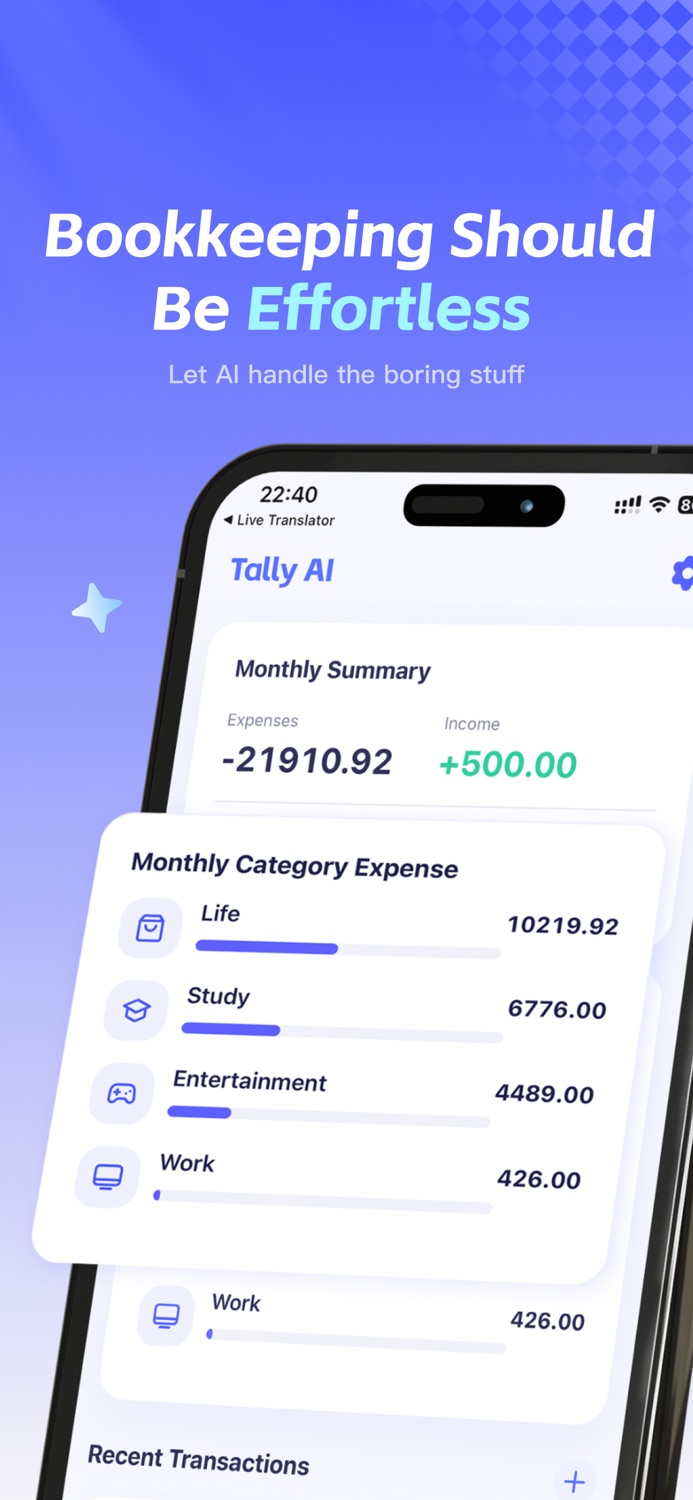
See where your money goes. Our new Analysis module visualizes spending trends with pie charts and line graphs. Track cash flow by week, month, or year effortlessly.
● Monthly Budgets & Saving
Set monthly spending limits to keep your finances on track. Real-time balance monitoring helps you stop overspending and build a saving habit.
● Multi-Currency Auto-Conversion
Perfect for travel and shopping abroad. Simply say "Spent 2000 JPY on a souvenir," and AI automatically identifies the currency and converts it based on current exchange rates. Global spending, one ledger.
● Widgets & Shortcuts
Track expenses right from your Home Screen, Control Center, or via iOS Shortcuts. No need to open the app to check your balance or add a record. Fast, smooth, and seamless.
● Share Your Spending
Easily generate and share transaction images with friends or family. Perfect for splitting bills or tracking shared household expenses.
● Minimalist & Secure
No ads. No distractions. Fast startup. Your data is encrypted and synced via the cloud, keeping your financial privacy secure.
[WHO IS IT FOR?]
Efficiency lovers who hate manual data entry.
Travelers and students abroad managing multiple currencies.
Gig workers needing to log expenses quickly.
Anyone wanting to visualize cash flow and build wealth.
Bookkeeping should be this simple. Download Tally AI now and start your smart financial life!
[VIP Subscription]
- Subscription Service: Unlock all premium features for unlimited access.
- Pricing: Please refer to the in-app purchase page for specific pricing details.
- Payment: Payment will be charged to your iTunes Account at confirmation of purchase.
- Auto-Renewal: Subscription automatically renews unless auto-renew is turned off at least 24-hours before the end of the current period.
- Renewal Charge: Account will be charged for renewal within 24-hours prior to the end of the current period.
- Cancellation: You can manage or turn off auto-renewal in your Apple ID Account Settings at any time after purchase.
- Terms of Use: https://blynkai.app/dingdong/terms
- Privacy Policy: https://blynkai.app/dingdong/privacy
Information
Accessibility
ipadiphonemacrealityDevicetvoswatch
Reviews 4 captured
★★★★★ 支持微信支付宝账单导入吗 — llong.yang
支持微信支付宝账单导入吗
★★★★★ 终于找到了 — 爱否则是什么时候方便时候方便
语音与图片的识别都很赞。对于分类的识别估计以后用户越来越多了以后它自动识别的分类会越来越精确,现在感觉不是特别的准,但是金额什么的都没有问题先用起来喽,希望越来越好。
★★★★★ 希望添加上月账单明细。 — 其实,一陌生
希望添加上月账单明细,或上上月账单明细,去年明细
★★★★★ 应用很不错,ocr 和识别,分类汇总成功率非常高 — simpleyoung423
还有一个小建议(不知道 ios 系统能不能实现),希望能加入快捷指令操作,这样可以自己编排工作流,支付完成之后手动执行快捷指令,自动截图上传 app
Version history · 25 recorded
1.3.8
2026-06-17
1. Fixed duplicate transaction issues
2. Improved Shortcut recognition flow
3. Refined calendar and list experience
4. Updated currency names and copy
1.3.6
2026-05-25
Bug fix
1.3.5
2026-05-19
1. Added iOS home quick actions for quick entry.
2. Improved startup, theme switching, and subscription display.
3. Refined recognition tips, feedback entry, and calendar widget.
1.3.2
2026-04-20
Bug fix
1.3.1
2026-04-17
Improved network loading speed.
1.3.0
2026-04-12
Added a monthly calendar view, Traditional Chinese support, and improved theme settings and overall experience.
1.2.23
2026-04-07
Added Traditional Chinese support
Optimized image handling to reduce memory usage
Improved iOS image caching for better long-term stability
1.2.22
2026-03-28
Fixed unresponsive home buttons
1.2.21
2026-03-27
1. Fixed an issue with amount display when editing transactions
2. Improved the UI and navigation on Home, Settings, and Analysis
1.2.20
2026-03-20
- Optimized recording flow for better recognition accuracy.
- Fixed audio engine crashes and improved stability.
1.2.19
2026-03-16
1. Deep Support for Dark Mode
2. Widget Layout & UX Upgrades
3. New Calendar View Widget
1.2.18
2026-03-08
1. Recording Stability: Optimized startup speed and improved reliability during system interruptions.
2. Subscription UX: Faster activation sync and smoother UI during purchase restoration.
3. Storage Hygiene: Added automatic cleanup to efficiently save device storage space.
1.2.16
2026-02-22
1. Enhanced onboarding with personalized plans based on your tracking goals.
2. Optimized layout for all device models.
1.2.15
2026-02-17
Bug fix
1.2.12
2026-02-13
Optimize photo recognition accuracy
1.2.11
2026-02-10
1. Global Search: Quickly find past transactions by note, category, or tag. Keep track of every record effortlessly.
2. Analytics Upgrade: Added "Balance" and "All-Time Stats" to give you a comprehensive view of your asset accumulation.
3. Optimized Settings: Redesigned the settings menu with clearer grouping for a smoother and more intuitive experience.
1.2.10
2026-02-05
1. Bug Fix: Resolved an issue where the pull-to-refresh feature might not respond correctly.
2. UI Improvement: Optimized the price display layout on the subscription page for better clarity.
1.2.9
2026-01-31
We have polished the app to make your bookkeeping even faster and smoother:
1. Adaptive Fonts: The interface now adapts better to system font settings for improved readability.
2. Faster Launch: Optimized startup performance for instant access to recording.
3. Smarter AI: Added new tags and improved the accuracy of both voice and receipt recognition.
4. Better Voice Input: Enhanced the responsiveness and interaction flow of voice recording.
5. Bug Fixes: Resolved display issues with Home Screen widgets.
1.2.8
2026-01-23
We have added powerful data management features and expanded our category list:
1. Data Export: You can now export your transaction history to Excel files. Perfect for data backup or advanced analysis on your desktop.
2. New Tags Added: We have added tags for "Personal Care", "Books & Courses", and "Loans/Debts".
3. Improved AI Accuracy: The AI has been updated to recognize these new categories more precisely, making your automatic classification even smarter.
1.2.7
2026-01-21
We have improved the user experience and fixed some known issues:
1. Custom Reminders: You can now set a specific time for your daily bookkeeping reminders.
2. Import Optimization: Improved the bill import feature for better compatibility and stability.
3. Smoother Experience: Fixed scrolling issues on the edit page for a more fluid interaction.
4. Bug Fixes: Resolved an issue where the balance on the home page was displayed incorrectly.
1.2.6
2026-01-19
1. Share Feature: Easily share transaction images with friends or family.
2. Faster Startup: Optimized cold launch speed for instant access.
3. Bug Fixes: Fixed issues with Shortcuts, swipe-to-edit interactions, and multi-currency detection.
1.2.5
2026-01-12
1. Added support for importing bills in various formats.
2. Added Multi-Currency support.
3. Added Control Center widgets for quick access.
1.2.0
2026-01-04
1. Added Statistics & Analysis features.
2. Added support for Home Screen Widgets.
3. Added Monthly Budget feature.
4. Optimized app launch and page loading performance.
5. Improved voice recognition response speed.
6. Fixed bugs regarding date selection and automatic language detection.
1.1.1
2025-12-24
1. Optimized iOS Shortcuts support.
2. Improved recording button responsiveness.
1.1.0
2025-12-23
1. Added support for iOS Shortcuts.
2. Customizable speech recognition language for better accuracy.
3. Performance improvements: Fixed lag and unresponsiveness bugs.
4. Support for recording multiple transactions via a single voice or photo input.
5. Support for modifying transaction date and time.
6. Optimized guide text for voice input.
Listing history · 4 snapshots — every change kept with its date
releaseNotes
2026-06-21
1. Fixed duplicate transaction issues
2. Improved Shortcut recognition flow
3. Refined calendar and list experience
4. Updated currency names and copy
description
2026-06-21
[THE PAIN POINT]
Have you tried keeping a budget but quit because manual entry was too tedious?
Does facing complex categories and endless numbers make bookkeeping feel like a burden?
[THE SOLUTION]
Meet Tally AI, your …
full text
[THE PAIN POINT] Have you tried keeping a budget but quit because manual entry was too tedious? Does facing complex categories and endless numbers make bookkeeping feel like a burden? [THE SOLUTION] Meet Tally AI, your intelligent financial assistant. We utilize advanced AI to simplify the bookkeeping process to the absolute limit. No typing, no manual sorting—just let AI handle it. [CORE FEATURES] ● Lightning Voice Entry (Multi-item Support) Just speak naturally: "Spent $15 on breakfast and $35 on gas." AI instantly understands, splits the transaction into two separate records, and automatically fills in the amount, category, and time. Speak, don't type. ● Smart Receipt Scanning Grocery receipts, restaurant bills, handwritten notes... just snap a photo. Our OCR technology intelligently extracts consumption details. ● Visual Charts & Financial Insights See where your money goes. Our new Analysis module visualizes spending trends with pie charts and line graphs. Track cash flow by week, month, or year effortlessly. ● Monthly Budgets & Saving Set monthly spending limits to keep your finances on track. Real-time balance monitoring helps you stop overspending and build a saving habit. ● Multi-Currency Auto-Conversion Perfect for travel and shopping abroad. Simply say "Spent 2000 JPY on a souvenir," and AI automatically identifies the currency and converts it based on current exchange rates. Global spending, one ledger. ● Widgets & Shortcuts Track expenses right from your Home Screen, Control Center, or via iOS Shortcuts. No need to open the app to check your balance or add a record. Fast, smooth, and seamless. ● Share Your Spending Easily generate and share transaction images with friends or family. Perfect for splitting bills or tracking shared household expenses. ● Minimalist & Secure No ads. No distractions. Fast startup. Your data is encrypted and synced via the cloud, keeping your financial privacy secure. [WHO IS IT FOR?] Efficiency lovers who hate manual data entry. Travelers and students abroad managing multiple currencies. Gig workers needing to log expenses quickly. Anyone wanting to visualize cash flow and build wealth. Bookkeeping should be this simple. Download Tally AI now and start your smart financial life! [VIP Subscription] - Subscription Service: Unlock all premium features for unlimited access. - Pricing: Please refer to the in-app purchase page for specific pricing details. - Payment: Payment will be charged to your iTunes Account at confirmation of purchase. - Auto-Renewal: Subscription automatically renews unless auto-renew is turned off at least 24-hours before the end of the current period. - Renewal Charge: Account will be charged for renewal within 24-hours prior to the end of the current period. - Cancellation: You can manage or turn off auto-renewal in your Apple ID Account Settings at any time after purchase. - Terms of Use: https://blynkai.app/dingdong/terms - Privacy Policy: https://blynkai.app/dingdong/privacysubtitle
2026-06-21
Receipt Scanner, Budget App
name
2026-06-21
Tally AI: Expense Tracker
Region availability · 5 of 5 storefronts
| Store | Price | Ratings | Avg | Version |
|---|---|---|---|---|
| US | Free | 13 | 5.0 | 1.3.8 |
| AU | Free | 0 | — | 1.3.8 |
| CA | Free | 0 | — | 1.3.8 |
| GB | Free | 0 | — | 1.3.8 |
| NZ | Free | 0 | — | 1.3.8 |