Home › Productivity

 US
US
1 of 1 storefronts
Content in en-US
Content in en-US
Information
Preview 2 platforms
iPhone 7 images


iPad 6 images



What’s New Version 3.0.2
- Optimize App Store product images
- Optimize product experience details
Description
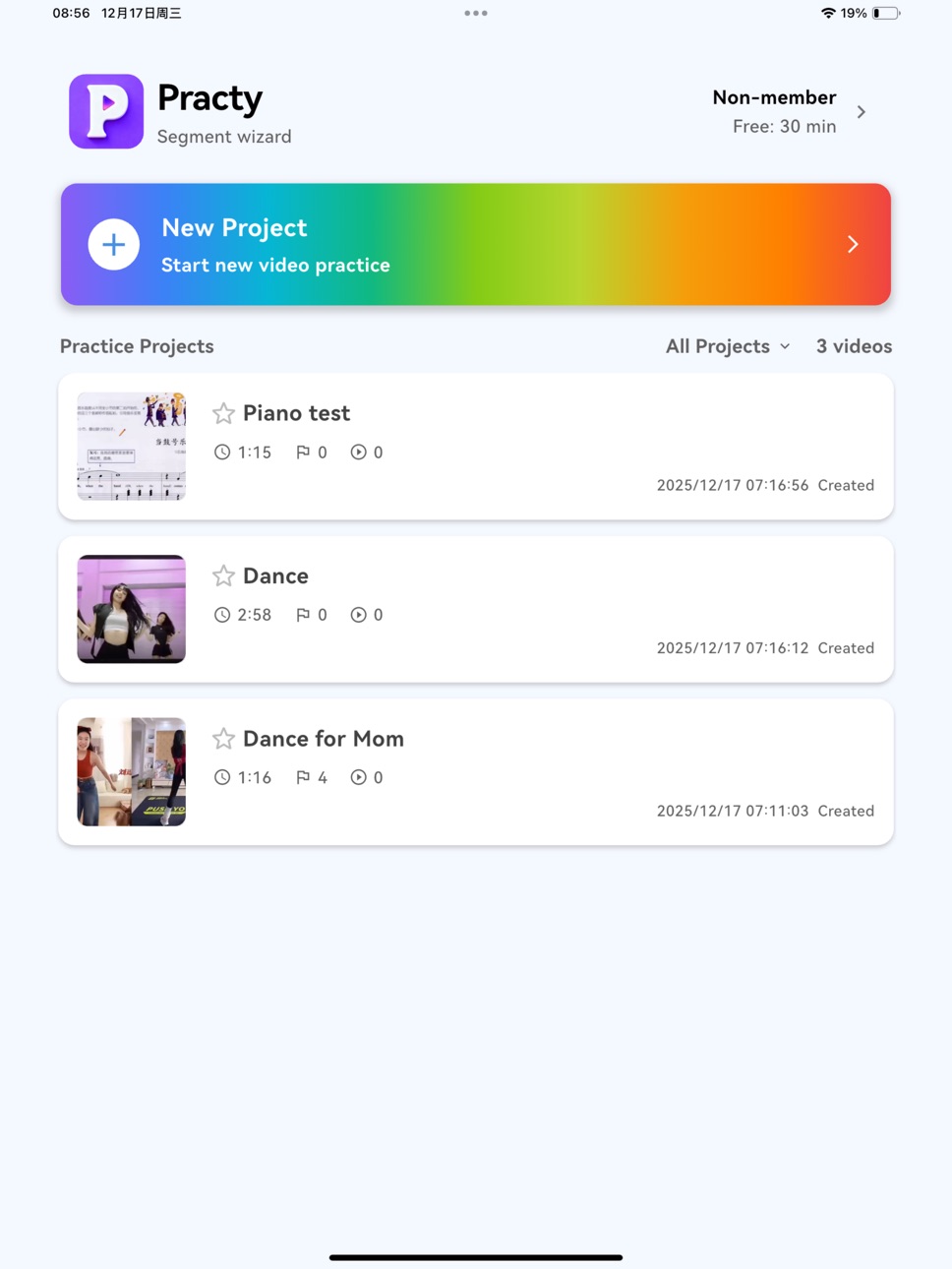
Practy – a practice-first video player built for segmented follow-along training.
Whether you’re dancing, playing an instrument, working out, drumming or rehearsing a speech, Practy turns messy “just replaying the video” into focused, efficient practice.
Why Practy?
Say goodbye to tiny, hard-to-drag progress bars. Most players just run from start to finish, and that thin little bar makes it almost impossible to land on the exact second you want. Practy is designed specifically for segmented follow-along: split any video into sections, loop them, speed them up gradually and compare yourself with synchronized camera recordings, so every session feels smooth, controllable and easy to review.
Multi-segment markers, beyond a traditional AB loop
• Place multiple markers anywhere on the timeline; each pair of markers defines a practice section.
• Select several markers to quickly form a larger combined section.
• Loop, slow down and change speed per section instead of the whole video.
• A bold, scrollable thumbnail timeline is much easier to see and drag than a thin default progress bar.
• Scrub frame by frame to study details and never miss a small movement.
Record in sync, play back in sync
• Turn on the camera with one tap; your live view appears beside the practice video like a mirror plus teacher.
• While recording, the main video and camera stay perfectly in sync for play and pause.
• During playback, your recording and the original video jump, pause and change speed together on the same timeline.
• Save recordings to your device for sharing or long-term tracking.
• Switch between front and rear camera for different practice scenarios.
Flexible layout and visual control
• Zoom in, zoom out and pan the main video to focus on key body parts or details.
• Resize and move the camera window freely to build the split-screen layout you like.
• Enable video mirroring so it feels more like looking into a real mirror.
• Use the countdown play button to give yourself a few seconds to get ready before practice starts.
Metronome & auto speed-up challenge
• Built-in metronome to help you stay on beat.
• Choose a start speed and target speed, and how many loops at each step.
• Start once and Practy automatically steps up the speed according to your settings.
• Perfect for instruments, drumming and dance breakdowns where you go from slow precision to fast fluency.
Color tags for section mastery
• Tag sections with colors (not yet / okay / solid) to show how well you’ve mastered each part.
• See at a glance what still needs work instead of always replaying from the beginning.
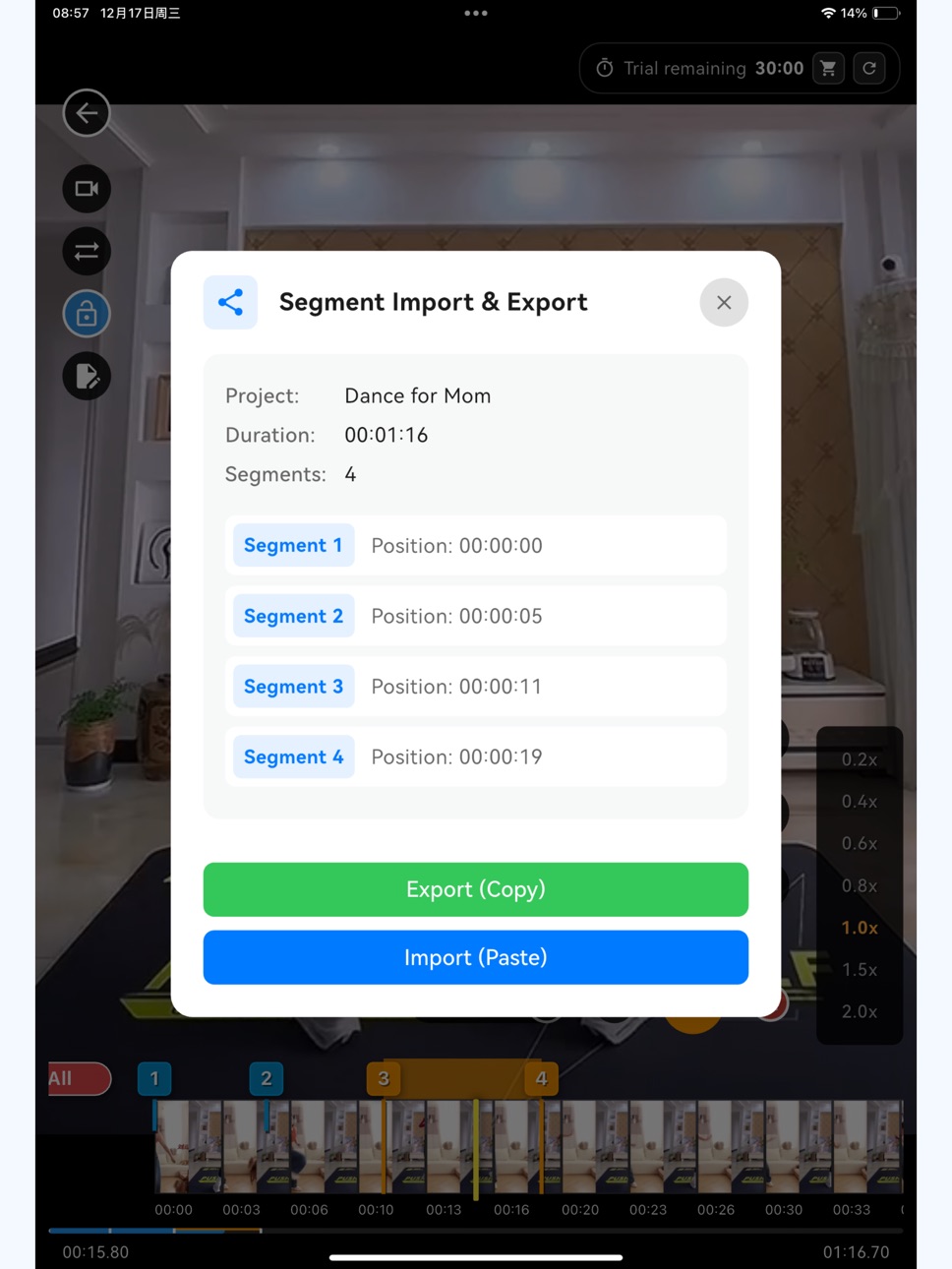
Export / import markers to share
• Export marker data for a song, routine or combo you’ve carefully prepared.
• Share it with friends, students or followers so they can practice with the same layout.
• Ideal for teachers, coaches and creators who want to share ready-made practice sections.
Pricing and access
• No account required: open the app and start practicing right away.
• Free trial: all core features are available for a limited time; see in-app messages for current rules.
• Subscriptions unlock unlimited practice time: subscribe monthly or yearly for full access to all features. Prices and plans are shown in the App Store, and you can manage or cancel anytime in your account settings.
Practy helps you stay focused on each practice session, polishing your moves little by little until your practice truly shines.
Privacy Policy: https://stevenzhang68.github.io/practy-privacy/
Terms of Use (EULA): https://www.apple.com/legal/internet-services/itunes/dev/stdeula/
In-App Purchases US pricing
Practy-unlimited Subscription
Practy Yearly · Yearly$9.99
Capabilities
In-App Purchases
Accessibility
ipadiphonemacrealityDevicetvoswatch
Version history 8 versions
Build 881445325v3.0.22026-01-14 03:22:33
- Optimize App Store product images
- Optimize product experience details
Build 881298468v3.0.12026-01-09 07:15:59
- Improved some details for a smoother experience.
Build 881247752v3.0.02026-01-06 22:32:34
- Added a Segment List for faster, clearer segment selection
- Fixed an issue with the Delayed Playback button
- Reduced Splash screen duration for faster launch
- Auto-plays after tapping Previous/Next segment
- New projects now auto-create default segments (including start/end) to prevent missing markers
- When switching segments, playback continues if the playhead is already within the segment (no forced jump to the segment start)
- Added Middle East language support (Arabic)
- Added a “Tap here” hint on the selected segment range for clearer interaction
Build 881037293v2.1.02025-12-29 02:06:34
- Optimized the text in the project menu accessed by swiping left.
- Save loop settings when exiting a project and restore them when reopening.
- Added instructional background text to the center area of the project list to help users get started.
- Re-enabled the delayed playback button with a redesigned appearance and improved logic.
- Further optimized keywords.
Build 881003742v2.0.02025-12-26 02:53:42
- Improved copy for the project rename button
- Improved copy for the segment info sharing button
- Removed the “Prepare/Start” step between auto loops
- Temporarily hid the delayed playback feature
- Added “Previous/Next” for faster segment switching
Build 880885788v1.1.02025-12-22 08:14:49
- Optimized compatibility for iPhone 17.
- Added instructional images to the App Store product screenshots.
- Added clearer explanations in the membership details to help users better understand the features.
Build 880822439v1.0.02025-12-19 02:07:22
Stability improvements and minor bug fixes.
Build 879898193v0.1.02025-12-18 20:37:49
Price history by region
Currency
Show
Columns
Search
Availability 1 of 1 storefronts
| Region | Language | Price | Ratings | Avg | Version |
|---|---|---|---|---|---|
| US | en-US | Free | 1 | 1.0 | 3.0.2 |
Change log 12 changes · US
✎
releaseNotes updated
- Optimize App Store product images
- Optimize product experience details
✎
description updated
Practy – a practice-first video player built for segmented follow-along training.
Whether you’re dancing, playing an instrument, working out, drumming or rehear
✎
subtitle updated
Video Looper, Practice&Compare
✎
name updated
Practy - Mirror & Loop & Slow
◆
Version 3.0.2 released
- Optimize App Store product images
- Optimize product experience details
◆
Version 3.0.1 released
- Improved some details for a smoother experience.
◆
Version 3.0.0 released
- Added a Segment List for faster, clearer segment selection
- Fixed an issue with the Delayed Playback button
- Reduced Splash screen duration for faster launch
- Auto-plays after tapping Previous/Next segment
- New projects now auto-creat
◆
Version 2.1.0 released
- Optimized the text in the project menu accessed by swiping left.
- Save loop settings when exiting a project and restore them when reopening.
- Added instructional background text to the center area of the project list to help users get s
◆
Version 2.0.0 released
- Improved copy for the project rename button
- Improved copy for the segment info sharing button
- Removed the “Prepare/Start” step between auto loops
- Temporarily hid the delayed playback feature
- Added “Previous/Next” for faster segmen
◆
Version 1.1.0 released
- Optimized compatibility for iPhone 17.
- Added instructional images to the App Store product screenshots.
- Added clearer explanations in the membership details to help users better understand the features.
◆
Version 1.0.0 released
Stability improvements and minor bug fixes.
◆
Version 0.1.0 released