Home › Photo & Video

 US
US
1 of 1 storefronts
Content in en-US
Content in en-US
Information
Apple ID6755391001
Bundle IDcom.onsitecamera.app
SellerSeller
Min iOS13.0
Min macOS11.0
Device familiesiphone, ipad, ipod
Released2026-03-04
Copyright© 2026 qconp
Privacy policyLink ↗
Preview 2 platforms
iPhone 10 images




iPad 9 images



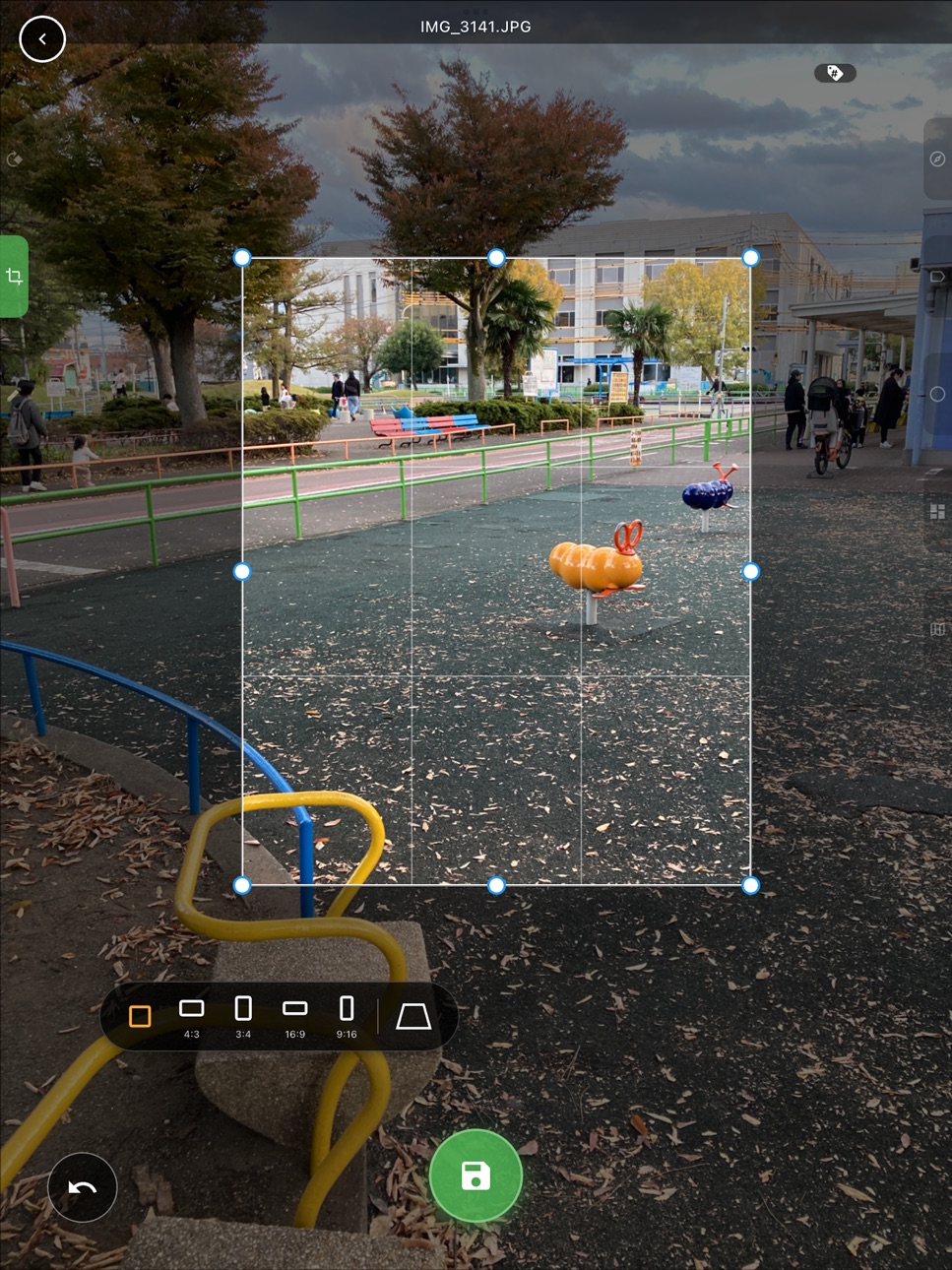


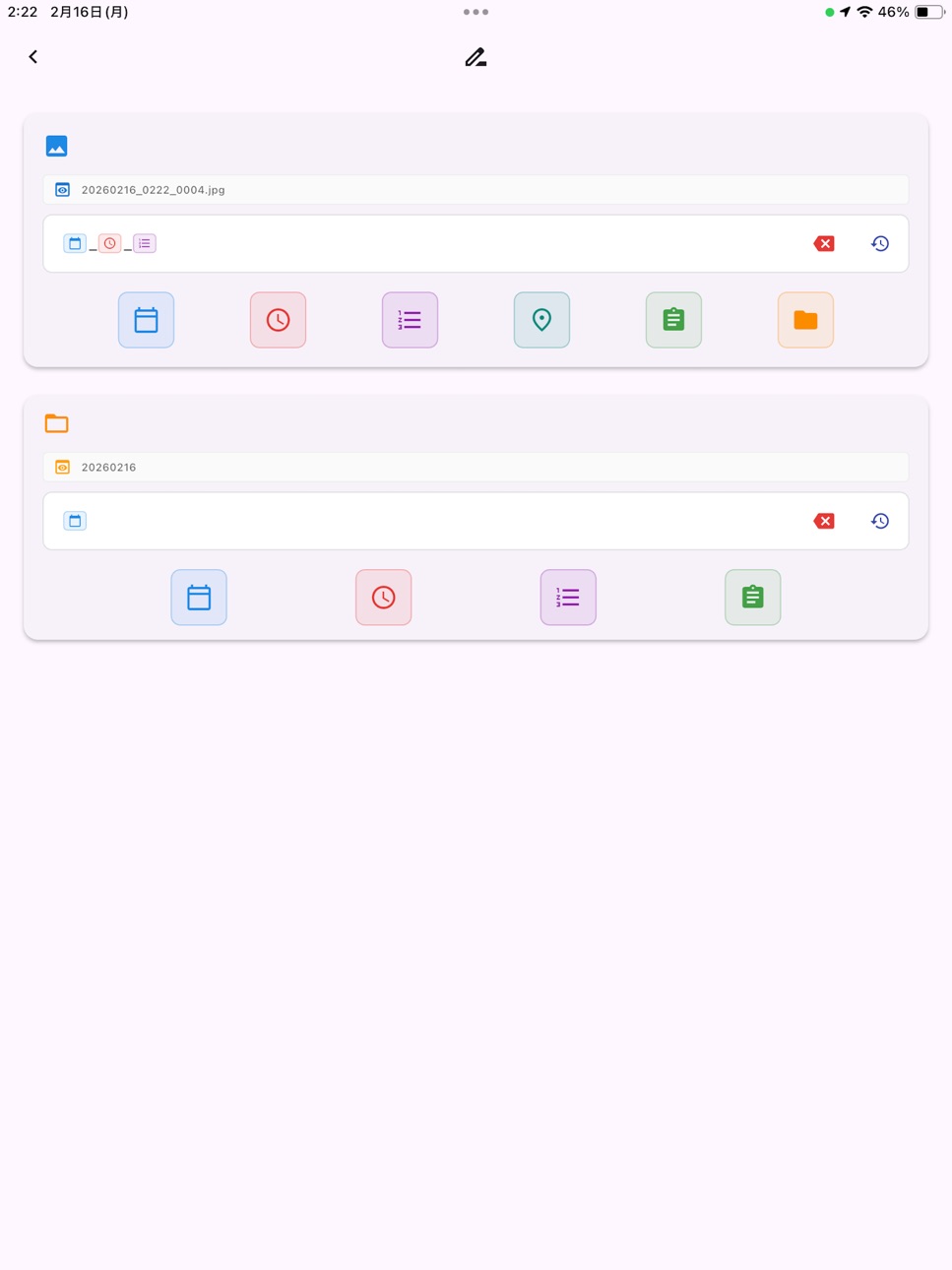

What’s New Version 1.2.2
Optimized map data usage and rendering performance.
Description
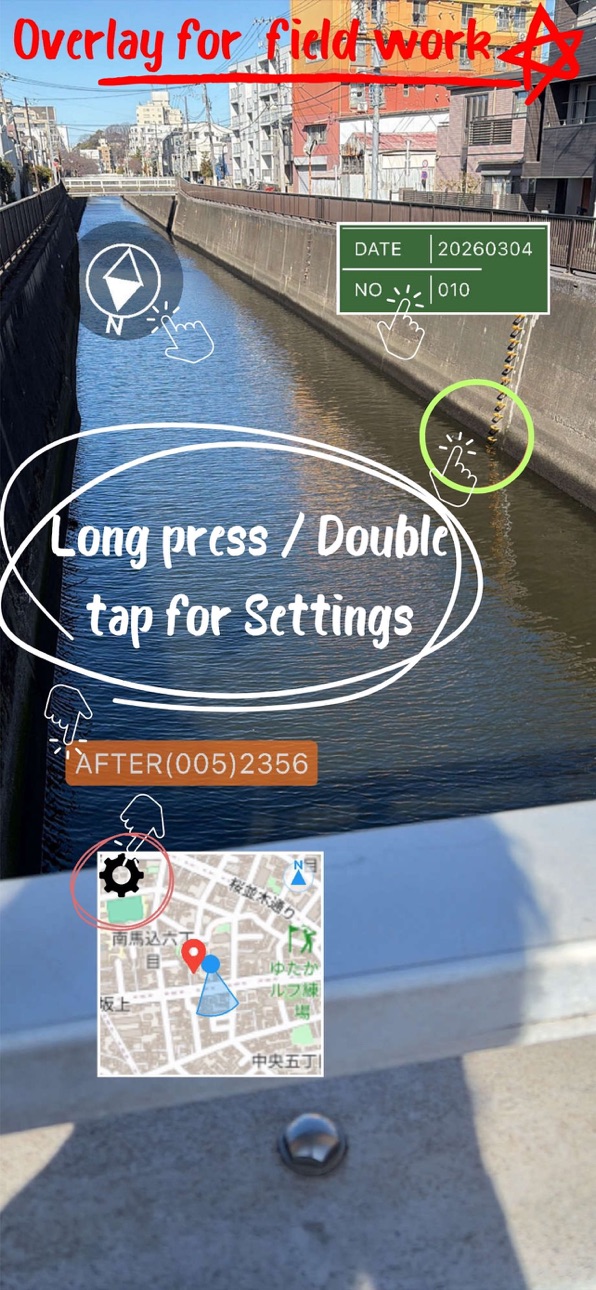
Born from a survey company, SiteCam Pro is a professional-grade field camera that handles everything the moment you shoot: file naming, folder sorting, and tagging, plus stamping markers, addresses, and maps directly onto your photos.
No more relying on memory to sort and rename photos after you get back to the office.
■ Key Features
1. Maximize efficiency with "File Naming & Organization"
・[Auto Rename]: Automatically generate file names at the moment of capture by combining address, date, time, free text (site name), sequential numbers, and more.
・[Folder Creation]: Set up folders in advance for each site or work zone, and captured data is saved straight to that folder. No need to move files later.
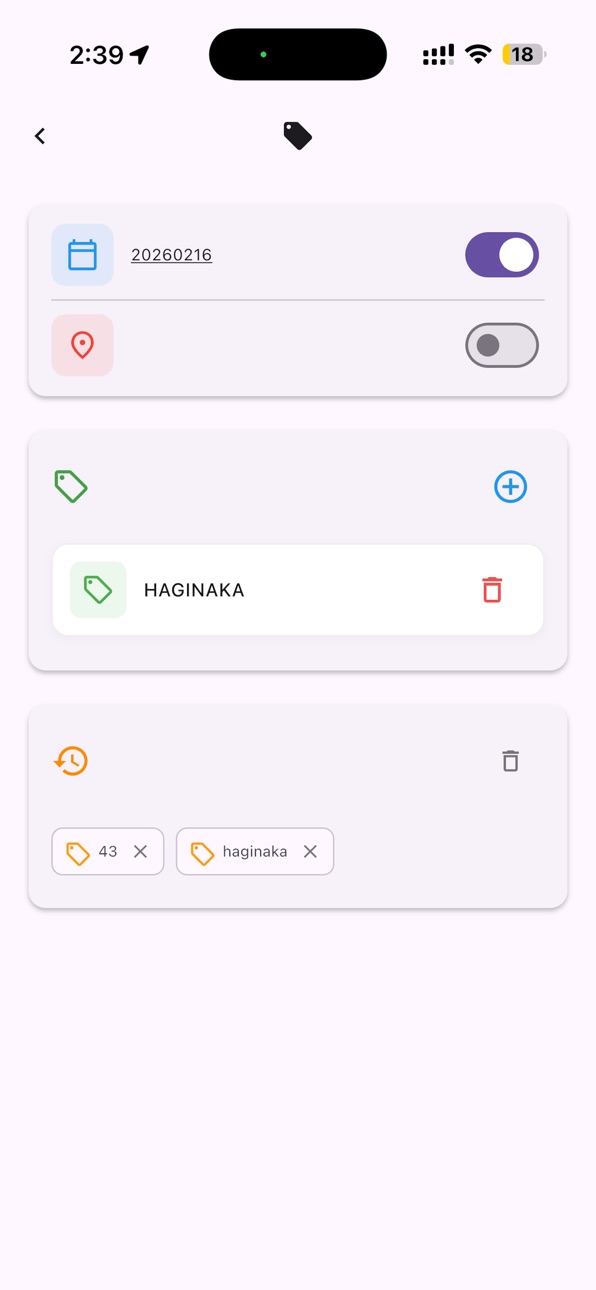
・[Tagging]: Add tags like "site name," "inspected," or "date" to photos for easy searching later.
・[History & Pinning]: Recall previously used tags and text from history. Pin your favorites for quick access.
2. Shoot photos that communicate with "Markers & Editing"
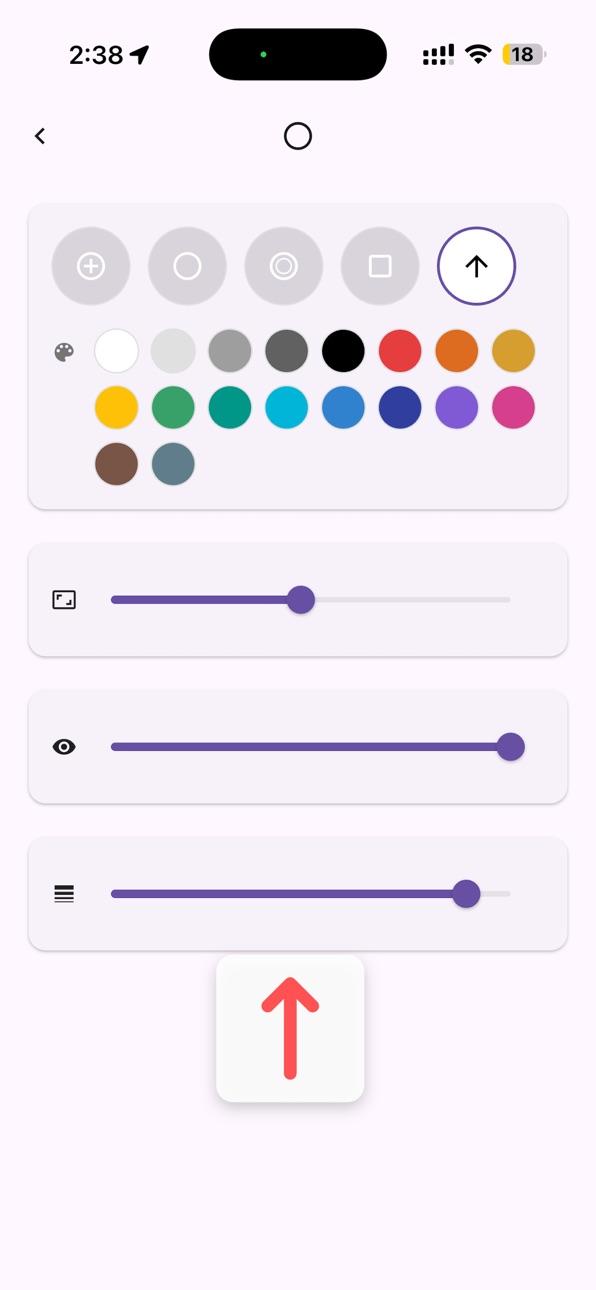
・[Markers & Arrows]: Place arrow or frame stamps on the spot to highlight instructions or correction points.
・[Pen Input]: Tap the screen to add intuitive handwritten marks.
・[Keystone Correction]: Correct distortion when shooting documents or signs before saving.
・[Original Backup]: Keep the unmarked original photo alongside the annotated one, so you're safe even if an edit goes wrong.
3. Record site data with "HUD & Stamping"
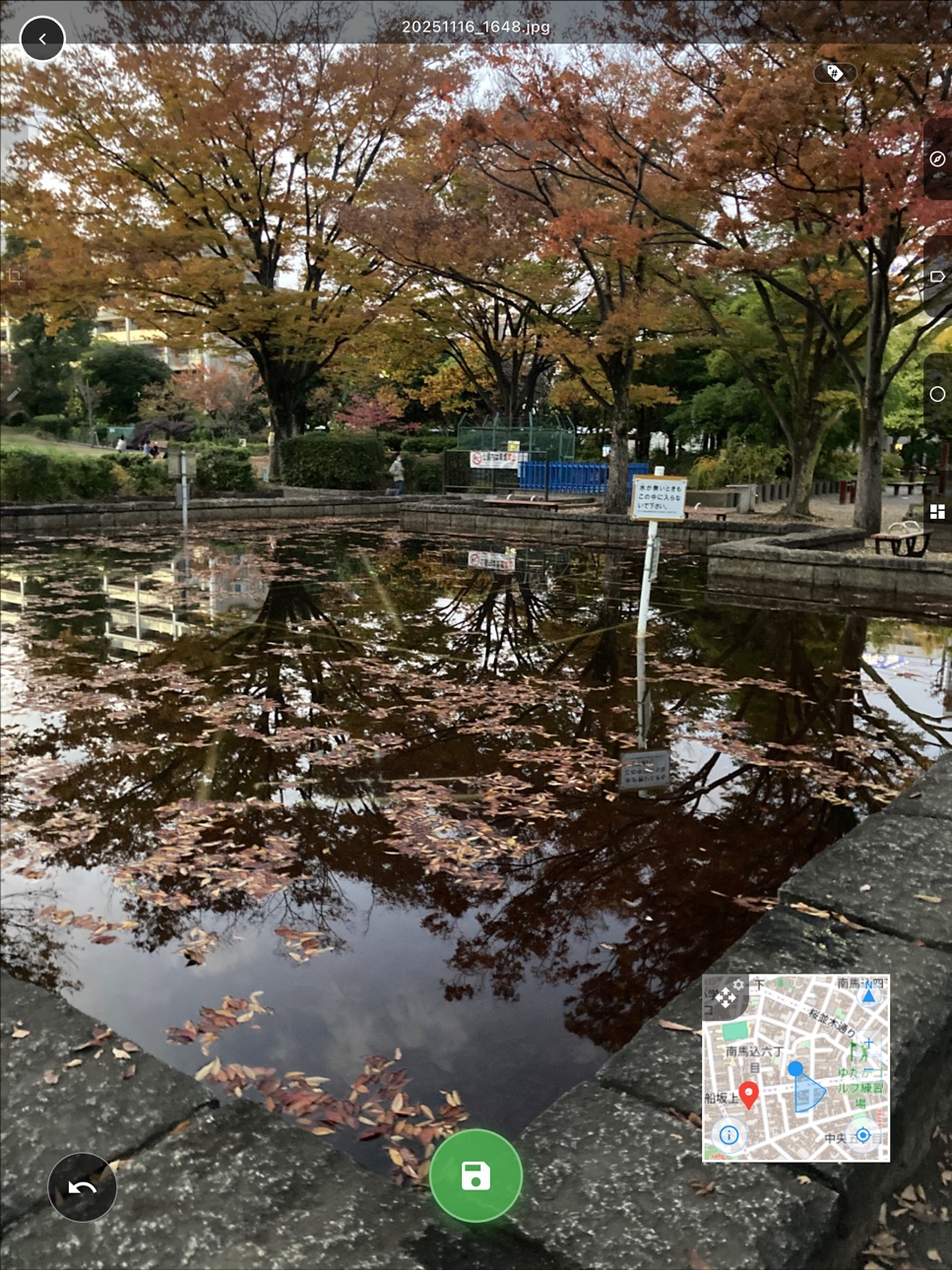
・[Address & Map]: Display and stamp the address (town, block number) and a nearby map obtained from GPS in real time.
・[Compass & Blackboard]: Display and record the shooting direction (azimuth) and a construction blackboard (notes) as needed.
4. Field-friendly "Other Features"
・[Volume Button Shutter]: Use physical buttons like the volume button to release the shutter. Great for shooting with gloves on or when tapping the screen is difficult.
・[Flexible Output Settings]: Adjust "processing speed priority / image quality priority" to match your site or device specs. Detailed settings meet professional needs: toggle lat/long stamping on/off, save composite and original photos at once, add hash values on save, and more.
■ About Pricing
Try all features free for 2 months.
For fieldwork across construction, civil engineering, infrastructure inspection, disaster surveys, surveying, patrols, and sales.
SiteCam Pro dramatically streamlines your site records.
Terms of Use: https://www.apple.com/legal/internet-services/itunes/dev/stdeula/
Capabilities
In-App Purchases
Accessibility
ipadiphonemacrealityDevicetvoswatch
Version history 11 versions
Build 887645403v1.2.22026-07-01 04:33:13
Optimized map data usage and rendering performance.
Build 887113141v1.2.12026-06-18 14:24:42
Bug fixes and stability improvements.
Build 886734286v1.2.02026-06-10 01:54:10
Fixed an issue with in-app purchases and improved overall stability.
Build 885441248v1.1.212026-05-15 01:59:19
You can now choose a subscription plan after experiencing its usefulness during the trial period.
Build 885141588v1.1.192026-05-01 14:49:14
Thank you for using our app! This update includes the following improvements:
■ Subscription System Update (For Existing Users)
We have updated our subscription system in late April 2026.
If you have been using the app before this update, your free trial period has been extended. Please start a new free trial from the subscription screen to continue enjoying all features.
Build 885000392v1.1.12026-04-28 19:33:53
Thank you for using OnSite CAMERA Pro!
[ Improvements & Stability ]
- Fixed issues related to the free trial period and subscriptions.
Build 883597165v1.0.92026-03-21 16:09:38
Useful Composite Output Settings: Added explanations to the setting items for compass orientation adjustment, composite processing speed/quality adjustment, location data burn-in, simultaneous saving of the original, and hash value assignment.
Build 883447253v1.0.72026-03-17 17:17:31
Advanced Output Settings : Added helpful descriptions for synthesis quality/speed, location burning, simultaneous saving, and hash value options.
Build 883222838v1.0.42026-03-13 13:28:38
Advanced Output Settings : Added helpful descriptions for synthesis quality/speed, location burning, simultaneous saving, and hash value options.
Build 883026032v1.0.22026-03-06 17:48:35
[Fixes & Improvements]
- Fixed an issue with the preview display in the shooting screen.
- Improved the behavior of gallery thumbnails after shooting.
- Minor bug fixes and performance improvements.
Build 879839571v1.02026-03-04 12:22:54
No pricing data captured yet — comparisons appear once the app has paid storefronts or in-app purchases.
Availability 1 of 1 storefronts
| Region | Language | Price | Ratings | Avg | Version |
|---|---|---|---|---|---|
| US | en-US | Free | 0 | — | 1.2.2 |
Change log 15 changes · US
✎
releaseNotes updated
Optimized map data usage and rendering performance.
✎
description updated
Born from a survey company, SiteCam Pro is a professional-grade field camera that handles everything the moment you shoot: file naming, folder sorting, and tagg
✎
subtitle updated
Auto-name & geotag on capture
✎
name updated
OnSiteCAMERA Pro -Field Photo
◆
Version 1.2.2 released
Optimized map data usage and rendering performance.
◆
Version 1.2.1 released
Bug fixes and stability improvements.
◆
Version 1.2.0 released
Fixed an issue with in-app purchases and improved overall stability.
◆
Version 1.1.21 released
You can now choose a subscription plan after experiencing its usefulness during the trial period.
◆
Version 1.1.19 released
Thank you for using our app! This update includes the following improvements:
■ Subscription System Update (For Existing Users)
We have updated our subscription system in late April 2026.
If you have been using the app before this update, y
◆
Version 1.1.1 released
Thank you for using OnSite CAMERA Pro!
[ Improvements & Stability ]
- Fixed issues related to the free trial period and subscriptions.
◆
Version 1.0.9 released
Useful Composite Output Settings: Added explanations to the setting items for compass orientation adjustment, composite processing speed/quality adjustment, location data burn-in, simultaneous saving of the original, and hash value assignme
◆
Version 1.0.7 released
Advanced Output Settings : Added helpful descriptions for synthesis quality/speed, location burning, simultaneous saving, and hash value options.
◆
Version 1.0.4 released
Advanced Output Settings : Added helpful descriptions for synthesis quality/speed, location burning, simultaneous saving, and hash value options.
◆
Version 1.0.2 released
[Fixes & Improvements]
- Fixed an issue with the preview display in the shooting screen.
- Improved the behavior of gallery thumbnails after shooting.
- Minor bug fixes and performance improvements.
◆
Version 1.0 released