Home › Graphics & Design

 US
US
1 of 1 storefronts
Content in en-US
Content in en-US
Information
Preview 1 platform
iPhone 5 images




What’s New Version 10.0
improvements, and bug fixes
Description
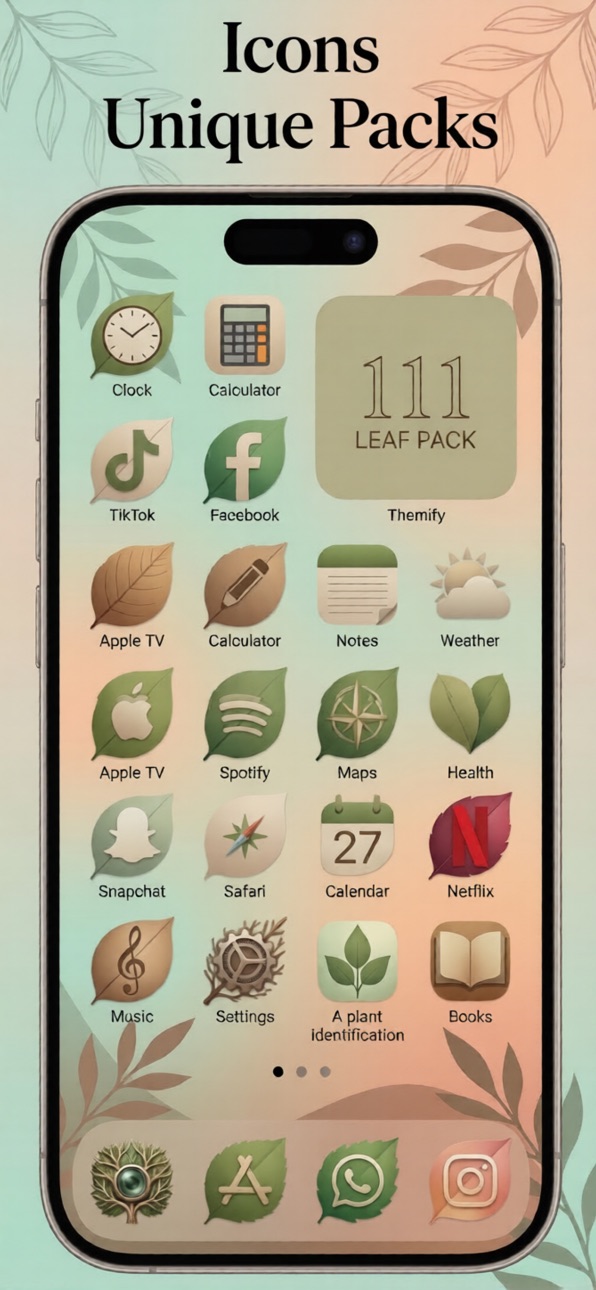
Custom iPhone Themes & Icons is designed for anyone who wants to give their iPhone a fresh, personalized look without any complexity. This app offers a wide collection of themes, custom app icons, stylish widgets, and high quality wallpapers that help you create a home screen that reflects your personal style. Whether you prefer a clean minimalist layout, a colorful aesthetic, or a modern artistic design, you will find the perfect look for your device.
The app provides hand crafted themes created by professional designers, each theme including matching icons, widgets, and wallpapers. You can browse through different categories such as minimal, pastel, neon, abstract, dark mode, nature, and many more. Every theme is created with attention to detail so your home screen looks consistent and visually appealing.
Custom iPhone Themes & Icons makes it easy to replace your app icons with custom ones. You can pick from hundreds of icon styles or create your own look by mixing and matching icons from different themes. All icons come in high resolution and are built to look sharp on every iPhone model. The app also includes widget packs so you can enhance your home screen with time, date, clock, calendar, quotes, or aesthetic widgets that match the theme you choose.
The wallpaper collection includes backgrounds designed specifically to pair with the icons and widgets. You can save wallpapers to your device. Each wallpaper is optimized for iPhone screens, ensuring perfect clarity and color accuracy.
The app is simple to use, even for beginners. Each theme includes a step by step install guide so you can apply icons, widgets, and wallpapers easily. The setup flow takes only a few minutes and does not require any advanced settings.
New themes, icons, and wallpapers are added regularly, so your device can always stay updated with fresh designs. Whether you like seasonal looks, trendy styles, or classic designs, you will always have something new to try.
Custom iPhone Themes & Icons helps you redesign your home screen exactly the way you want. Explore creative themes, customize your icons, set matching wallpapers, and enjoy a completely personalized experience. If you love designing your device or simply want a more beautiful home screen, this app gives you everything you need in one place.
In-App Purchases US pricing
Premium Subscription
Weekly Premium · 7 days$1.99
Monthly Premium · Monthly$5.99
Yearly Premium · Yearly$39.99
Capabilities
In-App Purchases
Accessibility
ipadiphonemacrealityDevicetvoswatch
Version history 5 versions
Build 884540850v10.02026-04-15 18:58:43
improvements, and bug fixes
Build 884088381v1.0.4+52026-04-11 17:15:43
improvements, and bug fixes
Build 880130983v1.0.3+42025-11-27 13:52:30
improvements, and bug fixes
Build 879936103v1.0.2+32025-11-20 23:22:58
improvements, and bug fixes
Build 879747633v1.02025-11-18 23:46:36
Price history by region
Currency
Show
Columns
Search
Availability 1 of 1 storefronts
| Region | Language | Price | Ratings | Avg | Version |
|---|---|---|---|---|---|
| US | en-US | Free | 1 | 5.0 | 10.0 |
Change log 9 changes · US
✎
releaseNotes updated
improvements, and bug fixes
✎
description updated
Custom iPhone Themes & Icons is designed for anyone who wants to give their iPhone a fresh, personalized look without any complexity. This app offers a wide col
✎
subtitle updated
custom themes, icons, widgets
✎
name updated
Themifi - Widget & Icon Themes
◆
Version 10.0 released
improvements, and bug fixes
◆
Version 1.0.4+5 released
improvements, and bug fixes
◆
Version 1.0.3+4 released
improvements, and bug fixes
◆
Version 1.0.2+3 released
improvements, and bug fixes
◆
Version 1.0 released