Home › Utilities

 US
US
 AEen-GB
 AFen-GB
 ALen-GB
 AMen-GB
 ATde-DE
 AUen-AU
 AZen-GB
 BAen-GB
 BEen-GB
 BGen-GB
 BHen-GB
 BMen-GB
 BNen-GB
 BTen-GB
 BYen-GB
 CAen-CA
 CHde-CH
 CNzh-Hans-CN
 CYen-GB
 CZen-GB
 DEde-DE
 DKen-GB
 EEen-GB
 EGen-GB
 ESes-ES
 FIen-GB
 FJen-GB
 FMen-GB
 FRfr-FR
 GBen-GB
 GEen-GB
 GRen-GB
 HKzh-Hant-HK
 HRen-GB
 HUen-GB
 IDen-GB
 IEen-GB
 ILen-GB
 INen-GB
 IQen-GB
 ISen-GB
 ITit
ITit JOen-GB
 JPja
JPja KGen-GB
 KHen-GB
 KRko
KRko KWen-GB
 KZen-GB
 LAen-GB
 LBen-GB
 LKen-GB
 LTen-GB
 LUen-GB
 LVen-GB
 MDen-GB
 MEen-GB
 MKen-GB
 MMen-GB
 MNen-GB
 MOzh-Hant-HK
 MRen-GB
 MTen-GB
 MVen-GB
 MYen-GB
 NLnl
NLnl NOen-GB
 NPen-GB
 NRen-GB
 NZen-AU
 OMen-GB
 PGen-GB
 PHen-GB
 PKen-GB
 PLen-GB
 PTpt-PT
 PWen-GB
 QAen-GB
 ROen-GB
 RSen-GB
 RUru
RUru SAen-GB
 SBen-GB
 SEsv
SEsv SGen-GB
 SIen-GB
 SKen-GB
 THen-GB
 TJen-GB
 TMen-GB
 TOen-GB
 TRen-GB
 TWzh-Hant-TW
 UAen-GBUSen-US
 UZen-GB
 VNen-GB
 VUen-GB
 XKen-GB
 YEen-GB
 ZAen-GB
101 of 101 storefronts
Content in en-US
Content in en-US
Information
Apple ID6755112688
Bundle IDcom.sendfilestotv.sendfilestotvsendfilestotv
SellerSeller
Min iOS15.0
Min macOS12.0
Device familiesiphone, ipod
Released2026-06-04
Copyright© Send Files To TV
Privacy policyLink ↗
Preview 1 platform
iPhone 4 images

What’s New Version 3.0.0
Bug fixes and performance improvements.
Description
Send Files To TV is the simplest way to share photos, videos, and files from your phone to any smart TV on your WiFi network. No cables. No app store on your TV. No accounts. Just open the app, pick what you want to watch, and tap send. Your file plays on the big screen in seconds.
Whether you want to show holiday photos to family, play a downloaded movie on your TV, or run a photo slideshow at a party, Send Files To TV handles it all. The app uses DLNA, the casting standard built into nearly every modern smart TV, so it works straight out of the box on most TVs without any extra software.
KEY FEATURES
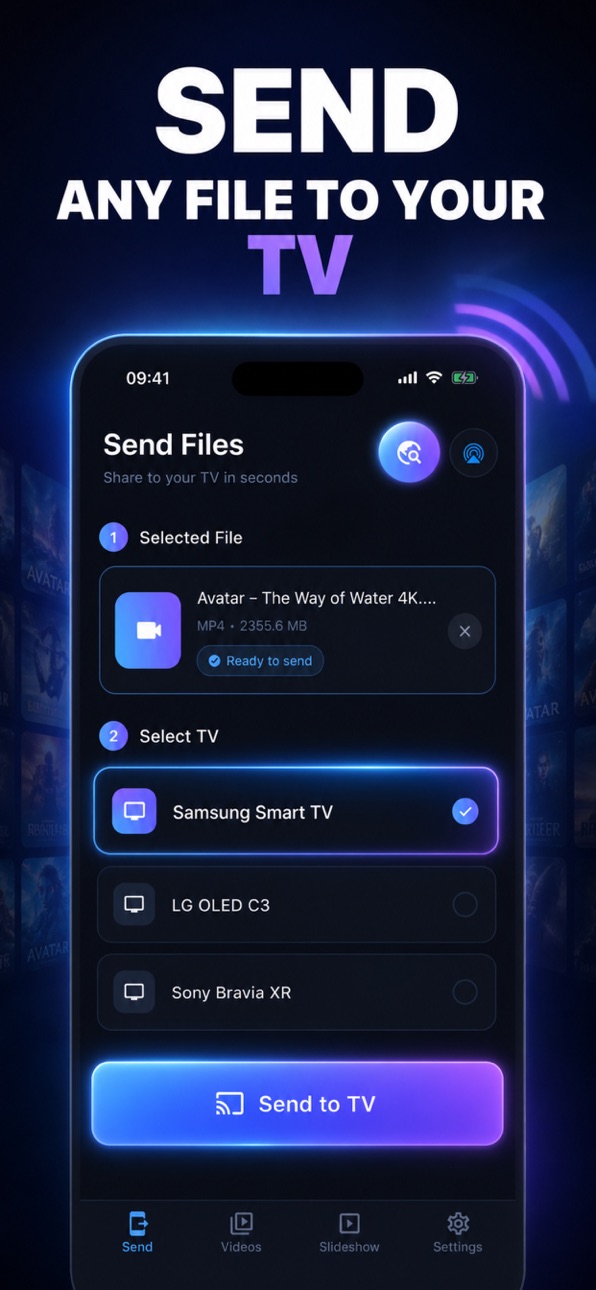
Send any file — photos, videos, audio, and documents
Pick any file from your device and send it to your TV in one tap. Send Files To TV supports the formats your TV can play, including MP4, MOV, JPG, PNG, MP3, and more. Your file streams directly from your phone to your TV with no cloud upload, no compression, and no quality loss.
Auto-discover TVs on your WiFi
The moment you open the app, Send Files To TV scans your local WiFi network and shows every compatible TV it finds. No pairing codes, no QR scans, no setup screens. Turn on your TV, open the app, and your TV is already there waiting.
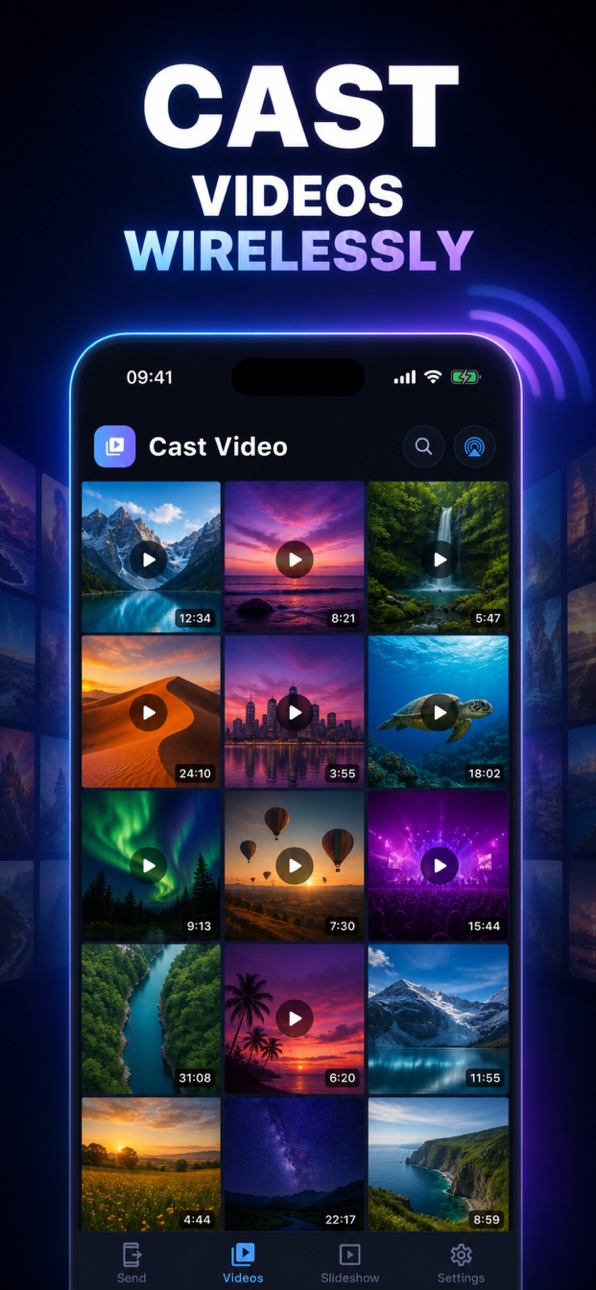
Cast videos from your library
Browse your phone's full video library inside the app and cast any clip with one tap. Perfect for home movies, downloaded content, or anything else you want to watch on a bigger screen.
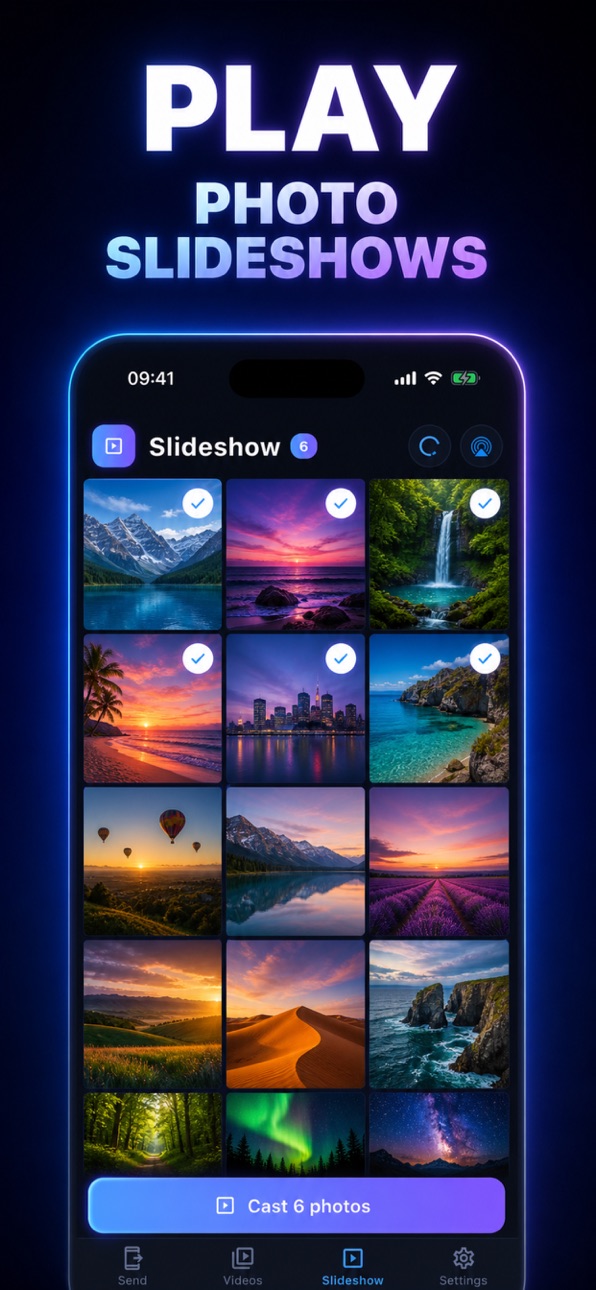
Run beautiful photo slideshows
Select a batch of photos and Send Files To TV will play them as a slideshow on your TV. Set your own interval — 3 seconds, 5 seconds, 10 seconds — and let the photos auto-advance. Great for parties, family gatherings, or showing off your latest trip.
Works with any DLNA-compatible smart TV
Send Files To TV uses the open DLNA / UPnP standard, which means it works with the vast majority of smart TVs sold in the last decade. No proprietary protocols, no walled gardens, no extra hardware needed. If your TV is on the same WiFi as your phone, you are ready to cast.
Local streaming, total privacy
Files never leave your local network. Send Files To TV runs a tiny secure server on your phone and streams the file directly to your TV. Nothing touches the cloud, nothing is uploaded anywhere, and nothing is shared with third parties. Your photos and videos stay yours.
Stop, replay, and control playback
Pause, stop, or change what is playing right from the app. Whether you are casting a single video or running a long photo slideshow, Send Files To TV gives you full remote control over your TV.
Customizable settings
Tweak the slideshow interval, change the local server port, or toggle auto-discovery — the app adapts to how you use it. Everything is local, everything is fast.
WHY YOU WILL LOVE SEND FILES TO TV
No cables. No HDMI adapters, no dongles, nothing extra to plug in.
No accounts. Send Files To TV does not require sign-ups, logins, or subscriptions.
No cloud. Your files never leave your home network.
No ads in the way. The casting flow is clean and uncluttered.
No learning curve. Open the app, pick a file, tap send. That is it.
PERFECT FOR
Sharing vacation photos with family on the big screen
Watching downloaded videos in the living room
Running photo slideshows at parties or events
Casting personal videos without cables or HDMI hassle
Showing presentations or PDFs from your phone
Playing music from your phone through your TV speakers
SUPPORTED FORMATS
Photos: JPG, PNG, HEIC, GIF
Videos: MP4, MOV, M4V, MKV (subject to your TV codec support)
Audio: MP3, WAV, AAC, FLAC
Documents: PDF and other formats your TV can render
If your TV plays it, Send Files To TV can send it.
Stop fighting with cables, paid casting apps, and complicated screen-mirror setups. Send Files To TV gets your content from your phone to your TV in three taps. Download Send Files To TV today and turn your TV into a screen for everything on your phone.
Accessibility
ipadiphonemacrealityDevicetvoswatch
Version history 3 versions
Build 887189677v3.0.02026-06-19 22:01:47
Bug fixes and performance improvements.
Build 879644076v1.0.02026-06-04 11:55:25
Build 886537439v2.0.02026-06-04 23:10:22
We improved the file-sending-to-TV functionality and added onboarding screens to help new users get started.
No pricing data captured yet — comparisons appear once the app has paid storefronts or in-app purchases.
Availability 101 of 101 storefronts
| Region | Language | Price | Ratings | Avg | Version |
|---|---|---|---|---|---|
| AE | en-GB | Free | 0 | — | 3.0.0 |
| AF | en-GB | Free | 0 | — | 3.0.0 |
| AL | en-GB | Free | 0 | — | 3.0.0 |
| AM | en-GB | Free | 0 | — | 3.0.0 |
| AT | de-DE | Free | 0 | — | 3.0.0 |
| AU | en-AU | Free | 0 | — | 3.0.0 |
| AZ | en-GB | Free | 0 | — | 3.0.0 |
| BA | en-GB | Free | 0 | — | 3.0.0 |
| BE | en-GB | Free | 0 | — | 3.0.0 |
| BG | en-GB | Free | 0 | — | 3.0.0 |
| BH | en-GB | Free | 0 | — | 3.0.0 |
| BM | en-GB | Free | 0 | — | 3.0.0 |
| BN | en-GB | Free | 0 | — | 3.0.0 |
| BT | en-GB | Free | 0 | — | 3.0.0 |
| BY | en-GB | Free | 0 | — | 3.0.0 |
| CA | en-CA | Free | 0 | — | 3.0.0 |
| CH | de-CH | Free | 0 | — | 3.0.0 |
| CN | zh-Hans-CN | Free | 0 | — | 3.0.0 |
| CY | en-GB | Free | 0 | — | 3.0.0 |
| CZ | en-GB | Free | 0 | — | 3.0.0 |
| DE | de-DE | Free | 0 | — | 3.0.0 |
| DK | en-GB | Free | 0 | — | 3.0.0 |
| EE | en-GB | Free | 0 | — | 3.0.0 |
| EG | en-GB | Free | 0 | — | 3.0.0 |
| ES | es-ES | Free | 0 | — | 3.0.0 |
| FI | en-GB | Free | 0 | — | 3.0.0 |
| FJ | en-GB | Free | 0 | — | 3.0.0 |
| FM | en-GB | Free | 0 | — | 3.0.0 |
| FR | fr-FR | Free | 0 | — | 3.0.0 |
| GB | en-GB | Free | 0 | — | 3.0.0 |
| GE | en-GB | Free | 0 | — | 3.0.0 |
| GR | en-GB | Free | 0 | — | 3.0.0 |
| HK | zh-Hant-HK | Free | 0 | — | 3.0.0 |
| HR | en-GB | Free | 0 | — | 3.0.0 |
| HU | en-GB | Free | 0 | — | 3.0.0 |
| ID | en-GB | Free | 0 | — | 3.0.0 |
| IE | en-GB | Free | 0 | — | 3.0.0 |
| IL | en-GB | Free | 0 | — | 3.0.0 |
| IN | en-GB | Free | 0 | — | 3.0.0 |
| IQ | en-GB | Free | 0 | — | 3.0.0 |
| IS | en-GB | Free | 0 | — | 3.0.0 |
| IT | it | Free | 0 | — | 3.0.0 |
| JO | en-GB | Free | 0 | — | 3.0.0 |
| JP | ja | Free | 0 | — | 3.0.0 |
| KG | en-GB | Free | 0 | — | 3.0.0 |
| KH | en-GB | Free | 0 | — | 3.0.0 |
| KR | ko | Free | 0 | — | 3.0.0 |
| KW | en-GB | Free | 0 | — | 3.0.0 |
| KZ | en-GB | Free | 0 | — | 3.0.0 |
| LA | en-GB | Free | 0 | — | 3.0.0 |
| LB | en-GB | Free | 0 | — | 3.0.0 |
| LK | en-GB | Free | 0 | — | 3.0.0 |
| LT | en-GB | Free | 0 | — | 3.0.0 |
| LU | en-GB | Free | 0 | — | 3.0.0 |
| LV | en-GB | Free | 0 | — | 3.0.0 |
| MD | en-GB | Free | 0 | — | 3.0.0 |
| ME | en-GB | Free | 0 | — | 3.0.0 |
| MK | en-GB | Free | 0 | — | 3.0.0 |
| MM | en-GB | Free | 0 | — | 3.0.0 |
| MN | en-GB | Free | 0 | — | 3.0.0 |
| MO | zh-Hant-HK | Free | 0 | — | 3.0.0 |
| MR | en-GB | Free | 0 | — | 3.0.0 |
| MT | en-GB | Free | 0 | — | 3.0.0 |
| MV | en-GB | Free | 0 | — | 3.0.0 |
| MY | en-GB | Free | 0 | — | 3.0.0 |
| NL | nl | Free | 0 | — | 3.0.0 |
| NO | en-GB | Free | 0 | — | 3.0.0 |
| NP | en-GB | Free | 0 | — | 3.0.0 |
| NR | en-GB | Free | 0 | — | 3.0.0 |
| NZ | en-AU | Free | 0 | — | 3.0.0 |
| OM | en-GB | Free | 0 | — | 3.0.0 |
| PG | en-GB | Free | 0 | — | 3.0.0 |
| PH | en-GB | Free | 0 | — | 3.0.0 |
| PK | en-GB | Free | 0 | — | 3.0.0 |
| PL | en-GB | Free | 0 | — | 3.0.0 |
| PT | pt-PT | Free | 0 | — | 3.0.0 |
| PW | en-GB | Free | 0 | — | 3.0.0 |
| QA | en-GB | Free | 0 | — | 3.0.0 |
| RO | en-GB | Free | 0 | — | 3.0.0 |
| RS | en-GB | Free | 0 | — | 3.0.0 |
| RU | ru | Free | 0 | — | 3.0.0 |
| SA | en-GB | Free | 0 | — | 3.0.0 |
| SB | en-GB | Free | 0 | — | 3.0.0 |
| SE | sv | Free | 0 | — | 3.0.0 |
| SG | en-GB | Free | 0 | — | 3.0.0 |
| SI | en-GB | Free | 0 | — | 3.0.0 |
| SK | en-GB | Free | 0 | — | 3.0.0 |
| TH | en-GB | Free | 0 | — | 3.0.0 |
| TJ | en-GB | Free | 0 | — | 3.0.0 |
| TM | en-GB | Free | 0 | — | 3.0.0 |
| TO | en-GB | Free | 0 | — | 3.0.0 |
| TR | en-GB | Free | 0 | — | 3.0.0 |
| TW | zh-Hant-TW | Free | 0 | — | 3.0.0 |
| UA | en-GB | Free | 0 | — | 3.0.0 |
| US | en-US | Free | 0 | — | 3.0.0 |
| UZ | en-GB | Free | 0 | — | 3.0.0 |
| VN | en-GB | Free | 0 | — | 3.0.0 |
| VU | en-GB | Free | 0 | — | 3.0.0 |
| XK | en-GB | Free | 0 | — | 3.0.0 |
| YE | en-GB | Free | 0 | — | 3.0.0 |
| ZA | en-GB | Free | 0 | — | 3.0.0 |
Change log 7 changes · US
✎
releaseNotes updated
Bug fixes and performance improvements.
✎
description updated
Send Files To TV is the simplest way to share photos, videos, and files from your phone to any smart TV on your WiFi network. No cables. No app store on your TV
✎
subtitle updated
Send Files To TV Cast
✎
name updated
Send Files To TV - Share
◆
Version 3.0.0 released
Bug fixes and performance improvements.
◆
Version 2.0.0 released
We improved the file-sending-to-TV functionality and added onboarding screens to help new users get started.
◆
Version 1.0.0 released