Home › Utilities

 US
US
1 of 1 storefronts
Content in en-US
Content in en-US
Information
Preview 3 platforms
iPhone 2 images
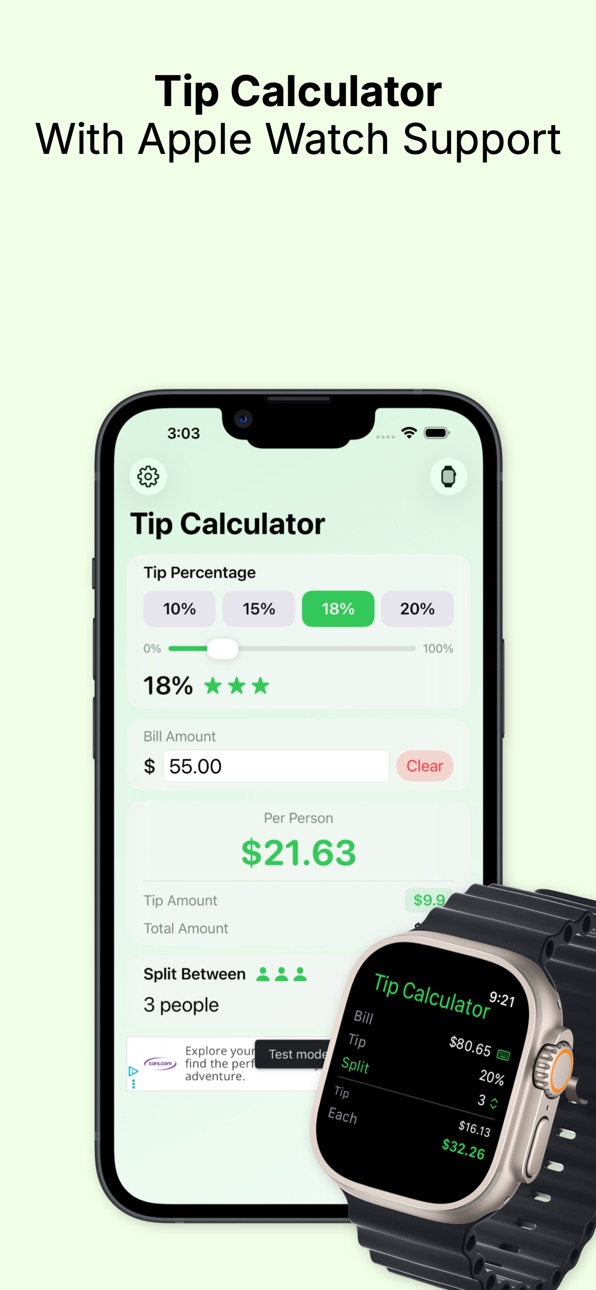

iPad 1 image

Apple Watch 1 image

What’s New Version 3.0
Added Apple Watch support & Apple Watch complications enabled
Description
Tip Calculator makes it fast and effortless to calculate tips and split bills at restaurants, bars, and cafes. Enter your bill amount, choose a tip percentage, and instantly see the total and per‑person cost. Designed for speed and clarity, it works great on both iPhone and iPad with a clean, accessible interface. Whether you’re dining solo or with friends, Tip Calculator helps you tip confidently and check out quickly. Free to use with a small, unobtrusive ad banner.
In-App Purchases US pricing
One-Time Purchases
Apple Watch Support$0.99
Capabilities
In-App Purchases
Accessibility
ipadiphonemacrealityDevicetvoswatch
Version history 5 versions
Build 886337456v3.02026-06-26 21:37:42
Added Apple Watch support & Apple Watch complications enabled
Build 881685509v1.32026-01-21 06:52:22
- update amount input. users do not need to use decimal point in numerical keyboard
- Percentage preset is now saved after exiting app
- changed layout
- fixed international/region currency display
Build 879844552v1.22025-11-18 01:19:14
- Fixed System, Light, Dark mode selection in settings
Build 879807892v1.12025-11-16 20:13:35
1- Fixed Ad Banner access
2- Added Done button to decimal keyboard
3- Fixed Ad Banner placement when keyboards appears.
Build 879624023v1.02025-11-15 08:17:37
Price history by region
Currency
Show
Columns
Search
Availability 1 of 1 storefronts
| Region | Language | Price | Ratings | Avg | Version |
|---|---|---|---|---|---|
| US | en-US | Free | 11 | 5.0 | 3.0 |
Change log 9 changes · US
✎
releaseNotes updated
Added Apple Watch support & Apple Watch complications enabled
✎
description updated
Tip Calculator makes it fast and effortless to calculate tips and split bills at restaurants, bars, and cafes. Enter your bill amount, choose a tip percentage,
✎
subtitle updated
Calculate Tip From Your Wrist
✎
name updated
Tip Calculator & Split Total
◆
Version 3.0 released
Added Apple Watch support & Apple Watch complications enabled
◆
Version 1.3 released
- update amount input. users do not need to use decimal point in numerical keyboard
- Percentage preset is now saved after exiting app
- changed layout
- fixed international/region currency display
◆
Version 1.2 released
- Fixed System, Light, Dark mode selection in settings
◆
Version 1.1 released
1- Fixed Ad Banner access
2- Added Done button to decimal keyboard
3- Fixed Ad Banner placement when keyboards appears.
◆
Version 1.0 released