Home › Photo & Video

 US
US
1 of 1 storefronts
Content in en-US
Content in en-US
Information
Apple ID6755076819
Bundle IDapp.loovie
SellerSeller
Min iOS16.0
Min macOS13.0
Device familiesiphone, ipad
Released2025-12-22
Copyright© 2025 CultivX Pty Ltd
Privacy policyLink ↗
Preview 2 platforms
iPhone 7 images




iPad 7 images


What’s New Version 1.54
New look, creators. Loovie just got a glow-up, and the bar you type into every day got rebuilt from the ground up.
FRESH BRAND, NEW PROMPT BAR
Open the app and you will notice it right away. New icon on your home screen, new logo inside, a fresh coat across the app and the web. The prompt input bar got a full redesign too, cleaner, roomier, and easier to actually think in while you describe the video you want. The place you start every idea should feel good, so we made it feel good.
A CLEARER GETTING READY SCREEN
Before your video is even in the queue, Loovie spends a moment setting things up. That in-between used to be vague. Now it tells you exactly what is happening with a straight "Setting up your video..." message, gives you a cancel button that actually cancels and refunds you if you change your mind, and holds the elapsed timer still until generation truly kicks off. No more watching a clock tick on work that has not started yet.
SHARPER PROJECT THUMBNAILS
Your project poster now comes from the real first frame of your first clip, the trimmed and edited one you actually see, not some raw frame pulled before you touched it. So the thumbnail in your library finally matches the video behind it.
VOICE RECORDING, FIXED
Recording now stops on its own when it reaches the end of your project, right where it should, instead of running past the finish line. And your old stored takes no longer pile up in the record panel, so it stays clean and ready for the take you are about to nail.
POLISH AND BUG FIXES
Plus a solid round of polish and bug fixes across the app. The big one: a second picture-in-picture overlay that follows a first one no longer freezes on a single frame when you export, so what played fine in your preview now plays fine in the finished file too. The quiet stuff you only notice when it breaks.
Now go open the app, meet the new look, and start your next one in the fresh prompt bar.
Description
Turn your imagination into a stunning video. Loovie is the AI video generator that takes you from a single idea to a finished story, right on your phone, no experience needed.
Type what you imagine, animate your own photos, and shape it into a video worth sharing. Loovie brings AI generation and a full editing suite together in one app, so you stay the storyteller from first idea to final export.
Made for TikTok, Instagram and YouTube creators, storytellers, and families turning everyday memories into videos that matter.
CREATE FROM TEXT AND PHOTOS
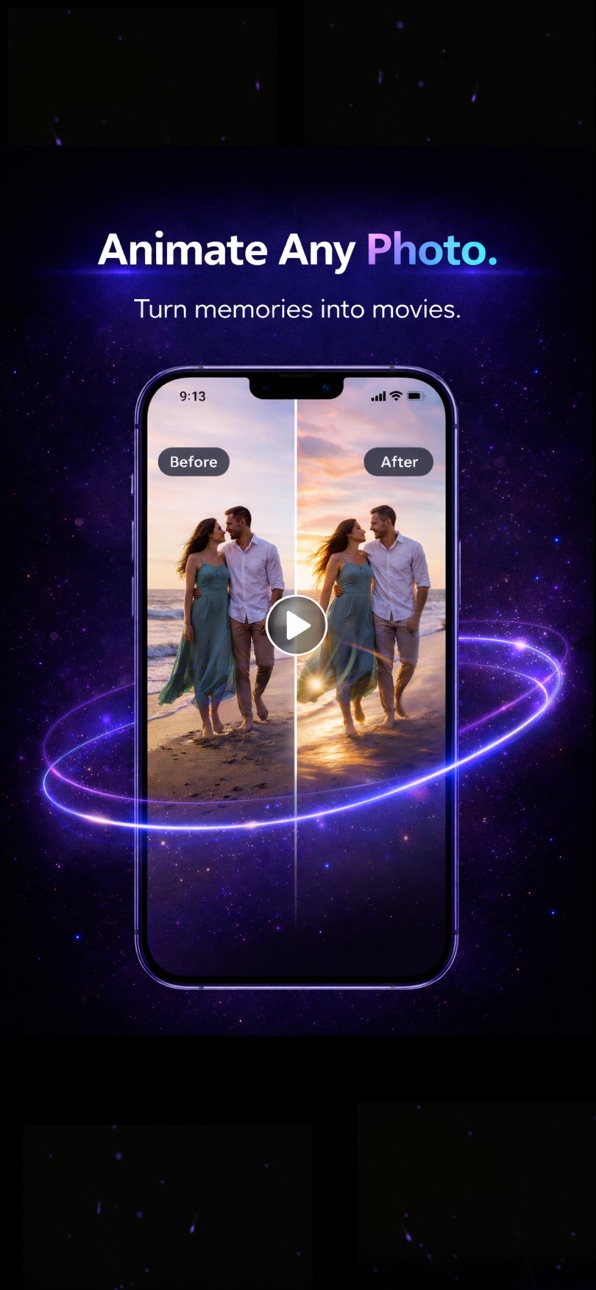
Describe a scene and watch AI bring it to life, or turn your own photos into moving stories. Generate original clips in minutes, guide the look with your own style and reference images, and use motion control to shape how each scene moves. Choose portrait or landscape to fit any platform.
BUILD YOUR OWN CHARACTERS
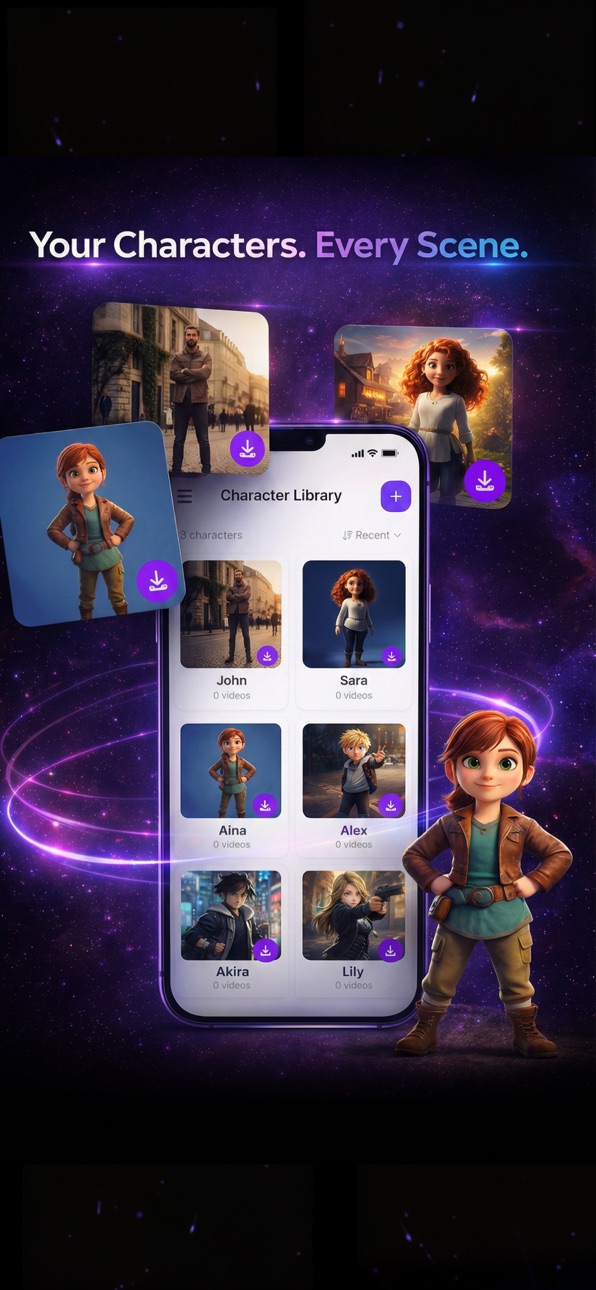
Create characters once and reuse them across scenes and videos, so the same face shows up every time. Perfect for series, ongoing stories and consistent branding, and lovely for families who want a loved one to appear across birthday and holiday videos.
ADD VOICE TO YOUR STORY
Give your videos a voice with voiceover. Turn your script into natural narration and captions, so every story is heard as clearly as it is seen.
EDIT IT YOUR WAY
A real timeline editor built for mobile. Trim clips, add captions and effects, and combine multiple scenes into one seamless story. Powerful editing, made simple on your phone.
Join creators and families everywhere making videos faster, easier and better with AI. Download Loovie and turn your imagination into a story today.
Privacy: https://loovie.app/privacy
Terms: https://www.apple.com/legal/internet-services/itunes/dev/stdeula/
In-App Purchases US pricing
Loovie Subscriptions Subscription
Loovie Starter Monthly · Monthly 7-day free trial$9.99
Loovie Starter Weekly · 7 days$2.99
Loovie Hobby Weekly · 7 days$4.99
Loovie Creator Weekly · 7 days$12.99
Loovie Studio Weekly · 7 days$29.99
One-Time Purchases
Loovie Credits Small Pack$4.99
Loovie Day Pass$7.99
Loovie Credits Medium Pack$11.99
Loovie Credits Large Pack$24.99
Loovie Credits Extra Large Pack$49.99
Capabilities
In-App Purchases
Accessibility
ipadiphonemacrealityDevicetvoswatch
Version history 25 versions
Build 887879419v1.542026-07-07 23:35:25
New look, creators. Loovie just got a glow-up, and the bar you type into every day got rebuilt from the ground up.
FRESH BRAND, NEW PROMPT BAR
Open the app and you will notice it right away. New icon on your home screen, new logo inside, a fresh coat across the app and the web. The prompt input bar got a full redesign too, cleaner, roomier, and easier to actually think in while you describe the video you want. The place you start every idea should feel good, so we made it feel good.
A CLEARER GETTING READY SCREEN
Before your video is even in the queue, Loovie spends a moment setting things up. That in-between used to be vague. Now it tells you exactly what is happening with a straight "Setting up your video..." message, gives you a cancel button that actually cancels and refunds you if you change your mind, and holds the elapsed timer still until generation truly kicks off. No more watching a clock tick on work that has not started yet.
SHARPER PROJECT THUMBNAILS
Your project poster now comes from the real first frame of your first clip, the trimmed and edited one you actually see, not some raw frame pulled before you touched it. So the thumbnail in your library finally matches the video behind it.
VOICE RECORDING, FIXED
Recording now stops on its own when it reaches the end of your project, right where it should, instead of running past the finish line. And your old stored takes no longer pile up in the record panel, so it stays clean and ready for the take you are about to nail.
POLISH AND BUG FIXES
Plus a solid round of polish and bug fixes across the app. The big one: a second picture-in-picture overlay that follows a first one no longer freezes on a single frame when you export, so what played fine in your preview now plays fine in the finished file too. The quiet stuff you only notice when it breaks.
Now go open the app, meet the new look, and start your next one in the fresh prompt bar.
Build 886750178v1.532026-07-02 21:28:41
Set the scene, creators. Backgrounds are yours to paint now, and your camera roll just got a lot friendlier.
STATIC BACKGROUND IN THE EDITOR
Every clip now gets a backdrop you actually control. Tap into any clip and set a solid colour background in a beat, pick your shade and it sits behind your subject, clean and steady. Want something with more going on? Generate a background with AI right there in the editor, then remix it until it lands. No bouncing out to another screen, no round trip, no losing your place. The whole thing happens inside the timeline where you are already working.
And because we were in there anyway, image generation is now unified across the editor. One consistent pass, one way of doing it, wherever you summon a fresh image. Less guessing about which button does what, more making.
SMARTER MEDIA IMPORT
Bringing your own footage in just stopped fighting you. Pick multiple videos at once instead of importing them one lonely clip at a time. Your clips auto-fill the frame with no forced cropping, so nothing important gets chopped off at the edges just to make the aspect ratio happy. Camera-roll media is local-first now, which means it shows up instantly when you go to grab it, no staring at a spinner waiting for things to appear. And when you save, your uploads keep running quietly in the background instead of pinning you to a loading screen. Save, keep editing, let the upload sort itself out.
CAPTION EDITING, YOUR WAY
Captions finally bend to your will. Drop manual line breaks exactly where you want the text to wrap, so your words land the way you read them in your head, not however the layout felt like breaking them. And pinch to resize a caption directly on the canvas, big and bold or small and subtle, sized by feel right where it sits.
POLISH AND BUG FIXES
Plus a solid round of polish and bug fixes across the app. Insufficient credits now gives you a clear heads-up instead of dropping you straight into the paywall, empty prompts get caught before they cost you a generation, the Create Video menu always opens where it should, the generating timer keeps ticking while you are in the app, and the app recovers cleanly when your connection drops and comes back. Motion references trim to the exact duration, transition names read correctly, the voice picker uses the standard sheet, missing thumbnails behave, and preset categories sit right on phone. The quiet stuff you only notice when it is broken.
Now go set a backdrop, pull in a stack of clips at once, and break your captions exactly where you mean to.
Build 886728590v1.522026-06-09 22:38:36
We've been busy. Two new chat experiences just landed.
WE SHIPPED LEAH, OUR NEW ONBOARDING CO-PILOT
New signups now start in a chat with Leah, and she walks them all the way to their first finished Loovie video. No swipe-through carousels, no persona quiz, just a conversation that ends in a real generated video. Invite a friend and watch them meet her.
NEW CHAT AGENT CREATION METHOD, IN BETA
We built the same conversational vibe into Create A New Project as a brand new creation method, in beta and ready for you to try. Open Create A New Project, pick the chat agent, describe what you want in plain language, and let it build the project out with you turn by turn. Tell us how it feels.
Plus a round of polish and bug fixes across the app.
Build 886579565v1.512026-06-06 21:34:32
Your reference, your way, creators. AI VFX gets a third door.
UPLOAD YOUR OWN AI VFX REFERENCE
Setting up an AI VFX reference used to give you two options: Remix something from the video, or Generate something fresh. Now there's a third one. Upload. Tap the new option and pull in your own image straight from your camera roll or your files, and that's the reference your VFX pass leans on.
Got a moodboard frame you screenshot at 2am? In it goes. A hand-drawn sketch from your notebook? In it goes. A still from your own footage, a photo of the actual prop sitting on your desk, a reference from another app, a meme, a painting, a colour swatch? All fair game. No detour through Generate first, no "let me remix something so I can use it as a reference" dance, no leaving the flow. The picker meets you wherever your reference already lives.
This is the same Upload pipeline you already trust everywhere else in the app, just wired straight into the AI VFX reference setup where it always should have been. Pick the image, set your prompt, run the pass.
POLISH AND BUG FIXES
Plus a healthy round of polish and bug fixes across the app, the kind of stuff you don't notice when it works but absolutely notice when it doesn't.
Now go upload that reference you've been sitting on, and let your VFX pass run wild on it.
Build 886430748v1.502026-06-04 09:35:17
Filters land in the editor, creators. Your video gets a real colour kitchen.
FILTERS, THE LOOVIE WAY
Tap the new Filters button on any clip or on your whole project and the colour panel opens up. 40 built-in cinematic presets sit at the top, from warm filmic and cool nocturnal to faded vintage, high-contrast modern, teal and orange hero energy, and a stack of moodier dramatic looks. One tap and you are in the world. The preset chips render with your actual footage, not stylised swatches, so what you tap is what you get.
Want to tune by hand? Pop into Adjust and the manual controls are right there: exposure, highlights, shadows, whites, blacks, plus colour temperature. Every slider is bidirectional. Drag negative to darken or cool, positive to brighten or warm. Find the look fast, then nudge it until it sits right.
PROJECT GRADE, PER-CLIP OVERRIDES
Here is the part we are quietly proud of. Set a single grade across your whole project for instant consistency, then override individual clips that need their own treatment. The dream sequence wants a colder palette. The flashback wants faded warmth. The cutaway wants to pop. You set the base look, the outliers get their own, and the rest of the timeline just follows the project grade. No more grading every clip from scratch.
SMARTER LAST-FRAME MAGIC WAND
The prompt wand on your last-frame prompt got a brain upgrade. It now reads your first frame, your first-frame prompt, and the motion prompt before writing the ending, so the optimised text actually fits how your clip starts and what's happening in it. No more endings that quietly contradict the opening. The wand still respects your intent: if you deliberately relocate the last frame, your prompt wins.
SMOOTHER ALL ROUND
The rest of the app got the usual love: snappier flows, sturdier edges, and a respectable batch of bug fixes.
Now go pick a look, override the shots that want their own, and ship something that actually feels like yours.
Build 886344466v1.492026-05-31 21:46:20
Small but mighty bug fixes and overall improvements!
Build 886173648v1.482026-05-30 05:32:30
Grid mode engaged, creators. You now get to see and steer the whole multi-shot before it renders.
STORYBOARD GRID, ULTRA TIER
Here is the win: you control how your video renders. Kick off a multi-shot at the Ultra tier and Loovie lays your entire sequence out as a single 2K storyboard panel grid, every shot side by side on one canvas, before any video frame is rendered. That grid then drives the multi-shot render, so what you see in the panels is what lands in the final cut. Outfits stay outfits, lighting stays lighting, your hero stops mysteriously changing jackets between shot 2 and shot 3, and your antagonist does not suddenly grow a different haircut at the climax. On-model from shot one to shot last, because you saw it coming.
Preview the grid in Review before you commit to the full multi-shot render. Eyeball the whole sequence as a single image, decide it is the take you want, then pay for the moving version. Storyboard Grid is Ultra tier only for this drop.
MULTI-SHOT GOES WHERE YOU GO
Multi-shot has been hiding inside First Frame for a while. Now it shows up in Continue From Frame and Fill The Gap as well, with the full kit: AI shot planner, the shot duration slider, and the Break into Shots magic wand. Same toolbox, same vibe, three flows instead of one. Plan a whole sequence from wherever you start, whether that is a fresh first frame, an existing clip you want to continue, or a hole in the middle of your edit that needs filling.
SMOOTHER ALL ROUND
The app is snappier, sturdier, and noticeably less buggy across the board.
Now go line up your shots, watch the grid land, and ship a sequence that actually rhymes with itself.
Build 886155124v1.472026-05-27 00:43:49
Rewind unlocked, creators. Your clips can now run backwards on purpose.
REVERSE PLAYBACK
Flip any video clip on the main timeline so it plays end to first frame, and the editor honours that reversal everywhere it counts: scrub, preview, and your final export.
Picture-in-picture overlays get the same treatment, so a reversed PiP layered over a forward clip is finally a thing you can actually ship.
One toggle, both surfaces, all the way through.
That's the whole drop. Tiny on the surface, weirdly satisfying in practice.
Splash that lands itself back in the bottle, footsteps that walk themselves home, the classic reveal where the mess becomes the meal: all yours now without leaving the app.
Now go pick a clip, hit reverse, and watch entropy lose for once.
Build 886064599v1.452026-05-25 00:21:21
Sheet drop, creators. Your characters finally have a model sheet.
CHARACTER SHEETS
One tap on Create Character Sheet turns any character into a single, high-fidelity reference image: a full-body turnaround, an expression row, and ornament call-outs for the details that always drift between shots (the hair clip, the necklace, the scar). Costs 2 credits. From that point on, first-frame and video generation use the sheet as the multi-pose reference, which means your character holds together way better across shots, outfits, and angles. Tap the sheet to pop it open full-screen and inspect every detail.
BRING YOUR OWN GPU, STURDIER
A handful of rough edges on the BYO server settings are gone. Connection checks now time out cleanly on stalling tunnels, so no more "Checking server..." spinner for eternity. Closing the settings sheet no longer wedges the side drawer. The false "certificate not trusted" warning that fired on perfectly plain unreachable servers has been retired. And when a BYO job actually fails, a dedicated alert tells you so, so you actually know what happened instead of staring at a silently stuck job.
VOICE DENOISE
Voice denoise works reliably now, even if it gave up on you the first time. Give it another go.
Now go spin up a character sheet, drop your hero into a scene, and watch them stay on-model shot after shot.
Build 886092481v1.462026-05-25 21:38:33
Tag, you're in, creators. Your references now live inside the prompt.
PROMPT REFERENCES
This is the headline. You can now drop references straight into your video prompt by @tagging them. Tap + Reference and a tabbed picker slides up: Characters, Assets, Backgrounds, or Upload your own image. Pick one and it drops into your prompt as an @tag, and yes, you can rename the tag to whatever reads naturally in your sentence. Each chip shows a real thumbnail of the actual image, not some grey placeholder, and the label shows the plain tag while the @ does its job as the in-prompt sigil. You get up to 4 references per generation, available on the High and Ultra tiers (switch down to a lower tier and they clear themselves automatically, no surprises). Character references are variation-aware, which is the part we are quietly proud of: pick a specific creative variation, the outfit, the age, and it honours that exact look from the picker all the way through to the final frame. Under the hood it sends a clean two-image set, your primary identity plus one multi-pose sheet, so your character stays on-model instead of drifting between shots. And the whole picker flow is rock solid now. Previously stacked sheets could starve your taps and typing, that is gone.
CAPTION TEXT EFFECTS
Typewriter, reveal, and animated gradient fill now render in BOTH the editor preview and your final export. Before this, the fancy stuff looked great in preview and then quietly vanished on export, which, fair, was maddening. Not anymore. These effects stack with motion presets too, so slide, spin, scale, bounce, float, shake, and opacity loops all play nicely together on the same caption. Typewriter reveals by whole glyph, so emoji and joined characters never split themselves down the middle mid-reveal.
FASTER EXPORTS
Exports finish quicker. Clips now process in parallel with faster intermediates, so you spend less time staring at a progress ring. And emoji finally render in full color in your exported video, the way they always should have.
Now go @tag your hero, type the scene around them, and watch your captions actually make it out alive.
Build 886039420v1.442026-05-23 20:35:41
Bell drop, creators. Your jobs finally have a home.
NOTIFICATION CENTER
There is a new bell in the header. Tap it and a Notification Center sheet slides up with two things: every generation still cooking, and a rotating set of tips about features you might not have found yet. The running jobs list covers image gen, video gen, AI VFX, the lot, with a tap-to-jump-back so you stop wondering whether that 90 second video ever finished. The bell wears a badge with your active job count and any unseen tips, so you can see at a glance whether something is waiting on you. Tips refresh daily and quietly point at corners of the app worth a poke. Done with a finished job sitting in the list? Swipe it out. The bell lives on Home, so whenever you open the app, your jobs and your next thing to try are one tap away.
SCRUB SHOWS THE ENHANCED RESULT
Drag the playhead across a clip with a Swap, Animate, or AI VFX enhancement and you now see the actual enhanced frames as you scrub, not the raw input clip. Before this, only playback and the settled frame would show the result, the scrub itself showed the source, which made it really annoying to dial in timing on an enhancement. Now what you see while dragging is what you will get on export. Forward scrub looks right, backward scrub across an enhancement is still slow and we are chasing that next.
Now go tap the bell, jump back into that half-cooked clip, and scrub the enhancement like you mean it.
Build 886016933v1.432026-05-22 21:34:23
BYO drop, creators. Your GPU just joined the cast.
BRING YOUR OWN GPU AND MODELS
This is the headline, and it is a first for a mobile video creation app. If you have a GPU sitting at home doing nothing, Loovie can now talk to it. Point the app at your own server, run your own models, your own LoRAs, your own checkpoints, and generate as much as you want. Free during the beta. No credits, no quotas, no "you have used your daily allowance" nag screens. It is your hardware, it is your compute, and we are not going to stand between you and it. Want to test a character LoRA you trained last weekend? Want to push a model that is not on our roster yet? Want to generate fifty takes of the same clip just because you can? Go for it. To switch it on, head to Preferences, tap Beta Features, flip the BYO toggle, and follow the setup to point at your server. Then keep creating like nothing changed, except the bill.
Register your interest now, and we will open the beta in no time!
CLIP VARIANTS
Not happy with that take? Thumbs-down the generated video and tap Generate 3 Variants for three fresh alternates in one go, on any single-shot clip. The first one in the batch of three is on us, free, and shows up as Free in your Credit History so you can see exactly what you are spending (the other two ride the normal credit cost, and generating a single one-off variant is the normal cost too, no deal there). Multi-shot variants are not in this round, single-shot only for now, but the rest is coming. And if a variant turns out to be the start of something bigger, you can send it straight into a new project right from the variants sheet, no copy-paste, no juggling.
BETA FEATURES, IN ONE PLACE
Preferences now has a Beta Features screen, the new home for opt-in experiments. BYO lives there today, and whatever ships next will land in the same spot, so you do not have to go hunting through menus to find the cool stuff.
Now go plug in your GPU and reroll that clip until it sings.
Build 885835719v1.422026-05-20 23:11:53
Masks that move, creators. Your shapes finally chase the action.
ANIMATED MASKS
Drop a mask on a clip or a picture-in-picture overlay, set a couple of keyframes, and watch it follow your subject across the whole clip. Feathered edges hold up all the way through export, so the soft halo you see in the preview is the soft halo you ship. The mask sticks to your subject from the first frame to the last, no jumping back to where it started.
ANOTHER EDITOR SPEEDUP
Scrubbing feels noticeably faster across the board. The playhead glides where your finger goes, the first drag on a clip tracks your finger cleanly, and there is no canvas flash when you select something. Ride a volume curve and the preview no longer blinks at you. Tap a diamond on the timeline and the diamond or curve menu updates instantly, not half a beat later.
PIP, FIXED
Picture-in-picture playback stops stuttering. PiP overlays no longer flick to the first frame the moment you scrub. And when you drag a PiP keyframe, the keyframe lands exactly where you let go, not slightly behind your finger. Quiet, predictable, the way it should have been.
EXPORTS THAT BEHAVE
The export progress ring keeps moving so you know it is alive, instead of sitting at the same spot for a minute and making you doubt your life choices. Exported PiP masks and crops match what you saw in the preview, pixel for pixel. If you hit the export limit, you get a clear heads-up instead of a vague failure. Retrying an export while one is already in flight no longer throws a hard error, you get a calm nudge to wait for the current one.
SAFER ENHANCEMENTS
When you convert an enhancement, your source video stays safe. No more accidental data loss when you swap things around on a busy timeline.
UPLOADS AND GENERATIONS THAT TELL THE TRUTH
Background image uploads either go through cleanly or tell you they did not. No more silent broken references showing up an hour later. Failed video generations finally explain themselves with a real reason, instead of a wall of nothing.
Now drop a keyframe, feather the edge, and let your mask do the chasing.
Build 885500129v1.412026-05-12 21:17:26
Mask drop, creators. The canvas finally has shapes.
CLIP MASKS, LIVE AND GPU-SMOOTH
This is the headline. Reach into any clip and apply a shape mask, on the main clip or on a picture-in-picture overlay. Pick a shape, drag to position it, scale it to taste, and slide the feather control to soften the edge. The preview updates in real time on a GPU-smooth overlay, so what you see while you drag is exactly what bakes into your export. Punch out a PiP layer and let the clip underneath breathe through. The kind of thing you reach for once and design around forever.
INSTANT TAP-TO-SEEK AND SMOOTHER SCRUB
We capped the playhead re-renders and memoized the Swap and Animate flow panels, so tapping the timeline lands on the frame instantly and scrubbing stays smooth even with a flow panel open. The editor stops fighting your finger.
iPAD STARTER IDEAS THAT GO STRAIGHT IN
On iPad, the home screen starter ideas now deep-link straight into the right creation method instead of dumping you on a generic screen. One tap, you are already creating.
That is v1.41. Now go mask a clip and watch the layer underneath come through.
Build 885489613v1.402026-05-10 21:43:40
Speed update, creators. The editor stopped making you wait.
PROJECTS THAT OPEN LIKE THEY MEAN IT
This is the headline. Big projects open in seconds now, not in "go grab a coffee" time. We chased down the load-time gremlins that were making the editor crawl on long timelines, and the difference on a chunky project is the kind of thing you feel before you even tap anything. Open, edit, ship. The fastest editor open-time win we have shipped in a while.
iPAD MULTI-SHOT CREATE VIDEO
iPad creators, this one is yours. The landscape Create Video panel now does proper multi-shot from a prompt or from a last frame, with the same plan, optimise, and tip flow you already know from phone. Stack your shot cards in the side rail, hit Optimise to break a single idea into a sequence, and ride the duration slider without bouncing back to phone. Free trial limits, paywall hints, error states, scene references on each shot, all there. iPad finally gets the full Create Video story.
VOLUME KEYFRAMES THAT MATCH THEIR CURVE
Last release we gave you diamond keyframes on volume. This release we taught the export to actually respect the curve you picked. Pick easeIn, easeOut, or any other shape in the curve sheet and the preview, the scrub, and the final exported file all ride the same ramp. No more "sounded right while editing, sounds wrong when I share it." Your audio rides exactly the curve you wrote.
PREVIEW FOLLOWS YOUR TRIM HANDLE
Drag the trim handle on a caption, a picture-in-picture clip, or a music track and the preview now scrubs to match, so you can see the exact frame you are landing on. No more guessing, no more nudging by feel. Where the handle goes, the preview goes.
CLEANER EXPORT PREVIEWS
Open an export and you now see a defined video shaped placeholder with a purple spinner before the first frame paints, instead of an almost-empty white card that made you wonder if the export had failed.
That is v1.40. Now go open that long project and feel how fast it cracks.
Build 885413994v1.392026-05-08 21:36:34
Less friction, more flow.
REFERRALS AND INVITES THAT ACTUALLY EXPLAIN THEMSELVES
Referral and invite handling got a reliability pass across app and web. Codes are validated more consistently, already-used codes are treated cleanly instead of throwing confusing dead-end errors, and stored invite state is cleaned up when a flow ends with a terminal error. Translation: fewer mystery failures, clearer outcomes.
iPAD EDITOR PARITY FOR MUSIC TOOLS
The iPad music panel now behaves much closer to phone, with clearer tabbed structure between your library, stock music, and sound effects. Browsing and choosing audio feels more predictable on bigger screens instead of like a second-class path.
FEWER MODAL CRASHES ON iPAD
We fixed a crash path tied to form modals and bottom-sheet internals on iPad. If you were hitting occasional hard breaks while opening or interacting with forms, that path is now guarded.
That is v1.39. Now go sign in fast and get straight back to creating.
Build 885386421v1.382026-05-07 21:03:44
Smoother editor, creators. Long projects finally feel light.
LONG TIMELINES THAT BREATHE
This is the headline. Scrubbing and scrolling on long projects feel noticeably faster now. The playhead glides instead of catches, the preview keeps up while you drag, and your phone stops pretending it's a brick when you load up a heavy edit. We did a real performance pass under the hood, and you can feel it the second you open a chunky project. Less waiting on the timeline, more time actually editing.
AI VFX REFERENCES THAT MATCH YOUR SHOT
When you remix or generate a reference image for AI VFX, it now lines up with the scene you are working on. Translation: the reference looks like your shot, so the generation looks like your shot, so you stop redoing the same run three times trying to nudge the model into the right ballpark. First try gets you closer, more often.
WAVEFORMS THAT SHOW UP IMMEDIATELY
Reusing the same audio track? The waveform appears the instant you drop the clip in, every time. No more empty audio lanes silently wondering what's going on. Stock tracks remember their waveform, so the second time is always instant.
ADD A CLIP, BAIL OUT, NO MESS
Adding a clip and then changing your mind no longer leaves stray bits in your project. Your timeline stays exactly how you left it before you tapped add. Commit and it saves, back out and it's like nothing happened. How it should have always worked.
INVITES THAT TELL YOU WHY
If a referral link doesn't go through, you'll see the actual reason now (already redeemed, expired, wrong account) instead of a generic "something broke" message that leaves you spamming the link. Way less "wait what?", way more "ah, got it."
STOCK SOUND EFFECTS
Whoosh. Thud. Record-scratch. Boom. The Music tool now has a Sound Effects mode, so you can browse a stock library of SFX and drop them straight onto your timeline. Cuts hit harder when there's a punch behind them, jokes land cleaner with the right thud, and transitions stop feeling naked. SFX layers alongside your music, not instead of it, so your soundtrack and your sound design can finally coexist on the same edit. Open the Music panel, switch to SFX, scroll, tap, place. The kind of layer that used to mean exporting to another app and back is now one tab away.
That's v1.38. Now go open that long project you've been avoiding and feel the difference.
Build 885309776v1.372026-05-06 21:09:25
Hands-on update, creators. The timeline got tactile.
VOLUME KEYFRAMES ON THE TIMELINE
Audio that breathes. Drop diamond keyframes on any clip and ride the volume up, down, in, out, right where the moment needs it. Drag the slider on a keyframe and it writes in place. Scrub through a ramp and the slider follows the interpolated value live, so you actually see what your ears are about to hear. If your clip already has keyframes, the slider auto-keys for you instead of nuking the curve. It's the kind of thing you set once and then can't go back from.
WAVEFORMS UNDER EVERY CLIP
Each video clip on the timeline now has an audio waveform sub-lane. You can finally see the shape of your sound while you cut. Dialogue peaks, music drops, that one cough you need to trim out. No more scrubbing blind.
DIRECT TRANSFORM ON THE CANVAS
Stop fighting menus. Pinch, drag, and rotate your clip directly on the preview to position it exactly where you want it. New flip horizontal and flip vertical buttons in the clip toolbar for the moments you need a quick mirror. Selection got smarter too: tap the background to deselect, tap another clip to switch straight to it, and trim handles stay visible while you're in transform mode. The toolbar, header, and banner stop flickering on and off when you select a clip. Just calm, predictable controls.
FASTER, LIVE-PROGRESS IMAGE GENERATION
Image generation now runs end-to-end async with live progress streaming back to your screen. Start a generation, keep editing, and watch it cook in real time. No more frozen taps wondering if the thing is even working.
EXPORTS THAT ACTUALLY MATCH THE PREVIEW
Rotated clips now export with the rotation intact when transform animation is applied, instead of mysteriously flattening to upright. And when an export does fail, the error you see is a real, readable sentence now, not a stack trace cosplaying as a message.
STEADIER PREVIEW SCRUB
Fast scrubbing no longer jumps the playhead backwards on you. The seek stays where you put it. Small fix, huge "finally."
That's v1.37. Now go ride a volume curve into something cinematic.
Build 885239388v1.362026-05-04 21:00:26
Big editor update, creators. The timeline grew up.
NON-DESTRUCTIVE ENHANCEMENTS
Animate, Swap, and AI VFX no longer rewrite your clip. They layer on top of it as a band you can see, select, tweak, or remove. Your original footage stays exactly where it was, and the enhancement sits on top like a proper effect should. Tap a band to open the inspector, change your mind without redoing the cut, or just delete it and move on. This is how it should have worked from day one.
PER-GENERATION QUALITY OVERRIDES
You picked a default quality in settings. Cool. But sometimes one shot deserves Ultra and the rest are fine on Standard. Now you can change quality and resolution for each Animate, Swap, or AI VFX run on the spot, right inside the flow panel, without touching your global default. Tap the quality pill, pick what you want, hit apply. Done.
LIVE PROGRESS AND REAL CANCEL
Two things that used to drive us a little crazy. The progress badge on the timeline now shows the actual percentage as it climbs, instead of a static "about N minutes" guess that aged badly. And cancel actually cancels now. No more orphan Processing or Failed badges hanging around after you tap stop. Tap, gone, move on.
SMOOTHER EDITING
A pile of small things that add up. Range handles snap to the playhead within a comfy margin while a flow panel is open. The quality picker stays inside the panel instead of opening a sheet that bisected your prompt row. Long AI VFX prompts no longer push the status line off-screen. Splitting a clip after a freeze frame stops clobbering its trim bounds. The transitions help screen got a proper styled modal.
UPLOADS THAT JUST WORK
Library creation, style picks, custom photos for AI VFX, motion references, swap characters... they all stream straight to storage now instead of loading the whole image into memory and posting it inline. iOS retries through a foreground fallback when uploads hit those weird "RN Uploader" failures, so the silent-fail moments creators kept reporting are gone. Faster, more reliable, less mysterious.
INSTANT PROJECT UPDATES
Upload a video from Home or Projects and a processing tile shows up immediately. Rename or delete a project and it reflects everywhere right away, no waiting on a refetch round-trip. Your library feels like it actually knows what you just did.
CHAT INPUT GLOW UP
The Director and chat agent prompt cap is now 2000 characters, double what it was. Dictation users especially: more headroom for long takes. The visual counter, haptic warning, and STT auto-stop all stay in lockstep so you know exactly where you are.
BUG FIXES
Export Failed flash when resuming from background. Picture-in-picture audio-only export concat. Black-intro drift on exports. iOS 26 voice input crash. Smoother mic waveform that runs on the UI thread. AI VFX style picker no longer triggers an upload every time you tap a preset. Cancelled jobs no longer block the next submission. Plenty more polish behind the scenes.
That's v1.36. Now go layer something wild on a clip.
Build 885154680v1.352026-05-01 20:51:26
This release is only to get us ready for something big....
Stories... visions... motions... Start getting ready like we are!
Build 885028310v1.342026-04-29 21:05:06
Simple changes, quality of life.
Bugs squashed, stay calm.
Get creative, share the love!
Build 884983313v1.332026-04-28 12:13:39
Hello creators,
Small one, and useful one! No more captions key frames issues where changing from motion captions to manual keyframes!
Keep captioning, keep cool!
Build 884948260v1.322026-04-27 06:44:30
Tightening-the-screws update, creators. Small but mighty.
SMOOTHER EDITOR PLAYBACK
Your preview shouldn't fall over because of a tiny hiccup. So now it doesn't. Transient playback errors auto-retry behind the scenes instead of breaking your scrub, and we hushed a bunch of noisy filter-preview warnings that were doing absolutely nothing for you. Net result: scrubbing feels steadier, the editor stops crying wolf, and you can stay in the flow.
CLEARER COPYRIGHT ERRORS
You know that moment when a generation just fails and you're left guessing? Yeah, no. If something gets blocked for copyright reasons, you'll actually see why now. Real message, real reason, no more staring at a generic error wondering if you offended the AI gods. Same for a few other spots where errors used to be a bit too mysterious for their own good.
Bonus: the credit purchase modal now lets you out. If the receipt takes a beat to land after you buy, the X and the backdrop close it like you'd expect, instead of holding you hostage.
That's v1.32. Back to creating. We'll keep tightening.
Build 884897718v1.312026-04-26 03:51:24
Quick one, creators. Still a good one though.
RECENTLY GENERATED
Every picker in the app now has a Recently Generated tab. That background you made two days ago? That character portrait from last week? They are all right there, ready to drop back in. No more digging through your camera roll trying to find that one AI image you saved somewhere. Tap the tab, scroll through thumbnails of every image you have generated, and reuse it wherever you need it. We also unified every image picker across the app while we were at it, so the experience is the same no matter where you are picking from. Consistency. We love to see it.
iPAD ROTATION
iPad users, this one is for you. Previously, only the timeline canvas could rotate to landscape. Now every screen in the app rotates freely on iPad. Browse your projects in landscape, edit characters sideways, do whatever feels right. The responsive layouts already knew how to handle it, we just finally let them. iPhone stays locked to portrait outside the timeline because that still makes more sense there.
BUG FIXES AND STABILITY
Fixed the Match Pose overlay getting stuck and refusing to dismiss. Characters now properly link to videos across every generation path, including multi-shot and all the newer flows, so your "Appears In" counts and character detail screens actually reflect reality. Plus a round of crash fixes and observability cleanup behind the scenes.
That's v1.31. Short and sweet. Now go reuse something great you already made.
Build 884848150v1.302026-04-23 22:28:50
Hey creators, v1.30 is the "we opened the hood and tightened every bolt we could find" release. No marquee trailer, just a steadier engine.
STABILITY AND FIXES
We chased down edge cases in sessions, deep links, and a few defaults that could nag the wrong users at the wrong time. The kind of work that never gets slow-mo in an ad, but keeps "wait, why did it do that?" off your evening.
QUALITY OF LIFE
Small navigation and state cleanups so the app feels less twitchy when you tap around fast or come back after the OS has been napping.
You should mostly feel this one as fewer papercuts, not a new button parade.
Price history by region
Currency
Show
Columns
Search
Availability 1 of 1 storefronts
| Region | Language | Price | Ratings | Avg | Version |
|---|---|---|---|---|---|
| US | en-US | Free | 2 | 4.5 | 1.54 |
Change log 29 changes · US
✎
releaseNotes updated
New look, creators. Loovie just got a glow-up, and the bar you type into every day got rebuilt from the ground up.
FRESH BRAND, NEW PROMPT BAR
Open the app and
✎
description updated
Turn your imagination into a stunning video. Loovie is the AI video generator that takes you from a single idea to a finished story, right on your phone, no exp
✎
subtitle updated
Story & Animation Maker
✎
name updated
Loovie: AI Video Generator
◆
Version 1.54 released
New look, creators. Loovie just got a glow-up, and the bar you type into every day got rebuilt from the ground up.
FRESH BRAND, NEW PROMPT BAR
Open the app and you will notice it right away. New icon on your home screen, new logo inside, a
◆
Version 1.53 released
Set the scene, creators. Backgrounds are yours to paint now, and your camera roll just got a lot friendlier.
STATIC BACKGROUND IN THE EDITOR
Every clip now gets a backdrop you actually control. Tap into any clip and set a solid colour back
◆
Version 1.52 released
We've been busy. Two new chat experiences just landed.
WE SHIPPED LEAH, OUR NEW ONBOARDING CO-PILOT
New signups now start in a chat with Leah, and she walks them all the way to their first finished Loovie video. No swipe-through carousels,
◆
Version 1.51 released
Your reference, your way, creators. AI VFX gets a third door.
UPLOAD YOUR OWN AI VFX REFERENCE
Setting up an AI VFX reference used to give you two options: Remix something from the video, or Generate something fresh. Now there's a third on
◆
Version 1.50 released
Filters land in the editor, creators. Your video gets a real colour kitchen.
FILTERS, THE LOOVIE WAY
Tap the new Filters button on any clip or on your whole project and the colour panel opens up. 40 built-in cinematic presets sit at the to
◆
Version 1.49 released
Small but mighty bug fixes and overall improvements!
◆
Version 1.48 released
Grid mode engaged, creators. You now get to see and steer the whole multi-shot before it renders.
STORYBOARD GRID, ULTRA TIER
Here is the win: you control how your video renders. Kick off a multi-shot at the Ultra tier and Loovie lays your
◆
Version 1.47 released
Rewind unlocked, creators. Your clips can now run backwards on purpose.
REVERSE PLAYBACK
Flip any video clip on the main timeline so it plays end to first frame, and the editor honours that reversal everywhere it counts: scrub, preview, an
◆
Version 1.46 released
Tag, you're in, creators. Your references now live inside the prompt.
PROMPT REFERENCES
This is the headline. You can now drop references straight into your video prompt by @tagging them. Tap + Reference and a tabbed picker slides up: Char
◆
Version 1.45 released
Sheet drop, creators. Your characters finally have a model sheet.
CHARACTER SHEETS
One tap on Create Character Sheet turns any character into a single, high-fidelity reference image: a full-body turnaround, an expression row, and ornament
◆
Version 1.44 released
Bell drop, creators. Your jobs finally have a home.
NOTIFICATION CENTER
There is a new bell in the header. Tap it and a Notification Center sheet slides up with two things: every generation still cooking, and a rotating set of tips about f
◆
Version 1.43 released
BYO drop, creators. Your GPU just joined the cast.
BRING YOUR OWN GPU AND MODELS
This is the headline, and it is a first for a mobile video creation app. If you have a GPU sitting at home doing nothing, Loovie can now talk to it. Point the
◆
Version 1.42 released
Masks that move, creators. Your shapes finally chase the action.
ANIMATED MASKS
Drop a mask on a clip or a picture-in-picture overlay, set a couple of keyframes, and watch it follow your subject across the whole clip. Feathered edges hold
◆
Version 1.41 released
Mask drop, creators. The canvas finally has shapes.
CLIP MASKS, LIVE AND GPU-SMOOTH
This is the headline. Reach into any clip and apply a shape mask, on the main clip or on a picture-in-picture overlay. Pick a shape, drag to position it,
◆
Version 1.40 released
Speed update, creators. The editor stopped making you wait.
PROJECTS THAT OPEN LIKE THEY MEAN IT
This is the headline. Big projects open in seconds now, not in "go grab a coffee" time. We chased down the load-time gremlins that were makin
◆
Version 1.39 released
Less friction, more flow.
REFERRALS AND INVITES THAT ACTUALLY EXPLAIN THEMSELVES
Referral and invite handling got a reliability pass across app and web. Codes are validated more consistently, already-used codes are treated cleanly instead
◆
Version 1.38 released
Smoother editor, creators. Long projects finally feel light.
LONG TIMELINES THAT BREATHE
This is the headline. Scrubbing and scrolling on long projects feel noticeably faster now. The playhead glides instead of catches, the preview keeps
◆
Version 1.37 released
Hands-on update, creators. The timeline got tactile.
VOLUME KEYFRAMES ON THE TIMELINE
Audio that breathes. Drop diamond keyframes on any clip and ride the volume up, down, in, out, right where the moment needs it. Drag the slider on a key
◆
Version 1.36 released
Big editor update, creators. The timeline grew up.
NON-DESTRUCTIVE ENHANCEMENTS
Animate, Swap, and AI VFX no longer rewrite your clip. They layer on top of it as a band you can see, select, tweak, or remove. Your original footage stays ex
◆
Version 1.35 released
This release is only to get us ready for something big....
Stories... visions... motions... Start getting ready like we are!
◆
Version 1.34 released
Simple changes, quality of life.
Bugs squashed, stay calm.
Get creative, share the love!
◆
Version 1.33 released
Hello creators,
Small one, and useful one! No more captions key frames issues where changing from motion captions to manual keyframes!
Keep captioning, keep cool!
◆
Version 1.32 released
Tightening-the-screws update, creators. Small but mighty.
SMOOTHER EDITOR PLAYBACK
Your preview shouldn't fall over because of a tiny hiccup. So now it doesn't. Transient playback errors auto-retry behind the scenes instead of breaking yo
◆
Version 1.31 released
Quick one, creators. Still a good one though.
RECENTLY GENERATED
Every picker in the app now has a Recently Generated tab. That background you made two days ago? That character portrait from last week? They are all right there, ready to d
◆
Version 1.30 released
Hey creators, v1.30 is the "we opened the hood and tightened every bolt we could find" release. No marquee trailer, just a steadier engine.
STABILITY AND FIXES
We chased down edge cases in sessions, deep links, and a few defaults that coul