Home › Productivity

 US
US
1 of 1 storefronts
Content in en-US
Content in en-US
Information
Preview 2 platforms
iPhone 3 images


iPad 2 images


What’s New Version 1.8
Fix bugs and optimize user experience.
Description
QR Scanner is a lightweight, fast, and privacy-friendly QR and barcode tool app. It provides real-time camera scanning, image recognition from the photo library, and customizable QR code generation. The app supports history records, sharing, and multilingual localization. All scanning data is processed locally and never uploaded to developer servers.
Core Features
Camera Scan: Real-time detection of QR and barcodes with quick focus and recognition hints.
Album Recognition: Identify codes from images in your photo library.
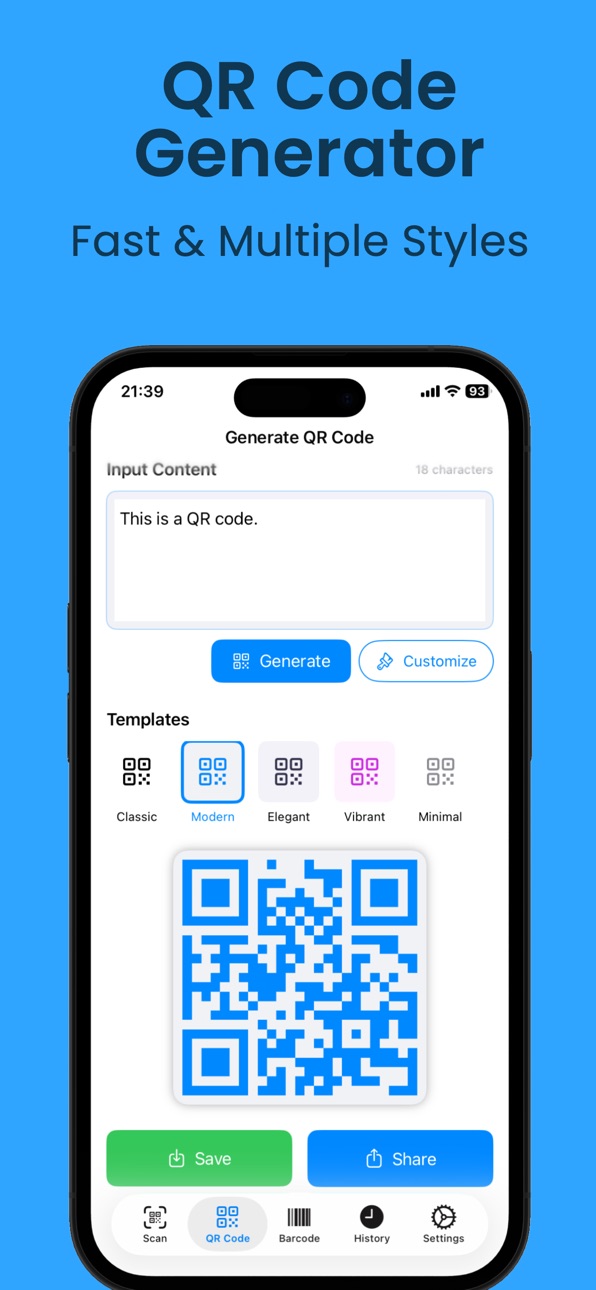
QR Code Generation: Create QR codes from text or links with customizable color, size, and error correction.
History Records: Save scan or generation history locally with favorites and search management.
Share & Export: Share or save scan results or generated QR images via the system share sheet.
Multi-language Support: Provides localized interfaces and texts in multiple languages.
Typical Usage
Grant camera and photo access upon first launch.
Use the “Scan” tab for real-time detection; enable flashlight if needed.
In “Generate,” input text or links to preview and save QR codes.
Manage local records in “History,” with favorites and delete options.
Access subscriptions and help from the “Settings” page.
Subscription & Purchase
Auto-Renewal: Subscriptions renew automatically unless canceled at least 24 hours before the end of the current period.
Manage Subscription: Manage or cancel in your device account settings.
Restore Purchase: Available in “Settings” for restoring after reinstall or device change.
Privacy Policy: https://www.forapp.store/QrCode/privacy-en.html
Terms of Service: https://www.forapp.store/QrCode/terms-en.html
Support & Contact
App page & help: https://www.forapp.store/QrCode/
Email: devapptian@gmail.com
In-App Purchases US pricing
QR Scanner Premium Subscription
Personal Monthly Subscription · Monthly 3-day free trial$2.99
Pro Monthly Subscription · Monthly 3-day free trial$4.99
Enterprise Monthly Subscription · Monthly 3-day free trial$9.99
Personal Yearly Subscription · Yearly 3-day free trial$19.99
One-Time Purchases
Pro Lifetime Purchase$29.99
Capabilities
In-App Purchases
Accessibility
ipadiphonemacrealityDevicetvoswatch
Version history 8 versions
Build 884438081v1.82026-04-14 06:51:18
Fix bugs and optimize user experience.
Build 884225527v1.62026-04-07 10:29:42
Fix bugs and optimize user experience.
Build 883642144v1.52026-03-23 18:15:44
Fix bugs and optimize user experience.
Build 883076790v1.42026-03-06 17:46:19
Fix bugs and optimize user experience.
Build 879772737v1.32025-11-19 18:43:24
Fix bugs and optimize user experience.
Build 879727904v1.22025-11-14 01:27:25
Fix bugs and optimize user experience.
Build 879657710v1.12025-11-11 20:46:46
Fix bugs and optimize user experience.
Build 879612882v1.02025-11-10 20:55:53
Price history by region
Currency
Show
Columns
Search
Availability 1 of 1 storefronts
| Region | Language | Price | Ratings | Avg | Version |
|---|---|---|---|---|---|
| US | en-US | Free | 7 | 5.0 | 1.8 |
Change log 12 changes · US
✎
releaseNotes updated
Fix bugs and optimize user experience.
✎
description updated
QR Scanner is a lightweight, fast, and privacy-friendly QR and barcode tool app. It provides real-time camera scanning, image recognition from the photo library
✎
subtitle updated
free QR Code Reader Generator
✎
name updated
QR Scanner:Barcode Code app ai
◆
Version 1.8 released
Fix bugs and optimize user experience.
◆
Version 1.6 released
Fix bugs and optimize user experience.
◆
Version 1.5 released
Fix bugs and optimize user experience.
◆
Version 1.4 released
Fix bugs and optimize user experience.
◆
Version 1.3 released
Fix bugs and optimize user experience.
◆
Version 1.2 released
Fix bugs and optimize user experience.
◆
Version 1.1 released
Fix bugs and optimize user experience.
◆
Version 1.0 released