Home › Photo & Video

RAW Cam: Open Gate DNG Video
Record Cinematic RAW Video
 US
US
1 of 1 storefronts
Content in en-US
Content in en-US
Information
Preview 1 platform
iPhone 9 images


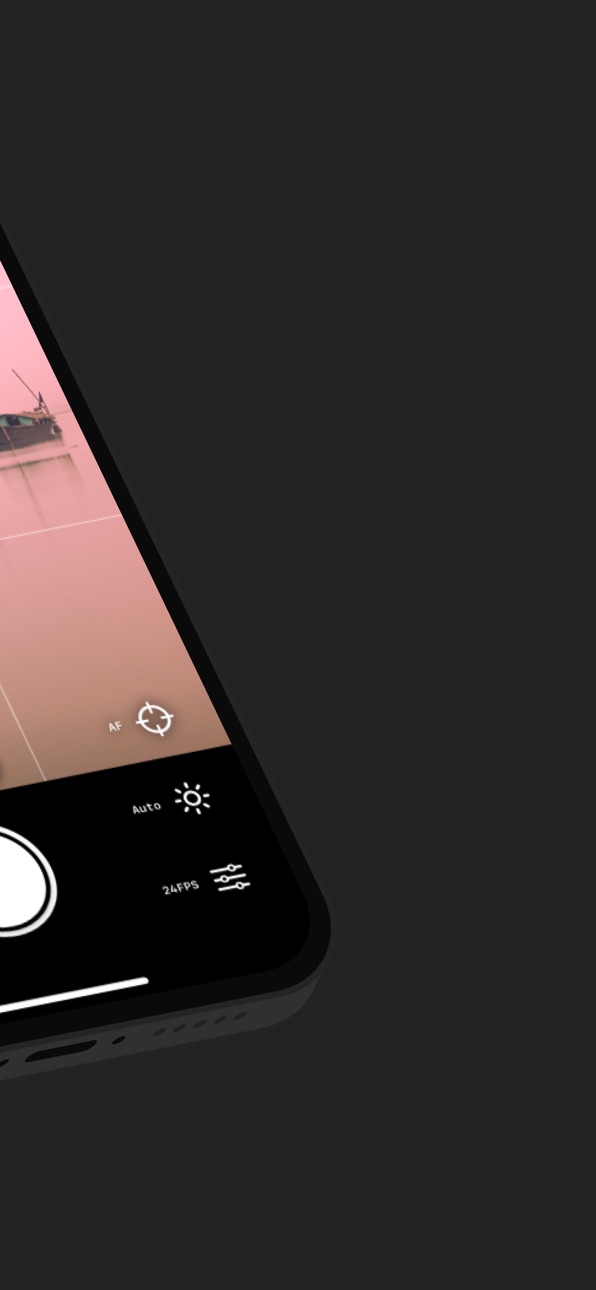
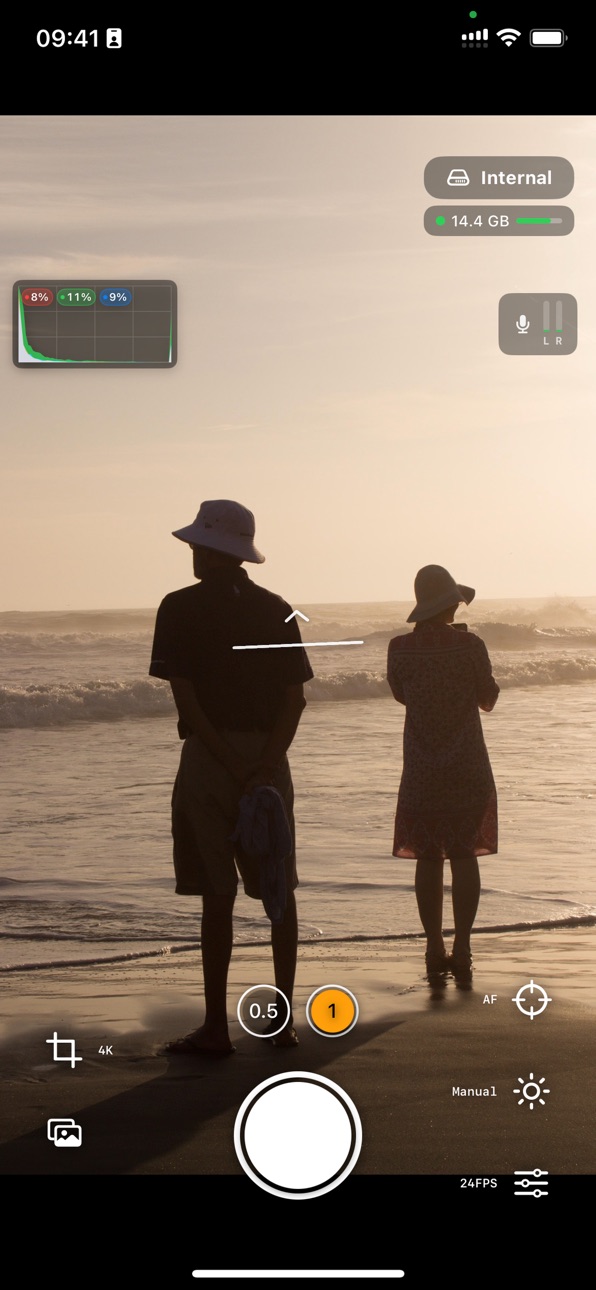

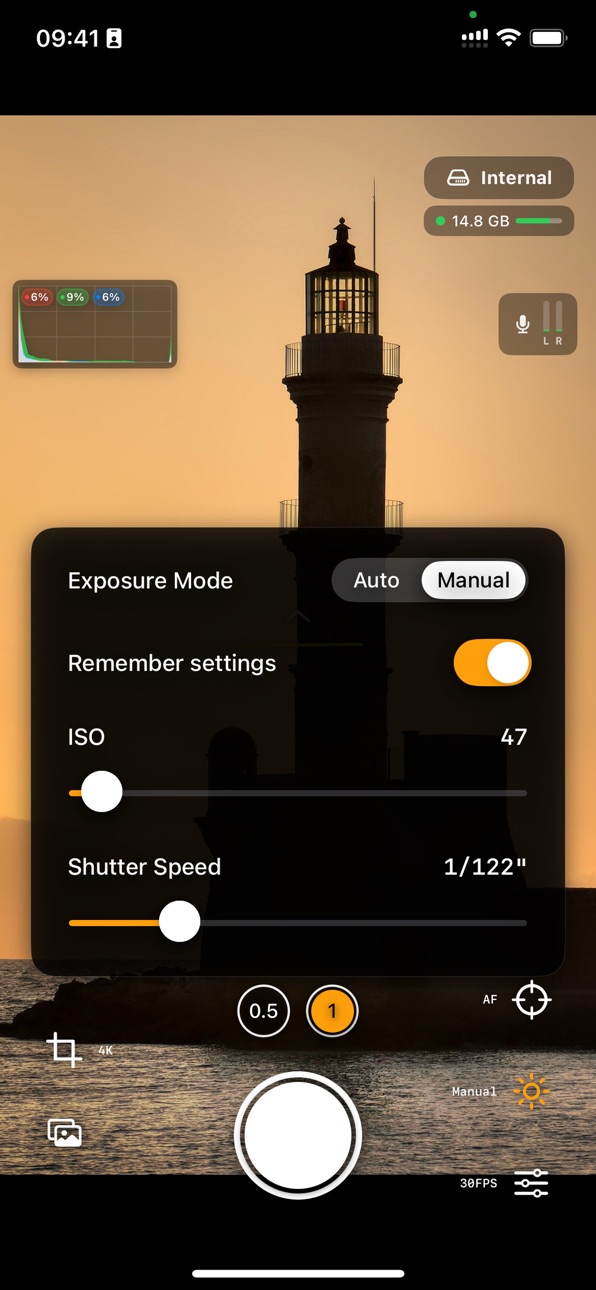

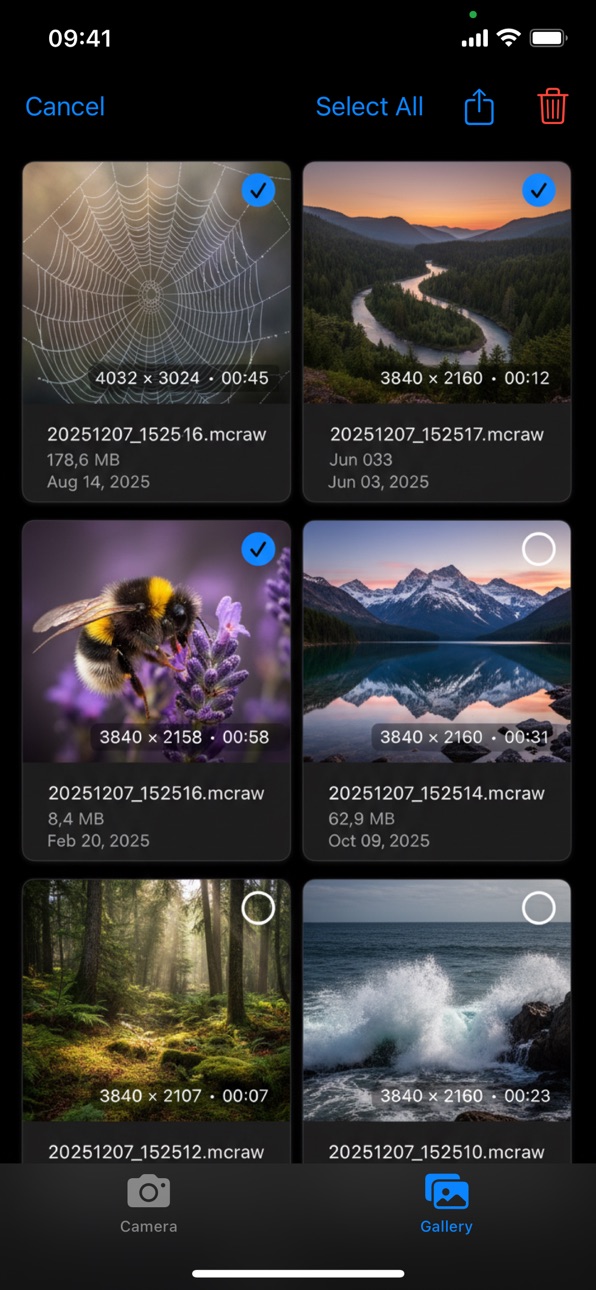
What’s New Version 1.7
- Shutter-priority mode for 180 degree shutter-angle with Auto ISO
- Manual white-balance controls
- 180 degree image flip for DoF adapters
Description
The Highest-Quality RAW Video Your iPhone Can Capture!
ONE-TIME PURCHASE. NO SUBSCRIPTIONS.
Enjoy full access to all current features with a single purchase.
Turn your iPhone into a cinema camera - capture stunning RAW video with total creative control. Designed for filmmakers and creators who want the absolute maximum image quality.
Cinema-Grade RAW Video
- Shoot DNG or MCRAW files for maximum dynamic range & color depth
- Data straight from the sensor - no baked-in look
- Choose open-gate (full sensor, or half resolution) or classic 16:9 in 4K and Full HD
- Shutter-priority mode: choose 180 degree shutter angle with Auto ISO
- Manual white-balance controls
- True film look with 18/24/25/30 fps options
- Highlight reconstruction available in your editing suite
- Timecode included in DNG format
- Optical image stabilization
- Gyroflow GCSV stabilization support
- Horizon indicator
- Ability to trigger recording with a Bluetooth Trigger (only volume-up implementation)
- Zoom when focusing manually
- Audio-input selector - supports bluetooth/wired microphones
- 180 degree image flip for DoF adapters
Professional Controls
- Histogram with Highlight clipping indicator
- Lens calibration for clipping indicator
- Full manual control: ISO, shutter speed and focus
- Adjust focus/exposure while recording with smooth on-screen controls
- Tap-to-focus and continuous AF before you start rolling
- Rule-of-thirds grid for getting the composition right
- Available storage indicator
Flexible Storage & Workflow
- Save directly to app's internal gallery, user-chosen folders, or external SSDs
- AirDrop for fast device-to-device transfer and quick handoff to your editing suite (pro tip: turn on Personal Hotspot and connect to it with your other device for maximum speed)
- Ability to watch recorded videos on your device, both on internal and external storage
Accessibility
ipadiphonemacrealityDevicetvoswatch
Version history 10 versions
Build 885522014v1.72026-05-11 21:50:26
- Shutter-priority mode for 180 degree shutter-angle with Auto ISO
- Manual white-balance controls
- 180 degree image flip for DoF adapters
Build 884277050v1.62026-04-08 17:10:40
Performance improvements
Build 883838718v1.52026-03-28 11:57:03
- Zoom when focusing manually
- Audio-input selector - supports bluetooth/wired microphones
Build 883262728v1.42026-03-13 08:19:57
- Add ability to start and stop recording with volume-up button
- Bluetooth shutter (only those that do volume-up)
Build 882795630v1.32026-02-26 09:23:24
- Gyroflow GCSV support
- Optical/Sensor-shift stabilization toggle
- Horizon indicator
- Fix 0.5 lens not working for some phones
Build 882389015v1.2.12026-02-14 14:03:15
- Remove stabilization toggle for now, which caused recording to not work on some devices.
Build 882336765v1.22026-02-11 07:00:49
- directly save to DNGs instead of MCRAW, with about 10-15% lower size
- Optical/Sensor-shift stabilization toggle
- Lots of under-the-hood improvements
Build 881772565v1.1.12026-01-24 07:57:19
- Fix wide-angle lens -> can now record proper frame rates
- DNGs should now be valid in DNG validator
Build 881424092v1.12026-01-14 08:19:55
- 30 FPS option
- Fix frame drops on some phones
- Histogram with Highlight Clipping indicator integrated + Lens calibration for accurate highlight clipping
- More robust audio recording
- Storage indicator
- Stop recording on too little storage
- Video Playback in the gallery
- Added External storage view in the gallery
- Fix black bars on sides for some lenses on some phones
Build 879592993v1.02025-12-17 18:37:22
Price history by region
Currency
Show
Columns
Search
Availability 1 of 1 storefronts
| Region | Language | Price | Ratings | Avg | Version |
|---|---|---|---|---|---|
| US | en-US | USD 11.99 | 19 | 4.7 | 1.7 |
Change log 14 changes · US
✎
releaseNotes updated
- Shutter-priority mode for 180 degree shutter-angle with Auto ISO
- Manual white-balance controls
- 180 degree image flip for DoF adapters
✎
description updated
The Highest-Quality RAW Video Your iPhone Can Capture!
ONE-TIME PURCHASE. NO SUBSCRIPTIONS.
Enjoy full access to all current features with a single purchase.
✎
subtitle updated
Record Cinematic RAW Video
✎
name updated
RAW Cam: Open Gate DNG Video
◆
Version 1.7 released
- Shutter-priority mode for 180 degree shutter-angle with Auto ISO
- Manual white-balance controls
- 180 degree image flip for DoF adapters
◆
Version 1.6 released
Performance improvements
◆
Version 1.5 released
- Zoom when focusing manually
- Audio-input selector - supports bluetooth/wired microphones
◆
Version 1.4 released
- Add ability to start and stop recording with volume-up button
- Bluetooth shutter (only those that do volume-up)
◆
Version 1.3 released
- Gyroflow GCSV support
- Optical/Sensor-shift stabilization toggle
- Horizon indicator
- Fix 0.5 lens not working for some phones
◆
Version 1.2.1 released
- Remove stabilization toggle for now, which caused recording to not work on some devices.
◆
Version 1.2 released
- directly save to DNGs instead of MCRAW, with about 10-15% lower size
- Optical/Sensor-shift stabilization toggle
- Lots of under-the-hood improvements
◆
Version 1.1.1 released
- Fix wide-angle lens -> can now record proper frame rates
- DNGs should now be valid in DNG validator
◆
Version 1.1 released
- 30 FPS option
- Fix frame drops on some phones
- Histogram with Highlight Clipping indicator integrated + Lens calibration for accurate highlight clipping
- More robust audio recording
- Storage indicator
- Stop recording on too little st
◆
Version 1.0 released