Home › Business

 US
US
1 of 1 storefronts
Content in en-US
Content in en-US
Information
Apple ID6754819617
Bundle IDcom.hp.printer.app.smart.print.free
SellerSeller
Min iOS18.0
Min macOS15.0
Device familiesiphone, ipad
Released2025-11-06
Copyright© Printer app & smart print app
Privacy policyLink ↗
Preview 2 platforms
iPhone 6 images


iPad 6 images


What’s New Version 1.1
What's New in Version 1.1
NEW: Printer Management
• Discover and manage AirPrint printers on your network
• Support for IPP, IPP-SSL, and LPD protocols
• View printer status and connection details
• Automatic printer discovery with smart refresh
IMPROVEMENTS:
• Fixed: Web pages now print with correct pagination instead of single long page
• Enhanced: Better multi-page PDF generation for web content
• Optimized: Reduced app startup logs for cleaner experience
We're constantly improving Smart Printer to make printing on iOS effortless. Thank you for your support!
Description
Smart Printer transforms your iPhone and iPad into a powerful printing and scanning hub. Print photos with professional filters and collages, documents, contacts, web pages, and notes. Scan with 3 specialized modes. Built with iOS 26's Liquid Glass design.
SEAMLESS AIRPRINT INTEGRATION
Connect to any AirPrint-enabled printer on your network. No setup, no drivers, no hassle. Smart Printer automatically discovers available printers and lets you print instantly. Works with HP, Canon, Epson, Brother, and all major printer brands that support AirPrint.
PRINT ANYTHING, BEAUTIFULLY
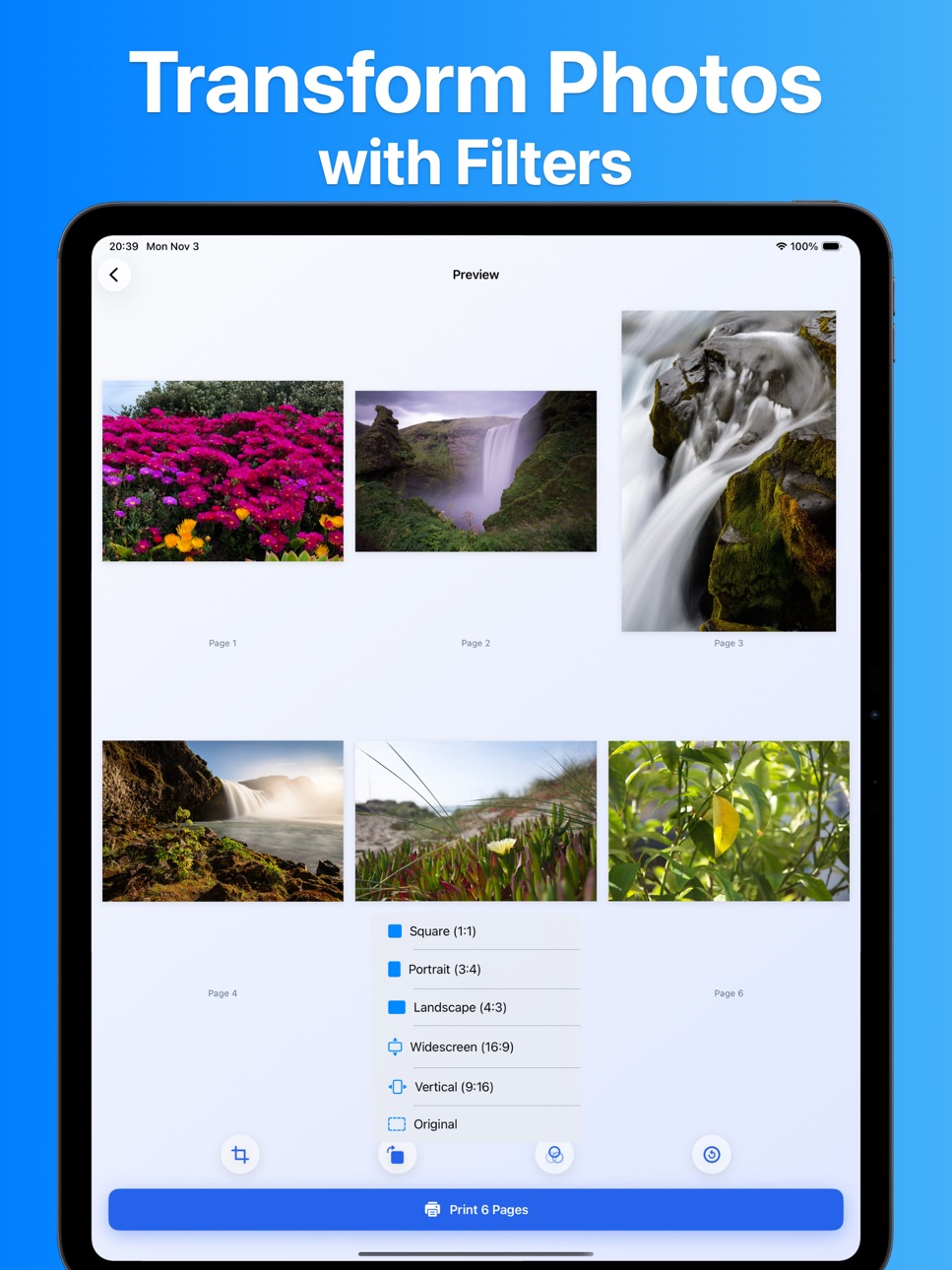
• Photos - Apply 11 professional filters (B&W, Sepia, Vintage, Chrome, Fade, Instant, Mono, Noir, Process, Tonal, Transfer) or create stunning photo collages with multiple layout templates
• Documents - Print PDF, images, and scanned files with preview
• Contacts - Print professional contact cards with clean formatting
• Web Pages - Capture and print any webpage with automatic formatting
• Notes - Quick text printing for lists, memos, and reminders
ADVANCED SCANNING
Transform your device into a professional scanner with 3 specialized modes: Document mode for contracts and papers, Photo mode for pictures, and ID Card mode for licenses and cards. Automatic edge detection, perspective correction, and color enhancement ensure perfect scans every time.
PROFESSIONAL PRINT SETTINGS
• Paper Sizes: A4, Letter, Legal, A3, A5
• Orientation: Portrait and Landscape
• Color Mode: Full color or black & white
• Multiple Copies: Print up to 99 copies at once
• Duplex Printing: Automatic two-sided printing support
ORGANIZED HISTORY
Never lose track of what you've printed or scanned. Smart Printer maintains a comprehensive history of all your print jobs and scanned documents. View thumbnails, reprint documents, and access your scan archive anytime. Optional iCloud sync keeps your history available across all your devices.
BEAUTIFUL iOS 26 LIQUID GLASS DESIGN
Smart Printer embraces Apple's latest iOS 26 Liquid Glass design language. Every screen features elegant glass-like materials, fluid animations, and a cohesive coral color theme that's both beautiful and functional.
PRIVACY FOCUSED
Your documents and photos are processed locally on your device. No data is sent to external servers. Smart Printer only accesses your photos and contacts when you explicitly choose to print them. Optional iCloud sync is encrypted end-to-end.
SYSTEM REQUIREMENTS
• Requires iOS 18.0 or later
• Compatible with iPhone and iPad
• AirPrint-enabled printer required for printing
• Camera required for document scanning
Whether you're printing family photos, business documents, or scanning receipts on the go, Smart Printer gives you professional results with consumer simplicity.
Terms of Use: https://sites.google.com/view/terms-of-use-smart-printer
Privacy Policy: https://sites.google.com/view/privacy-policy-smart-printer
Contact Us: phototopdf@163.com
Accessibility
ipadiphonemacrealityDevicetvoswatch
Version history 2 versions
Build 879678279v1.12025-11-12 11:51:17
What's New in Version 1.1
NEW: Printer Management
• Discover and manage AirPrint printers on your network
• Support for IPP, IPP-SSL, and LPD protocols
• View printer status and connection details
• Automatic printer discovery with smart refresh
IMPROVEMENTS:
• Fixed: Web pages now print with correct pagination instead of single long page
• Enhanced: Better multi-page PDF generation for web content
• Optimized: Reduced app startup logs for cleaner experience
We're constantly improving Smart Printer to make printing on iOS effortless. Thank you for your support!
Build 879435181v1.02025-11-07 01:04:07
No pricing data captured yet — comparisons appear once the app has paid storefronts or in-app purchases.
Availability 1 of 1 storefronts
| Region | Language | Price | Ratings | Avg | Version |
|---|---|---|---|---|---|
| US | en-US | Free | 3 | 4.7 | 1.1 |
Change log 6 changes · US
✎
releaseNotes updated
What's New in Version 1.1
NEW: Printer Management
• Discover and manage AirPrint printers on your network
• Support for IPP, IPP-SSL, and LPD protocols
• View
✎
description updated
Smart Printer transforms your iPhone and iPad into a powerful printing and scanning hub. Print photos with professional filters and collages, documents, contact
✎
subtitle updated
Print Documents, Photos, PDF
✎
name updated
Printer app, Smart AIR printer
◆
Version 1.1 released
What's New in Version 1.1
NEW: Printer Management
• Discover and manage AirPrint printers on your network
• Support for IPP, IPP-SSL, and LPD protocols
• View printer status and connection details
• Automatic printer discovery with smart r
◆
Version 1.0 released