Home › Photo & Video

Video to Photo: Frame Grabber.
AI Screenshot Extractor in 4K
 US
US
1 of 1 storefronts
Content in en-US
Content in en-US
Information
Apple ID6754807383
Bundle IDcom.retroconnects.FramePick
SellerSeller
Min iOS18.6
Min macOS15.6
Device familiesiphone, ipad
Released2025-11-16
Copyright© Retro Productions LLC
Privacy policyLink ↗
Preview 2 platforms
iPhone 5 images



iPad 5 images


What’s New Version 1.2.2
We’ve refreshed FramePick with visual and performance improvements.
This update introduces a redesigned app icon, improved frame selection visuals, and smoother scrolling when browsing video frames. Export reliability has been improved, and minor bugs have been fixed to enhance overall stability.
Description
Convert any video into a perfect 4K photo. AI detects the best frames or you can scroll frame by frame to pick the exact moment yourself.
Frame Grabber is a precise video to photo extractor, it extracts any moment of your videos in full quality. Within seconds select unique frames or take full manual control to capture the perfect shot with smart AI suggestions.
WHAT YOU CAN DO
- Extract photos from any video in up to 4K
- Get AI suggestions for the best frames
- Scroll frame-by-frame for pixel-perfect control
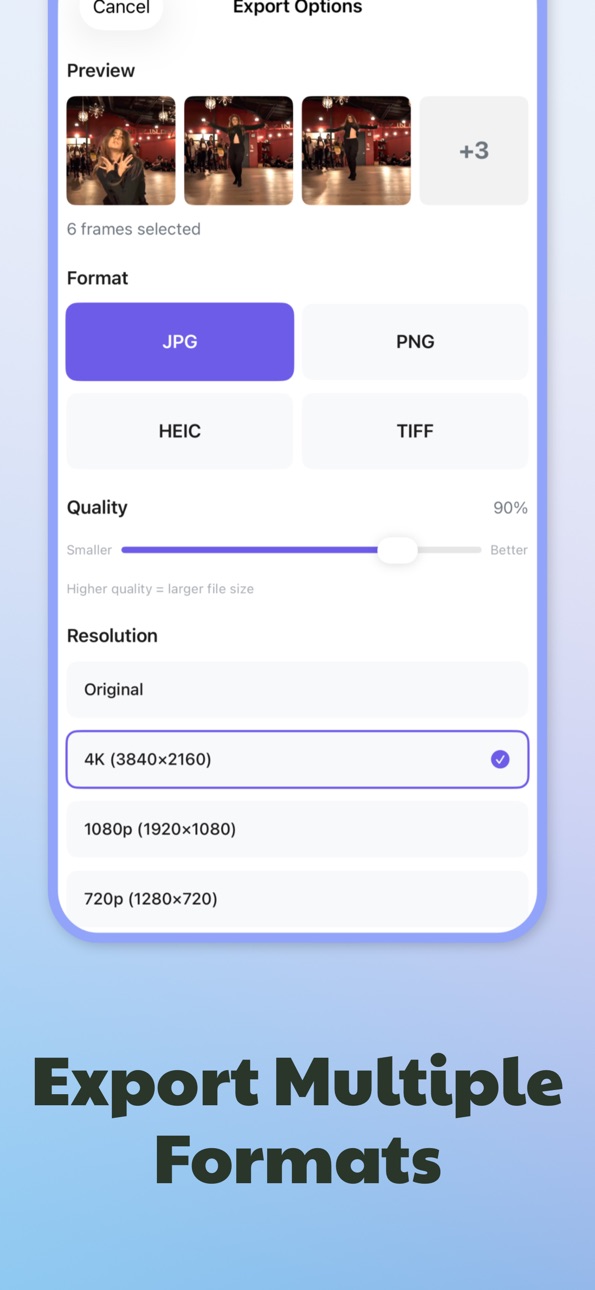
- Export as JPG, PNG, HEIC, or TIFF
- Batch export multiple frames at once (Pro)
- Save directly to your photo library
100% PRIVATE
All processing happens on your device. No uploads, no accounts, no cloud. Your videos never leave your phone.
PERFECT FOR
- Content creators grabbing standout moments
- Social media posts and stories
- Saving memories from personal videos
- Pictures from screen recordings
- Photography and videography workflows
PRO UNLOCKS
- 4K resolution exports
- Batch frame extraction
- Premium formats (HEIC, TIFF)
- Watermark-free exports
- Priority support
Subscriptions renew automatically unless canceled in your App Store account settings at least 24 hours before the renewal date.
Extract frames. Save moments. Stay in control.
—
Terms of Use (EULA): https://www.apple.com/legal/internet-services/itunes/dev/stdeula/
Privacy Policy: https://sites.google.com/view/framepick-retro/home
Terms of Service: https://sites.google.com/view/framepick-retro/terms-of-service
Capabilities
In-App Purchases
Accessibility
ipadiphonemacrealityDevicetvoswatch
Version history 4 versions
Build 885174537v1.2.22026-05-05 07:01:23
We’ve refreshed FramePick with visual and performance improvements.
This update introduces a redesigned app icon, improved frame selection visuals, and smoother scrolling when browsing video frames. Export reliability has been improved, and minor bugs have been fixed to enhance overall stability.
Build 882276119v1.22026-02-10 22:29:42
We’ve refreshed FramePick with visual and performance improvements.
This update introduces a redesigned app icon, improved frame selection visuals, and smoother scrolling when browsing video frames. Export reliability has been improved, and minor bugs have been fixed to enhance overall stability.
Thank you for using FramePick. If you enjoy the app, consider leaving a review on the App Store.
Build 881048008v1.12025-12-29 00:54:21
Added improvements and small bug fixes.
Build 879425577v1.02025-11-17 01:17:35
No pricing data captured yet — comparisons appear once the app has paid storefronts or in-app purchases.
Availability 1 of 1 storefronts
| Region | Language | Price | Ratings | Avg | Version |
|---|---|---|---|---|---|
| US | en-US | Free | 1 | 5.0 | 1.2.2 |
Change log 8 changes · US
✎
releaseNotes updated
We’ve refreshed FramePick with visual and performance improvements.
This update introduces a redesigned app icon, improved frame selection visuals, and smoothe
✎
description updated
Convert any video into a perfect 4K photo. AI detects the best frames or you can scroll frame by frame to pick the exact moment yourself.
Frame Grabber is a pr
✎
subtitle updated
AI Screenshot Extractor in 4K
✎
name updated
Video to Photo: Frame Grabber.
◆
Version 1.2.2 released
We’ve refreshed FramePick with visual and performance improvements.
This update introduces a redesigned app icon, improved frame selection visuals, and smoother scrolling when browsing video frames. Export reliability has been improved, an
◆
Version 1.2 released
We’ve refreshed FramePick with visual and performance improvements.
This update introduces a redesigned app icon, improved frame selection visuals, and smoother scrolling when browsing video frames. Export reliability has been improved, an
◆
Version 1.1 released
Added improvements and small bug fixes.
◆
Version 1.0 released