Home › Graphics & Design

 US
US
1 of 1 storefronts
Content in en-US
Content in en-US
Information
Preview 2 platforms
iPhone 10 images


iPad 10 images




What’s New Version 2.2.5
New sort feature on projects.
Description
Draw like you're on real graph paper, only faster.
Graph Paper Pro is a focused workspace for building geometric and 3D drawings on graph or dot paper. Place anchored lines that snap with precision, fill closed shapes with solid or gradient color, and finish with clean PNG exports.
Why this app
- Built for people who love drawing on graph paper: 3D doodles, optical illusions, cubes, isometric-style sketches, and clean diagrams.
- iPhone, iPad, and Mac support. Apple Pencil works with the included freehand tools.
- Offline-first. No sign-up, no internet required.
Tools that ship
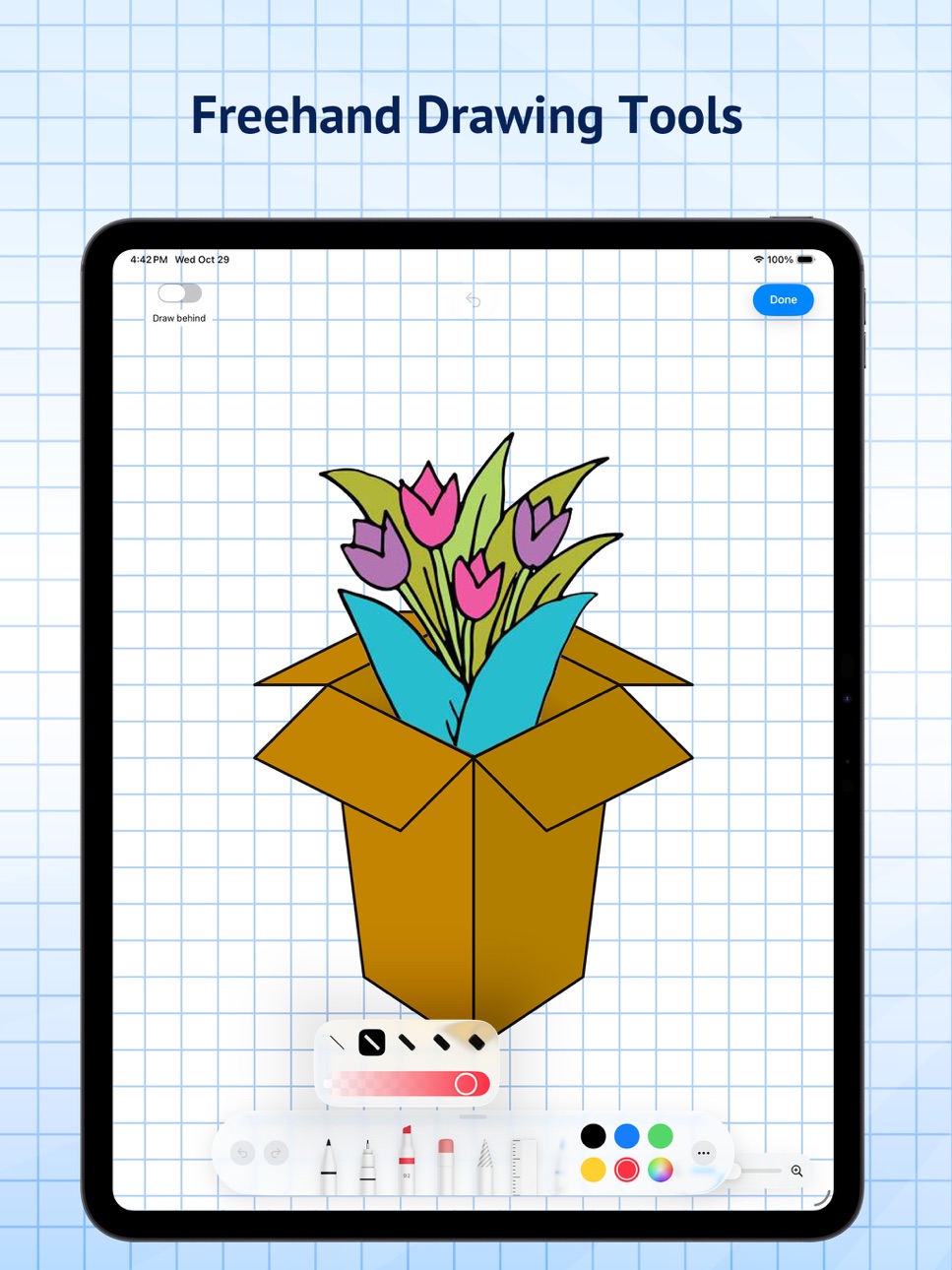
- Line, Fill, Eraser, and Freehand tools with a simple drawing workspace.
- Snap and precision controls for confident placement.
- Fill supports solid and gradient colors on closed shapes.
- Draw Behind mode for the freehand tool to sketch under your shapes.
- Unlimited undo/redo.
- Sample projects to learn techniques fast.
Paper you control with Pro
- Switch between graph or dot paper.
- Customize paper color, grid line color/thickness, dot color/size, and drawing line widths.
- Create unlimited projects.
- Unlock all export styles.
Export
- Export on a solid background, with grid/dots showing, or transparent PNG.
- Share straight from the export sheet.
Pricing
- Free: up to 3 projects, limited customization, and basic export.
- Pro Monthly: $3.99/month.
- Pro Annual: $19.99/year with a 7-day free trial for eligible new subscribers.
- Pro Lifetime: $49.99 one-time purchase.
Existing buyers of the original $9.99 lifetime unlock keep Pro forever and do not need to subscribe.
Subscription terms
Payment is charged to your Apple Account at confirmation of purchase. Subscriptions automatically renew unless canceled at least 24 hours before the end of the current period. Your account is charged for renewal within 24 hours before the end of the current period. You can manage or cancel subscriptions in your App Store account settings.
Feedback & Support: https://forms.gle/YX3prmEVkRtfS16U6
Terms of Use (EULA): https://www.apple.com/legal/internet-services/itunes/dev/stdeula/
Capabilities
In-App Purchases
Accessibility
ipadiphonemacrealityDevicetvoswatch
Version history 14 versions
Build 887832130v2.2.52026-07-04 22:08:38
New sort feature on projects.
Build 887562640v2.2.42026-06-29 16:29:49
Bug fixes, Speed improvements.
Build 887447780v2.2.32026-06-25 22:51:32
New text, image, and sticker tools make it easier to annotate and customize your graph paper drawings. Add labels, place photos, and use graph-friendly icons and shapes directly on the canvas. This update also improves editing for these objects with selection, resizing, ordering, opacity, image cropping, and basic image filters.
Build 887211093v2.2.22026-06-20 16:42:24
Sync your projects across devices with iCloud Sync, More export options, Import files, Print directly from app, Save as PDF, Save as SVG, Duplicate Projects
Build 887166332v2.2.12026-06-19 14:05:27
Fixes a crash that could occur when opening the export/share sheet on some iPad configurations.
Build 887066985v2.22026-06-17 14:12:32
Adds analytics and crash reporting so future updates can improve reliability, onboarding, exports, and Pro conversion based on real usage data.
Build 886953172v2.12026-06-16 10:21:25
Adds new Pro purchase options: monthly, annual with a 7-day trial for eligible new subscribers, and a new lifetime unlock. Existing original lifetime buyers remain unlocked automatically. This update also refreshes paywall terms, restore access, and App Store purchase handling.
Build 881749034v2.02026-01-23 13:36:03
Big update!
- New shapes tool
- Change individual line color and weight
- New select tool to edit and move points, lines and fills
- But fixes and performance improvements
Build 881546064v1.82026-01-16 18:37:04
- Enabled center points between two points
- Fixed bug on delete project confirmation popup
- Improved snapping logic when making points close to the original
Build 881516873v1.72026-01-15 19:54:58
Updated delete logic to not delete drawing objects. To delete drawing objects use the eraser inside the drawing tools.
Build 881442241v1.62026-01-13 18:11:24
Bug fixes
Performance Improvements
Build 880356894v1.52025-12-04 22:57:25
- Added loading spinner to start page (there was a delay when you have many projects)
- Bug fixes
Build 879380161v1.12025-10-31 20:01:48
support for ios 17 and 18
Build 879232977v1.02025-10-30 23:42:08
No pricing data captured yet — comparisons appear once the app has paid storefronts or in-app purchases.
Availability 1 of 1 storefronts
| Region | Language | Price | Ratings | Avg | Version |
|---|---|---|---|---|---|
| US | en-US | Free | 12 | 4.1 | 2.2.5 |
Change log 18 changes · US
✎
releaseNotes updated
New sort feature on projects.
✎
description updated
Draw like you're on real graph paper, only faster.
Graph Paper Pro is a focused workspace for building geometric and 3D drawings on graph or dot paper. Place a
✎
subtitle updated
3D drawings & doodles on grid
✎
name updated
Graph Paper Pro
◆
Version 2.2.5 released
New sort feature on projects.
◆
Version 2.2.4 released
Bug fixes, Speed improvements.
◆
Version 2.2.3 released
New text, image, and sticker tools make it easier to annotate and customize your graph paper drawings. Add labels, place photos, and use graph-friendly icons and shapes directly on the canvas. This update also improves editing for these obj
◆
Version 2.2.2 released
Sync your projects across devices with iCloud Sync, More export options, Import files, Print directly from app, Save as PDF, Save as SVG, Duplicate Projects
◆
Version 2.2.1 released
Fixes a crash that could occur when opening the export/share sheet on some iPad configurations.
◆
Version 2.2 released
Adds analytics and crash reporting so future updates can improve reliability, onboarding, exports, and Pro conversion based on real usage data.
◆
Version 2.1 released
Adds new Pro purchase options: monthly, annual with a 7-day trial for eligible new subscribers, and a new lifetime unlock. Existing original lifetime buyers remain unlocked automatically. This update also refreshes paywall terms, restore ac
◆
Version 2.0 released
Big update!
- New shapes tool
- Change individual line color and weight
- New select tool to edit and move points, lines and fills
- But fixes and performance improvements
◆
Version 1.8 released
- Enabled center points between two points
- Fixed bug on delete project confirmation popup
- Improved snapping logic when making points close to the original
◆
Version 1.7 released
Updated delete logic to not delete drawing objects. To delete drawing objects use the eraser inside the drawing tools.
◆
Version 1.6 released
Bug fixes
Performance Improvements
◆
Version 1.5 released
- Added loading spinner to start page (there was a delay when you have many projects)
- Bug fixes
◆
Version 1.1 released
support for ios 17 and 18
◆
Version 1.0 released