Home › Utilities

 US
US
1 of 1 storefronts
Content in en-US
Content in en-US
Information
Preview 2 platforms
iPhone 4 images


iPad 4 images


What’s New Version 2.0
Fix some bugs
Description
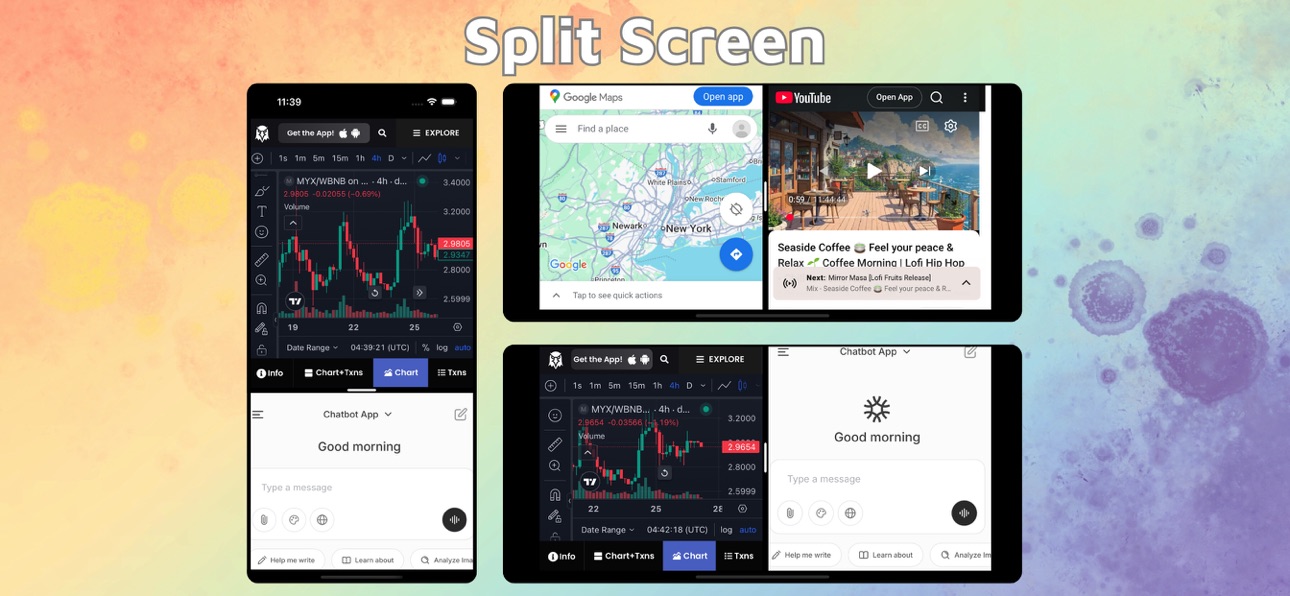
With Split Screen & Dual Browser, you can effortlessly view and interact with two different websites at the same time — right on your iPhone or iPad. Perfect for multitasking, research, studying, or simply browsing more efficiently.
Key Features:
Split Screen Mode:
Open and use two web pages side by side. Read an article on one side while taking notes on Google Docs, watch YouTube while browsing social media, or compare information between two sites — all without switching tabs.
Resizable Dual Windows:
Adjust the size of each window freely with a simple drag. Focus on what matters most while keeping the second site visible for reference or updates.
Smart and Intuitive Interface:
Designed for smooth navigation and control. Swap windows with a tap, drag edges to resize instantly, and enjoy a clean, distraction-free browsing experience.
Landscape & Portrait Support:
Seamlessly adapts to your device orientation. Whether in portrait or landscape, your split layout stays fluid and responsive.
Full Browser Features:
Each window includes independent browsing, history, bookmarks, and tab management — just like a real browser, times two!
Why You’ll Love It:
Maximize your productivity and make full use of your screen space. Whether you’re working, learning, or simply browsing smarter, Split Screen & Dual Browser helps you do more — faster and easier.
Download now and experience true multitasking on iOS!
Split Screen & Dual Browser Premium Plans:
• 3-day free trial then $9.99/month
Information about the auto-renewal of subscription:
• Payment will be charged to iTunes Account at confirmation of purchase.
• Subscription automatically renews unless auto-renew is turned off at least 24-hours before the end of the current period.
• Account will be charged for renewal within 24-hours prior to the end of the current period, and identify the cost of the renewal. The cost depends on the selected plan.
• Subscriptions may be managed by the user and auto-renewal may be turned off by going to the user's Account Settings after purchase.
• Any unused portion of the free trial will be forfeited when the user purchases a subscription.
Privacy Policy: https://ngotienmobile.blogspot.com/2024/03/privacy-policy.html
Terms of Use: https://ngotienmobile.blogspot.com/2024/03/terms-of-use.html
In-App Purchases US pricing
Premium Access Subscription
Split Screen Premium(1 month) · Monthly 3-day free trial$9.99
Capabilities
In-App Purchases
Accessibility
ipadiphonemacrealityDevicetvoswatch
Version history 2 versions
Build 882183027v2.02026-02-05 12:43:13
Fix some bugs
Build 879199545v1.02025-10-29 13:31:32
Price history by region
Currency
Show
Columns
Search
Availability 1 of 1 storefronts
| Region | Language | Price | Ratings | Avg | Version |
|---|---|---|---|---|---|
| US | en-US | Free | 24 | 3.9 | 2.0 |
Change log 6 changes · US
✎
releaseNotes updated
Fix some bugs
✎
description updated
With Split Screen & Dual Browser, you can effortlessly view and interact with two different websites at the same time — right on your iPhone or iPad. Perfect fo
✎
subtitle updated
Browse Two Websites at Once
✎
name updated
Split Screen & Dual Browser
◆
Version 2.0 released
Fix some bugs
◆
Version 1.0 released