Home › Productivity

 US
US
1 of 1 storefronts
Content in en-US
Content in en-US
Information
Preview 2 platforms
iPhone 9 images



iPad 6 images

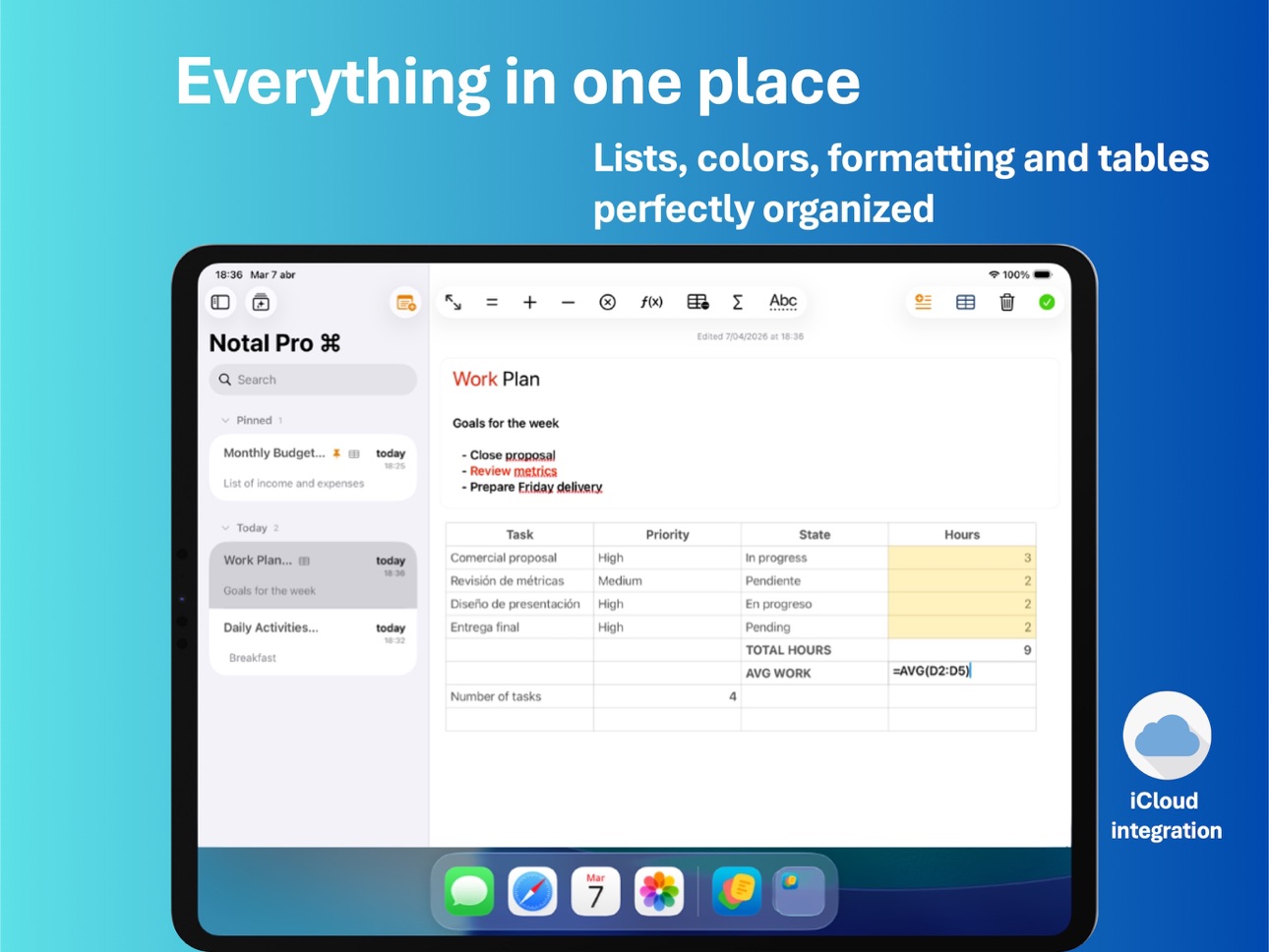

What’s New Version 2.0.0
• New iPad experience with improved layouts and workflows.
• Better physical keyboard support for table editing on iPad.
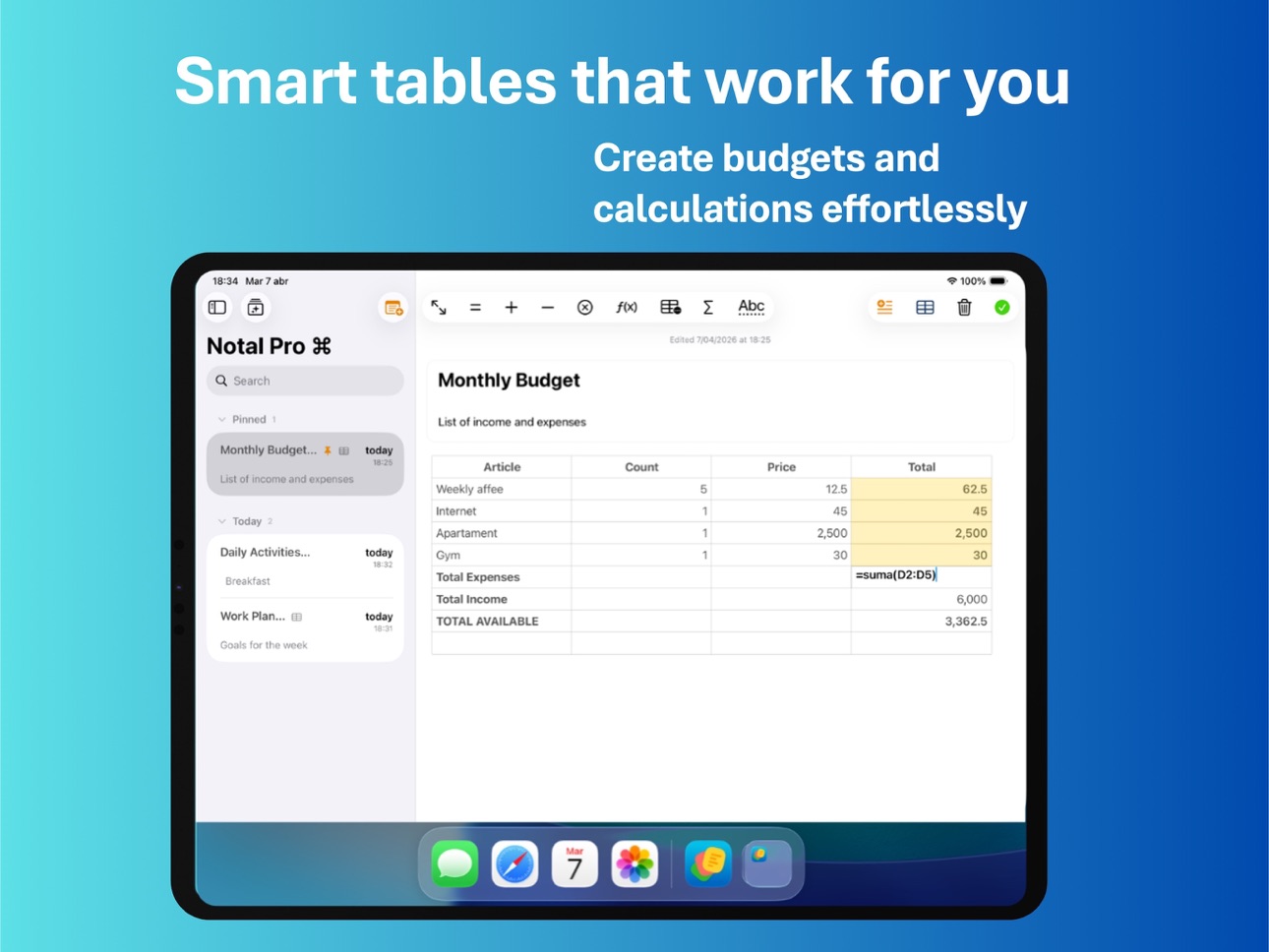
• Smarter and more stable table editing with improved formula handling.
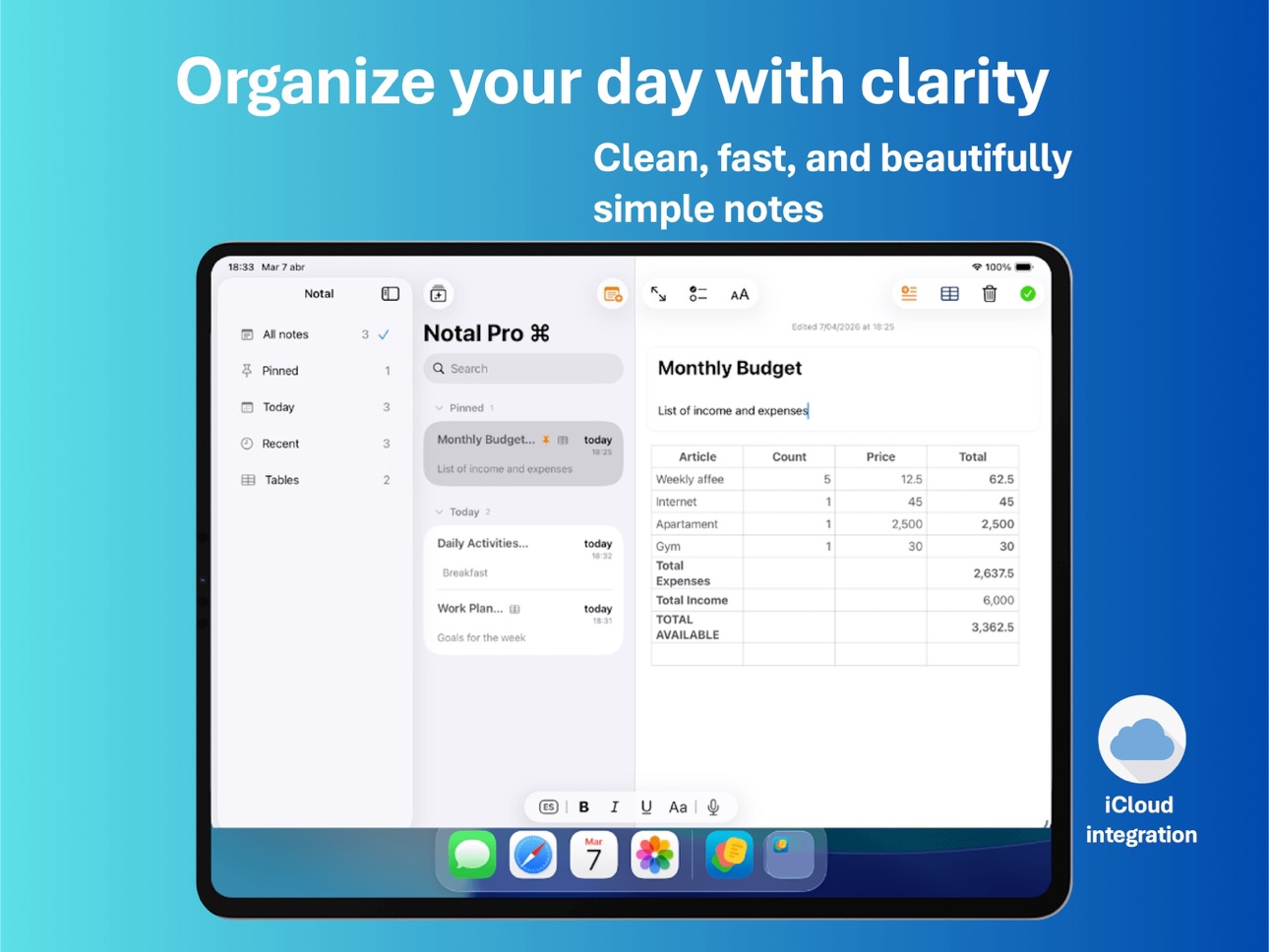
• Refined notes list with grouping, better metadata, and table indicators.
• New Discover screen to showcase key features and workflows.
• Improved paywall with monthly, yearly, and lifetime options.
• Better product discovery with contextual and in-app Pro entry points.
• Minor fixes, polish, and performance improvements.
Description
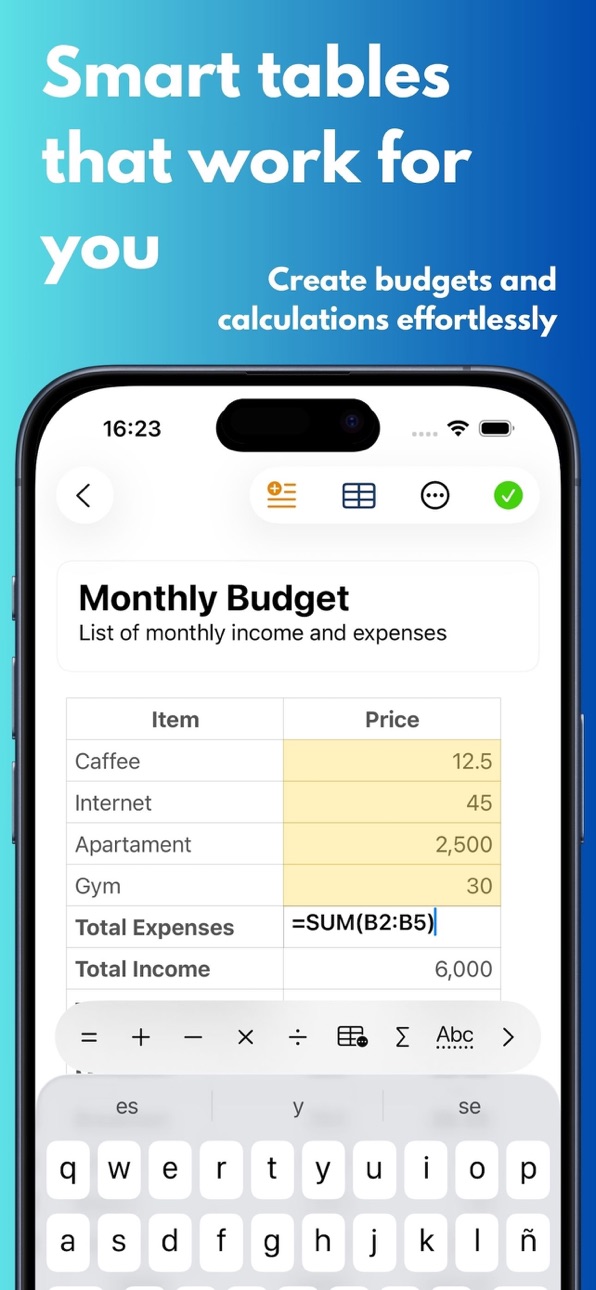
Notal Pro is a fast and elegant note-taking app designed for writing, organization, and powerful tables. Capture ideas quickly, structure your notes with rich text, and work with smart tables that feel natural inside your documents.
Write without distractions, organize everything in one place, and turn simple notes into more useful workspaces with formulas, autosums, and integrated tables.
Main Features:
• Rich text notes with clean formatting
• Integrated tables inside your notes
• Automatic lists using “-”, “*”, “1.” and “@”
• Pin notes instantly and keep them organized
• Light and dark mode
• Automatic iCloud sync
• Minimal and modern interface
• iPhone and iPad support
Pro Features:
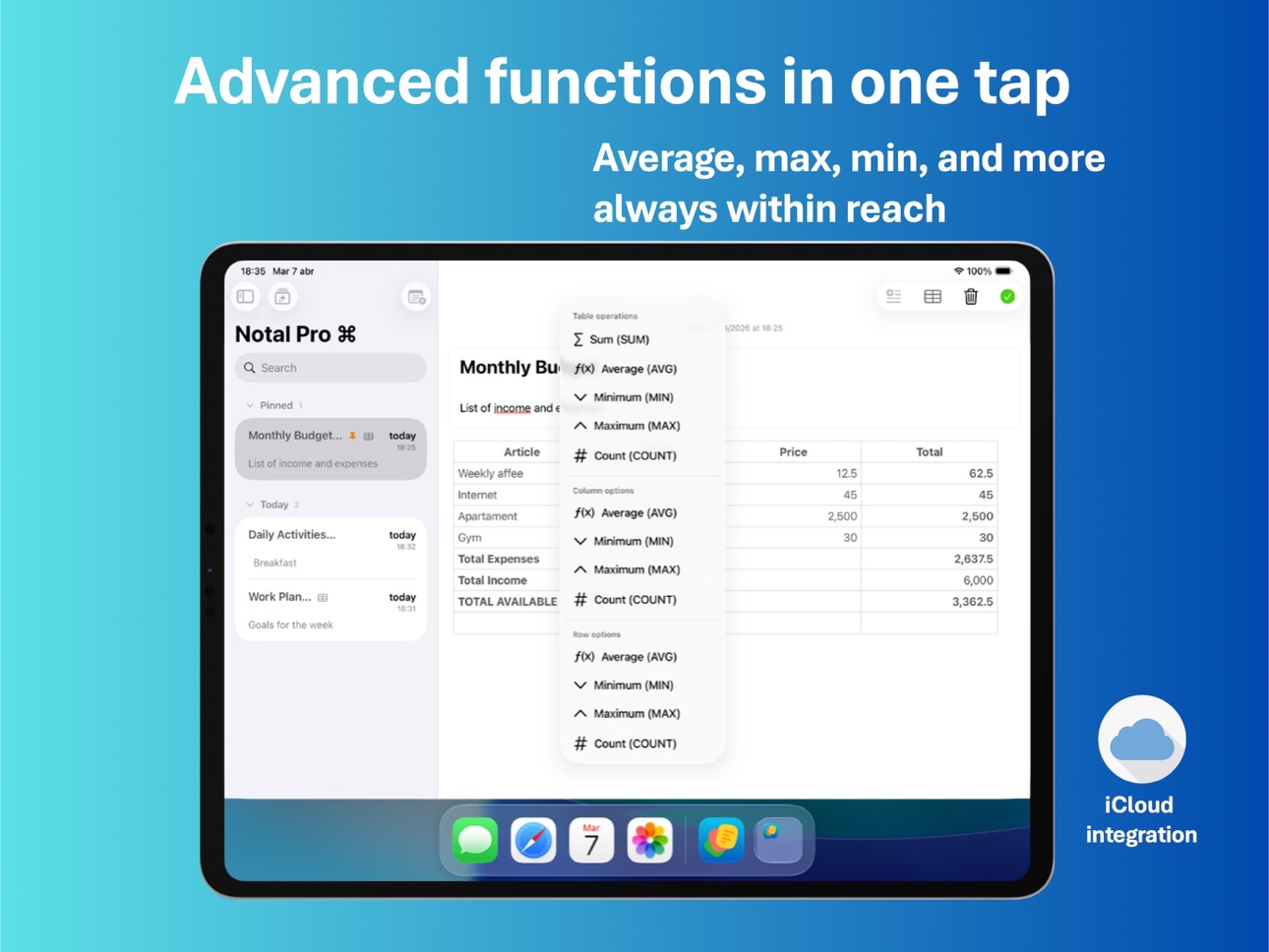
• Advanced formulas in tables
• Autosums and extra table operations
• Enhanced formatting tools
• Improved table workflows on iPad
• Additional Pro improvements over time
Notal Pro is a clean space to think, write, calculate, and stay organized.
Terms of Use: https://www.apple.com/legal/internet-services/itunes/dev/stdeula/
Capabilities
In-App Purchases
Accessibility
ipadiphonemacrealityDevicetvoswatch
Version history 3 versions
Build 884256793v2.0.02026-04-09 15:33:12
• New iPad experience with improved layouts and workflows.
• Better physical keyboard support for table editing on iPad.
• Smarter and more stable table editing with improved formula handling.
• Refined notes list with grouping, better metadata, and table indicators.
• New Discover screen to showcase key features and workflows.
• Improved paywall with monthly, yearly, and lifetime options.
• Better product discovery with contextual and in-app Pro entry points.
• Minor fixes, polish, and performance improvements.
Build 879951273v1.1.02025-11-21 15:41:13
• New automatic list triggers (“-”, “*”, “1.” and “@”).
• Start lists from the toolbar even on empty lines.
• Improved list normalization and behavior.
• Minor fixes and performance improvements.
Build 879152378v1.0.12025-11-11 17:43:28
No pricing data captured yet — comparisons appear once the app has paid storefronts or in-app purchases.
Availability 1 of 1 storefronts
| Region | Language | Price | Ratings | Avg | Version |
|---|---|---|---|---|---|
| US | en-US | Free | 0 | — | 2.0.0 |
Change log 7 changes · US
✎
releaseNotes updated
• New iPad experience with improved layouts and workflows.
• Better physical keyboard support for table editing on iPad.
• Smarter and more stable table editing
✎
description updated
Notal Pro is a fast and elegant note-taking app designed for writing, organization, and powerful tables. Capture ideas quickly, structure your notes with rich t
✎
subtitle updated
Notes, lists and tables
✎
name updated
Notal Pro - Quick Notes
◆
Version 2.0.0 released
• New iPad experience with improved layouts and workflows.
• Better physical keyboard support for table editing on iPad.
• Smarter and more stable table editing with improved formula handling.
• Refined notes list with grouping, better meta
◆
Version 1.1.0 released
• New automatic list triggers (“-”, “*”, “1.” and “@”).
• Start lists from the toolbar even on empty lines.
• Improved list normalization and behavior.
• Minor fixes and performance improvements.
◆
Version 1.0.1 released