Home › Business

 US
US
1 of 1 storefronts
Content in en-US
Content in en-US
Information
Preview 2 platforms
iPhone 9 images



iPad 9 images




What’s New Version 1.0.17
- Fixed a bug that prevented the time being manually added in countries where the number format includes a comma.
Thanks for the feedback! Any problems or suggestions let me know at support@goodbinary.com
Description
"If you’re looking for a way to time track and invoice clients, SoloTime is an interesting and polished approach" - MacStories
"...combining time tracking, expense and mileage logging, and invoicing in a single app for the iPhone and iPad is a neat idea" - MacStories
Track your time. Send invoices. Get paid faster.
Spend less time on admin and more time doing paid work.
Easily track your working time, expenses and mileage, then turn them into professional invoices or quotes in seconds. No spreadsheets. No double entry. No missed billable hours.
Whether you bill by the hour or the day, SoloTime keeps everything organised — from the first client meeting to the final payment.
Work smarter, not longer
* Start a timer or enter time manually - your choice
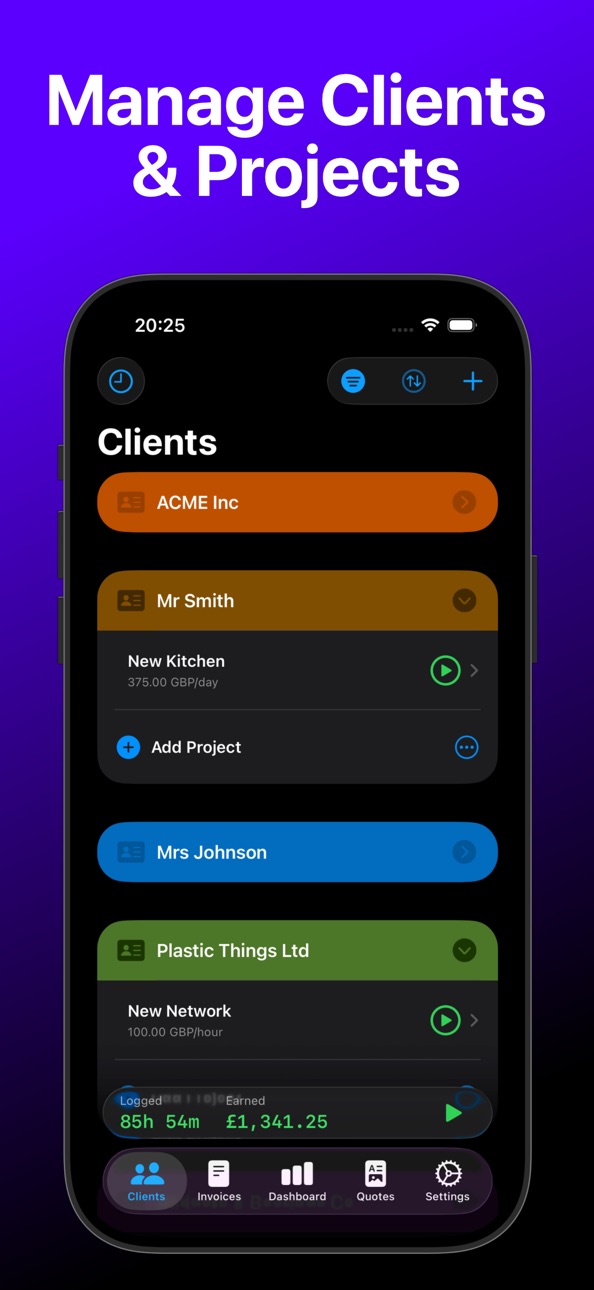
* Track work by client, project or task
* Bill accurately with flexible rounding options
Invoice with confidence
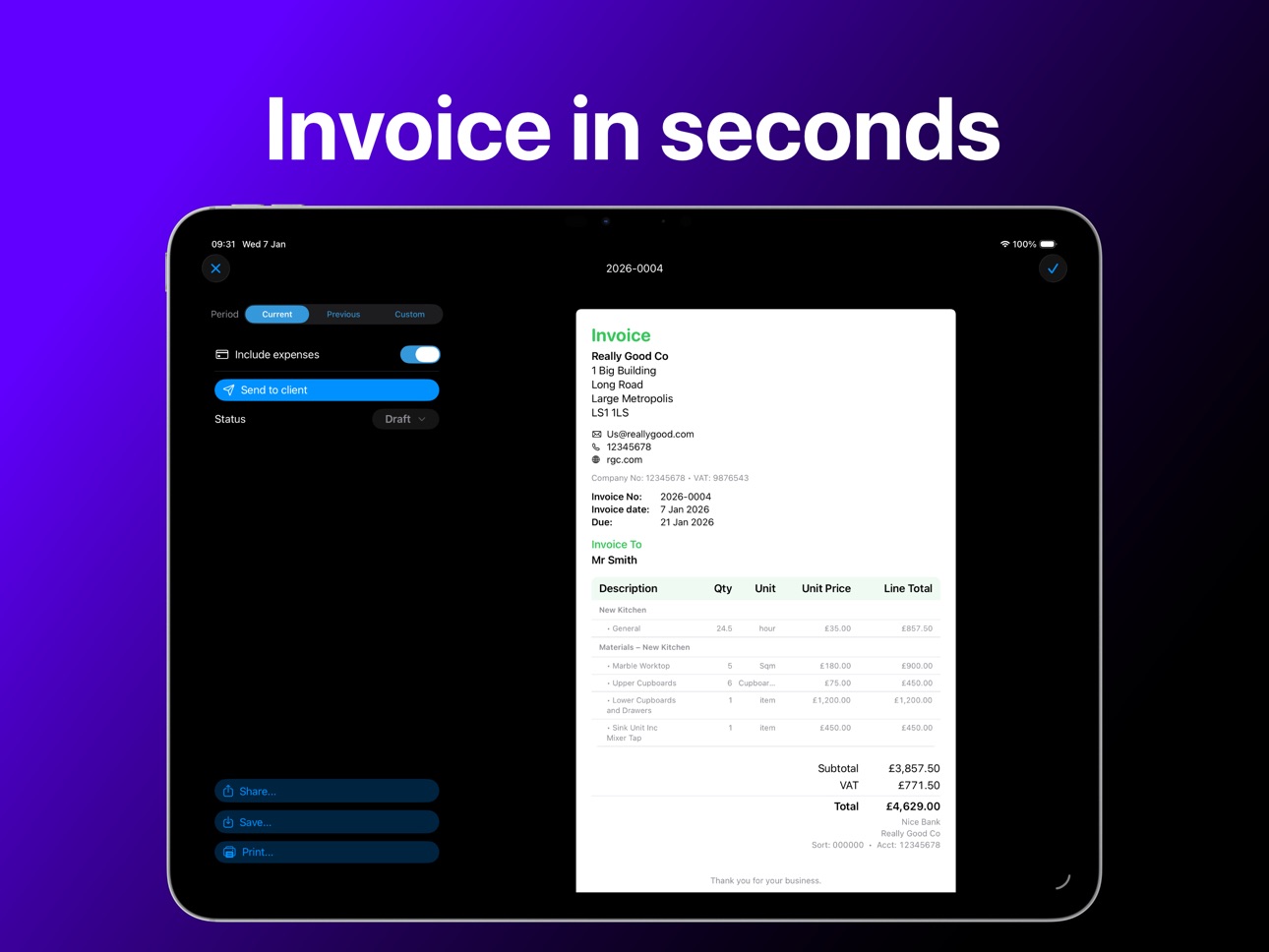
* Instantly generate professional PDF invoices and quotes
* Include time, materials, expenses and mileage
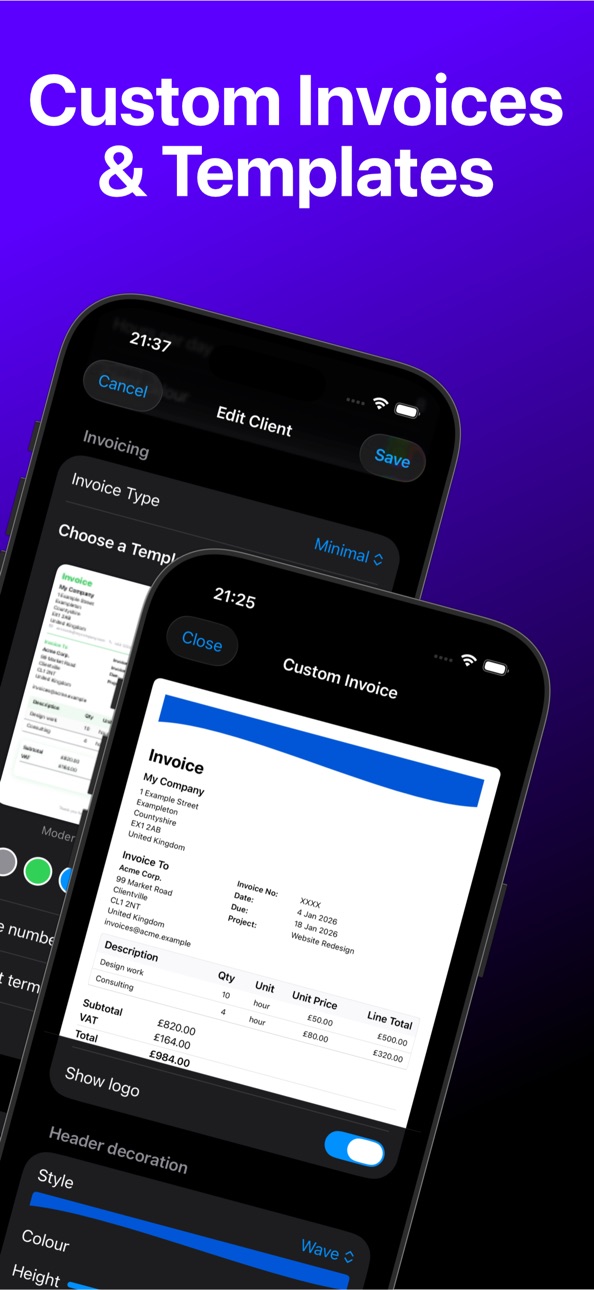
* Choose from ready-made templates or design your own
* Share invoices directly with clients
Never lose track of money
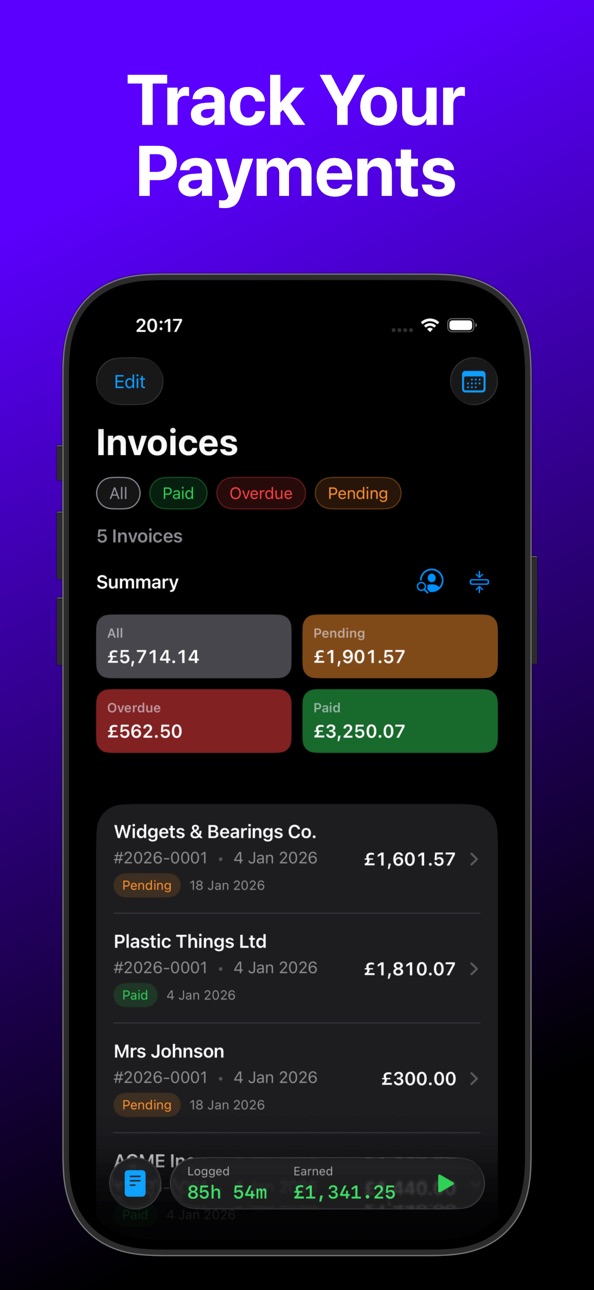
* See what’s invoiced, paid or overdue at a glance
* Monitor quote acceptance and expenses
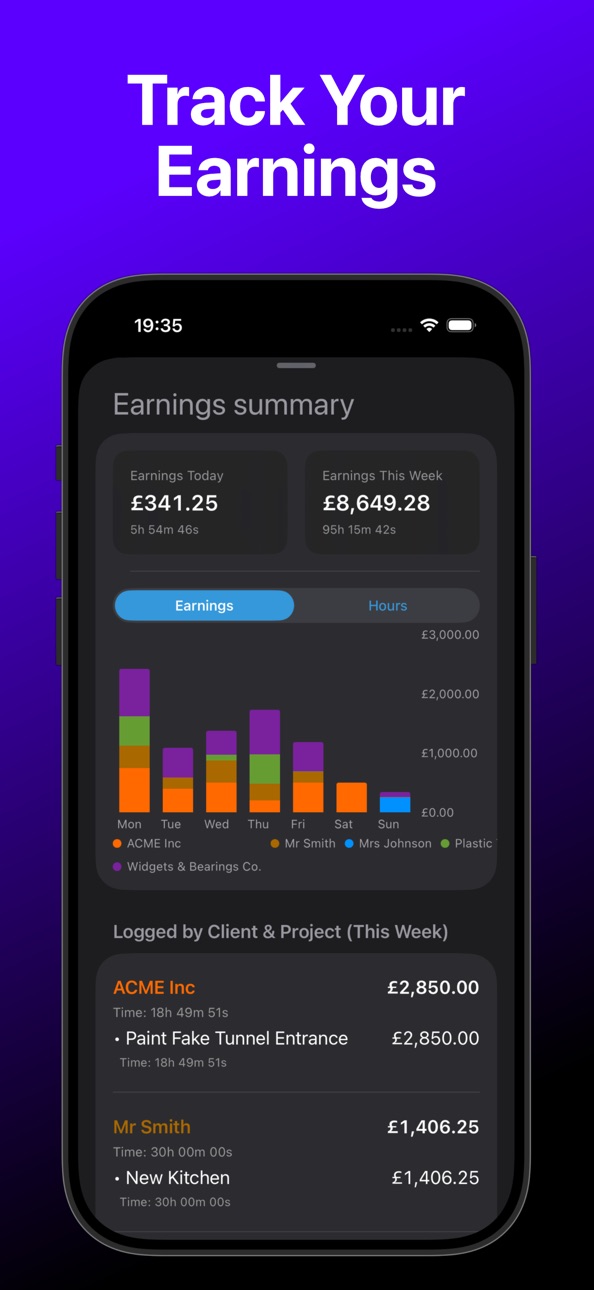
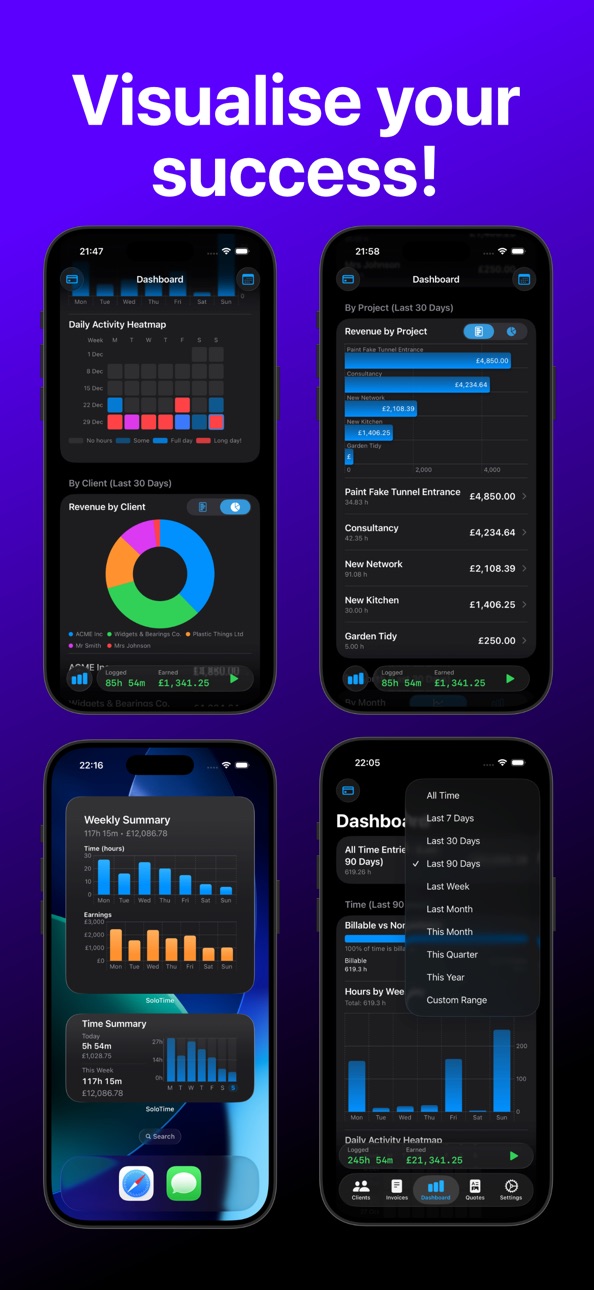
* Understand your earnings with clear dashboards and reports
Your data, always in sync
* SoloTime securely syncs your data using your iCloud account, so your clients, projects, time entries and invoices are always up to date across your devices — automatically and without any setup.
* Start a timer on one device and pick it up on another. Your data stays private, backed up, and under your control.
Built for real-world freelancers
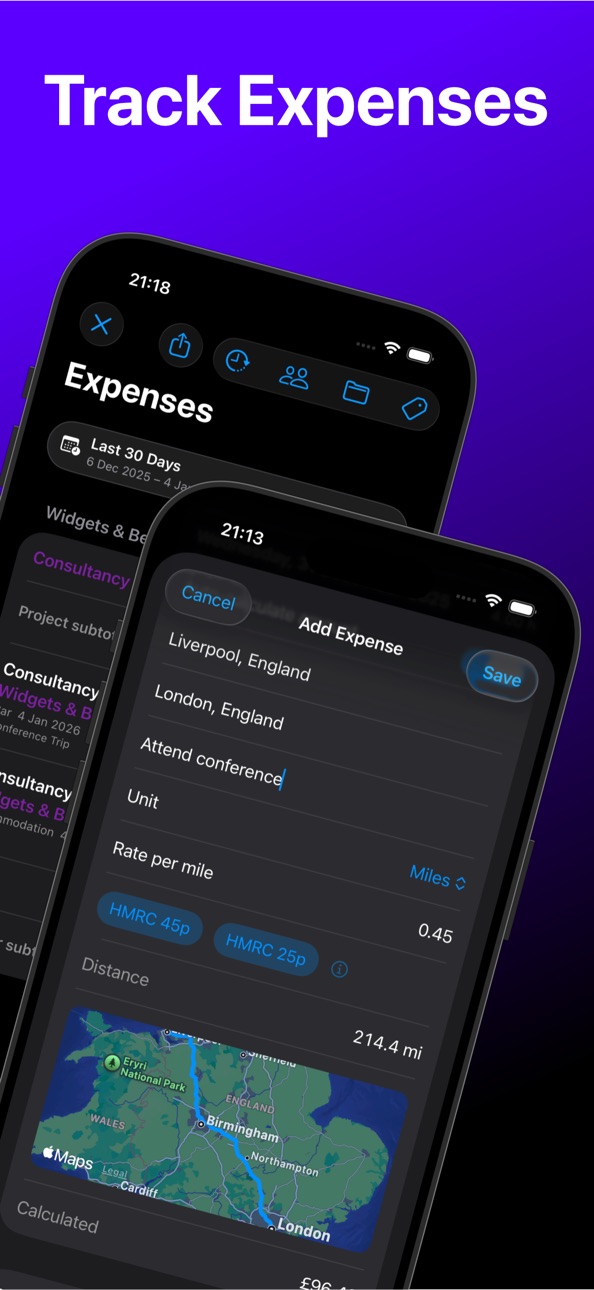
* Automatic mileage distance and cost calculation
* Detailed reports by day, week, month or quarter
* Export your data anytime (CSV or JSON)
* Widgets, Live Activities and Dynamic Island support to keep your time visible
SoloTime keeps your business simple, accurate and under control — so you can focus on the work that matters.
Key Features:
- Unlimited clients, projects and tasks
- One-tap project timers or manual time entry
- Hourly or daily billing with flexible rounding options
- Professional PDF invoices and quotes
- Customisable invoice templates
- Materials, expenses and mileage tracking
- Automatic mileage distance calculation
- Dashboards for time, earnings and payments
- Detailed reports by client, project or date range
- Export data to CSV or JSON
- Home Screen Widgets, Live Activities and Dynamic Island support
SoloTime includes both a free version and a subscription version with premium features that can be subscribed to and paid for monthly or annually. The subscription version is offered with a one week free trial. After the free trial ends your subscription will start unless you choose to cancel it.
You can subscribe and pay on the App Store, using your Apple ID. Payment will be charged to your Apple ID at confirmation of purchase. Your subscription will automatically renew unless cancelled before the end of the current period. Your account will be charged for renewal within 24 hours prior to the end of the current period. You can manage your subscriptions within the App Store app on your phone or within Settings.
Terms of Use: https://www.apple.com/legal/internet-services/itunes/dev/stdeula/
In-App Purchases US pricing
Full Access Subscription
Solo Time Unlock All Features · Monthly 7-day free trial$3.99
Solo Time Unlock All Features · Yearly 7-day free trial$24.99
One-Time Purchases
SoloTime Lifetime$39.99
Capabilities
In-App Purchases
Accessibility
ipadiphonemacrealityDevicetvoswatch
Version history 13 versions
Build 887095131v1.0.172026-06-17 19:36:11
- Fixed a bug that prevented the time being manually added in countries where the number format includes a comma.
Thanks for the feedback! Any problems or suggestions let me know at support@goodbinary.com
Build 886996051v1.0.162026-06-15 22:53:13
* Fixed a bug that prevented the time being edited in countries where the number format included a comma.
Thanks for the feedback! Any suggestions or problems, let me know at support@goodbinary.com
Build 885489473v1.0.152026-05-11 04:56:57
- On the Time Breakdown timesheet view the dates should now be formatted as per your location, on both the screen and on the PDF copy.
- Other minor tweaks behind the scenes
Thanks for the feedback! Any problems or suggestions let me know at support@goodbinary.com
Build 885396520v1.0.142026-05-07 21:35:27
- Fixed a bug that prevented the CSV export working from the Time Breakdown view
- When creating a new project it now will prompt you to enter a rate if you haven’t provided one
- On the project view the timeline now shows billable and non-billable time
- Dashboard and history tabs have been updated to also show non-billable time
Thanks for the feedback! Any problems or suggestions, please let me know at support@goodbinary.com
Build 883976667v1.0.132026-04-01 08:00:36
* Minor tweaks and improvements behind the scenes
Thanks for your feedback! If you have any problems or suggestions, please let me know at support@goodbinary.com
Build 883227392v1.0.122026-03-10 22:49:16
- Fixed a bug where the title of the screen for adding a fixed price item was wrong
- On the expenses view the toolbar buttons and filter summary box now reflect the active filter better
Thanks for your feedback! Any problems or suggestions, let me know at support@goodbinary.com
Build 883131496v1.0.112026-03-07 22:46:50
- The dashboard now has additional charts that show hours by client and project
- Dark mode app icon added
Thanks for the feedback! Any problems or suggestions please let me know at support@goodbinary.com
Build 882954676v1.0.102026-03-04 18:01:16
- Added fixed price invoicing support! You can now add fixed price work direct to your project, just tap on the “Add fixed price work” button and add the details and the price. This will be included in your invoice (alongside any other charges and expenses during the period).
- On the the invoice preview the date picker has been changed to be more consistent across devices
- Minor tweaks behind the scenes
Thanks for your feedback! Any problems or suggestions, let me know at support@goodbinary.com
Build 882615666v1.0.92026-02-20 04:05:26
- Fixed a bug that meant when you tried to edit a time entry it reverted to hours, even if you set it to a daily rate.
- Minor tweaks behind the scenes
Thanks for your feedback! Any problems or suggestions, let me know at support@goodbinary.com
Build 882457843v1.0.82026-02-14 17:09:44
- Fixed a bug in onboarding where larger text wasn’t displayed correctly
- Minor changes behind the scenes
Thanks for the feedback! Any problems or suggestions, let me know at support@goodbinary.com
Build 882232434v1.0.72026-02-10 08:29:31
- Fixed a bug that meant if you didn’t provide a logo it might show a placeholder on the invoice
- Fixed a bug that could cause the app not to save your logo preference
- Fixed a bug that mean you couldn’t manually enter your mileage for car travel
- Minor UI improvements
Thanks for the feedback! Any problems or suggestions, let me know at support@goodbinary.com
Build 879084669v1.02026-02-05 11:07:13
Build 882187648v1.0.62026-02-05 17:47:58
Bug fixes and improvements that didn’t make it in time for the first version, including;
What’s new:
- Added a toggle to the invoice section on the client settings that allows you to switch the logo on and off
- Added a small confirmation that fades in/out to confirm invoice or quote saved
- When you tap to go to the project view, if you tap a day on the timeline bar then tap + to add a time entry, it will use that day
- You can now add materials when creating a quote. Previously you had to add them to a project first then add them from there.
- Buttons have been changed on the quote screen - the generate quote and convert quote to invoice buttons are now at the end of the form, as you need to fill in the info before your can do either of these actions, and the buttons have been reformatted to be clearer
Price history by region
Currency
Show
Columns
Search
Availability 1 of 1 storefronts
| Region | Language | Price | Ratings | Avg | Version |
|---|---|---|---|---|---|
| US | en-US | Free | 0 | — | 1.0.17 |
Change log 17 changes · US
✎
releaseNotes updated
- Fixed a bug that prevented the time being manually added in countries where the number format includes a comma.
Thanks for the feedback! Any problems or sug
✎
description updated
"If you’re looking for a way to time track and invoice clients, SoloTime is an interesting and polished approach" - MacStories
"...combining time tracking, exp
✎
subtitle updated
Timer Invoices Quotes Expenses
✎
name updated
SoloTime Hours Track & Invoice
◆
Version 1.0.17 released
- Fixed a bug that prevented the time being manually added in countries where the number format includes a comma.
Thanks for the feedback! Any problems or suggestions let me know at support@goodbinary.com
◆
Version 1.0.16 released
* Fixed a bug that prevented the time being edited in countries where the number format included a comma.
Thanks for the feedback! Any suggestions or problems, let me know at support@goodbinary.com
◆
Version 1.0.15 released
- On the Time Breakdown timesheet view the dates should now be formatted as per your location, on both the screen and on the PDF copy.
- Other minor tweaks behind the scenes
Thanks for the feedback! Any problems or suggestions let me know
◆
Version 1.0.14 released
- Fixed a bug that prevented the CSV export working from the Time Breakdown view
- When creating a new project it now will prompt you to enter a rate if you haven’t provided one
- On the project view the timeline now shows billable and non-
◆
Version 1.0.13 released
* Minor tweaks and improvements behind the scenes
Thanks for your feedback! If you have any problems or suggestions, please let me know at support@goodbinary.com
◆
Version 1.0.12 released
- Fixed a bug where the title of the screen for adding a fixed price item was wrong
- On the expenses view the toolbar buttons and filter summary box now reflect the active filter better
Thanks for your feedback! Any problems or suggestion
◆
Version 1.0.11 released
- The dashboard now has additional charts that show hours by client and project
- Dark mode app icon added
Thanks for the feedback! Any problems or suggestions please let me know at support@goodbinary.com
◆
Version 1.0.10 released
- Added fixed price invoicing support! You can now add fixed price work direct to your project, just tap on the “Add fixed price work” button and add the details and the price. This will be included in your invoice (alongside any other char
◆
Version 1.0.9 released
- Fixed a bug that meant when you tried to edit a time entry it reverted to hours, even if you set it to a daily rate.
- Minor tweaks behind the scenes
Thanks for your feedback! Any problems or suggestions, let me know at support@goodbinar
◆
Version 1.0.8 released
- Fixed a bug in onboarding where larger text wasn’t displayed correctly
- Minor changes behind the scenes
Thanks for the feedback! Any problems or suggestions, let me know at support@goodbinary.com
◆
Version 1.0.7 released
- Fixed a bug that meant if you didn’t provide a logo it might show a placeholder on the invoice
- Fixed a bug that could cause the app not to save your logo preference
- Fixed a bug that mean you couldn’t manually enter your mileage for ca
◆
Version 1.0.6 released
Bug fixes and improvements that didn’t make it in time for the first version, including;
What’s new:
- Added a toggle to the invoice section on the client settings that allows you to switch the logo on and off
- Added a small confirmation
◆
Version 1.0 released