Home › Food & Drink

 US
US
1 of 1 storefronts
Content in en-US
Content in en-US
Information
Preview 2 platforms
iPhone 6 images


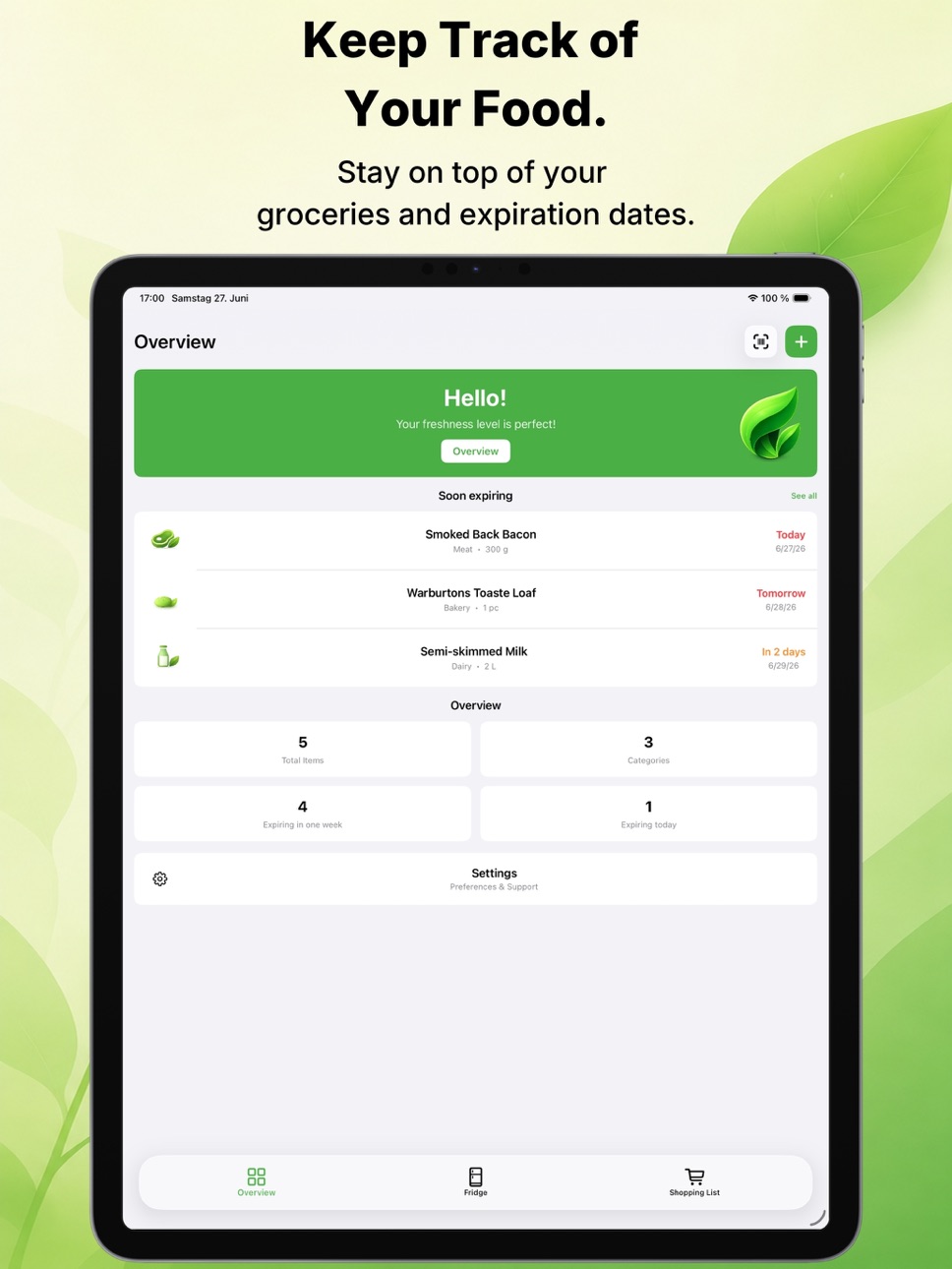
iPad 6 images


What’s New Version 2.0
Version 2.0 is here!
• Brand-new app icon
• Completely redesigned user interface
• Improved onboarding experience
• Added a developer screen
• Introduced the FreshLeaf system
• Improved language selection
Description
ReFridge helps you take full control of your kitchen. Track your food, reduce food waste and manage your shopping with a clean, minimal and intuitive app.
Whether you live alone or manage a household, ReFridge makes food management simple, efficient and stress-free.
Smart Food Tracking
Stay on top of everything in your fridge and pantry.
• Add food in seconds or scan barcodes
• See exactly what you have at any time
• Get expiry reminders so nothing gets forgotten
• Reduce food waste and save money
• Avoid buying what you already have
Simple Shopping Lists
Turn what you use into your next shopping trip.
• Create shopping lists in seconds
• Add items quickly and stay organized
• Keep your list clean and minimal
• Perfect for fast and efficient grocery shopping
Home Screen Widgets
Access your food directly from your home screen.
• See expiring items at a glance
• Stay in control without opening the app
• Clean, minimal and distraction-free
Clean and Minimal Design
Designed for focus and simplicity.
• Modern, intuitive interface
• Light and dark mode support
• No clutter, no unnecessary features
• Built for everyday use
Save Money & Reduce Waste
ReFridge helps you build better habits.
• Waste less food
• Spend less on groceries
• Make smarter decisions
• Sustainability starts in your kitchen
Private and Offline First
Your data stays where it belongs.
• Works offline
• No accounts required
• No cloud
• No tracking
• Everything stays on your device
ReFridge is your minimal solution for smarter food tracking, less waste and better shopping.
In-App Purchases US pricing
ReFridge Pro Subscription
Monthly · Monthly$1.99
Annual · Yearly$17.99
Capabilities
In-App Purchases
Accessibility
ipadiphonemacrealityDevicetvoswatch
Version history 8 versions
Build 887278268v2.02026-06-29 10:02:38
Version 2.0 is here!
• Brand-new app icon
• Completely redesigned user interface
• Improved onboarding experience
• Added a developer screen
• Introduced the FreshLeaf system
• Improved language selection
Build 886343829v1.62026-06-08 07:34:48
• Complete UI optimization for iPad devices
• The barcode scanner now includes a flashlight feature
• Swipe-to-delete buttons now display only an icon for improved clarity
• Updated the explanatory text in the barcode scanner
• Fixed an issue where products nearing expiration were not always automatically moved to the top of the fridge list
• General performance improvements
• Adjusted the behavior of the app rating prompt
Build 886013473v1.52026-05-25 10:59:04
What’s fixed?
• Home Screen widgets now always follow the selected app language instead of only the system language
• The app website is now accessible again in all supported languages through the settings menu
• Improved UI behavior for category selection and quantity selection
• Fixed an issue where the app layout shifted when opening the keyboard
Build 884907496v1.42026-05-01 09:48:47
Added
• Expired items in the shopping list are now automatically moved to the bottom
• Items close to their expiration date are now highlighted in red in the fridge overview
• Soon-to-expire food is now prioritized at the top of lists
Removed
• Temporarily removed the meal planner to focus on minimalist food management
Fixed
• Performance improvements for a smoother overall experience
• Fixed minor issues in the notification system
Build 882022272v1.32026-03-09 16:07:22
• Reworked notification system for more reliable reminders
• Redesigned tab bar for a cleaner navigation experience
• Separated Recipe and Meal Planner interfaces for better usability
• Improved localization across multiple languages
• Added support for Apple’s Liquid Glass design
• Fixed an issue that prevented adding new recipes
Build 881582989v1.22026-01-26 17:32:18
What’s New in ReFridge 1.2
• New Home Screen Widgets: Fridge overview, Shopping List, Meal Planner, Add Item, and Barcode Scanner
• Improved stability and performance
• Fixed an issue where item quantities were incorrectly displayed as decimals
Update now and manage your food even faster, right from your Home Screen.
Build 881395181v1.12026-01-12 12:24:42
What’s New in Version 1.1
• Added a helpful popup when opening the barcode scanner for the first time, explaining that expiry dates are estimates based on product categories and typical shelf life.
• Redesigned the Recipes section with an improved and more intuitive UI.
• Reworked the onboarding experience to make getting started faster and clearer.
• Improved when and how the app asks for ratings to make the experience less intrusive.
Build 879065744v1.02026-01-09 17:35:02
Price history by region
Currency
Show
Columns
Search
Availability 1 of 1 storefronts
| Region | Language | Price | Ratings | Avg | Version |
|---|---|---|---|---|---|
| US | en-US | Free | 0 | — | 2.0 |
Change log 12 changes · US
✎
releaseNotes updated
Version 2.0 is here!
• Brand-new app icon
• Completely redesigned user interface
• Improved onboarding experience
• Added a developer screen
• Introduced the Fr
✎
description updated
ReFridge helps you take full control of your kitchen. Track your food, reduce food waste and manage your shopping with a clean, minimal and intuitive app.
Wheth
✎
subtitle updated
Smart Food Management
✎
name updated
ReFridge
◆
Version 2.0 released
Version 2.0 is here!
• Brand-new app icon
• Completely redesigned user interface
• Improved onboarding experience
• Added a developer screen
• Introduced the FreshLeaf system
• Improved language selection
◆
Version 1.6 released
• Complete UI optimization for iPad devices
• The barcode scanner now includes a flashlight feature
• Swipe-to-delete buttons now display only an icon for improved clarity
• Updated the explanatory text in the barcode scanner
• Fixed an iss
◆
Version 1.5 released
What’s fixed?
• Home Screen widgets now always follow the selected app language instead of only the system language
• The app website is now accessible again in all supported languages through the settings menu
• Improved UI behavior for c
◆
Version 1.4 released
Added
• Expired items in the shopping list are now automatically moved to the bottom
• Items close to their expiration date are now highlighted in red in the fridge overview
• Soon-to-expire food is now prioritized at the top of lists
Remov
◆
Version 1.3 released
• Reworked notification system for more reliable reminders
• Redesigned tab bar for a cleaner navigation experience
• Separated Recipe and Meal Planner interfaces for better usability
• Improved localization across multiple languages
• Adde
◆
Version 1.2 released
What’s New in ReFridge 1.2
• New Home Screen Widgets: Fridge overview, Shopping List, Meal Planner, Add Item, and Barcode Scanner
• Improved stability and performance
• Fixed an issue where item quantities were incorrectly displayed as dec
◆
Version 1.1 released
What’s New in Version 1.1
• Added a helpful popup when opening the barcode scanner for the first time, explaining that expiry dates are estimates based on product categories and typical shelf life.
• Redesigned the Recipes section with an
◆
Version 1.0 released