Home › Utilities

 US
US
1 of 1 storefronts
Content in en-US
Content in en-US
Information
Apple ID6754187049
Bundle IDat.flutterdev.esp32Cam
SellerSeller
Min iOS13.0
Min macOS11.0
Device familiesiphone, ipad, ipod
Released2025-11-12
Copyright© ScienceSoft e.U.
Privacy policyLink ↗
Preview 2 platforms
iPhone 6 images



iPad 6 images


What’s New Version 1.0.29
- Expanded Hardware Support: Now compatible with OV3660 (3MP) and OV5640 (5MP) camera modules.
- New Camera Settings: Added a dedicated White Balance menu for better color control.
- Improved IPv4 network base detection in HotSpot Mode.
Description
What is ESP32-CAM Controller? ESP32 CAM Controller is the companion app for managing ESP32-CAM devices with the OV2640 (2MP), OV3660 (3MP) and OV5640 (5MP) module. This app makes controlling your ESP32-CAM devices effortless and professional.
Smart Network Discovery
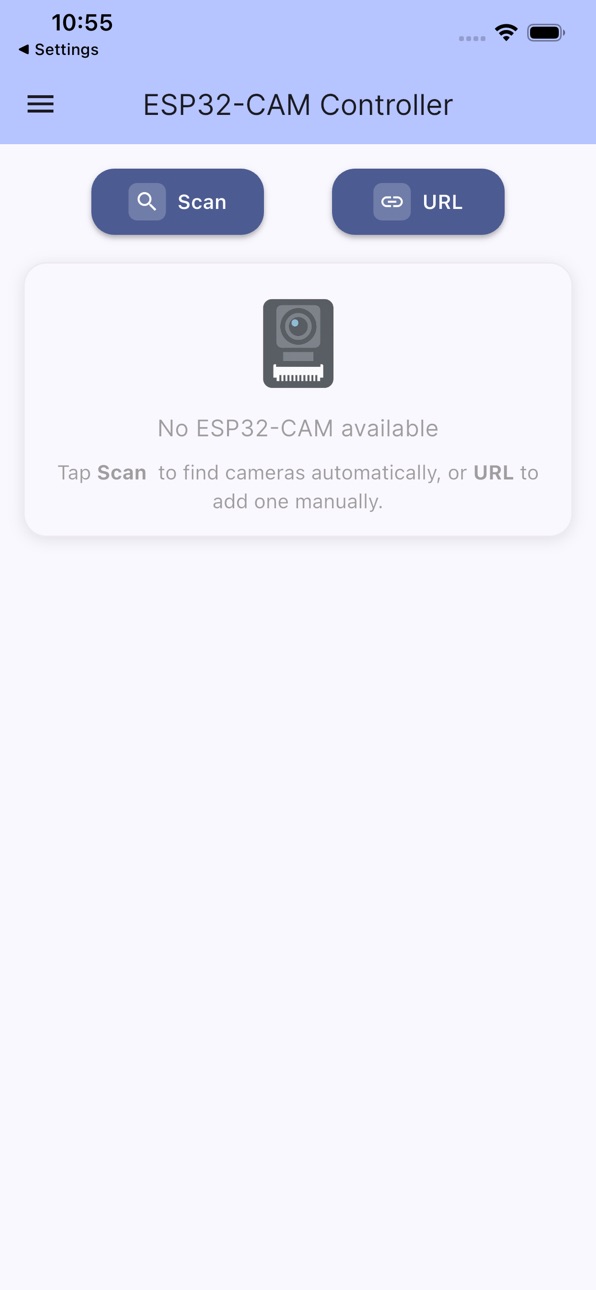
• Automatically scan your network to find ESP32-CAM devices
• No manual IP configuration needed
• Fast parallel scanning with real-time progress
Live Video Streaming
• JPEG video streaming
• Smooth, responsive preview thumbnails
Complete Camera Control
• Adjust image quality, brightness, contrast, saturation and white balance.
• Multiple resolution options from 128x128 to 1600x1200 - depending on cam chip
• Creative effects: sepia, negative, grayscale, color tints
• LED flash control with adjustable intensity
• Mirror and flip options for perfect orientation
Multi-Device Management
• Manage multiple ESP32
• CAM devices from one app
• Save and organize your camera configurations
• Quick access to all connected devices
• Easy device addition via network scan or manual URL
In-App Purchases US pricing
One-Time Purchases
Support this project$1.99
Capabilities
In-App Purchases
Accessibility
ipadiphonemacrealityDevicetvoswatch
Version history 6 versions
Build 882777441v1.0.292026-02-25 19:09:04
- Expanded Hardware Support: Now compatible with OV3660 (3MP) and OV5640 (5MP) camera modules.
- New Camera Settings: Added a dedicated White Balance menu for better color control.
- Improved IPv4 network base detection in HotSpot Mode.
Build 881781793v1.0.252026-02-07 13:16:35
Added a new Gallery view for multi-camera setups.
Build 880071194v1.0.212025-11-26 02:20:13
New buttons to save and share a camera image.
Build 879984941v1.0.182025-11-21 22:13:25
New sorting button: Sort cameras by IP, Name, or User-Defined.
Build 879796800v1.0.162025-11-17 14:28:06
Improvement of introduction
Menu added to support the project with a donation
Build 879043673v1.0.132025-11-12 20:11:12
Price history by region
Currency
Show
Columns
Search
Availability 1 of 1 storefronts
| Region | Language | Price | Ratings | Avg | Version |
|---|---|---|---|---|---|
| US | en-US | Free | 1 | 5.0 | 1.0.29 |
Change log 10 changes · US
✎
releaseNotes updated
- Expanded Hardware Support: Now compatible with OV3660 (3MP) and OV5640 (5MP) camera modules.
- New Camera Settings: Added a dedicated White Balance menu for b
✎
description updated
What is ESP32-CAM Controller? ESP32 CAM Controller is the companion app for managing ESP32-CAM devices with the OV2640 (2MP), OV3660 (3MP) and OV5640 (5MP) modu
✎
subtitle updated
ESP32-Cam Control App
✎
name updated
ESP32-Cam
◆
Version 1.0.29 released
- Expanded Hardware Support: Now compatible with OV3660 (3MP) and OV5640 (5MP) camera modules.
- New Camera Settings: Added a dedicated White Balance menu for better color control.
- Improved IPv4 network base detection in HotSpot Mode.
◆
Version 1.0.25 released
Added a new Gallery view for multi-camera setups.
◆
Version 1.0.21 released
New buttons to save and share a camera image.
◆
Version 1.0.18 released
New sorting button: Sort cameras by IP, Name, or User-Defined.
◆
Version 1.0.16 released
Improvement of introduction
Menu added to support the project with a donation
◆
Version 1.0.13 released