Home › Utilities

 US
US
1 of 1 storefronts
Content in en-US
Content in en-US
Information
Preview 2 platforms
iPhone 3 images

iPad 3 images


What’s New Version 1.2.6
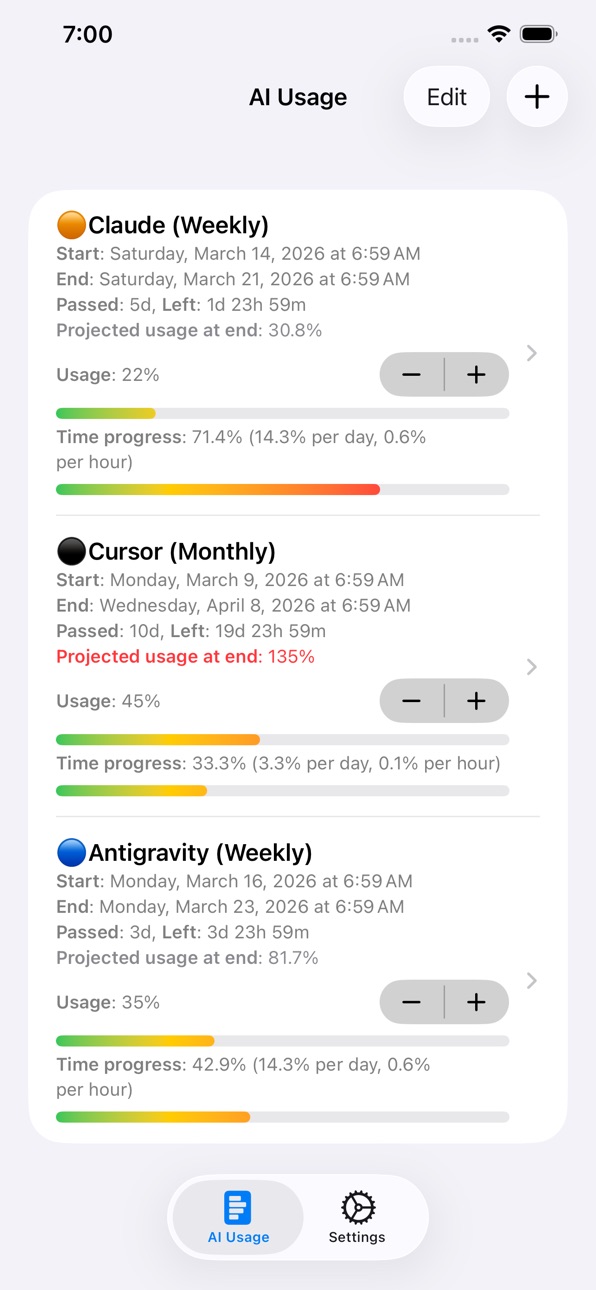
• Progress bars now update on their own as time passes, without needing to tap a button or refresh the screen
Description
Track your AI service usage and stay within your limits.
THE PROBLEM
AI services have usage quotas. You lose track. Limits hit at the worst time.
WHY CHECKING MANUALLY ISN'T ENOUGH
Each service has its own settings page — but nobody opens five different apps to check usage one by one until it's too late.
THE SOLUTION
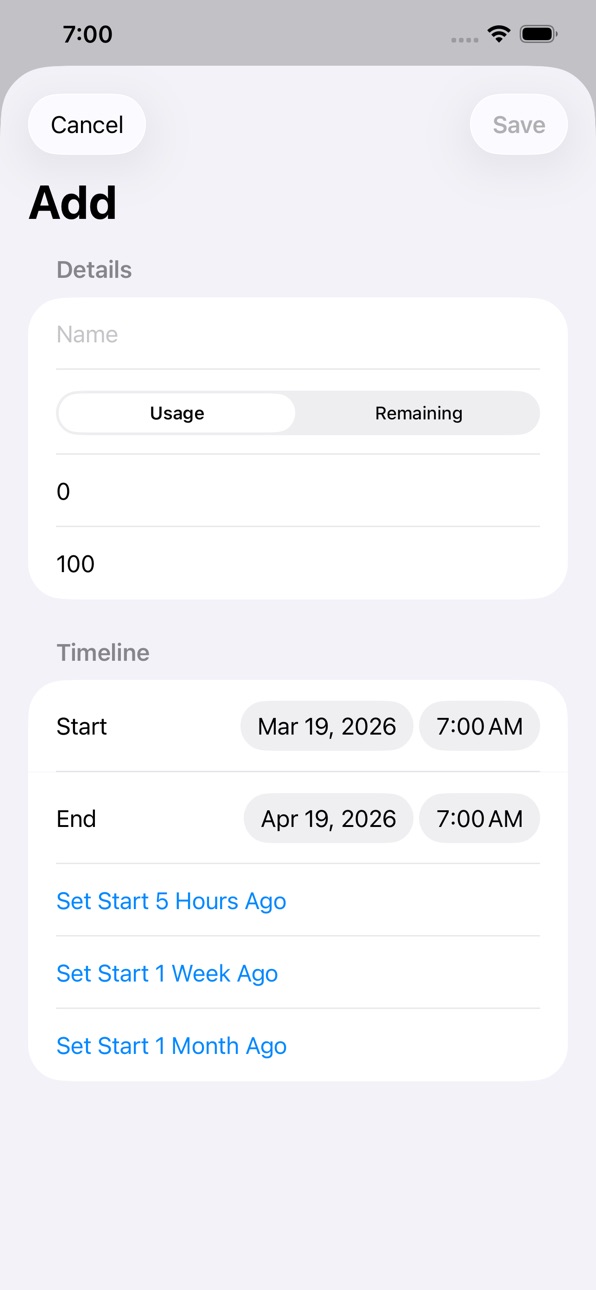
AIUsage tracks your AI service quotas — Claude, Cursor, Antigravity, and more. See exactly how much you've used, how much is left, and when it resets.
Simple. Visual. No more surprise limits.
Support: steve_ham@icloud.com
Accessibility
ipadiphonemacrealityDevicetvoswatch
Version history 9 versions
Build 886004825v1.2.62026-05-22 20:29:53
• Progress bars now update on their own as time passes, without needing to tap a button or refresh the screen
Build 885835339v1.2.52026-05-19 14:45:27
• Mark milestones on the usage bar — swipe a tracker to drop a red snapshot, swipe again to undo
• Progress-bar labels now scale with Dynamic Type and read correctly in right-to-left languages
• New All Apps section in Settings — browse every app from this developer, with live monthly download counts
Build 885402594v1.2.42026-05-08 19:53:46
• Fixed sync issue
Build 885345942v1.2.32026-05-06 23:30:48
• Evenly distributed progress bar colors
• Fixed localization
Build 883520488v1.2.22026-03-19 18:43:38
• Show both daily and hourly usage rates
• 30+ new languages supported
• Performance and stability improvements
Build 879626349v1.2.12025-11-13 10:59:59
Refined text shown on AI Usage tab.
Build 879566818v1.22025-11-08 00:34:51
Made text and UI more simple and intuitive.
Build 879339216v1.12025-11-06 01:39:35
• Improved UI for clearer insights into your usage progress
• Added automatic progress updates to keep data fresh
• Now shows your projected end date based on current pace
• Highlights usage in red when you’re consuming too quickly
Build 878904314v1.02025-10-20 08:54:45
No pricing data captured yet — comparisons appear once the app has paid storefronts or in-app purchases.
Availability 1 of 1 storefronts
| Region | Language | Price | Ratings | Avg | Version |
|---|---|---|---|---|---|
| US | en-US | Free | 0 | — | 1.2.6 |
Change log 13 changes · US
✎
releaseNotes updated
• Progress bars now update on their own as time passes, without needing to tap a button or refresh the screen
✎
description updated
Track your AI service usage and stay within your limits.
THE PROBLEM
AI services have usage quotas. You lose track. Limits hit at the worst time.
WHY CHECKING
✎
subtitle updated
Track your AI service usage
✎
name updated
AI Usage
◆
Version 1.2.6 released
• Progress bars now update on their own as time passes, without needing to tap a button or refresh the screen
◆
Version 1.2.5 released
• Mark milestones on the usage bar — swipe a tracker to drop a red snapshot, swipe again to undo
• Progress-bar labels now scale with Dynamic Type and read correctly in right-to-left languages
• New All Apps section in Settings — browse eve
◆
Version 1.2.4 released
• Fixed sync issue
◆
Version 1.2.3 released
• Evenly distributed progress bar colors
• Fixed localization
◆
Version 1.2.2 released
• Show both daily and hourly usage rates
• 30+ new languages supported
• Performance and stability improvements
◆
Version 1.2.1 released
Refined text shown on AI Usage tab.
◆
Version 1.2 released
Made text and UI more simple and intuitive.
◆
Version 1.1 released
• Improved UI for clearer insights into your usage progress
• Added automatic progress updates to keep data fresh
• Now shows your projected end date based on current pace
• Highlights usage in red when you’re consuming too quickly
◆
Version 1.0 released