Home › Health & Fitness

 US
US
1 of 1 storefronts
Content in en-US
Content in en-US
Information
Apple ID6753310758
Bundle IDcom.parkerstech.NomoWidget
SellerSeller
Min iOS18.6
Min macOS15.6
Device familiesiphone, ipad
Released2025-10-08
Copyright© 2026 Stech LLC
Privacy policyLink ↗
Preview 2 platforms
iPhone 5 images


iPad 5 images


What’s New Version 1.2.3
Thanks for the feedback everyone!
1. You can now display the name of your clock underneath the circle.
2. You can display years, months, weeks, days, and hours.
3. You can now display the money, hours, and calories saved.
4. I updated the troubleshooting section to tackle the issue with setting your clock on the Lock Screen.
5. Overall bug fixes and speed improvements.
Thanks for supporting my app!
Description
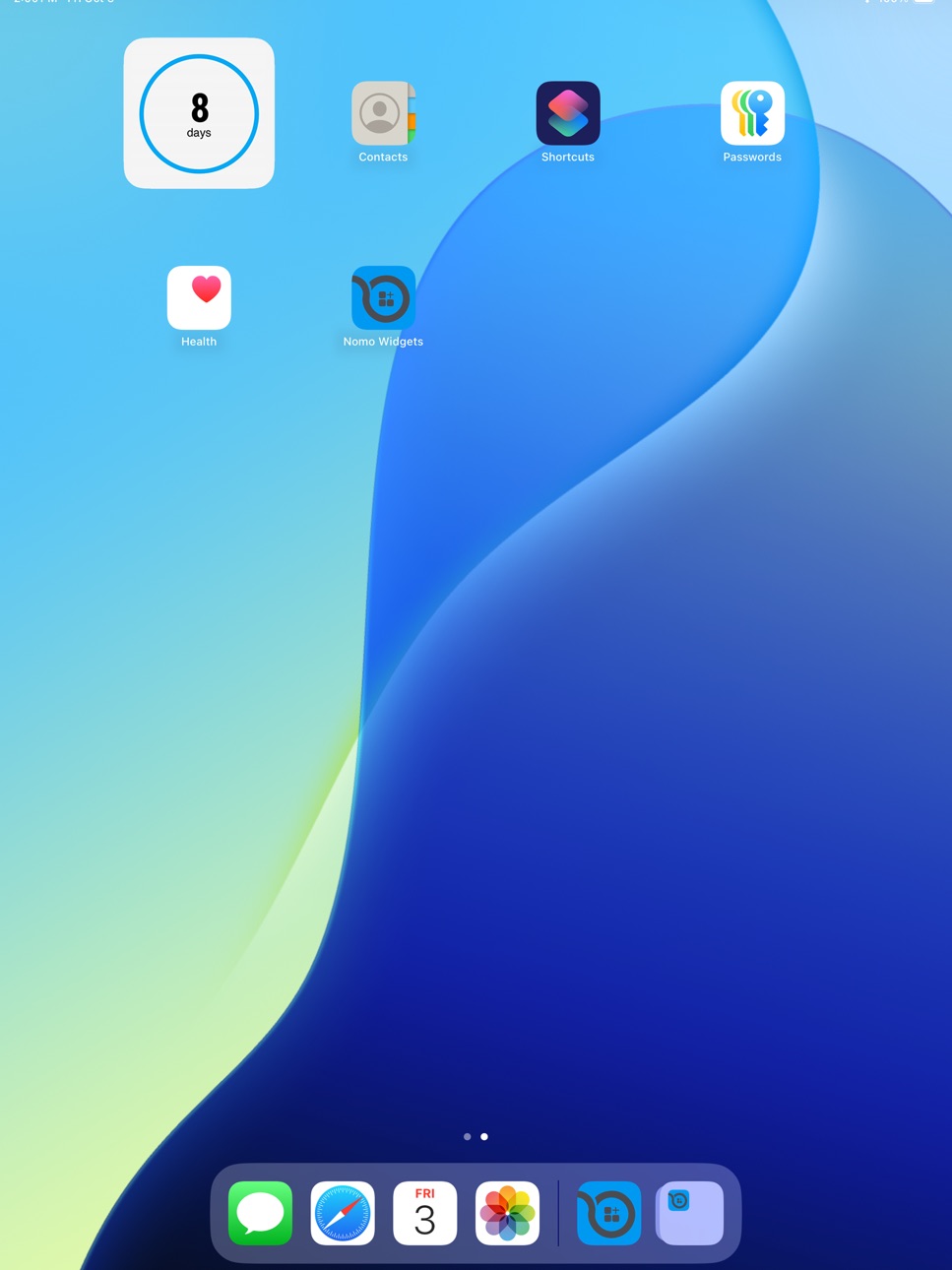
One day at a time on your home screen. Nomo Widgets is a companion app for the popular Nomo - Sobriety Clocks app. You can quickly create a clock with your sobriety date and a color to be displayed as a widget on your home screen. If you're already a Nomo user and have the latest version, your clocks will automatically be on the list when you add a new widget. I hope this is helpful for everyone!
Accessibility
ipadiphonemacrealityDevicetvoswatch
Version history 5 versions
Build 887171740v1.2.32026-06-23 12:29:13
Thanks for the feedback everyone!
1. You can now display the name of your clock underneath the circle.
2. You can display years, months, weeks, days, and hours.
3. You can now display the money, hours, and calories saved.
4. I updated the troubleshooting section to tackle the issue with setting your clock on the Lock Screen.
5. Overall bug fixes and speed improvements.
Thanks for supporting my app!
Build 881598657v1.2.22026-01-19 06:09:09
You can now decide which units to display (hours, days, weeks, months, and years).
I also cleaned up the app and made it more clear how to add widgets to your Home Screen and Lock Screen.
Thanks for using my apps!
Build 879276701v1.1.52025-10-28 18:39:08
Added support for widgets on the lock screen (instead of just the home screen).
Build 879197780v1.1.22025-10-25 03:16:24
Clocks created with the Nomo app will now appear inside the Nomo Widget app.
I updated the instructions on how to add a widget.
Fixed a bug that made the delete button difficult to use.
Overall ui improvements and bug fixes :) Thanks for using my apps!
Build 878603313v1.0.72025-10-08 23:38:14
Price history by region
Currency
Show
Columns
Search
Availability 1 of 1 storefronts
| Region | Language | Price | Ratings | Avg | Version |
|---|---|---|---|---|---|
| US | en-US | USD 1.99 | 134 | 4.7 | 1.2.3 |
Change log 9 changes · US
✎
releaseNotes updated
Thanks for the feedback everyone!
1. You can now display the name of your clock underneath the circle.
2. You can display years, months, weeks, days, and hours
✎
description updated
One day at a time on your home screen. Nomo Widgets is a companion app for the popular Nomo - Sobriety Clocks app. You can quickly create a clock with your sobr
✎
subtitle updated
Nomo on your Home Screen
✎
name updated
Nomo Widgets
◆
Version 1.2.3 released
Thanks for the feedback everyone!
1. You can now display the name of your clock underneath the circle.
2. You can display years, months, weeks, days, and hours.
3. You can now display the money, hours, and calories saved.
4. I updated th
◆
Version 1.2.2 released
You can now decide which units to display (hours, days, weeks, months, and years).
I also cleaned up the app and made it more clear how to add widgets to your Home Screen and Lock Screen.
Thanks for using my apps!
◆
Version 1.1.5 released
Added support for widgets on the lock screen (instead of just the home screen).
◆
Version 1.1.2 released
Clocks created with the Nomo app will now appear inside the Nomo Widget app.
I updated the instructions on how to add a widget.
Fixed a bug that made the delete button difficult to use.
Overall ui improvements and bug fixes :) Thanks for
◆
Version 1.0.7 released