Home › Music

 US
US
1 of 1 storefronts
Content in en-US
Content in en-US
Information
Apple ID6752997511
Bundle IDnet.bitwizardry.GuitarBuddy
SellerSeller
Min iOS17.6
Device familiesmac, iphone, ipad
Released2025-12-16
Copyright© Thomas Sempf
Privacy policyLink ↗
Preview 3 platforms
iPhone 10 images



iPad 10 images


Mac 8 images


What’s New Version 1.3.0
JOURNEY GROWS TO 165 LEVELS:
The Melody Journey has been expanded from 100 to 165 levels across 33 topic groups. The revised curriculum introduces major/minor contrast and pentatonic scales earlier, giving you a more musical progression from the very first levels.
MELODIC DIRECTION:
A new challenge type in the Journey: listen to a short phrase and identify whether the melody is ascending, descending, or repeating. Builds the foundational listening skill behind all melodic ear training.
HARMONIC INTERVALS:
Train your ear on intervals played simultaneously — both notes at once — in addition to the sequential (melodic) intervals you already know. Choose between melodic and harmonic playback when starting an interval session.
CHORD PROGRESSIONS TRAINING:
A brand-new standalone training mode. Listen to a chord progression and identify the chords in sequence. Three difficulty levels help you go from common two-chord patterns to complex four-chord sequences.
CHORD INVERSIONS:
Both the Journey and standalone chord training now include inversion challenges. Toggle "Include Inversions" in chord settings to hear chords in root position or any inversion, with the answer revealing exactly which inversion was played.
SCALE DEGREES:
New Journey levels teach you to identify scale degree numbers (1, 2, 3 … 7) by ear — a key skill for understanding melody and harmony in any key.
INTERVAL DIRECTION CONTROL:
Choose ascending, descending, or mixed intervals when practising interval recognition or interval singing.
Description
Guitar Buddy
Master the Fretboard by Ear – Notes, Chords, Melodies & Real‑Time Pitch Detection
Unlock the guitar fretboard and train your musical ear with Guitar Buddy – a focused practice companion for guitarists who want to really know what they're playing, not just where to put their fingers.
Whether you're a beginner learning the notes on the neck or an experienced player sharpening your chord recognition, melodic ear, and intonation, Guitar Buddy guides you through structured, interactive training sessions.
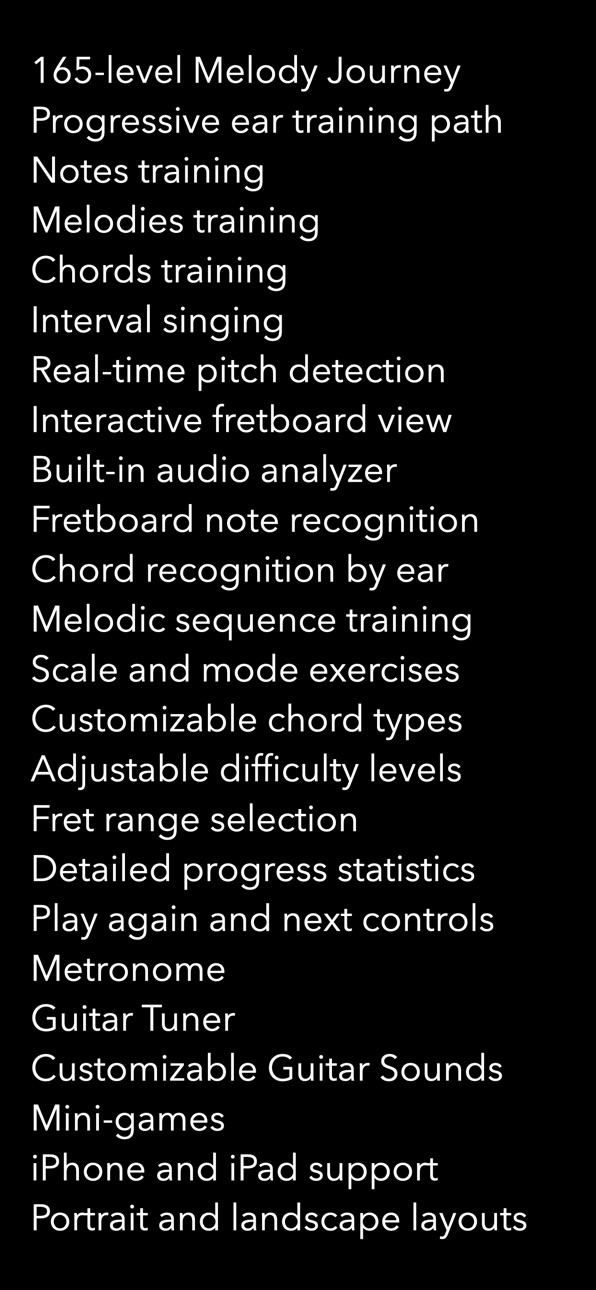
KEY FEATURES
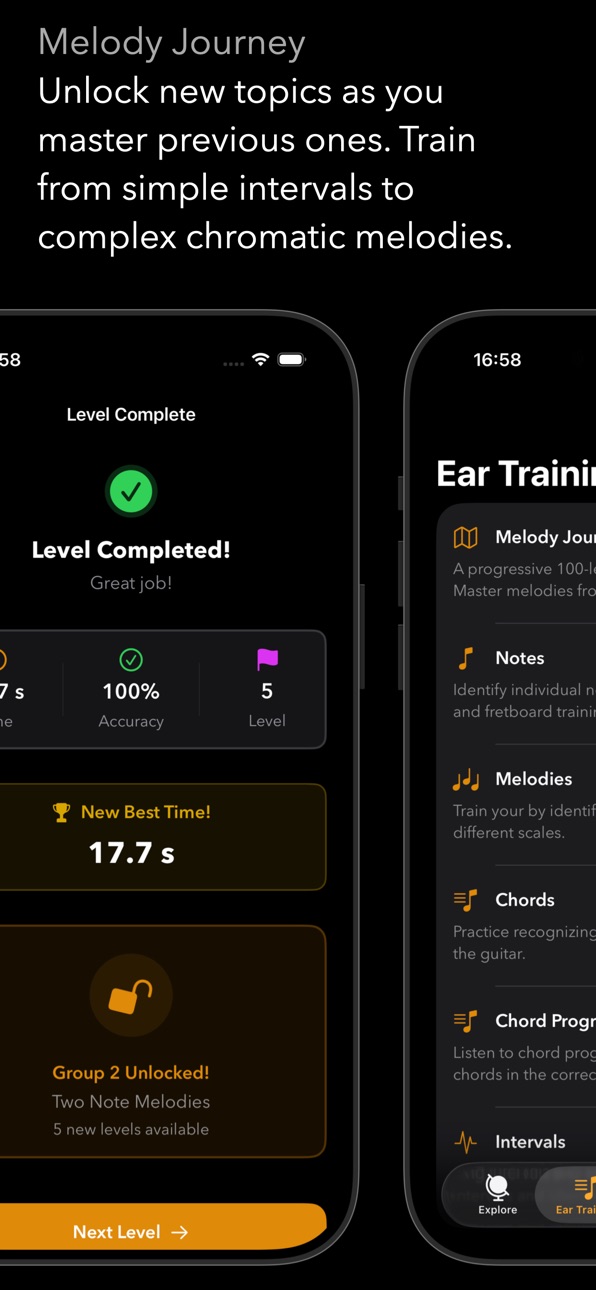
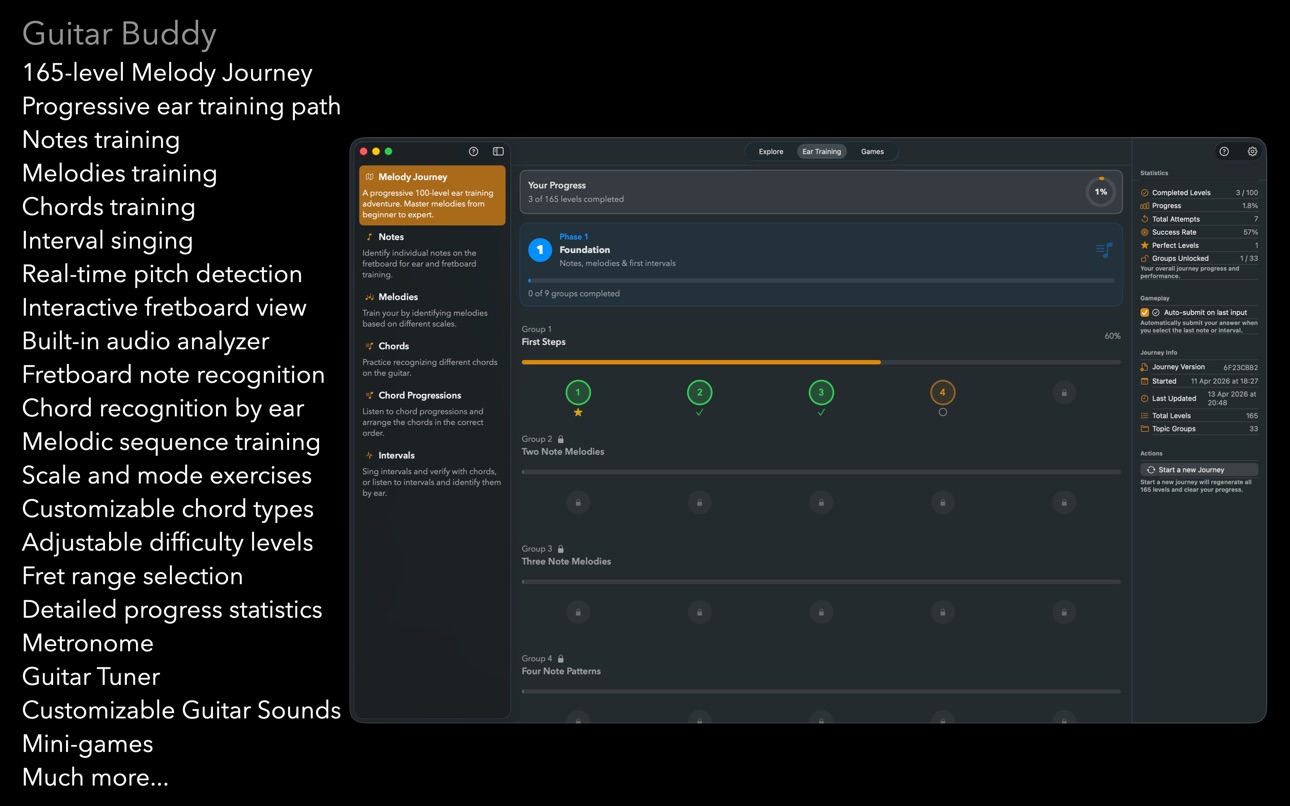
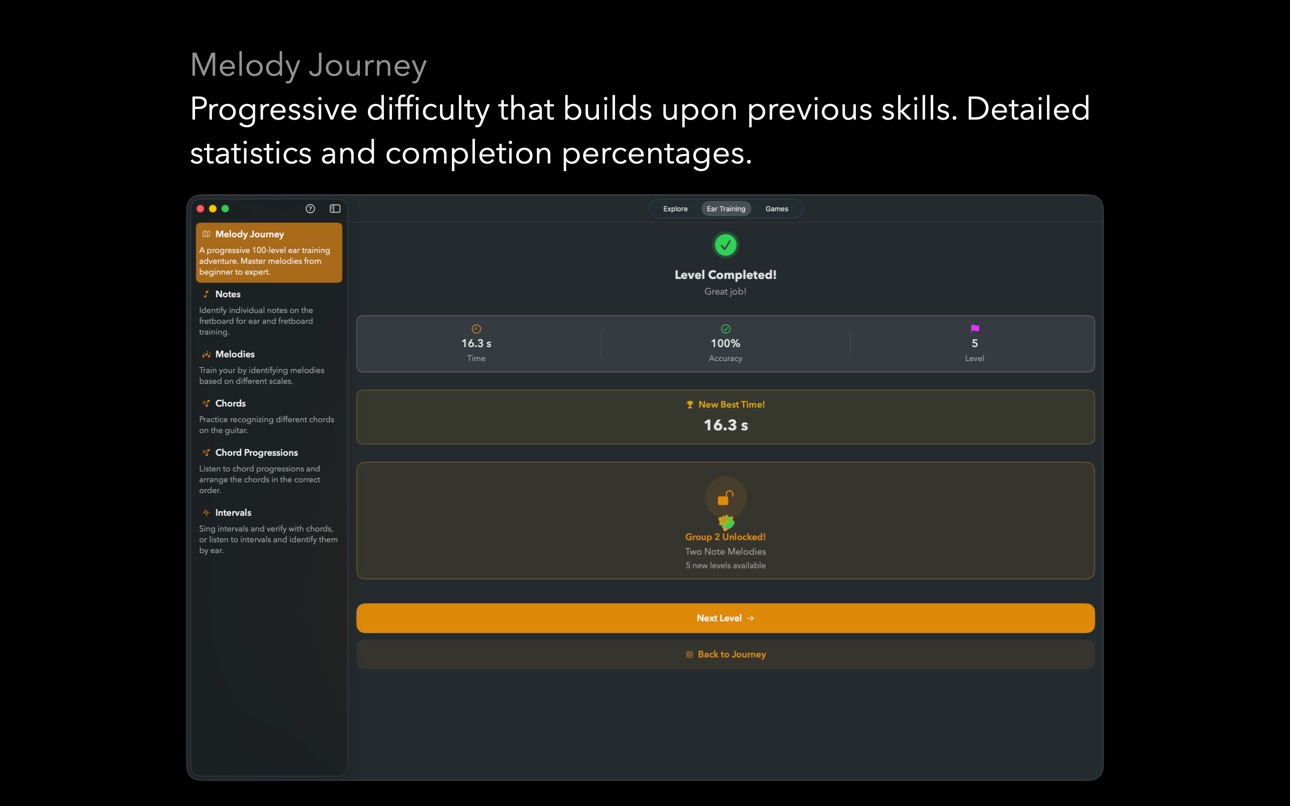
MELODY JOURNEY – PROGRESSIVE 165-LEVEL ADVENTURE:
Embark on a structured ear training path that takes you from beginner to expert.
• 165 carefully designed levels organized into 33 topic groups
• Progressive difficulty that builds upon previous skills
• Train with everything from simple intervals to complex chromatic melodies
• Track your progress with detailed statistics and completion percentages
• Unlock new topics as you master previous ones
Perfect for guitarists who want a clear roadmap to fretboard mastery, one level at a time.
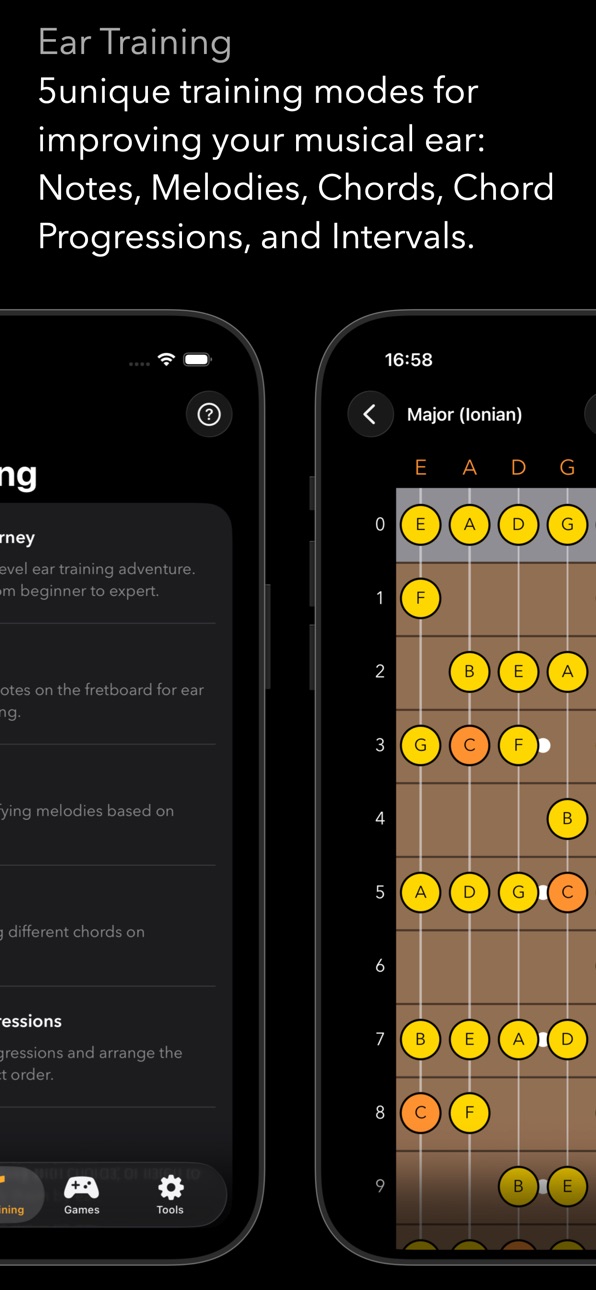
FIVE FOCUSED TRAINING MODES
NOTES TRAINING:
Learn every note on the fretboard and finally make sense of the neck layout. Practice note recognition across the entire fretboard, with focus on specific fret ranges.
MELODIES TRAINING:
Train your ear to identify melodic sequences based on different scales. Choose from various difficulty levels and melody lengths.
CHORDS TRAINING:
Develop your chord vocabulary by ear and by shape. Train with a wide variety of chord types, enable inversions, and challenge yourself with "guess first" style sessions.
CHORD PROGRESSIONS TRAINING:
Listen to a chord progression and identify each chord in sequence. Three difficulty levels take you from common two-chord patterns to complex four-chord sequences.
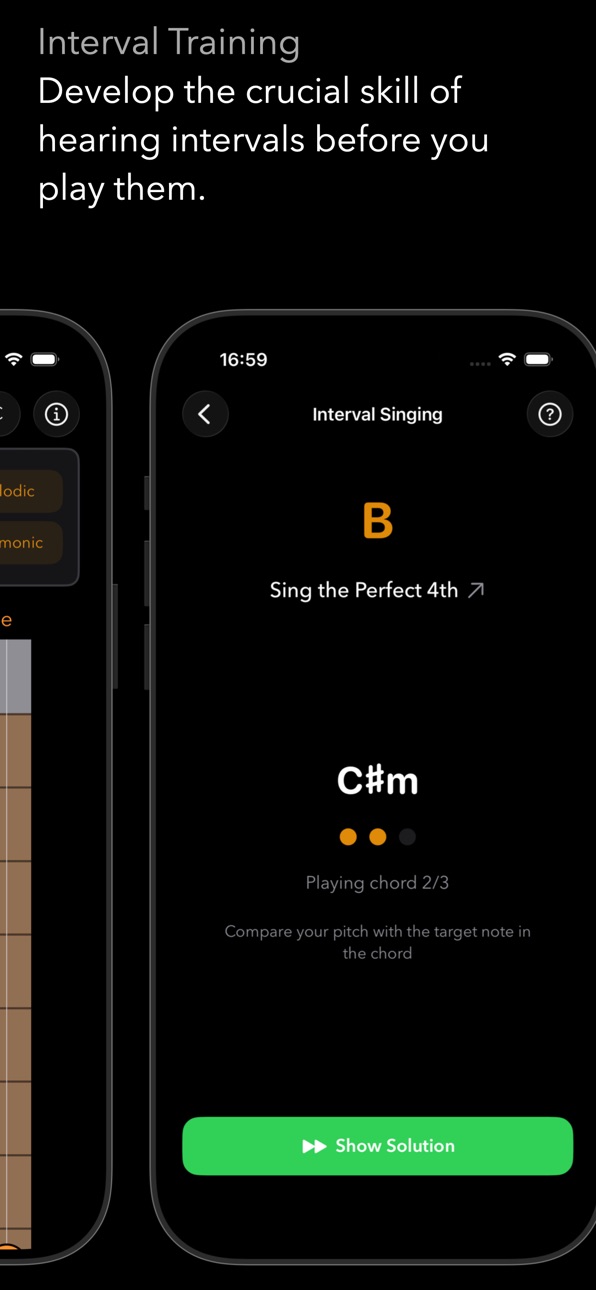
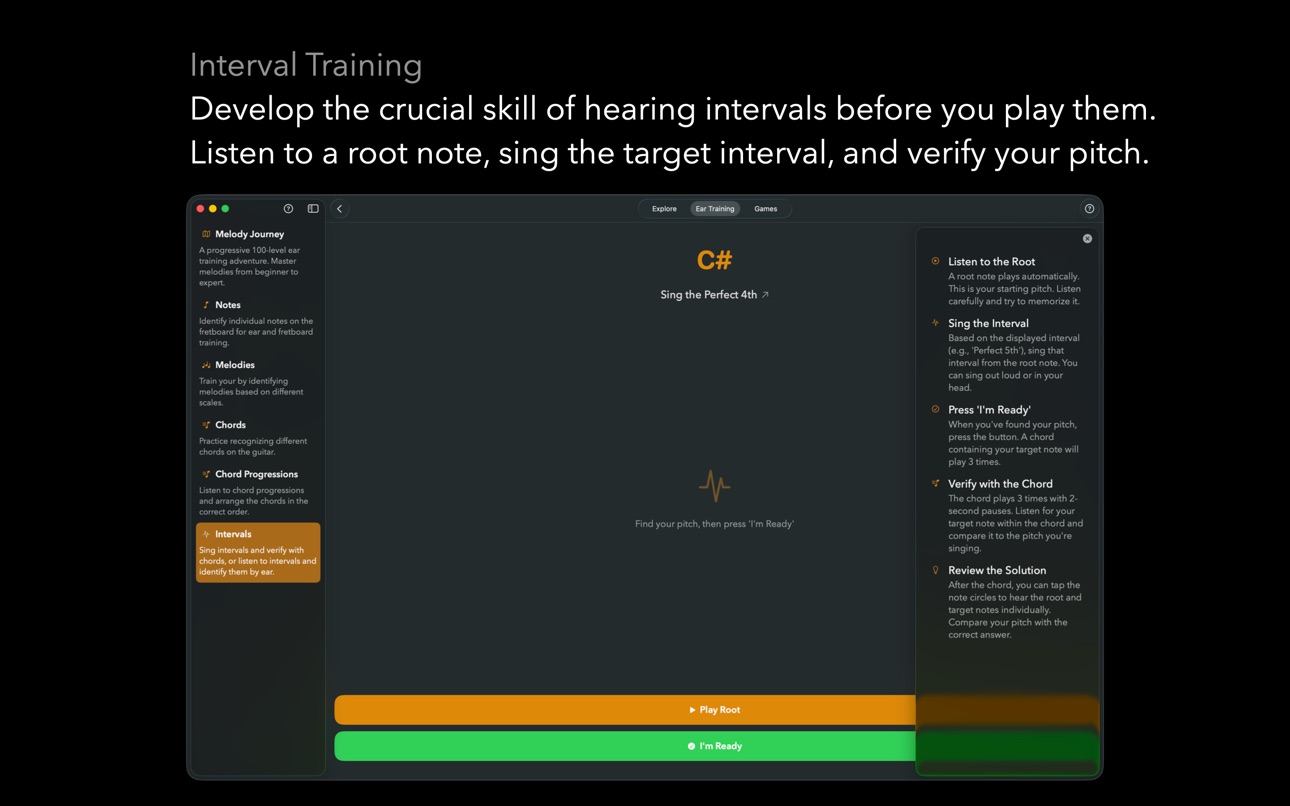
INTERVAL SINGING:
Train your inner ear by singing intervals before you play them. Listen to a root note, sing the target interval, then verify your pitch against a chord. Three difficulty levels covering all 11 intervals. Choose ascending, descending, or mixed direction.
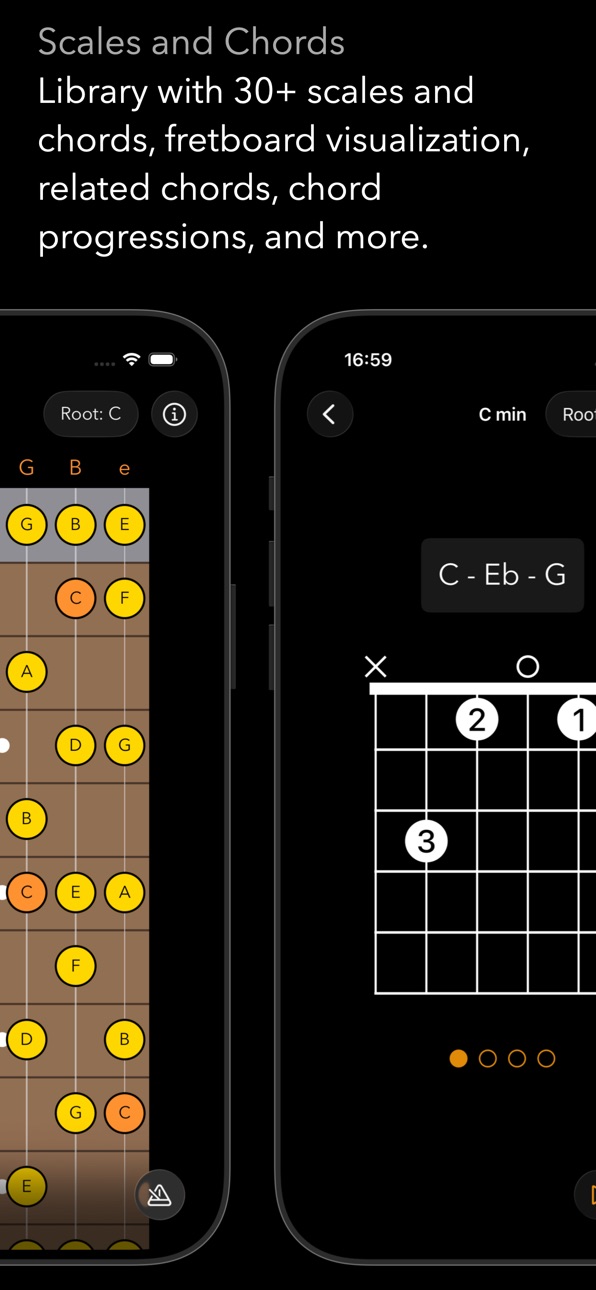
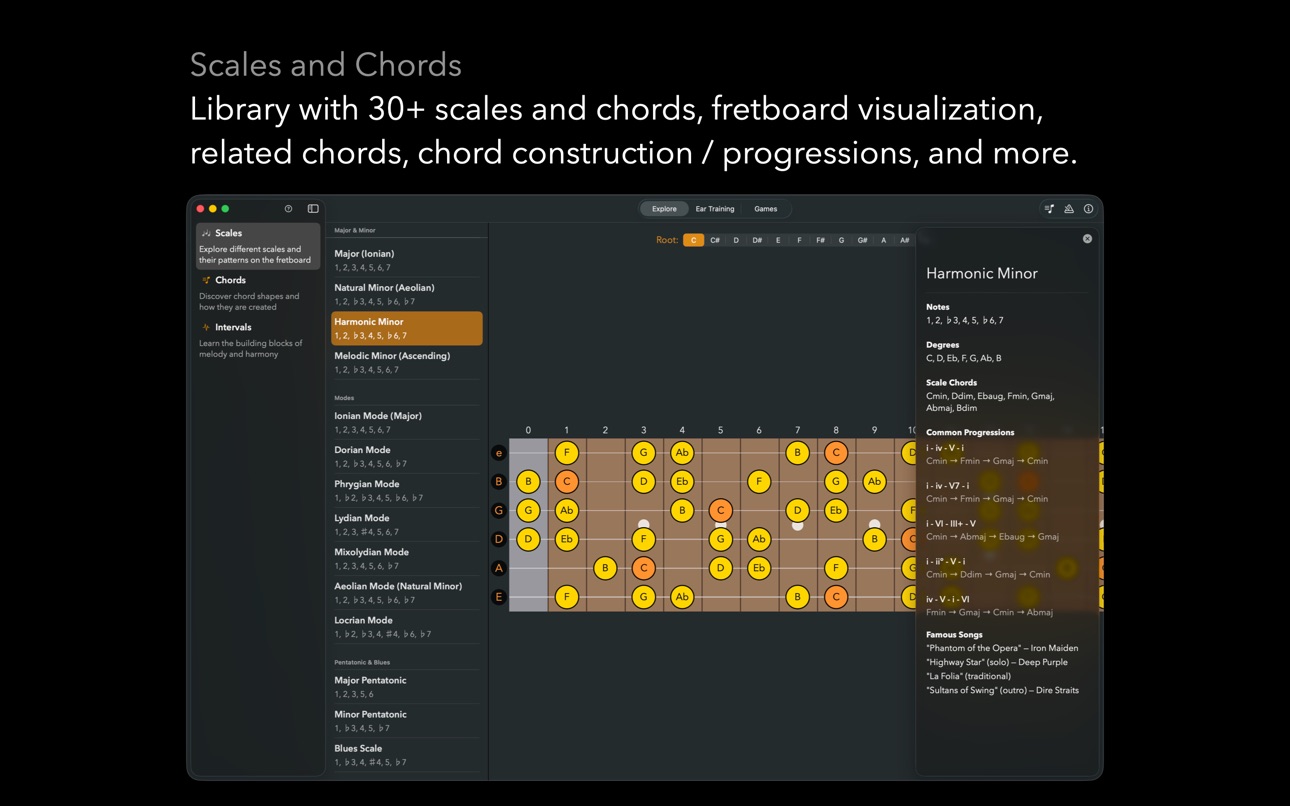
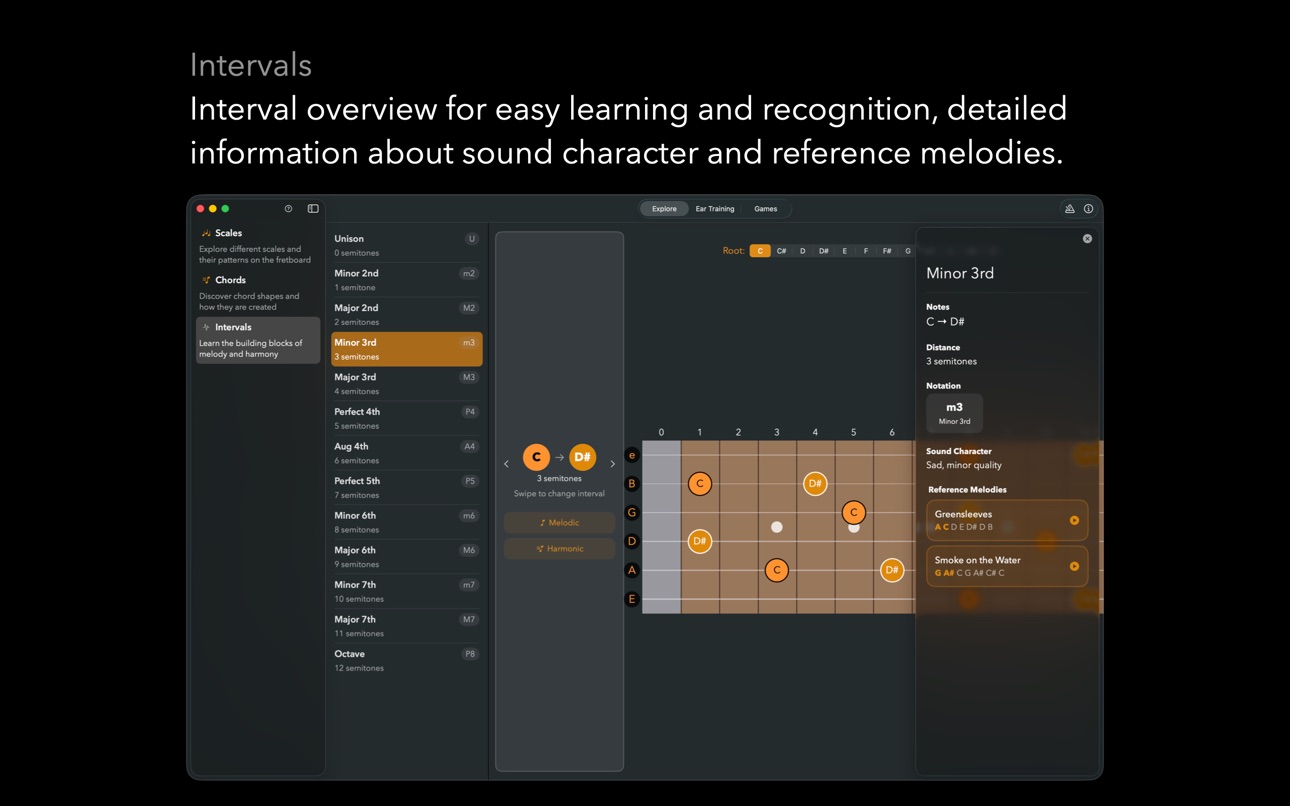
EXPLORE: SCALES, CHORDS & INTERVALS
Browse an interactive reference covering scales, chords, and intervals – all visualized on the fretboard.
• See every chord shape with correct note names and play it back directly
• Browse all intervals with visual highlights and famous reference melodies you can play
• Explore scale patterns across the full neck
INTERACTIVE FRETBOARD VIEW
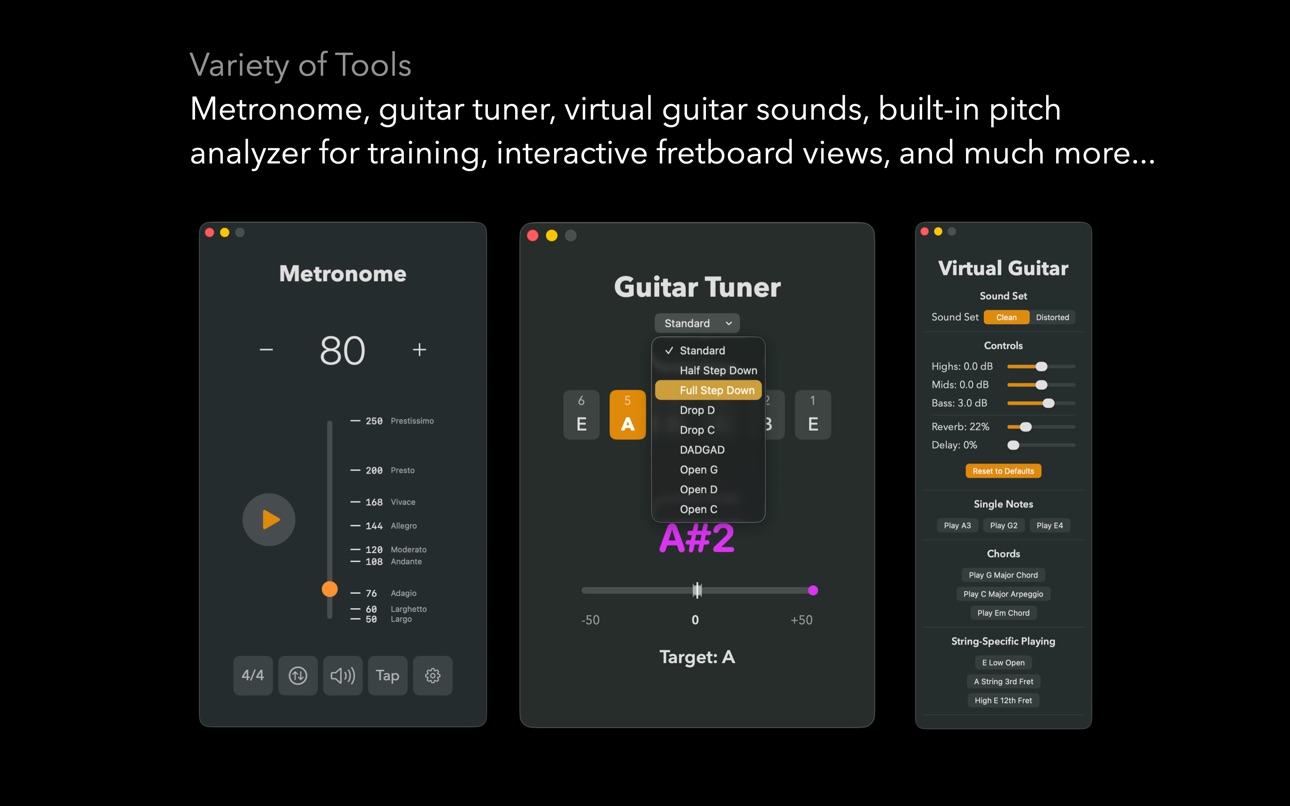
A beautifully designed virtual fretboard shows you exactly where notes and chords appear on the neck. Optimized for portrait and landscape on iPhone, iPad and Mac.
BUILT-IN AUDIO ANALYZER
• Enable the microphone-based analyzer to detect what you play in real time
• See the detected note name and octave as you play on your own instrument
• Use it to check intonation, pitch accuracy, and ear-to-fretboard connection
FLEXIBLE PRACTICE SETTINGS
• Choose your training focus: Journey, Notes, Melodies, Chords, Chord Progressions, or Interval Singing
• Limit practice to specific fret ranges
• Select chord types to include, with optional inversion challenges
• Choose interval playback as melodic or harmonic, and set direction
• Adjust difficulty levels across all training modes
DESIGNED FOR REAL PROGRESS
Guitar Buddy is a focused training tool – not a game with distractions. It helps you:
• Internalize note locations across the entire fretboard
• Recognize chords by name and structure
• Develop your inner ear for intervals and melodies
• Build long-term fretboard fluency
IDEAL FOR
• Guitarists who know shapes but want to understand the actual notes
• Students preparing for music theory exams
• Self-taught players filling in fretboard and harmony gaps
• Musicians developing melodic ear and interval recognition
Take control of your fretboard knowledge and ear training.
Download Guitar Buddy and start turning guesswork into confidence – one note, one chord, and one melody at a time.
In-App Purchases US pricing
One-Time Purchases
Tip me a espresso$0.99
Tip me a mug of coffee$2.99
Buy me 2 cups of coffee$4.99
Buy me a cookie and a cup of coffee$9.99
Capabilities
In-App Purchases
Accessibility
ipadiphonemacrealityDevicetvoswatch
Version history 8 versions
Build 884688284v1.3.02026-04-21 03:20:28
JOURNEY GROWS TO 165 LEVELS:
The Melody Journey has been expanded from 100 to 165 levels across 33 topic groups. The revised curriculum introduces major/minor contrast and pentatonic scales earlier, giving you a more musical progression from the very first levels.
MELODIC DIRECTION:
A new challenge type in the Journey: listen to a short phrase and identify whether the melody is ascending, descending, or repeating. Builds the foundational listening skill behind all melodic ear training.
HARMONIC INTERVALS:
Train your ear on intervals played simultaneously — both notes at once — in addition to the sequential (melodic) intervals you already know. Choose between melodic and harmonic playback when starting an interval session.
CHORD PROGRESSIONS TRAINING:
A brand-new standalone training mode. Listen to a chord progression and identify the chords in sequence. Three difficulty levels help you go from common two-chord patterns to complex four-chord sequences.
CHORD INVERSIONS:
Both the Journey and standalone chord training now include inversion challenges. Toggle "Include Inversions" in chord settings to hear chords in root position or any inversion, with the answer revealing exactly which inversion was played.
SCALE DEGREES:
New Journey levels teach you to identify scale degree numbers (1, 2, 3 … 7) by ear — a key skill for understanding melody and harmony in any key.
INTERVAL DIRECTION CONTROL:
Choose ascending, descending, or mixed intervals when practising interval recognition or interval singing.
Build 883149392v1.2.32026-03-09 00:32:42
Chord Note Display Fix:
Fixed an issue where chord notes in the Explore section could show incorrect sharps or flats. Minor-family chords now correctly use the minor scale convention for accidentals, so you'll always see the right note names for the chord you're looking at.
Build 882687138v1.2.22026-03-06 23:25:15
Auto-Submit Option:
Speed up your practice sessions with the new auto-submit setting. When enabled, your answer is automatically confirmed as soon as you've identified the last note — no need to tap Submit. Perfect for when you're in the zone and want to keep the momentum going. A tip in the UI will guide you to the setting.
Interval Highlights in the Info Section:
The Interval section now visually highlights intervals in the reference melodies, making it easier to see relationships between notes at a glance.
Bug Fixes:
• Fixed an issue where certain late Journey levels involving chord-then-melody challenges could not be completed.
• Fixed interval generation in the Journey so the right intervals are played at every level.
• Various UI consistency improvements across the app.
Big thanks to all the feedback I got from the different forums, especially the Reddit community.
Build 882662905v1.2.12026-02-22 17:54:44
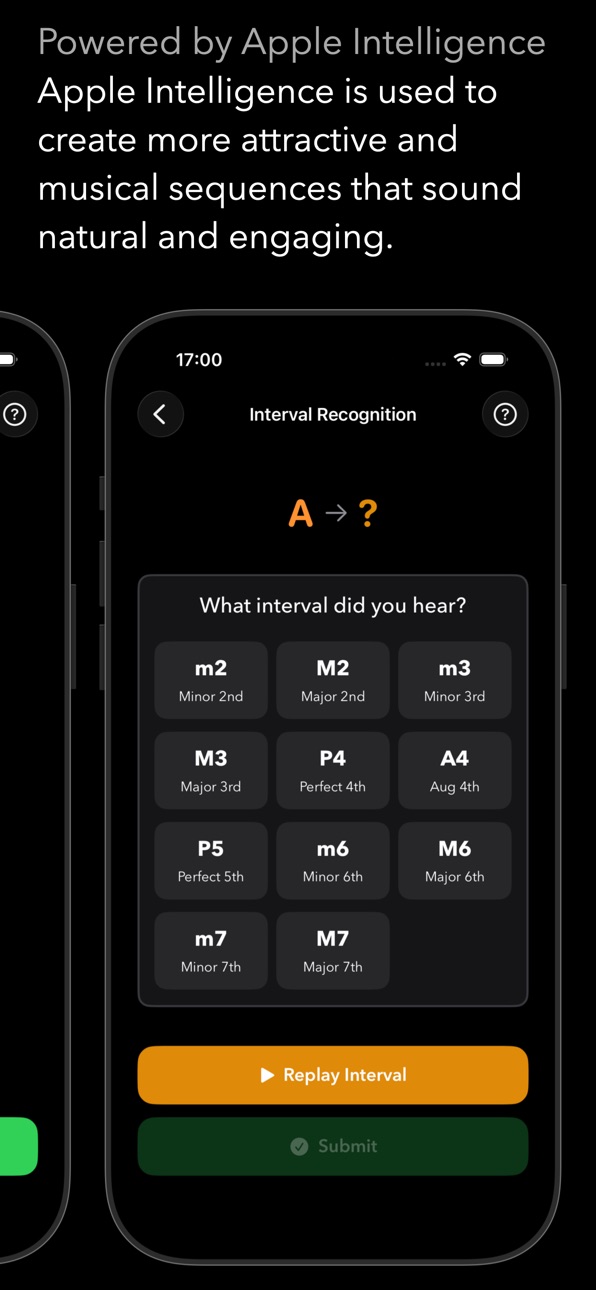
Interval Recognition Mode:
A brand new way to train your ear — listen to two notes and identify the interval. Choose from multiple difficulty levels as you sharpen your ability to recognize intervals instantly.
Reference Melodies with Playback:
Each interval in the Explore section now comes with famous reference melodies you can play back directly. Hear the opening notes of songs like "Twinkle Twinkle" for a Perfect 5th or "Pink Panther" for a Minor 2nd.
Landscape Support for Interval Training:
Both Interval Singing and Interval Recognition sessions now feature optimized landscape layouts, giving you a comfortable training experience in any orientation.
Other things:
We also fixed those annoying bugs and added a new introduction to our melody journey. Enjoy!
Build 882055870v1.2.02026-02-15 21:39:56
The Journey Update:
Embark on a progressive 100-level adventure designed to take you from beginner to expert. Each level introduces carefully crafted melodic challenges across scales, modes, and patterns. Track your progress, unlock new topics, and follow a clear roadmap to ear training excellence.
Train Your Inner Ear with Intervals:
Develop the crucial skill of hearing intervals before you play them. Listen to a root note, sing the target interval, then verify your pitch against a chord. Three difficulty levels help you progressively master all musical intervals.
Apple Intelligence Powered Melodies:
Training melodies are now generated using Apple Intelligence, creating more attractive and musical sequences that sound natural and engaging.
Enhanced Training Experience:
• Four distinct training modes: Notes, Melodies, Chords, and the new Interval Singing
• Comprehensive progress tracking across all 100 Journey levels
• Topic-based organization makes it easy to focus on specific skills
Whether you're just starting out or refining advanced skills, version 1.2 gives you the tools to truly master the fretboard by ear.
Build 881157202v1.1.02026-01-05 23:54:18
Optimized content layout of many screens to show more of the fretboard. Added more information and an option to play the displayed chord to the Chord screen.
Added (hopefully) helpful information about how to approach ear training to the different training sections.
Build 880856511v1.0.12025-12-20 07:47:59
Small UI tweaks and a better note overview in the melody section. Enjoy!
Build 878426834v1.02025-12-16 13:22:44
Price history by region
Currency
Show
Columns
Search
Availability 1 of 1 storefronts
| Region | Language | Price | Ratings | Avg | Version |
|---|---|---|---|---|---|
| US | en-US | Free | 1 | 5.0 | 1.3.0 |
Change log 12 changes · US
✎
releaseNotes updated
JOURNEY GROWS TO 165 LEVELS:
The Melody Journey has been expanded from 100 to 165 levels across 33 topic groups. The revised curriculum introduces major/minor c
✎
description updated
Guitar Buddy
Master the Fretboard by Ear – Notes, Chords, Melodies & Real‑Time Pitch Detection
Unlock the guitar fretboard and train your musical ear with Guit
✎
subtitle updated
Fretboard & Ear Training
✎
name updated
Guitar-Buddy
◆
Version 1.3.0 released
JOURNEY GROWS TO 165 LEVELS:
The Melody Journey has been expanded from 100 to 165 levels across 33 topic groups. The revised curriculum introduces major/minor contrast and pentatonic scales earlier, giving you a more musical progression fro
◆
Version 1.2.3 released
Chord Note Display Fix:
Fixed an issue where chord notes in the Explore section could show incorrect sharps or flats. Minor-family chords now correctly use the minor scale convention for accidentals, so you'll always see the right note name
◆
Version 1.2.2 released
Auto-Submit Option:
Speed up your practice sessions with the new auto-submit setting. When enabled, your answer is automatically confirmed as soon as you've identified the last note — no need to tap Submit. Perfect for when you're in the zo
◆
Version 1.2.1 released
Interval Recognition Mode:
A brand new way to train your ear — listen to two notes and identify the interval. Choose from multiple difficulty levels as you sharpen your ability to recognize intervals instantly.
Reference Melodies with Play
◆
Version 1.2.0 released
The Journey Update:
Embark on a progressive 100-level adventure designed to take you from beginner to expert. Each level introduces carefully crafted melodic challenges across scales, modes, and patterns. Track your progress, unlock new top
◆
Version 1.1.0 released
Optimized content layout of many screens to show more of the fretboard. Added more information and an option to play the displayed chord to the Chord screen.
Added (hopefully) helpful information about how to approach ear training to the di
◆
Version 1.0.1 released
Small UI tweaks and a better note overview in the melody section. Enjoy!
◆
Version 1.0 released