Home › Utilities

 US
US
1 of 1 storefronts
Content in en-US
Content in en-US
Information
Preview 2 platforms
iPhone 9 images




iPad 10 images




What’s New Version 1.3
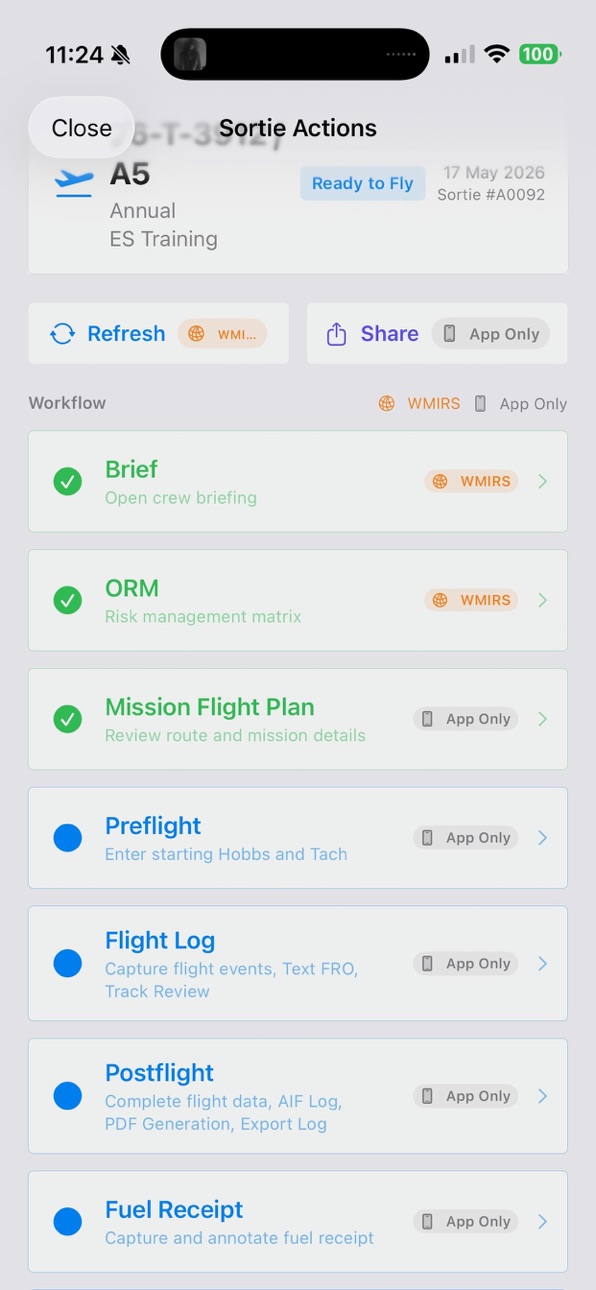
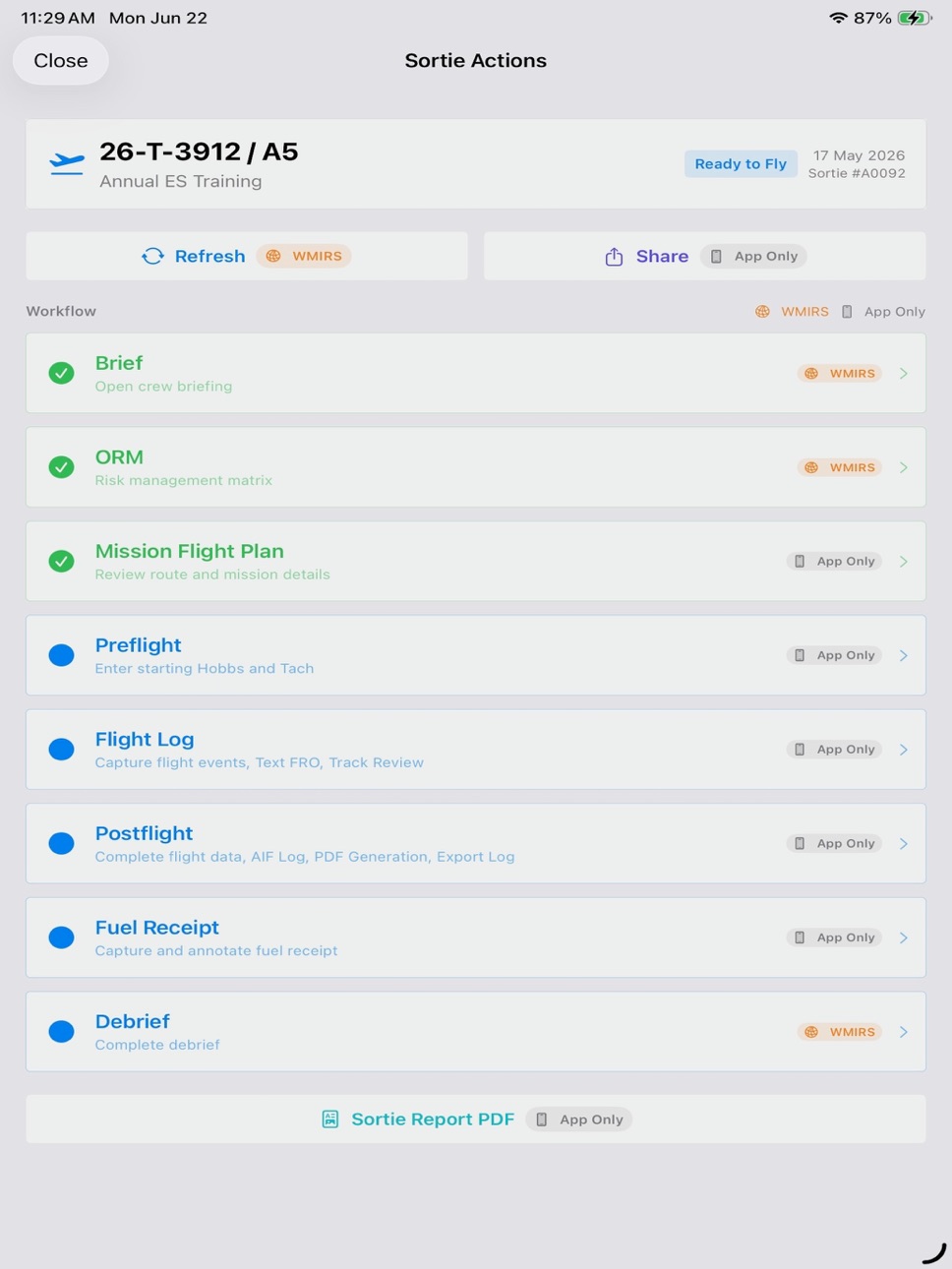
Redesigned Sortie Actions into a single sequential workflow from Brief through Debrief.
Added clear WMIRS and App Only labels throughout sortie workflows.
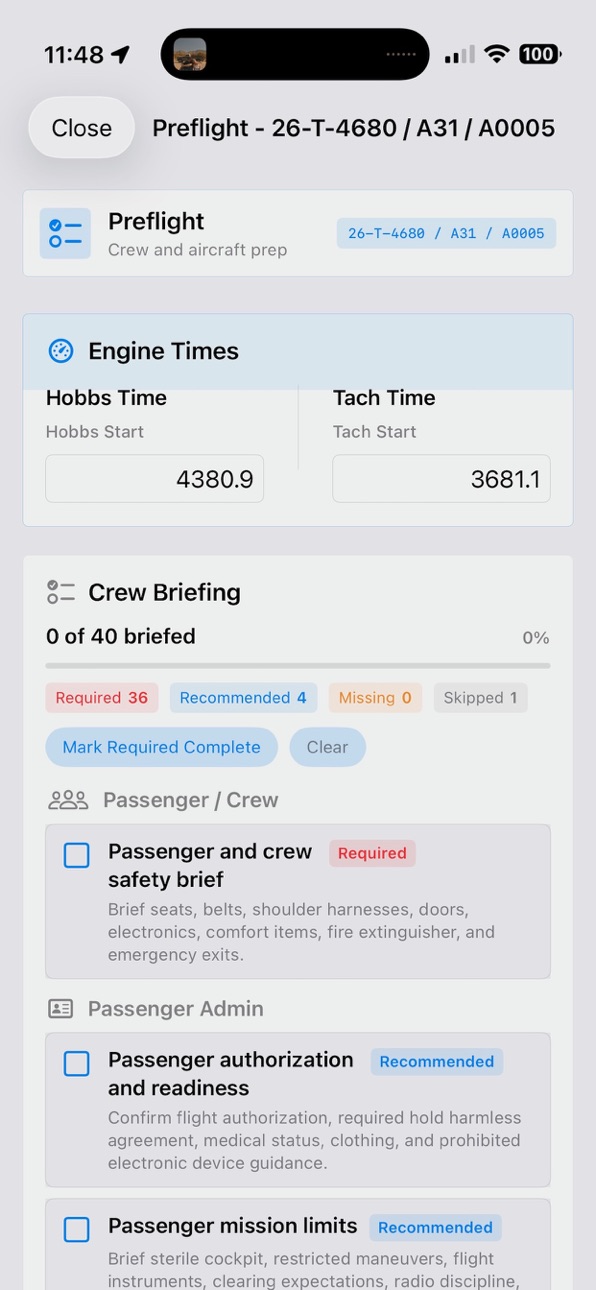
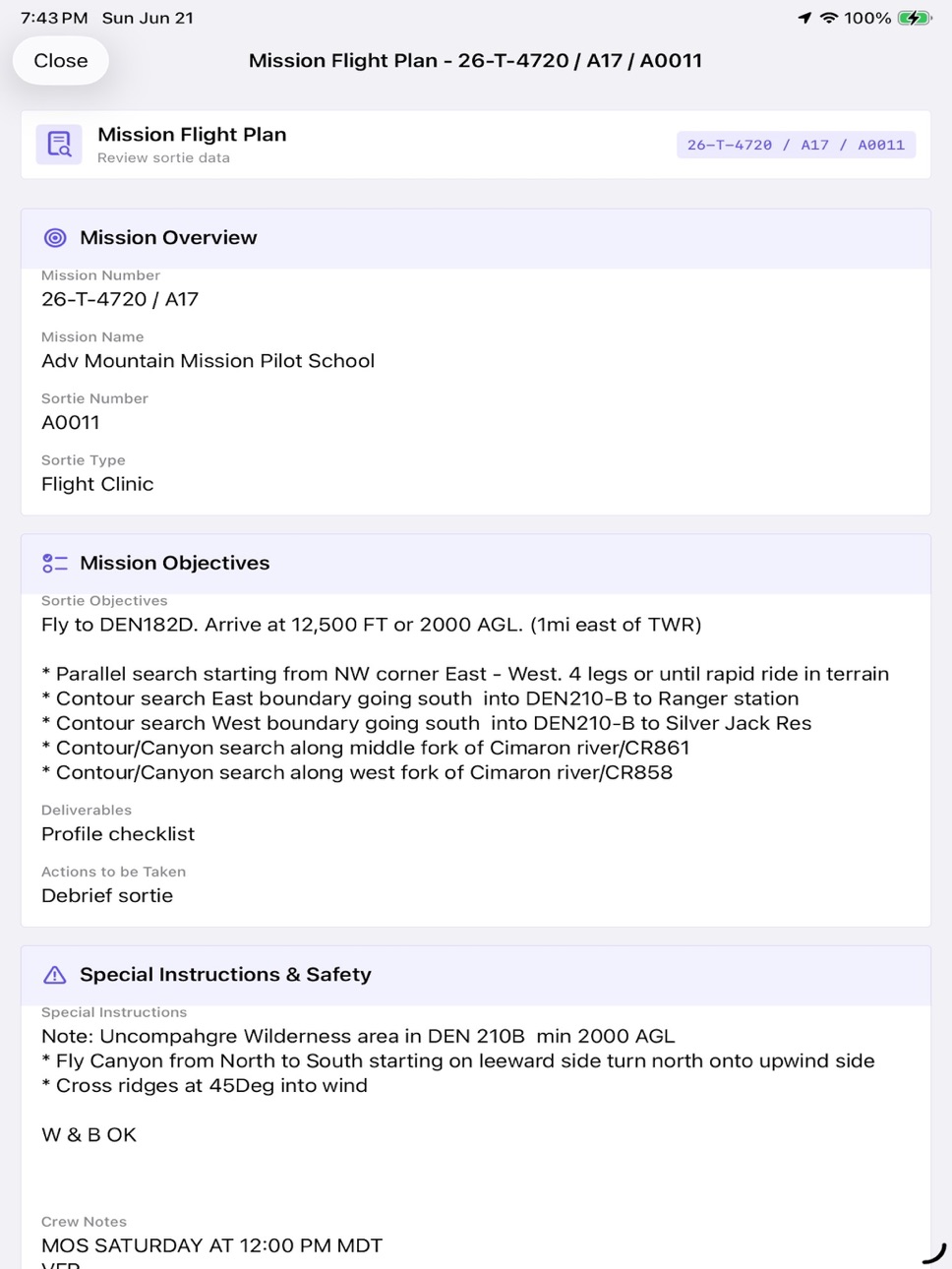
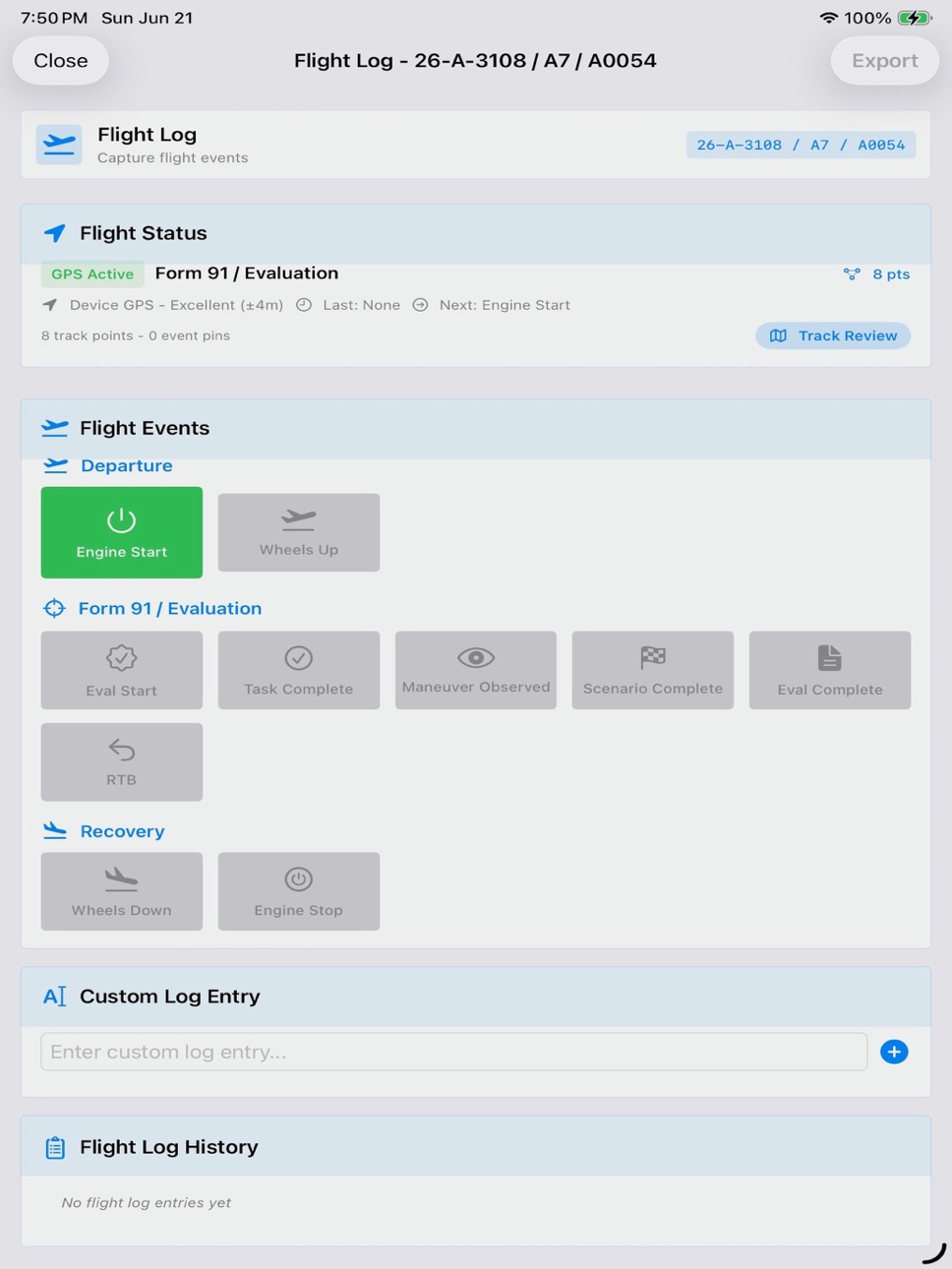
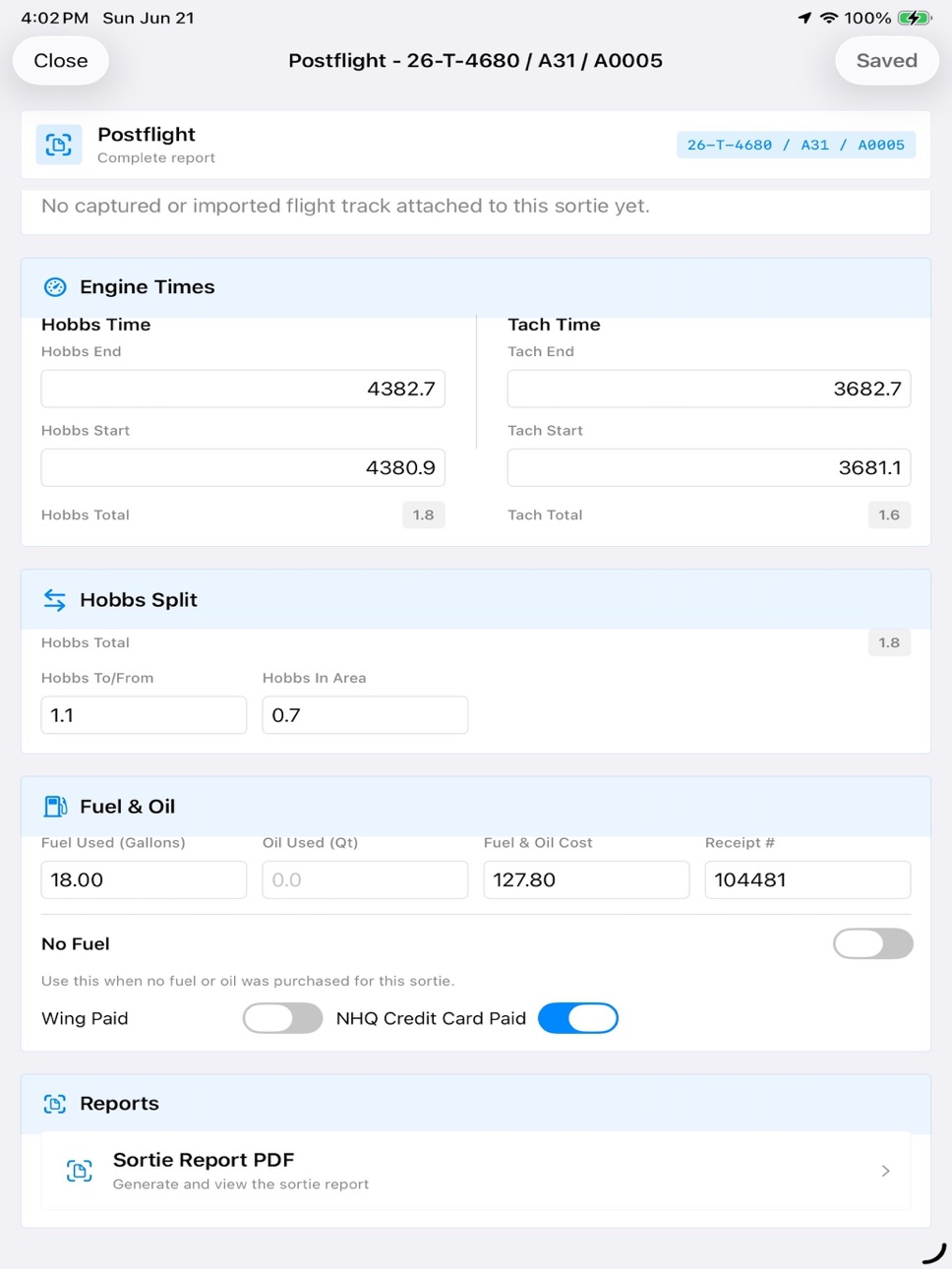
Split flight workflow phases into focused pages for Mission Flight Plan, Preflight, Flight Log, and Postflight.
Improved Debrief syncing so WMIRS fuel, oil, payment, and debrief data flow back into Postflight.
Added smarter completion indicators for each sortie phase.
Refreshed flight workflow visuals with clearer phase color accents.
Improved sharing and refresh controls for sorties.
Fixed several persistence and validation issues around WMIRS sortie data.
Added Hobbs In Area and Hobbs To/From support.
Enhanced Fuel Receipt Capture functionality
Description
SortieTrack – Mission Flight Management for Civil Air Patrol Aircrews
SortieTrack helps mission aircrews spend less time on paperwork and more time on the mission. Built by aircrew members, it organizes the sortie lifecycle into one guided workflow from Brief and ORM through Mission Flight Plan, Preflight, Flight Log, Postflight, Fuel Receipt, and Debrief.
If you’ve ever re-entered the same sortie details, wrestled with mission narratives, sorted out fuel receipts after a long day, or tried to reconstruct a flight from scattered notes, SortieTrack was built for you.
One Workflow, Less Manual Work
SortieTrack keeps sortie tasks available in one sequential workflow, with clear completion indicators and visual distinction between WMIRS-related steps and app-only tools.
Mission data, crew roles, aircraft assignments, planning notes, weather details, and mission context stay together in one place.
Real-Time Flight Operations
• Briefing dashboard with live METAR and TAF updates
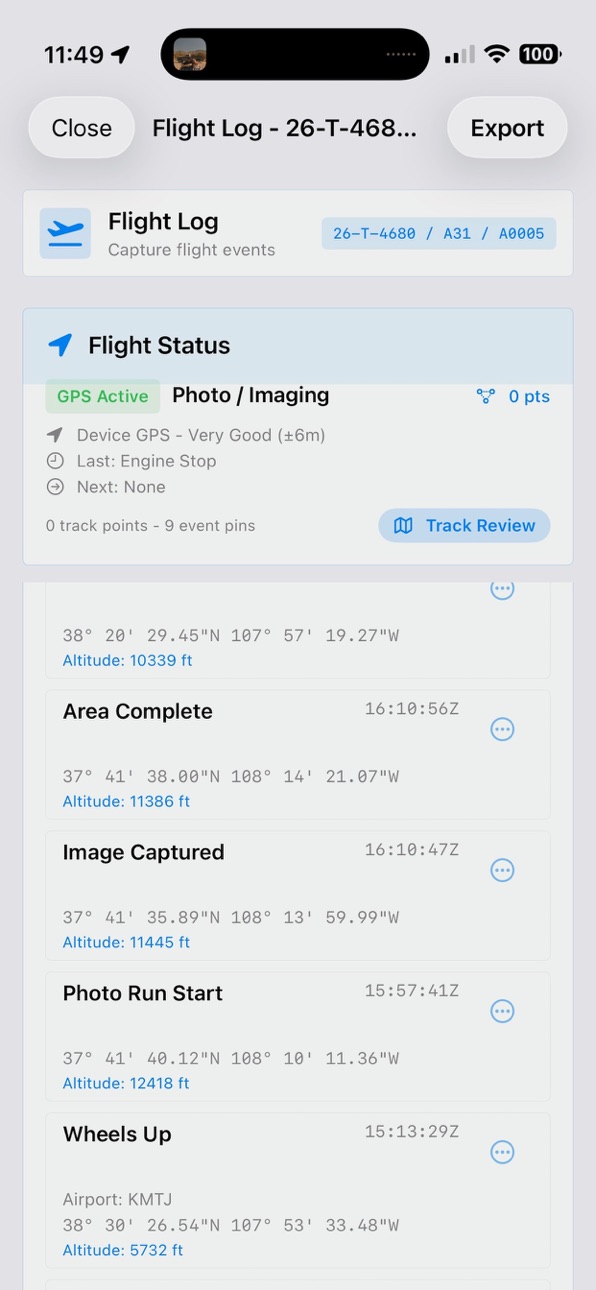
• One-touch logging for engine start/stop, takeoff/landing, and key mission events
• Continuous GPS track recording with time, position, and altitude
• Custom notes for mission-specific situations
• Optional notifications to designated contacts
• KML export with event placemarks and a continuous flight path
Track Recording and KML Integration
SortieTrack records a persistent in-flight track between engine start and engine stop, separate from the mission event log. You can also import KML files, including ForeFlight “Send KML to...” share flows, and attach them to an existing sortie.
Crew Sharing
After a flight, crews can share sortie data with other SortieTrack users. Shared sortie packages can be imported as a new sortie or used to update an existing one, helping the whole crew stay in sync.
AI-Assisted Mission Results
Using on-device Apple Intelligence when available, SortieTrack can help generate clearer post-flight text for Summary, Results/Deliverables, and Remarks using sortie details, crew notes, flight log entries, and track data.
Post-Flight Reporting
• Sortie Report PDF with flight details, logs, postflight data, and attached fuel receipt
• AIF Log PDF generation for quick aircraft time reporting
• Quick weather entry
• Mission results assistance
• Debrief notes and WMIRS-ready data organization
Fuel Receipt Tools
Capture, import, replace, preview, and manage fuel receipts directly in SortieTrack. Receipts are stored with the sortie, annotated with pilot info, aircraft tail number, mission context, Hobbs, and Tach details, and can be included in the Sortie Report PDF.
WMIRS-Friendly Workflow
SortieTrack helps aircrews prepare structured sortie information including timing, fuel, weather, crew details, mission results, and debrief data for use when completing official mission reports in WMIRS. It also separates WMIRS-connected steps from app-only flight management tasks.
Available at No Charge
All SortieTrack features are currently available at no charge. No subscription or in-app purchase is required.
Built by mission aircrews, for mission aircrews, SortieTrack was created to reduce workload, improve accuracy, and help you focus on what matters most: flying the mission.
WMIRS is a proprietary system of Civil Air Patrol. SortieTrack is an independent third-party product and is not endorsed by, sponsored by, or affiliated with Civil Air Patrol.
References to WMIRS are for descriptive purposes only to indicate workflow compatibility.
SortieTrack is distributed under Apple’s standard EULA.
Accessibility
ipadiphonemacrealityDevicetvoswatch
Version history 13 versions
Build 887261852v1.32026-06-23 14:56:04
Redesigned Sortie Actions into a single sequential workflow from Brief through Debrief.
Added clear WMIRS and App Only labels throughout sortie workflows.
Split flight workflow phases into focused pages for Mission Flight Plan, Preflight, Flight Log, and Postflight.
Improved Debrief syncing so WMIRS fuel, oil, payment, and debrief data flow back into Postflight.
Added smarter completion indicators for each sortie phase.
Refreshed flight workflow visuals with clearer phase color accents.
Improved sharing and refresh controls for sorties.
Fixed several persistence and validation issues around WMIRS sortie data.
Added Hobbs In Area and Hobbs To/From support.
Enhanced Fuel Receipt Capture functionality
Build 887009560v1.2.32026-06-16 15:11:54
Updated presentation, bug fixes
Build 886352677v1.2.22026-05-31 23:52:50
Minor bug fixes.
Build 885195539v1.2.12026-05-18 19:44:21
Crew Briefing Checklist on Preflight Tab, enhanced Mission Results Generation. ATA/ATD now based on Wheels Up/Down
Build 885176076v1.22026-05-02 20:51:59
SortieTrack is now free. All formerly Premium features are included at no extra cost, with no subscription required.
This update also includes workflow refinements for flight logging, postflight reporting, and sortie management.
Build 884465935v1.1.32026-04-28 18:37:59
**More mission types = more tailored briefing guidance**
**Precise distance tracking = accurate flight logs**
**Engine time warnings = proactive flight planning**
**AI-powered mission results = faster documentation* (on compatible devices)*
**Smarter login handling = fewer credential issues**
Build 884415170v1.1.22026-04-12 17:28:58
Mission specific Defaults for all Mission Types to populate briefing page. New User guidance when first launching the app.
Build 883910361v1.1.12026-04-11 02:01:39
Added an Update from WMIRS action on sortie actions to refresh all sortie information and capture any changes from both the Sortie and Briefing pages.
Improved Add Existing Sortie so it now downloads both the Sortie and Briefing pages automatically, making briefing optional in many cases. If the sortie is ready, you can often just add it and fly.
Added automatic airport detection for Wheels Up and Wheels Down events.
Use AI to automatically generate mission results based on objectives, track data, and flight log information.
Build 879067902v1.12026-03-19 14:20:31
Same app, new brand and icon!
Build 878932698v1.0.32025-10-16 21:50:37
Mission Symbol Defaults — New shared and per-mission-symbol defaults let you prefill crew contact, frequencies, area of operations, sortie objectives, special instructions, and other briefing fields. Configure global defaults and override them per mission symbol to speed up briefings, increase quality, and keep data consistent.
ORM Auto-Fill - App uses last ORM values to fill in current ORM form - completing the form in seconds.
Build 878606279v1.0.22025-10-03 14:35:30
Standardized Numeric Keyboard inputs
Minor prompt changes and enhancements
Build 878575973v1.0.12025-10-01 18:57:50
Added functional EULA and Privacy Policy links in Settings → Legal section
Updated in-app links to point to ezaero.com privacy policy and Apple EULA
UI Improvements
Renamed confusing 'Manage Subscription' button to 'Subscription Plans' in Settings
Hide 'Get CAPFLIGHT Premium' button when user has active subscription
Improved subscription flow clarity for users and reviewers
Build 878408341v1.02025-09-30 17:38:22
No pricing data captured yet — comparisons appear once the app has paid storefronts or in-app purchases.
Availability 1 of 1 storefronts
| Region | Language | Price | Ratings | Avg | Version |
|---|---|---|---|---|---|
| US | en-US | Free | 0 | — | 1.3 |
Change log 17 changes · US
✎
releaseNotes updated
Redesigned Sortie Actions into a single sequential workflow from Brief through Debrief.
Added clear WMIRS and App Only labels throughout sortie workflows.
Split
✎
description updated
SortieTrack – Mission Flight Management for Civil Air Patrol Aircrews
SortieTrack helps mission aircrews spend less time on paperwork and more time on the miss
✎
subtitle updated
Aircrew Sortie Management
✎
name updated
SortieTrack
◆
Version 1.3 released
Redesigned Sortie Actions into a single sequential workflow from Brief through Debrief.
Added clear WMIRS and App Only labels throughout sortie workflows.
Split flight workflow phases into focused pages for Mission Flight Plan, Preflight, F
◆
Version 1.2.3 released
Updated presentation, bug fixes
◆
Version 1.2.2 released
Minor bug fixes.
◆
Version 1.2.1 released
Crew Briefing Checklist on Preflight Tab, enhanced Mission Results Generation. ATA/ATD now based on Wheels Up/Down
◆
Version 1.2 released
SortieTrack is now free. All formerly Premium features are included at no extra cost, with no subscription required.
This update also includes workflow refinements for flight logging, postflight reporting, and sortie management.
◆
Version 1.1.3 released
**More mission types = more tailored briefing guidance**
**Precise distance tracking = accurate flight logs**
**Engine time warnings = proactive flight planning**
**AI-powered mission results = faster documentation* (on compatible dev
◆
Version 1.1.2 released
Mission specific Defaults for all Mission Types to populate briefing page. New User guidance when first launching the app.
◆
Version 1.1.1 released
Added an Update from WMIRS action on sortie actions to refresh all sortie information and capture any changes from both the Sortie and Briefing pages.
Improved Add Existing Sortie so it now downloads both the Sortie and Briefing pages autom
◆
Version 1.1 released
Same app, new brand and icon!
◆
Version 1.0.3 released
Mission Symbol Defaults — New shared and per-mission-symbol defaults let you prefill crew contact, frequencies, area of operations, sortie objectives, special instructions, and other briefing fields. Configure global defaults and override t
◆
Version 1.0.2 released
Standardized Numeric Keyboard inputs
Minor prompt changes and enhancements
◆
Version 1.0.1 released
Added functional EULA and Privacy Policy links in Settings → Legal section
Updated in-app links to point to ezaero.com privacy policy and Apple EULA
UI Improvements
Renamed confusing 'Manage Subscription' button to 'Subscription Plans' in S
◆
Version 1.0 released